

Closed (works as designed)
Project:
OpenLayers Geocoder
Version:
6.x-2.x-dev
Component:
User interface
Priority:
Normal
Category:
Feature request
Assigned:
Unassigned
Reporter:
Created:
18 Dec 2010 at 17:29 UTC
Updated:
16 Jul 2012 at 15:08 UTC
Jump to comment: Most recent file



Comments
Comment #1
francewhoa+1 for this. I would be happy to contribute testing.
Same thing on many of my sites. Most users don't understand how to use the GeoCoder. They don't get it that they have to make a search then click on one result display below the field. Adding instructions below the field is ineffective. Most people don't read help text.
I suggest making the button feature optional though. Because on some site we would activate it and other not. For example user could either click the 'Add' button or click on one result display below the field.
An additional feature would be to be able to customize the text on the button to anything. Such as: Submit, Map it, Save, Go, Add, etc
Any volunteer for a patch? I would be happy to contribute testing.
Comment #2
scalp commentedAnother great feature would be the ability to change the label for each content type the field is on. Adding some helper text would be great too. That way you could give the search box a suitable label that would help to explain what the box was for and with the helper text you could explain things like how to use it. May do away with the need for a submit button (or at least provide an easy alternative while that functionality is added).
Comment #3
itserich commentedI have changed the text on the submit button and it seems people often do not understand to enter the info, pause, and wait for google to get a result, then choose the result from the dropdown.
At least that is how it seemed to me, I just saw a lot of people get to the section and spend 5 minutes on it and leave without completing the task. I don't know how to phrase the directions.
Comment #4
francewhoa@itserich: Hope the following helps. This is how we worded the instructions on some sites:
Type in your address. For example: Vancouver, British Columbia, Canada'. Then wait. Results will be display below the 'Search address' field. Click on one result.Comment #5
itserich commentedThanks Francewhoa.
My specific problem is this field is in the middle of a form which might take 20 minutes to complete. So, any problem the user has causes a lot of frustration.
There is a modified Geo Geocoder which lets a person populate a cck field, but it does not work as well as the OL Geocoder (intersections don't work for example).
So, I think we will use a plain cck field and then transfer the data to the geocoder to make sure it gets entered correctly.
Comment #6
itserich commentedI am using Google Maps Tools module for the first time and it has a submit button.
Not sure what that module can do yet, but it sure is neat to see that feature. Currently whenever a user submits a node I need to input the address individually.
http://drupal.org/project/gmaps
Comment #7
rootwork+1 on a submit button
Comment #8
itserich commentedI could be wrong but it looks like Google Maps has been testing various submit buttons. I don't recall them on there previously, but have noticed several versions the past month or so.
http://www.maps.google.com
Comment #9
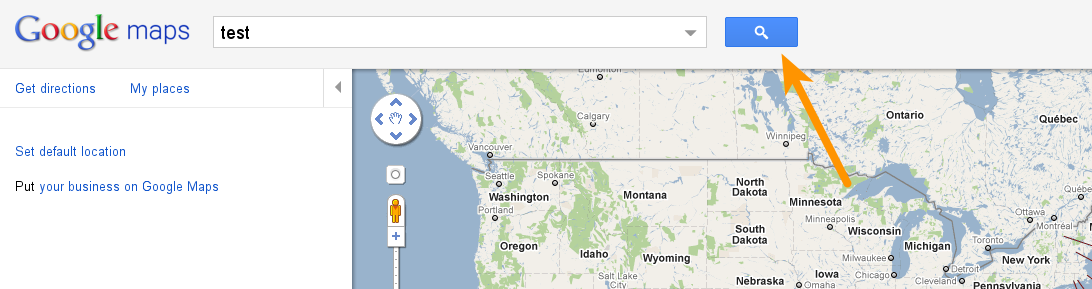
francewhoa@All: Attaching 3 examples of buttons. Which one do you prefer?
Comment #10
itserich commentedThose are three great examples. I have not compared closely before.
One thing I noticed, when I geocode at my site, there is a slight lag before Google starts providing addresses in the dropdown. On Goog'es site, there is no lag. This might cause some people to enter the address, and leave the field before the gecoding has taken place.
In any case, the OpenStreetMap.org interface appears to do no geocoding until the GO button is hit, and then the options are displayed in a distinct fashion. I think of the three options it is the "safest" for the widest audience.
Bing also seems to wait until the button is hit to provide options.
Google appears to be the only one provide options as the address is entered.
Also, want to be sure people are aware of a new Geocoding module, Rules Geocoder: http://drupal.org/project/rules_geocoder
A person could have a node saved and then geocoded via Rules.
Comment #11
rootworkRules Geocoder seems like a great interim solution (and permanent solution for a lot of use cases, certainly). But in general I agree with the others that a button to geocode an address would be better than the type-pause-seeresult experience that currently exists.
Just to move this forward, per #9, my favorite of those three on color/size is Google Maps, but I think for our purposes, having a (translatable/configurable) text string like "Go" makes more sense, since it's usually a part of a larger form, rather than simply searching for an address as an end in itself, as Google and Bing Maps usually are.
Comment #12
steinmb commentedNothing here for us to change as far as I can see. Buttons are rendered by openlayers and your theme.