I installed Sheetnode some time ago but just began using it. I have a recurring problem where the sheet node is enabled and appears to work. Eventually it ends up with just the cck label visible and no sheet appears.
I thought it might be related to permissions, it seemed to disappear after being enabled for viewing by non-admins, but that is just a guess. I am wondering if there is a simple conflict I am missing. Checked for ajax.ui module and do not have it.
I have update.php and flushed cache. Attached is a sreen shot. The sheet should appear at the bottom. When I create a new cck field sheet node it appears, but then quickly stops working.





Comments
Comment #1
infojunkieCan you please open Firefox and let me know if there's an error in the console?
Comment #2
itserich commentedThanks, I have never used Firebug console, though I have used Firebug.
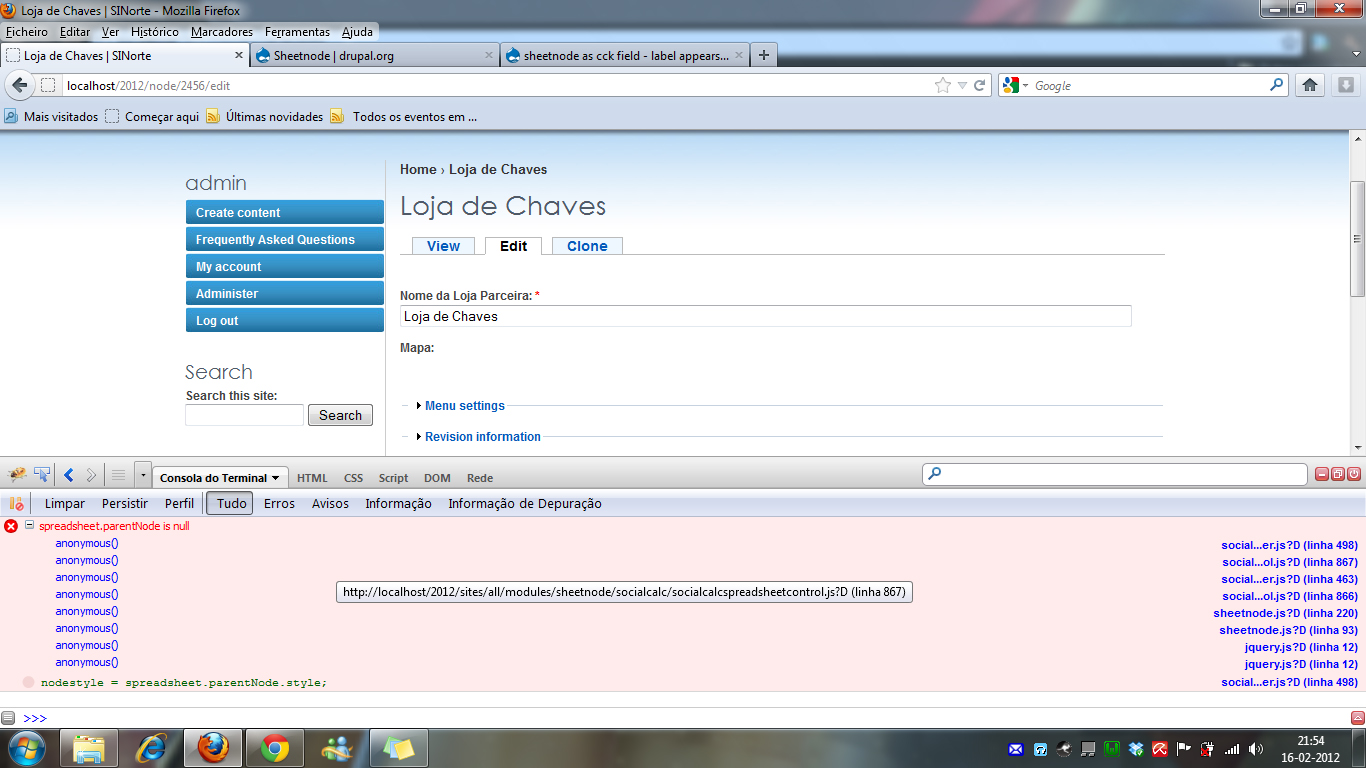
This is the only error and it appears when I open the page with sheet node.
If you want to see it the page is at: http://petnotice.com/content/sheet-test
Thanks.
Comment #3
infojunkieThanks, I was able to find an error. I'll submit a fix soon and ask you to confirm it.
Do you have two sheet fields in this one content type? Or is it a multiple-value field?
Comment #4
itserich commentedThis is a one sheet field.
If you want access to the account let me know.
Also, I noticed, it seems to allow me to create a node with the field, but once the node is created even if the field is not populated, the sheet is no longer visible.
Thanks.
Comment #5
infojunkieSure, send me an account please. I am suspecting a JavaScript interference with another module but I can't find which yet.
Comment #6
itserich commentedWhat kind of permissions do you think would help?
Comment #7
infojunkieFull admin would be nice :-)
Comment #8
alexanderrozenson commentedHi It happens to me as well. I'm using it with Storm module(Notes+CCK).
It also disables my CKedior(wysiwyg), and only after re-editing the document
Comment #9
infojunkie@itserich: Thanks, I got in. I found what's wrong, but I still don't understand why it's happening. I'll probably commit a patch within the next day or so to work around the problem until I figure out the root cause.
Comment #10
itserich commentedAlright. Another thing I noticed is the field name is visible even if the sheetnode field is empty, at least in one pane.
http://petnotice.com/alerts
Comment #11
itserich commentedHey another thing if you go to that pane, and try to edit the node in tab one, the input format for the node body does not change from filtered html regardless of what is selected (full html, etc)
Not sure if it is related but that is the first time I have noticed something like that.
Comment #12
infojunkieRe #10: Sheetnode CCK field does not check for empty sheets, so that's expected.
Re #11: Not sure either that this is related to Sheetnode. Disable the module and check if the same condition exists.
Comment #13
itserich commentedRegarding # 11 -
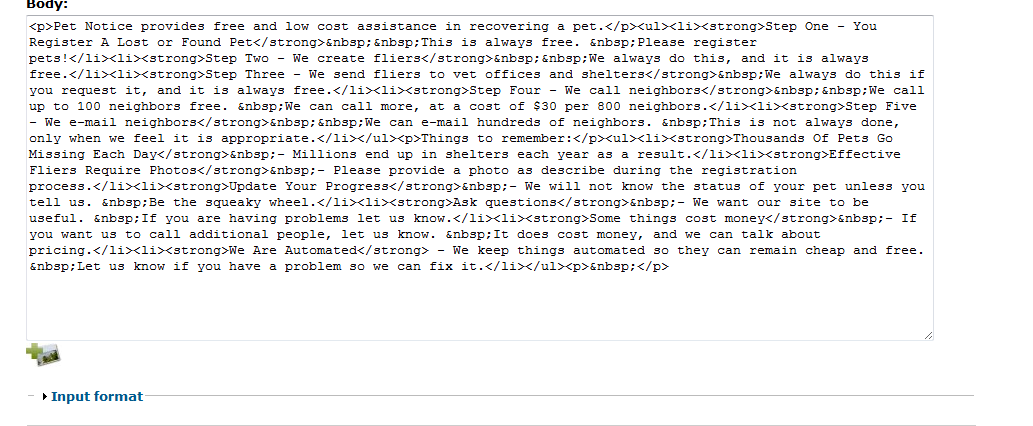
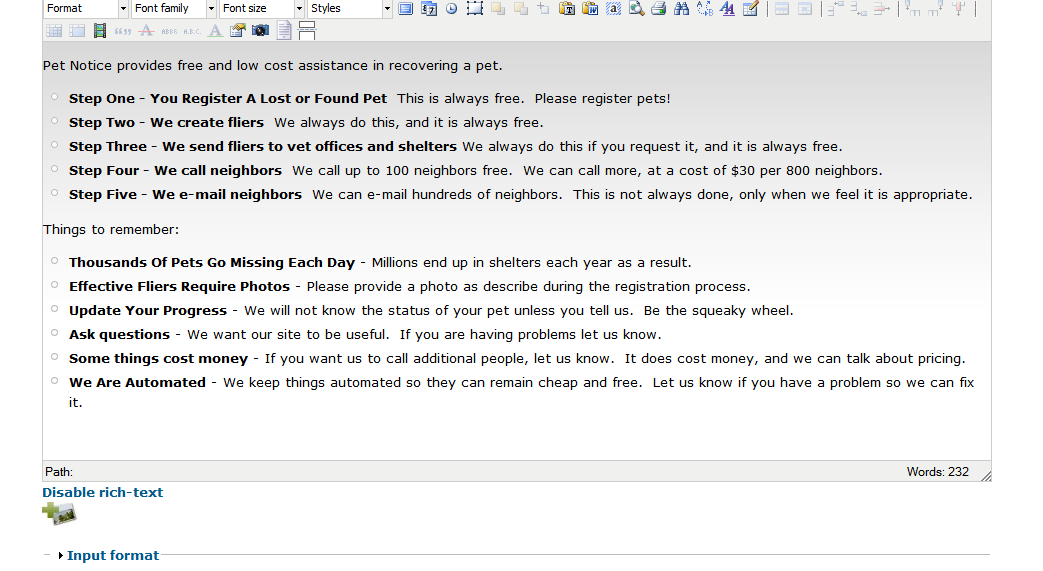
Attached are two screen shots of the body field, one with Sheetnode module enabled and one without.
When Sheetnode is enabled the format appears to default to Filtered HTML and the "Disable rich-text" option disappears.
I reenabled the module and deleted the cck field sheetnode and the problem is also resolved.
I removed the sheetfield field from the content type and made a new content type Sheetnode Content and put up a sample.
http://petnotice.com/content/sheetnode-test
Comment #14
Vote_Sizing_Steve commentedI'm having the same problem (no sheetnode cck field visible in edit). Here is my firefox console error:
SocialCalc.ConstantsSetImagePrefix is not a function
http://.../sites/all/modules/sheetnode/sheetnode.js?f
Line 98
... and my google chrome console error:
Uncaught TypeError: Object ,, has no method 'search'
SocialCalc.SpreadsheetControlDecodeSpreadsheetSave/sites/all/modules/sheetnode/socialcalc/socialcalcspreadsheetcontrol.js?Y:3054
SocialCalc.SpreadsheetControl.DecodeSpreadsheetSave/sites/all/modules/sheetnode/socialcalc/socialcalcspreadsheetcontrol.js?Y:875
Drupal.sheetnode.start/sites/all/modules/sheetnode/sheetnode.js?Y:124
Drupal.behaviors.sheetnodeedit:131
(anonymous function)/misc/drupal.js?Y:42
jQuery.extend.each/sites/all/modules/jquery_update/replace/jquery.min.js?Y:20
Drupal.attachBehaviors/misc/drupal.js?Y:41
Drupal.theme.placeholder/misc/drupal.js?Y:277
jQuery.fn.extend.ready/sites/all/modules/jquery_update/replace/jquery.min.js?Y:27
jQuery.extend.ready.jQuery.readyList/sites/all/modules/jquery_update/replace/jquery.min.js?Y:27
jQuery.extend.each/sites/all/modules/jquery_update/replace/jquery.min.js?Y:21
jQuery.extend.ready
... I have updated my sheetnode module to 6.x-1.5 and my http://.../sites/all/modules/sheetnode/socialcalc/socialcalc2demo10.html will display a sheetnode.
Comment #15
infojunkieRe #14:
means you don't have the latest SocialCalc code from GitHub. Please update it and try again.
Comment #16
Vote_Sizing_Steve commentedI tried installing the files from https://github.com/infojunkie/socialcalc/tarball/master into my /public_html/sites/all/modules/sheetnode/socialcalc folder, clearing drupal and browser caches; but still no luck - just breaking my js.
My http://.../sites/all/modules/sheetnode/socialcalc/ssctrltest1.html is working. Is there a way to check to see if my version is outdated (besides assuming so from the js errors)?
Also, I can add sheetnode nodes - but can't seem to edit them, or use sheetnode cck fields in other nodes.
Comment #17
infojunkieI can't see your full URL. Can you please make sure it appears in full?
Comment #18
Vote_Sizing_Steve commentedIt would be VoteSizing.org, as in http://votesizing.org/sites/all/modules/sheetnode/socialcalc/ssctrltest1....
Is this link a security risk? What can anonymous users do on this page - run scripts?
Comment #19
infojunkieI haven't assessed the security of ssctrltest1.html, but AFAIK it does not post anything back to the server.
Comment #20
infojunkieYou do have the latest version. I'll do more testing using Chrome to see if I find something that Firefox missed.
Comment #22
infojunkieComment #23
Vote_Sizing_Steve commentedCould it have something to do with the vertical tabs module I've installed and am using on the broken page?
Comment #24
infojunkieNot sure because I've seen the same behaviour on pages without the vertical tabs. Anyway feel free to remove the module to check.
Comment #25
xtien commentedI'm having the same issue. I created a content type with a sheetnode field, the content type has a view pane that shows me the spreadsheet that's editable, while the edit pane shows me the title but no content. I'd rather have the editable spreadsheet in the edit pane and a non-editable view in the view pane. I saw that sheetnode does have a page that displays the sheet as an html table, in "update_index" in form_alter.
Comment #26
xtien commentedI get this error in my browser console:
Uncaught TypeError: Object a:2:{s:13:
..................
--SocialCalcSpreadsheetControlSave--
";}}s:17:"default_value_php";N;} has no method 'search'
According to http://www.google.com/support/forum/p/Chrome/thread?tid=4887282bde990424...
this is a version issue in a js library.
Comment #27
xtien commentedWhat I think happens is the following.
In sheetnode.module there's a function called sheetfield_spreadsheet_process. It calls _sheetnode_inject.
Then, there's a function theme_sheetnode_formatter_default. That also calls _sheetnode_inject. In view mode, only the latter is called and the sheet shows properly. In edit mode, both are called, resulting in Drupal.settings.sheetnode.value becoming an array with two values. When the socialcald js does a substr or search on the value, it finds an array, not a string, and it crashes.
I have changed theme_sheetnode_formatter_default to
Now both the view mode and the edit mode show the spreadsheet. I'd rather have the view mode show an html table, so I'll try if I can put that in.
Comment #28
markchitty commentedI have been using sheetnode in the 'HTML table' mode, xtiens approach is good but in my case the 'type' is always markup, I've used arg to detect the edit page instead:
Comment #29
infojunkieI committed a tentative fix in the latest dev. Please try it and let me know how it works.
Comment #30
itserich commentedI tested it just once, but it seems to work for me.
Note to anyone new, be sure to download socialcalc into the module, extract it, and rename the resulting file socialcalc.
Link in #16 worked for me.
Thanks.
Comment #31
Maitreya commentedThank you infojunkie, I downloaded the last release and now my edit works too. thank you!
Comment #32
infojunkieComment #34
HappyCloud commentedHi,
I've installed the dev-version and it still doesn't work for me.
This is what happens:
1. When I create the node, the spreadsheet works fine and displays the default values for the node type. (I've made some default headings in the spread sheet).
2. When saving, I enter the View mode and the table shows as configured (HTML, Fiddle, Read-only) with my data intact.
3. When I enter Edit mode again, it shows as configured in the view-mode (HTML, Fiddle, Read-only).
4. When saved again, I loose all data.
What can I do?
Comment #35
infojunkieRe #34: Sounds like a different scenario. Please open a new issue.
Comment #36
HappyCloud commentedThanks for a fast reply!
I will do so.
Comment #37
morybel commentedLink in #16 worked for me also. Been looking for this for a while. Thanks
Comment #38
maximiano commentedHello
Not being able to edit the map.
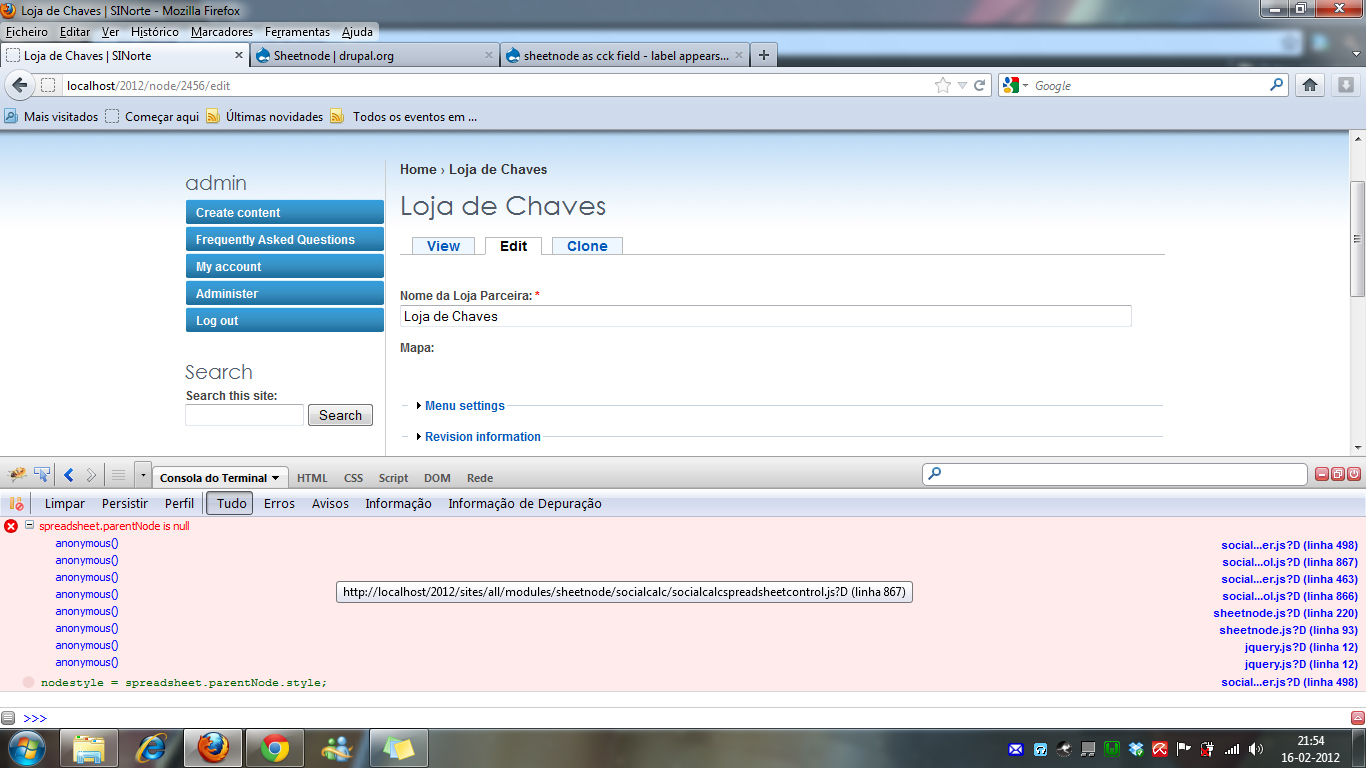
Attached image sent firebug.
Can anyone help?
thank you
Comment #39
maximiano commentedHello
Not being able to edit the map.
Attached image sent firebug.
Can anyone help?
thank you
Comment #40
maximiano commentedHello
Not being able to edit the map.
Attached image sent firebug.
Can anyone help?
thank you
Comment #41
infojunkie@maximiano, are you using the latest dev? If so, you need to run update.php.
Comment #42
maximiano commentedHi.
Thanks for you replay.
I use the 1.5 in drupal 6
Max
Comment #43
infojunkieI recommend using the latest dev with the latest SocialCalc code from github. Version 1.5 is over 1 year old.
Comment #44
maximiano commentedThank you infojunkie,
I downloaded the dev release and now my edit works.
thank you
Max
Comment #44.0
maximiano commentededit sheetnode problem