

Closed (outdated)
Project:
Panels
Version:
7.x-3.x-dev
Component:
Code
Priority:
Normal
Category:
Feature request
Assigned:
Unassigned
Reporter:
Created:
22 Jan 2011 at 00:07 UTC
Updated:
14 Jul 2026 at 01:09 UTC
Jump to comment: Most recent, Most recent file

Comments
Comment #1
dddbbb commentedMmmm. Yes, please.
Comment #2
bensnyder commentedGlad you like the idea! This feature would dovetail very nicely in the theme just released: Panels 960gs. Dixhuit, be sure to check it out!
Merlin, sorry if all the posting on 960gs is spammy to you - I must be in at least a dozen of your threads!
Comment #3
merlinofchaos commentedThe style controls the element, and styles can have forms. In order to achieve this, you'd need to create a style that does it.
Perhaps we could attempt to modify the default style to do this, I'm not sure. It'd be best if it starts out as a separate style and if it turns out to be really great, gets integrated back in.
Comment #4
bensnyder commentedI'm on it! Consider it done. I need this functionality for 960gs so I'm going to mod the default styles (...in hopes to integrate into Panels itself later on).
Merlin, quick question RE overriding the plugins.
I used to use
function panels_960gs_960_16_484_panels_layouts()but now I'm using:...to define Panel layouts. Is the hook deprecated? Or is that would I would use to override a layout defined by $plugin? How would I go about overriding the definition itself?
And ultimately, how exactly would this apply to styles?
Comment #5
merlinofchaos commentedThe hook is deprecated but it won't actually be going away -- there are legitimate reasons why you might still actually need to use the hook. (They mostly have to do with ways that your plugin file might get included before the plugin itself is ever referenced).
I'm not quite sure how we got from changing styles to overriding layouts, though. At the moment I don't think I offer a way to override layouts.
Comment #6
bensnyder commentedOk, thanks!
I've got my Panels training wheels on and I'm just about to lose them... I was assuming the $plugin definition for layouts would be similar to styles so I phrased the question that way. Bear with me :) thanks. I checked the Advanced Help area for /help/panels/plugins-style and it seems incomplete? No worries.. just know that I'm trying to do all my research and self-help before imploring your time.
EDIT: Moved part of this comments to #1040422: Layout Migration (migrate one panel layout to another layout on theme upgrade)
Comment #7
bensnyder commentedProof-of-concept patch attached; its against alpha2 and is relative to the panels module directory. Should I be working against HEAD?
It was easier to copy the code used for "CSS properties" but I imagine it would be best if this was done the way "Style" is done with a sub menu.
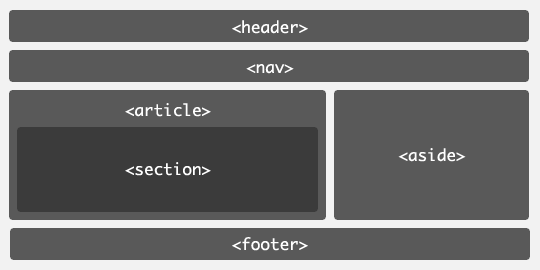
With "div" set to default and various options (like aside, section, etc...), we could easily do the following in pane output:
Thoughts?
Comment #8
merlinofchaos commentedInteresting. That would require every style to be able to understand the tags, though. Which is interesting because some styles (naked, fore example) don't use the tags at all.
Since styles can have their own forms, I should think that the place to start would be to try and add a settings form (I think it's 'pane settings form') to the default style.
Comment #9
Anonymous (not verified) commentedHey, I'm interested in helping to implement a solution for this feature request. Copying the "CSS properties" functionality is a start, even if the patch in #7 does not really solve it.
I'm not sure if a style plugin solution would/could work with other style plugins? For example I use the precision theme with the grid style plugin. If I use the grid plugin then I can't use another style plugin for the html markup, except I would implement that into the grid plugin as well. So even we come up with multiple styles per pane/region or we extract the bare essentials like tag (attributes) and css (id, classes, style) one level up like the CSS properties does!?
So if anyone has ideas, or more information about the proper architecture for this I'm listening (reading). :)
Comment #10
bensnyder commentedComment #11
gmclelland commentedI believe this can be solved by using the following:
http://drupal.org/project/panels_extra_styles + http://drupal.org/project/fences
http://drupal.org/project/semantic_panels
Comment #12
japerryDrupal 7 is no longer supported, closing.