My website is here http://www.hartlandpeninsula.co.uk/site
I would like to be able to use node titles as pagers, for example, on homepage there is a menu list 'Incredible landscapes', etc. I would like these to be the pagers for the slide below. i know you can use image thumbnails and page numbers, but couldn't see how to use page titles. imagine this would require some views tweaking??
Also, the pager links, can they have both onclick and onmousover at the same time? So, for example, if you mouseover a pager link, the image, or block, changes, as per normal, but, if you then click the pager link it takes you to a node.
??
Help appreciated.
Matt



Comments
Comment #1
intyms commentedAdd node title to your fields. Go to "views slideshow display" configuration. Select node title in the pager section.
Maybe http://drupal.org/project/views_slideshow_menu will help. I have never used that module, so excuse me if i am wrong.
Comment #2
strae commentedI have this needs too; i have many fields, but I cant see any of them in the pager select menu, i only have "numbered" and "thumbnails"
Comment #3
intyms commentedI guess you are using vss 6.x-2.x. Frankly, i don't remember how to do this in 6.x-2.x
(maybe you have to choose Pager type: thumbnails. And then, maybe, you will see a list of fields to choose as thumbnails. I am not sure, sorry)
Comment #4
strae commentednope, just after the select box there is the phrase What the pager should look like. Thumbnails grabs the first image in each slideshow item.
But youre right, im using views 2.x , and so slideshow 2.x
Comment #5
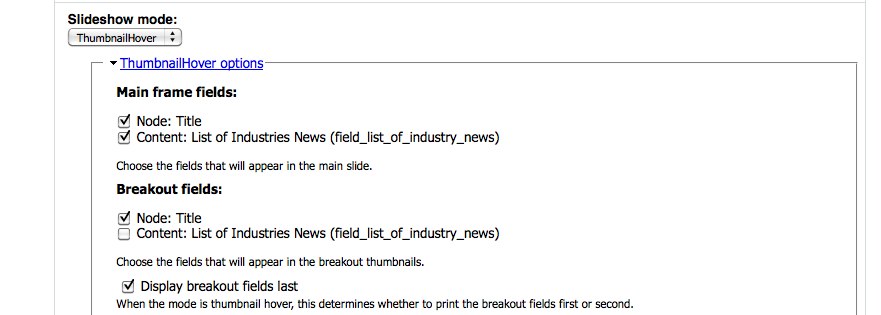
redndahead commentedYou need to enable and use Views Slideshow Thumbnailhover and use that for 2.x
Comment #6
redndahead commentedComment #8
truyenle commented#5 work for me.
Comment #9
devkinetic commentedI'm using singleframe and if you look at the javascript, there is actually a little way you can manually define the pager text for each slide easily.
All you have to do is theme your view to print what you want as the pager title within an
<h3>tag. I then addedh3 { display: none; }to my stylesheet. I haven't tried anything but singleframe, but I can only assume the other scripts are similar.