

 The 2026 Drupal Business Survey is open. Your response will help shape the future of the Drupal business ecosystem.
Hi,
For some reason I cant get the module to work. I made all the settings in the input format, content type and the administer smart paging section, but I cant see the pager in both "manual placement of page break placeholder and automatic page break by word limit" options. Could you please let me know if there is something that i am missing.Thanks.
| Comment | File | Size | Author |
|---|---|---|---|
| #7 | input filter.png | 61.06 KB | arpeggio |
| #7 | textarea.png | 38.85 KB | arpeggio |
| #3 | 1.png | 33.5 KB | arpeggio |
| #3 | 2.png | 33.97 KB | arpeggio |
| #2 | Administer smart paging.JPG | 60.25 KB | saratt |



Comments
Comment #1
arpeggio commentedHello, Smart Paging is created as pseudo field so if we want to customize the paging for example node entity type with Article bundle the display options of Smart Paging pseudo field can be found at http://example.com/admin/structure/types/manage/article/display.
Comment #2
saratt commentedHi arpeggio, thank you for your reply. Yes, I enabled all those options but still cant get the pager to display(the entire node is displaying on the same page).I am attaching screen shots of the settings that I did. Could you take a look and let me know what I am doing wrong or is there any other way I could test.I used the example that you have on your module page.
Thanks.
Comment #3
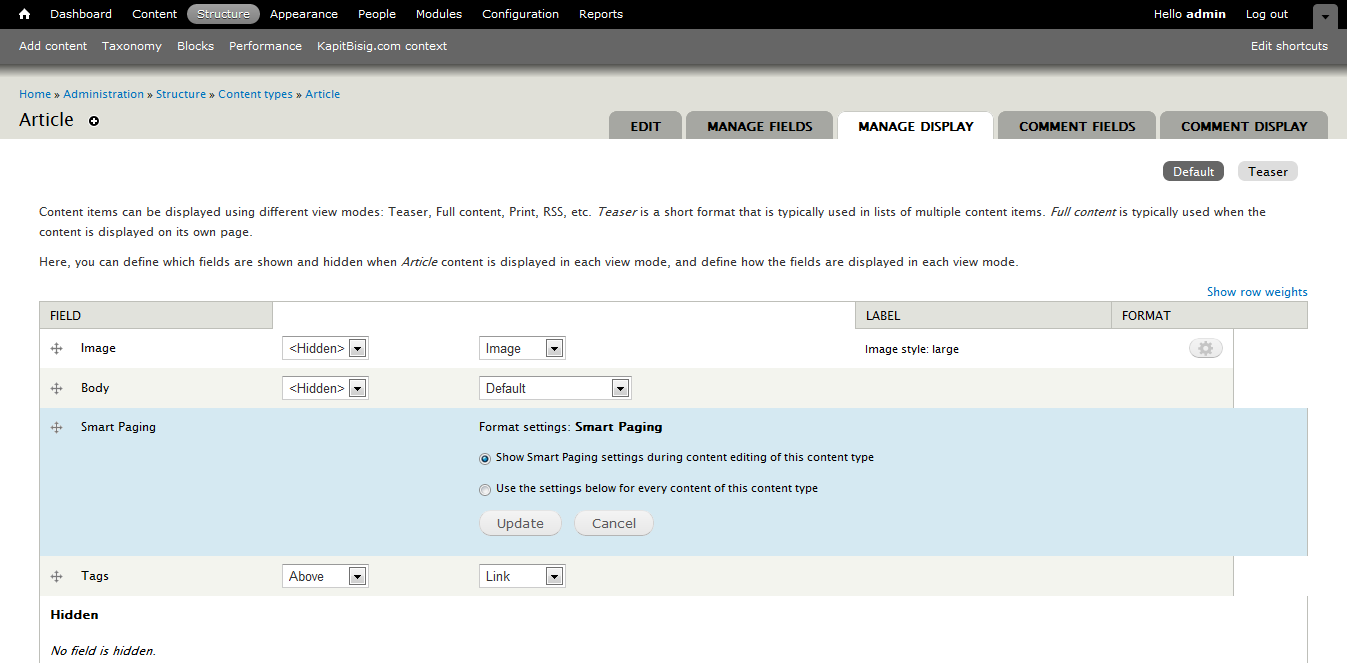
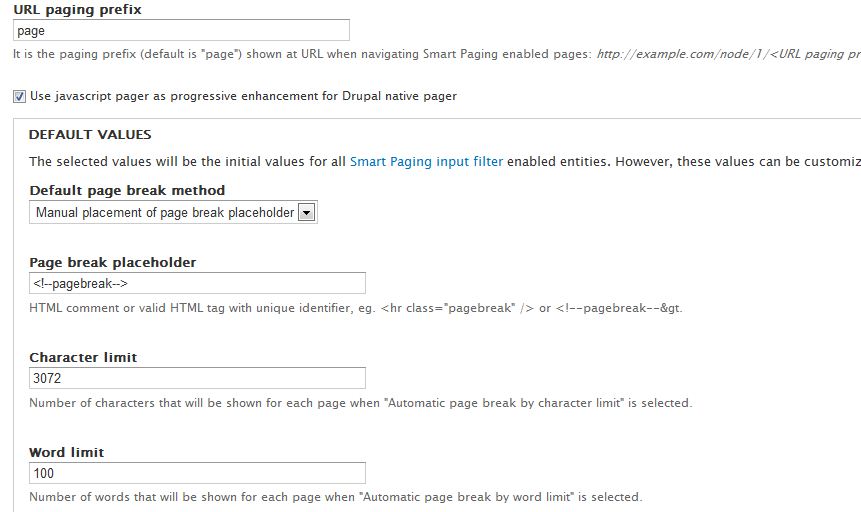
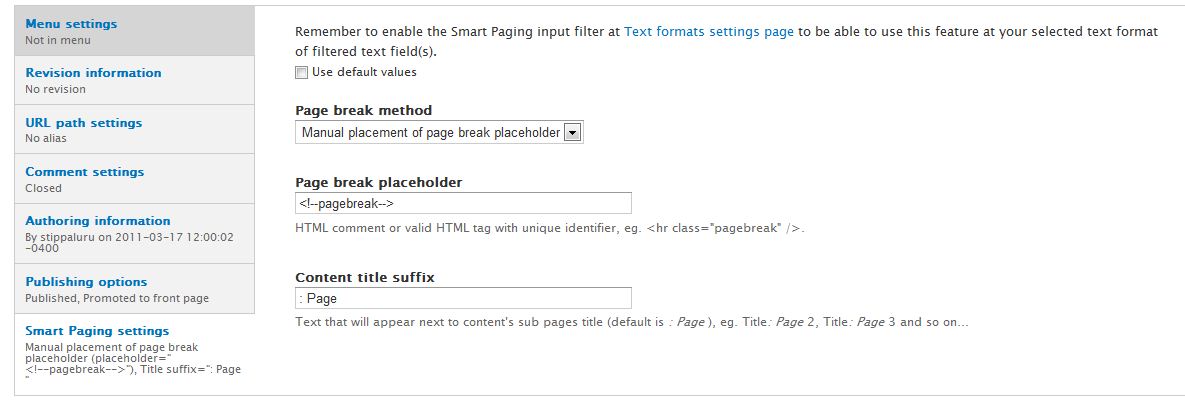
arpeggio commentedHave you done the settings shown in attached pictures?
You can see a working demo here: http://kapitbisig.com/node/789
Comment #4
saratt commentedYes I did those settings too. One thing I noticed though when I looked at the source of the page that you sent is that its loading "sites/all/modules/smart_paging/js/smart_paging-pager.js", but on my site it isnt. Is that specific to that site or should it be loading whenever the module is installed?Also I can only see smart_paging-admin.js in the module js folder.
Comment #5
arpeggio commentedI saw the problem. During my last commit, additional source files were not included (sorry for that). I have already corrected this error and made git push. @st455 thank you for reporting this problem.
Comment #6
saratt commentedThank you for the update. I updated the module and verified all the settings, but it still doesn't work for me. The smart_paging-pager.js file is also not loading on the site.
Comment #7
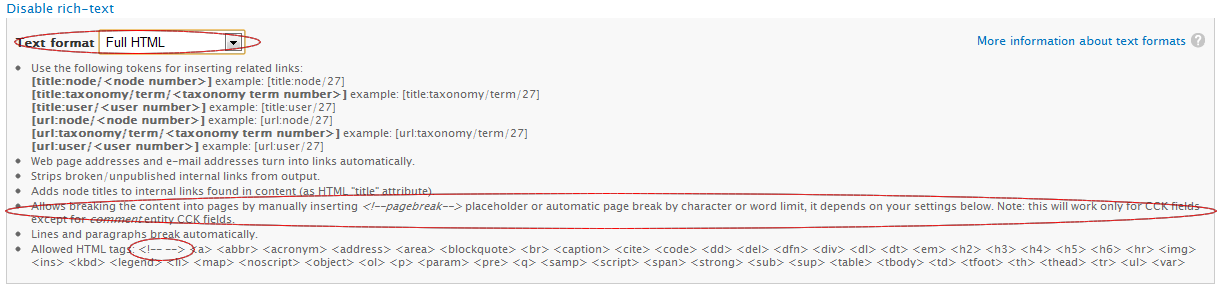
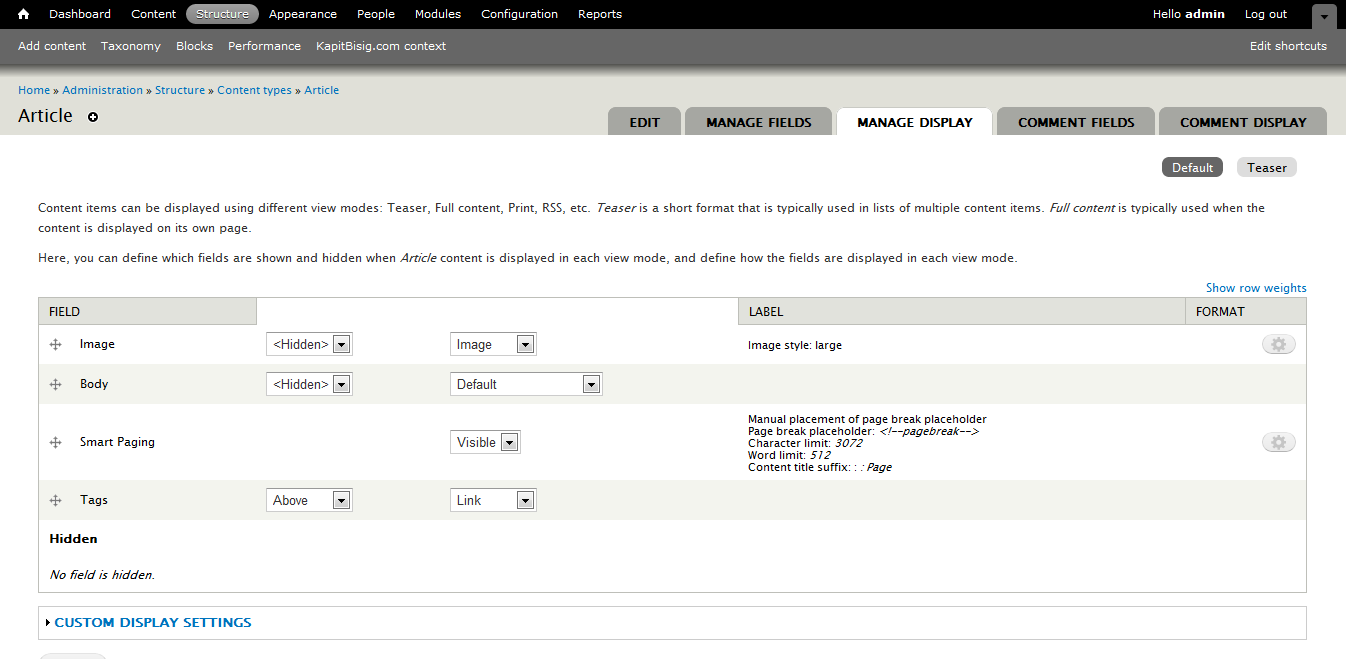
arpeggio commentedPlease verify that the comment tags <!-- --> are included in "Limit allowed HTML tags" list if it is enabled in input filter Text formats settings (refer to attached picture). And in edit content page be sure that the input filter configured in Text formats settings is selected at body textarea (refer to attached picture).
Comment #8
saratt commentedWorks great now. Thanks a lot.
Comment #11
wranvaud commentedPost #3 -> This was the problem for me (display was set to hidden during some update). I think this should be added to the installation instructions in the module main page. Almost gave up on the module.
Comment #12
arpeggio commentedHi Willynux, I have added Post #3 at Smart Paging page instruction (#7). Thank you for the suggestion.
Comment #13
wranvaud commentedThank you for the follow up arpeggio! and very happy with the module
Comment #14
DocMartin commentedJust had this issue; for me related to #3 here, but I eventually noticed Smart Paging was disabled for "Full content" of the content type I'm using.
- I shifted it to enabled, putting just below body; and now get Smart Paging working as I'd hoped.