Closed (fixed)
Project:
Ellington
Version:
7.x-1.0
Component:
Code
Priority:
Normal
Category:
Bug report
Assigned:
Reporter:
Created:
6 Apr 2011 at 22:44 UTC
Updated:
23 Apr 2011 at 16:41 UTC
Jump to comment: Most recent file


Hello,
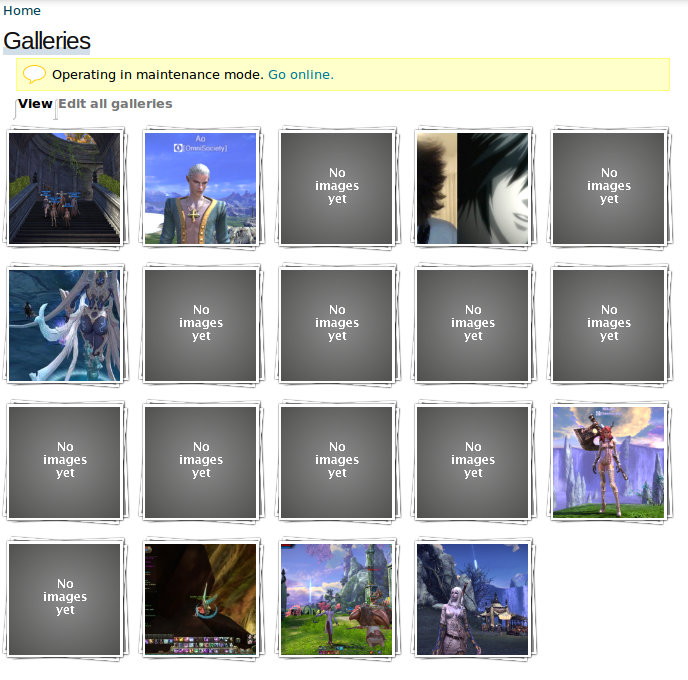
I have a media gallery using the media gallery module (http://drupal.org/project/media_gallery), and my gallery which with other themes has 5 columns and 10 rows, will only display with 1 column using your theme. Your theme overrides the gallery settings of the module.. Having just 1 gallery column is not very pretty or functional, it would be nice if you could fix it. =)
Best regards,
Ao
| Comment | File | Size | Author |
|---|---|---|---|
| #6 | ellington-media-gallery.patch | 762 bytes | Aonoa |
| #5 | ellington-debug.png | 20.61 KB | Aonoa |
| #5 | working-debug.png | 22.95 KB | Aonoa |
| #3 | ellington.png | 85.17 KB | Aonoa |
| #3 | working_theme.png | 290.11 KB | Aonoa |


Comments
Comment #1
DanielF commentedI'll see what I can do. No promises, though.
Comment #2
kalman.hosszu commentedHi!
Can you show me the problem in a live (or dev) site, or can you attach a screenshot about this issue?
Thank,
Kalman
Comment #3
Aonoa commentedCertainly.
First, I'll add a screenshot of what it looks like, where you can see the galleries are just on 1 column. Another detail is that your theme also adds the names of each gallery regardless of the gallery settings. If my gallery settings are set to show name and info below each gallery, the themed name will also display above each gallery as well. In this screenshot I have disabled the modules own naming info for each gallery.
The second screenshot shows the gallery, but with a different theme enabled and has the naming info turned off.
Best regards,
Ao
Comment #4
Aonoa commentedI just noticed one more thing, it's not possible to drag'n'drop galleries/pictures around while using this theme.
Best regards,
Ao
Comment #5
Aonoa commentedAny progress here? =)
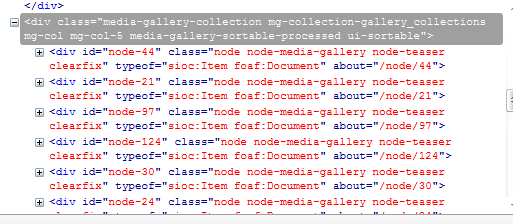
I'll add some information from firebug. The working gallery nodes look like this:
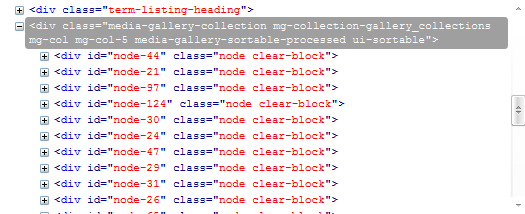
<div id="node-44" class="node node-media-gallery node-teaser clearfix" typeof="sioc:Item foaf:Document" about="/node/44">But with this theme, they look like this:
<div id="node-44" class="node clear-block">These nodes are each of the galleries in my gallery collection. Take a look at these screenshots as well.
Best regards,
Ao
Comment #6
Aonoa commentedI wrote a fix for it, not sure if this is the best way but it works for me. =)
Best regards,
Ao
Comment #7
kalman.hosszu commentedHi!
I fixed this issue, the update is available in the newest version.
Thanks for your report!
Kalman