 The 2026 Drupal Business Survey is open. Your response will help shape the future of the Drupal business ecosystem.
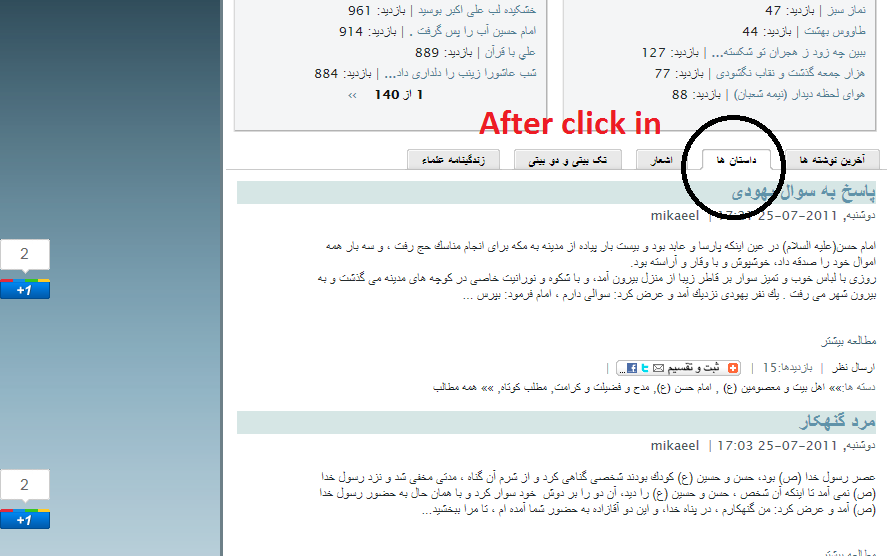
google plus is not compatible whit quick tab modules
i can't use this modules with quick tab pages

 The 2026 Drupal Business Survey is open. Your response will help shape the future of the Drupal business ecosystem.
google plus is not compatible whit quick tab modules
i can't use this modules with quick tab pages


Comments
Comment #1
corbacho commentedHello,
I see that the button is working but is not well placed.
It's Google dynamically who render the button. In the tab2 it renders it with a iframe of 300px and in other case 50px. I don't know why it does it like that, but it's not this module's problem or QuickTabs
I provide in the admin settings CSS field for the wrapper. You could play with the CSS rules until they fit your case. Removing the float property and maybe working with position:absolute and play with the margins...
Sorry I can't help more