

Closed (fixed)
Project:
Date
Version:
7.x-2.x-dev
Component:
Code
Priority:
Normal
Category:
Support request
Assigned:
Unassigned
Reporter:
Created:
6 Dec 2011 at 16:59 UTC
Updated:
21 Dec 2011 at 18:20 UTC
Jump to comment: Most recent file


Comments
Comment #1
karens commentedThe Date Browser has been removed from the code. You need to remove it from any views you are using. I tested that this worked without a fatal error before committing it. If you're getting a fatal error be sure you don't have custom code trying to use that attachment somewhere. Also be sure to clear the cache. The notes about this are in the CHANGELOG.txt.
Comment #2
karens commentedComment #3
RyanPrice commentedI received the same error after updating. I don't have custom code, but do use the date in a view. What needs to be updated in the view to change this?
I'll have to revert back to an older release and make the change as I'm getting the same error trying to look at the views admin page.
Comment #4
karens commentedI just committed a fix to add an empty file to get around the fatal error. It won't do anything but will prevent the error. You will still need to go to the view and remove the unneeded attachment and add a Date pager instead.
If you're using the tarball instead of git, the change won't be available until tomorrow. If you need an immediate fix, just put an empty file with that name in date/date_views/includes.
Comment #5
RyanPrice commentedThanks KarenS,
I updated to your recent commit and it did indeed fix the error. I am confused what you mean by "You will still need to go to the view and remove the unneeded attachment and add a Date pager instead."
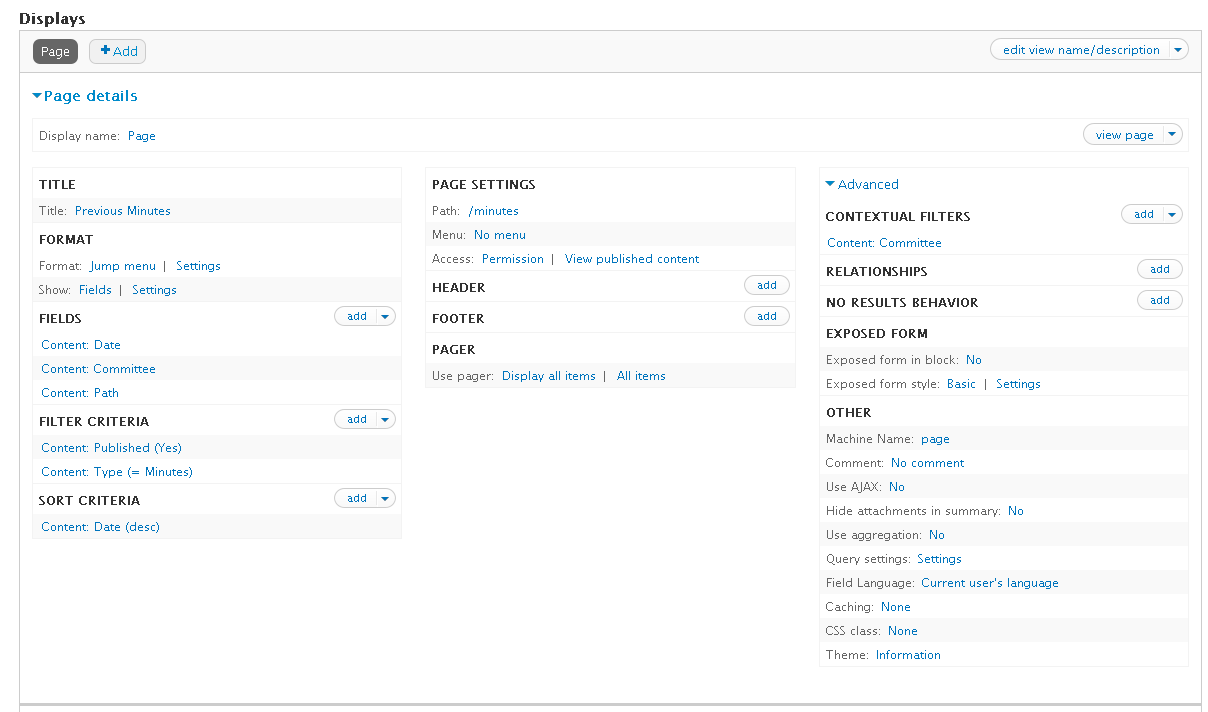
I've attached my view and the content type the date is used in. I'm not sure what the unneeded attachment is you are referring to.
Thanks,
Ryan
Comment #6
karens commentedIf you had a view that used the Date Browser attachment, you will need to remove the attachment from the view. If you didn't have such a view there is nothing to do.