

Closed (duplicate)
Project:
CKEditor Link
Version:
7.x-2.x-dev
Component:
Code
Priority:
Normal
Category:
Support request
Assigned:
Unassigned
Reporter:
Created:
13 Jan 2012 at 17:14 UTC
Updated:
21 May 2012 at 16:31 UTC
Jump to comment: Most recent file


Comments
Comment #1
anrikun commentedYou are a naughty user ;-)
If you had fully read the project page or the readme.txt, you would know that you have to enable CKEditor Link Filter on your input formats so that node/nid links get aliased when content is displayed to end-user.
By the way, this is a duplicate of #1257892: Use an Alias if available rather than node/nn
Comment #2
rimousha commentedthank you for the answer
but I had fully read the project page and I followed this step :
Go to admin/config/content/formats and edit the desired text format.
Check the "CKEditor Link Filter" box.
If you use other path converting filters like Pathologic or Path Filter, make sure that CKEditor Link Filter comes before them:
Under "Filter processing order", drag and drop CKEditor Link Filter before these filters in the list.
But it does not work the url of the internal path is always in this form node/nid.
please help
thx
Comment #3
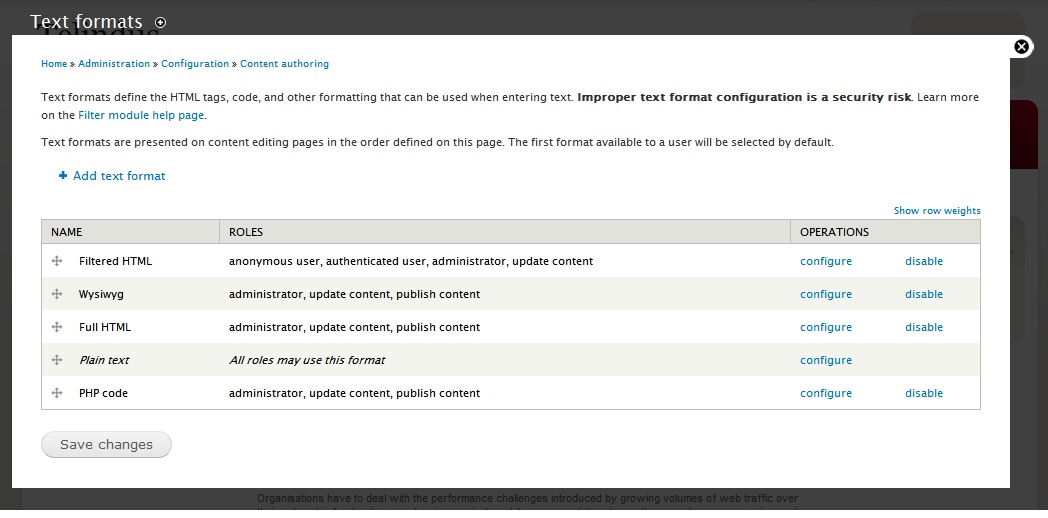
anrikun commentedPlease list all the input formats attached to CKEditor and their filters in their actual orders.
Comment #4
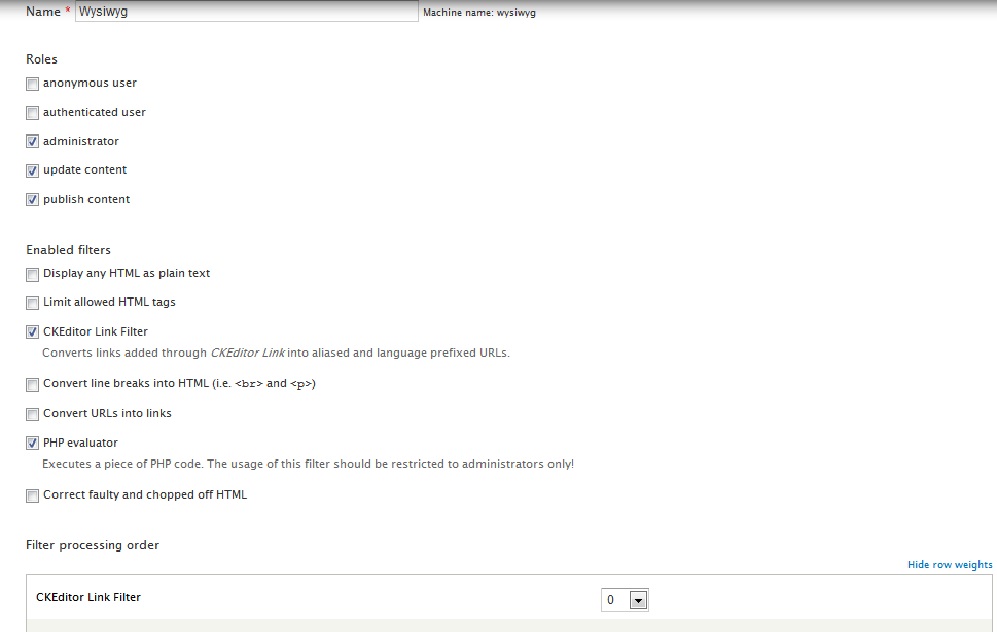
rimousha commentedi don't inderstand very well your answer but I create a new format called wysiwyg and I activated the ckeditor link , in configuration/Text formats/wysiwyg i have this order :
Filter processing order
CKEditor Link Filter
PHP evaluator
but always the url of the internal path is in this form node/nid :(
thx
Comment #5
rimousha commentedhere are screen printed to better understand me
Comment #6
anrikun commentedYou config looks OK.
Are you sure that Path and Pathauto are properly configured too?
Do all your nodes have an alias?
Comment #7
rimousha commentedthx
Comment #8
rimousha commentedThe problem still exist, I test between two pages in the same format text wysiwyg and have an alias but the url of the internal path is always in this form node/nid :(
i can't found the problem :(
Comment #9
anrikun commentedPlease send me a link to your site and credentials using my contact form.
Comment #10
rimousha commentedthis is the link of my site http://telindus2.wanabe.eu/user login:anrikun please send me your mail to send you the pwd.
i hope you can help me
Thx
Comment #11
anrikun commentedUse my contact form: http://drupal.org/user/410199/contact
Also provide a link to the page with your problem.
Comment #12
rimousha commentedah ok :) thx
Comment #13
rimousha commentedyou receive my mail?
Comment #14
rimousha commentedi send you a new mail with login and psw
thx
Comment #15
anrikun commentedAfter reviewing your site, it appears that your problem is not related to CKEditor Link Filter:
I don't know why but on your site, filters are simply not run at all on node publishing.
You need to check why.
Comment #16
rimousha commentedI found the problem, since I eliminated the execution of the file field.tpl because I want customized all my display the filter does not run and the format of alias is displayed node/nid .
Comment #17
mareks commentedI have the same problem. On the preview page all paths are nicely aliased but then after I save the page - they are all WO aliases
rimousha, what do you mean by "you eliminated the execution of the file field.tpl" ?
EDIT: Got it fixed. I also had a custom template and it was the way I printed the $content on my template. So no problem anymore.
Comment #18
rimousha commentedthat is when I deleted the content of page field.tpl to customize my display, aliases not working.