
On this page
Screenshots
This is documentation for Drupal 7, which is no longer supported. Learn more and find resources for Drupal 7 sites
Syntax highlighting
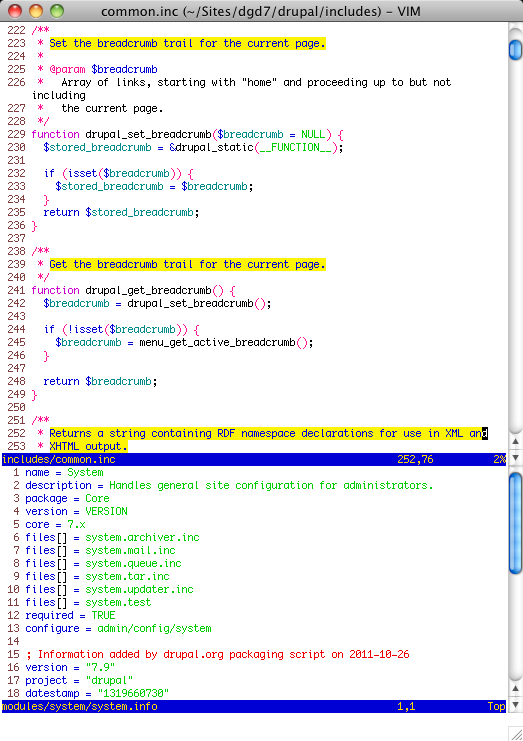
This screenshot shows custom highlighting of documentation blocks and .info files using the delek color scheme.
Plugins
Note that the lower central window is on line 113, column 38. In other words, the cursor is on the text drupal_get_path. I used <C-W>] to open the upper window on the definition of drupal_get_path(). See the description of Tag searches.
The left and right windows show the use of two Recommended plugins: the NERDTRee directory brower and the Tagbar tag browser. The current directory is for the Ctools module. Tagbar always displays tags for the currently active window: in this case, the core
includes/common.inc.

Automatic completion
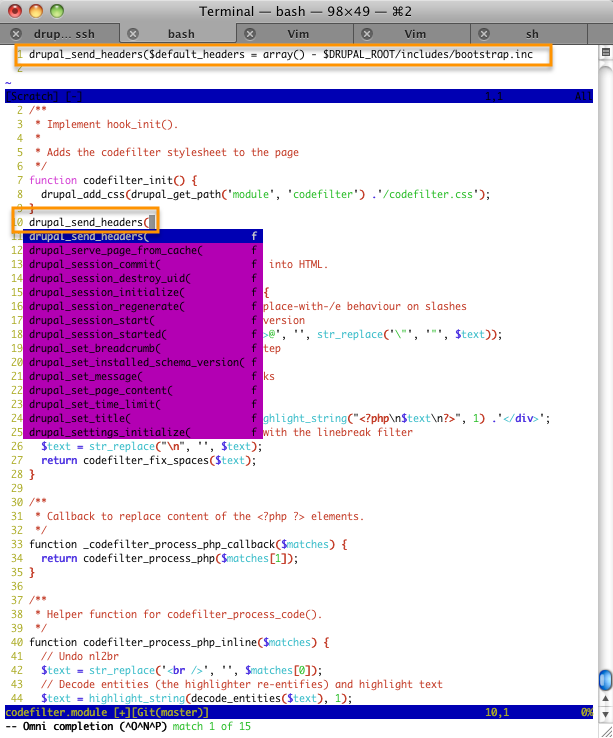
After entering the text drupal_se, I triggered completion with <C-X><C-O>. Vim offers a menu of choices, and opens a preview window showing the declaration of the current selection. For more details, see the page on Insert-mode features.
Syntax checking
This screenshot shows the Syntastic plugin highlighting syntax warnings and errors. The lower window lists all the errors. See the Syntastic entry on the Recommended plugins page.

Help improve this page
You can:
- Log in, click Edit, and edit this page
- Log in, click Discuss, update the Page status value, and suggest an improvement
- Log in and create a Documentation issue with your suggestion

