

Active
Project:
CCK Fieldgroup Tabs
Version:
6.x-1.2
Component:
Code
Priority:
Normal
Category:
Bug report
Assigned:
Unassigned
Issue tags:
Reporter:
Created:
28 Jan 2012 at 10:26 UTC
Updated:
19 Apr 2012 at 15:43 UTC
Jump to comment: Most recent file

Comments
Comment #1
doublejosh commentedPlaced a sample tabs_render($form) on a test page with PHP filter in dev and had the same effect, must be beyond this module.
Comment #2
doublejosh commented#1419618: Tabs are not hidden, click is not bound
Comment #3
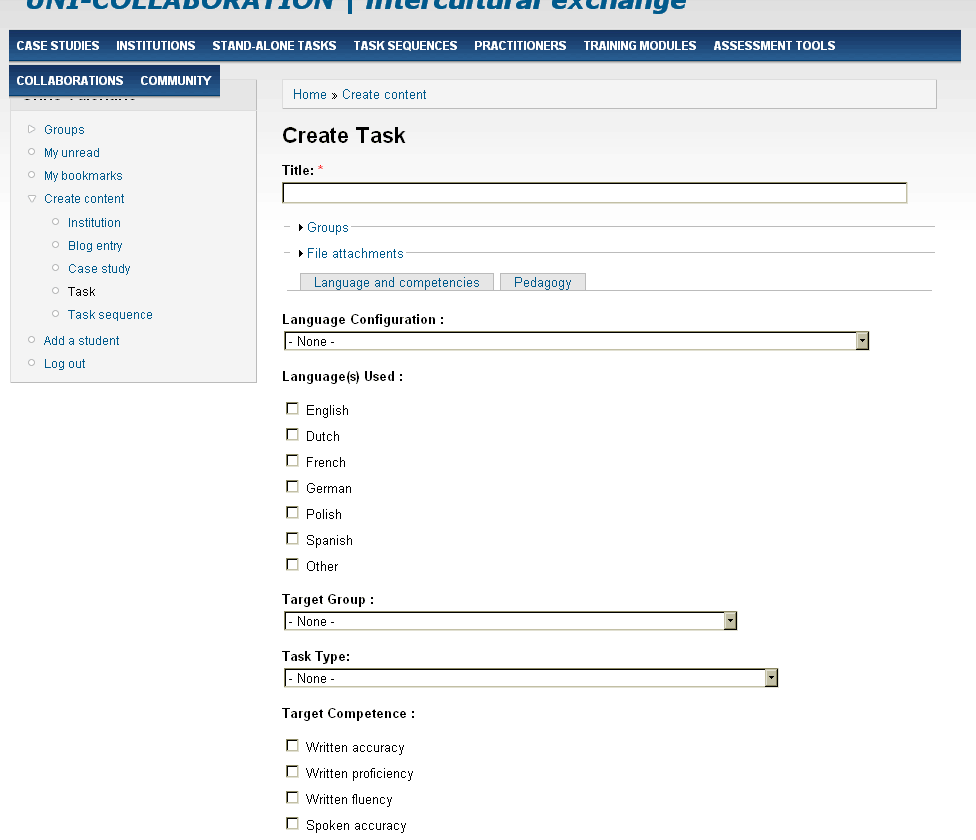
ChrisValentine commentedI've got exactly the same problem - the fields are grouped correctly and the tabs are shown (although they're under the first block of fields unless you define a 'default' tab). But the entire form is displayed and clicking on the tabs merely makes the page scroll. The Slide and Fade affects don't do anything. And as with the OP, the class "ui-tabs-hide" is not the source.
Drupal core - 6.24
Views - 6.x-2.16
Views Tabs - 6.x-1.x-dev
Tabs (jQuery UI tabs) - 6.x-1.3
CCK Fieldgroup Tabs - 6.x-1.2
jQuery UI - 6.x-1.5
jQuery Update - 6.x-2.0-alpha1
Comment #4
ChrisValentine commentedHave tried jQuery Update 6.x-2.0-alpha1+7-dev but sadly this doesn't fix it.
Comment #5
ChrisValentine commentedWish I had actually tried this combination before - I had assumed that JQuery Update would not work without JQuery UI turned on. A poster (mory) in another thread is correct - just turn off jQuery UI and the tabs start working.
Now I just need to tweak the CSS to make the current tab obvious.