I found that if I create content of the Person content type (provided by Schema.org: Person 7.x-1.0-beta2 module) and have a short (less than 295 characters (with spaces)) bio, the Google RSTT spits out the following message:
Google search preview
The following errors were found during preview generation:
This page does not contain authorship or rich snippet markup.
Extracted rich snippet data from the page
Person
image Image
url = [Redacted]
jobTitle = [Redacted]
affiliation = [Redacted]
name = [Redacted]
Warning: If this markup is about a person, at least 2 of the following fields are needed: organization, location, or role. See the people help page for more information.
schema
name = [Redacted]
Adding a 295th character to the bio, I get the preview of the snippet. Note that while the preview didn't show with a short bio, the RSTT was able to extract the rich snippet data. Odd, eh?
I realize this may not actually be a bug in the module, but I thought I would make note of this quirk here.


Comments
Comment #1
aladdintech commentedGreat post luisb!, it saved me from pulling out the remainder of my hair. Thanks.
Comment #2
cesareaugusto commentedI got a very similar problem. I created an Event type. When using the Google RSTT it says
Browsing the source code I cannot find any schema.org information within the HTML.
Comment #3
scor commentedHow interesting! Thanks for the detailed debugging @luisb. Note how the person entity was still detected in "Extracted rich snippet data from the page", it's just that Google didn't want to render a rich snippet for it. I believe this has to do with the entity extraction mechanism Google uses to look for the most relevant entity to display as a rich snippet. My assumption is that one of the criteria for showing a rich snippet is how prominent the content of your entity (e.g. a person) is in comparison to the rest of the page (e.g side bars). In other words, if your entity content only amounts to say 10% of your total page content, Google might decide that this page is too broad and does not include enough content about the entity to be worth a rich snippet (there is too much unrelated data on the page). I don't have an exact threshold, but I've definitely seen this happening on schema.org pages I've worked on. By adding a proper bio to the person, you increase the ration entity content / total content. Note that this makes sense from the standpoint of providing good relevant content to your visitors and is good SEO practice. However this should not be abused in the attempt to trick Google in rendering rich snippet where it wouldn't otherwise, your site could be penalized.
Comment #4
scor commented@cesareaugusto: your issue is a different one. It might be related to the autocomplete issue you had. Please post a new issue / support request if you are still experiencing the same problem.
Comment #5
bryan1221 commentedI am having a similar issue with the Rich Snippets Testing Tool. I have Schema.org installed and a Person content type created. The Bio field has well over 500 characters. When I use the Testing Tool I get the following message.
The following errors were found during preview generation:
This page does not contain authorship or rich snippet markup.
However below it shows it extracted rich snippet data.
image Image
url = http://www.cram-a-lot.com/john-smith
name = John Smith
encoded = John Smith, born on December 30, 1985 in Akron, Colorado, showed an early talent for basketball and continued to shine on the court throughout high school. He was the first player picked (by...
affiliation = J.V. Maufacturing, Inc.
jobTitle = Welding Supervisor
name = John Smith
Is anyone else still having an issue?
Comment #6
scor commented@bryan1221 your page is missing the type for Person, there should be a
typeof="schema:Person"around your body describing the person (see example). Are you using a contrib module for managing your node display such as Display Suite maybe?Comment #7
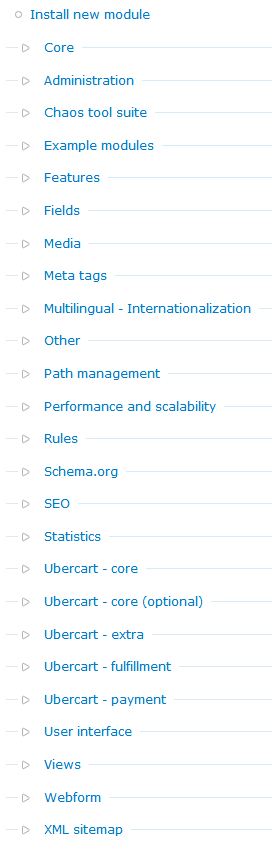
bryan1221 commentedI see what I am missing in source code but not sure why. I am not using Display Suite and here is a screen shot of the modules I have installed. I have gone through most but cannot figure out which one may be causing my issue.
Comment #8
scor commentedThe screenshot you have attached only lists the categories of the modules you have on your server, but it doesn't say which ones are actually enabled. If you have Drush installed, this command would give you the right list:
drush pm-list --status=enabled.Looking at your markup,
<div class="node-inner">looks unfamiliar to me and it's most likely coming from your theme. What base theme are you using? look for a node.tpl.php or node--person.tpl.php, in your theme/subtheme and if you find it, I bet it's overridding the regular node.tpl.php and doesn't include the code responsible for adding the type in your markup.Comment #9
bryan1221 commentedYou are correct We are currently use the Diver theme by ThemeShark. Also it is using the node.tpl.php in the diver directory like you mentioned. I am not familiar with Drush but will look into installing it within a windows environment. Thank you for the quick responses.
Comment #10
scor commentedthe node.tpl.php of your theme (base theme and subtheme if it includes its own node.tpl.php) should include the following pieces of code at different locations in the tpl:
look at the core node.tpl.php located in modules/node/node.tpl.php for an example. In your case, it's the first instance that is missing and that is responsible for the type output. It should be inserted at the top HTML element in your tpl. You could add it yourself or maybe ask ThemeShark to fix this bug for you.
Comment #11
bryan1221 commentedI went ahead and added the
print $attributes;to the top of the node.tpl.php and now I can see the following in the source code of the page typeof="schema:Person sioc:Item foaf:Document"However I still do not get and results from the Google search preview.
I am currently submitting the bug to ThemeShark.
Comment #12
scor commentedYou have to place that print statement inside an HTML element, for example inside the div with the class node-inner:
If you paste the content of your node.tpl.php I should be able to help you more accurately.
Comment #13
neptunethemes commentedThanks for bringing this to my attention. The theme's been fixed and re-uploaded to our server. It was one of our first ports to D7 and probably suffered a bit from that.
Comment #14
scor commentedGreat to hear that Rob, and thanks for the timely response.
Comment #15
bryan1221 commentedSorry I missed that initially. I placed it correctly and everything appears to be working great. Thank you very much for helping to resolve this issue.
Comment #16
scor commentedalright, all set.
Comment #17
pmcnealy commentedI am having a similar situation. Could I bug you all to take a look real quick?
The following errors were found during preview generation:
This page does not contain authorship or rich snippet markup.
Extracted Author/Publisher for this page
Page does not contain authorship markup. Learn more.
Extracted rich snippet data from the page
type = product
title = Teknic Tornado Waterproof Gloves
url = http://www.superbiketoystore.com/sportbike/Gloves/Teknic-Tornado-Waterpr...
image = http://www.superbiketoystore.com/images/uploads/teknic 2010/2012/fall/teknic-glove-tornado-1.jpg
brand = Teknic
category = Vehicles & Parts > Vehicle Parts & Accessories > Motorcycle Accessories > Motorcycle Protective Gear > Motorcycle Gloves
description = Purchase your Teknic Tornado Waterproof Gloves at Superbike Toy Store and save. Teknic is just one of our many brands of Sportbike Gloves. We offer free size exchanges, free shipping and great...
pricecurrency = USD
price = $58.49
itemcondition = new
availability = out_of_stock
ratingValue = 0.0
bestRating = 5
ratingCount = 0
Item
Type: http://schema.org/review
name =
author =
datepublished = Dec 31 1969, 19:00 PM
reviewrating = Item( 1 )
description =
Item 1
Type: http://schema.org/rating
worstrating = 1
ratingvalue =
bestrating = 5
Comment #18
scor commented@pmcnealy looks like your page is not about a person, which is what this issue was about. also, note that this module does not support review or ratings yet (I've added a note on the project page). you can checkout http://drupal.org/project/microdata which has support for these kinds of fields.
Edit: also, you site does not seem to be using Drupal, so can't really help, sorry.
Comment #20
emreque commentedI ve added Schema.org settings on an existing node type on my website but Google Testing tool does not find any rich snippet markup on any of the content of that type. Same in Google Search pages. Dows the node type have to be created after Schema.org module installation? For instance: http://www.geceneyapsak.com/bilgi/canl%C4%B1-performans/cgs-ve-kes
Where am i wrong?
Comment #21
scor commented@emreque: it looks like your content is of type event. this is issue was about the person content type and has been closed. please create a new issue at https://drupal.org/node/add/project-issue/schemaorg
Comment #22
scor commentedPlease open a new issue if you are having this problem.