

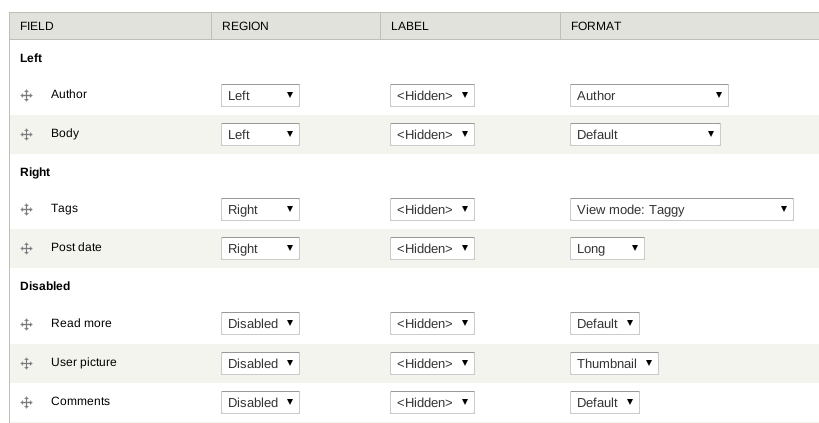
Display Suite allows you to take full control over how your content is displayed using a drag and drop interface. Arrange your nodes, views, comments, user data etc. the way you want without having to work your way through dozens of template files. A predefined list of layouts is available for even more drag and drop fun!
By defining custom view modes, you can define how one piece of content should be displayed in different places such as teaser lists, search results, the full node, views etc.
Advanced options
- Add your own custom fields in the backend or in your code
- Add custom layouts in your theme
- Change labels, add styles or override field settings (semantic fields).
- Full integration with Views
- Extend the power of your layouts by installing Field Group
- Different layouts per node with the Switch View Mode feature in the Extras module
Drupal core support
- until 8.x-3.14: Drupal 8.8 and 9
- from 8.x-3.16: Drupal 9 and 10
- from 8.x-3.17: Drupal 10+
- from 8.x-3.23: Drupal 10.2+ and 11
The 8.x-3.x branch will still receive (critical) bug fixes and features. Breaking changes are possible if a BC layer is possible. The 8.x-4.x and 5.0.x branch are obsolete, no further work will be done on them.
Known issues
There are a couple of issues which have workarounds. See https://git.drupalcode.org/project/ds#known-issues for more information.
Information
All info, links to compatible or API integration modules, articles, screencasts etc. can be found on the documentation pages.
The project has been sponsored in various ways in the past by Wunderkraut, Dropsolid, Fedict and One Agency.
Project information
- Project categories: Content display
 75,191 sites report using this module
- Created by swentel on , updated
 Stable releases for this project are covered by the security advisory policy.
Look for the shield icon below.
Releases
released 13 February 2026
Development version: 8.x-3.x-dev updated 13 Feb 2026 at 16:28 UTC


