

Closed (cannot reproduce)
Project:
Views Galleriffic
Version:
7.x-1.x-dev
Component:
User interface
Priority:
Normal
Category:
Bug report
Assigned:
Unassigned
Reporter:
Created:
16 May 2012 at 11:35 UTC
Updated:
17 May 2012 at 13:01 UTC
Jump to comment: Most recent file



Comments
Comment #1
blacktigerclaw commentedaddition to: how to attach view node to site without layout problems?
i can't see the attachment in the post.
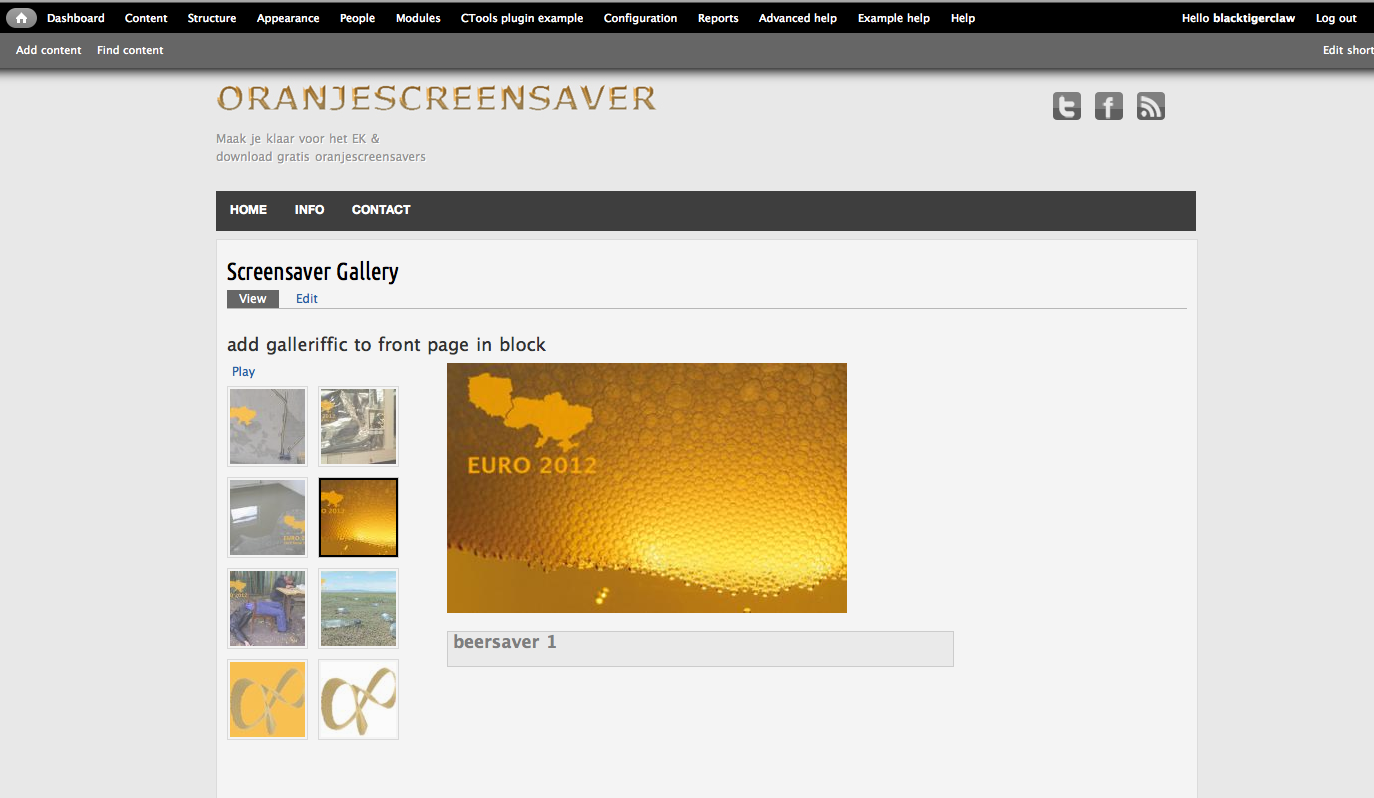
it's a screenshot of views galleriffic on my home page.
Comment #2
acouch commentedI just tried this with the latest version of touch (7.x-1.7) and Views Galleriffic (7.x-1.x) in a Mac using Safari and don't have the same issue. Are you using the latest version of Views Galleriffic? Have you changed the template or css at all?
Comment #3
blacktigerclaw commentedhi acouch,
as far as i know i didnt change the css or the template as far as i know, although i do have panels installed as a module.
i'm using views galleriffic 7.x-1.x-dev
i wasnt able to add views galleriffic 7.x-1.x, it gave an ajax error, so i chose the next best thing (i checked the name in the modules overview).
but maybe there's something wrong with how i put the view of galleriffic on the page.
can you give a general basic description of how to put the view i made of the galleriffic slideshow as you described to my main page?
or is it fine how i did it with the /node1# link?
i will try to add views galleriffic 7.x-1.x again using the link method of the add modules option (under modules).
an other thing i found is that if i change the size of the slide after i uploaded images, it doesnt change the size of the images in the gallery with the slide style assigned to them. they show up in some different sizes. i thought this might be a cache problem but if i empty it, even several times, it doesn't help.
only if i delete all the images and put upload them again, it's fine.
best,
ciao,
blacktigerclaw
Comment #4
blacktigerclaw commentedadd last remark:
i installed the 'panel' module to be able to change the layout of the page later, because i want to be able to keep a right sidebar, but i probably have to make it a bit more narrow. maybe i have the display problem as manifested in the attachment, because there isn't enough space for the galleriffic gallery?
i just set the second sidebar (the right sidebar) to none in the blocks structure. normally that sets the second sidebar to disabled, so that you can enable it again later, but now it disappeared. same goes for the first sidebar. it was already disabled, but now it's not there at all (not in the list of disabled blocks).
even if i remove the link in the configuration to attach view galleriffics to the default frontpage, these options don't become available again.
and removing the second sidebar also doesn't have effect on the display of the gallery on my homepage. the problem is still the same.
maybe the problem is that i first tried to assign views galleriffic to the content region of the main page block? i selected gallery for the content type, but this didnt work.
then i assigned views galleriffic to the frontpage directly using configuration > site information and setting the default frontpage to /node1#
this is the only thing needed, so i deleted the content specification in the content block of the main page again. it's empty again.
when i look at the attachment i notice that the 'pause' button is not in the right style: it's blue, not grey.
and the box for title and body extend beyond the image. does that give you any ideas of what's wrong?
and; is it possible to not display the outlines of the text and body field? so that there can only be the titles and descriptions themselves, without a box surrounding them?
Comment #5
blacktigerclaw commentedin 'editing mode' the gallery looks pretty normal. the position of the slide is okay.
the textbox is a bit too big here as well.
the controls, 'next' and 'back' are hidden.
the pause /play button is working.
Comment #6
blacktigerclaw commentedthe problem may also be that there is no stylesheet set according to your step by step installation.
but on the views galleriffic page on drupal http://drupal.org/node/758724 you mention that in entity content: style options
the css should be set to default.
if i look at the view there is no option to change style options of the entity content.
and it also says css class: none (under 'advanced' of the entity content details)
Comment #7
blacktigerclaw commentedhi, i tried to uninstall views galleriffic and to get the latest version of it, to see what the ajax error was, but it's not responding to uninstall module.
when i disable it, go to the uninstall tab, select it and uninstall it, it says it's uninstalled but it isn't because it's still listed.
when i check the box again to enable it, it's enabled again.