I'm trying to integrate the IMCE file browser with workbench. Essentially, I'd like the IMCE file browser to appear as a tab on a user's workbench - allowing them to view and manipulate their uploaded files. To accomplish this I've added the following hook_menu to imce.module:
$items['admin/workbench/imce'] = array(
  'title' => 'My uploaded images',
   'page callback' => 'imce_user_page',
   'page arguments' => array(1),
  'access arguments' => array('access workbench'),
   'file' => 'inc/imce.page.inc',
   'menu_name' => 'management',
  'type' => MENU_LOCAL_TASK,
  'weight' => 15,
 );
The tab "My uploaded images" correctly appears in the workbench and I can view the file browser. However, none of the user's uploaded files appear and I receive the following error messages:
- Notice: Trying to get property of non-object in theme_imce_user_page() (line 1093 of .../sites/all/modules/imce/inc/imce.page.inc).
- Notice: Trying to get property of non-object in imce_user_profile() (line 159 of .../sites/all/modules/imce/imce.module).
- You do not have access to any configuration profile to use the file browser!
as well as
- Directory is not accessible.
- Unable to get a working directory for the file browser!
- Notice: Undefined index: perm in include() (line 14 of .../sites/all/modules/imce/tpl/imce-file-list.tpl.php).
Can anyone offer any help? Thanks!


Comments
Comment #1
lxjenkins commentedOk - it appears as if my issue is only related to user1. All other users are able to access and use the IMCE file browser through the workbench error-free.
Comment #2
janis_lv commentedI receive the last error only on osx, are you using osx too? (part about Unable to get a working dir.)
but I have not edited anything.
Comment #3
lxjenkins commentedI receive the error on both OSX and Windows.
Comment #4
legofriek1986 commentedI have the same problem, is there a solution for it?
Comment #5
mesr01 commentedIn my opinion (and only considering the snippet above from
hook_menu()), this is happening because the page callback relies on the 2nd path segment as the target account's uid (see'page arguments' => array(1)above). Obviously, this makes no sense with a static path likeadmin/workbench/imcebecause it will always return 'workbench' as an argument, which is not even a uid:Your menu link in
hook_menu()(don't pass any argument to the page callback):Unfortunately, a core file of the IMCE module also must be edited (if someone is aware of a better way, please let me know):
inc/imce.page.inc, line 22 (so that$accountnow defaults to active user if not passed as argument):In my case, I also needed to tweak this function in file
imce.module, line 203 (because I kept'access callback' => 'imce_user_page_access'in the menu link definition while removing the'access_argument' => array(1)key):You may also be interested to check this issue.
Hope this helps.
Comment #6
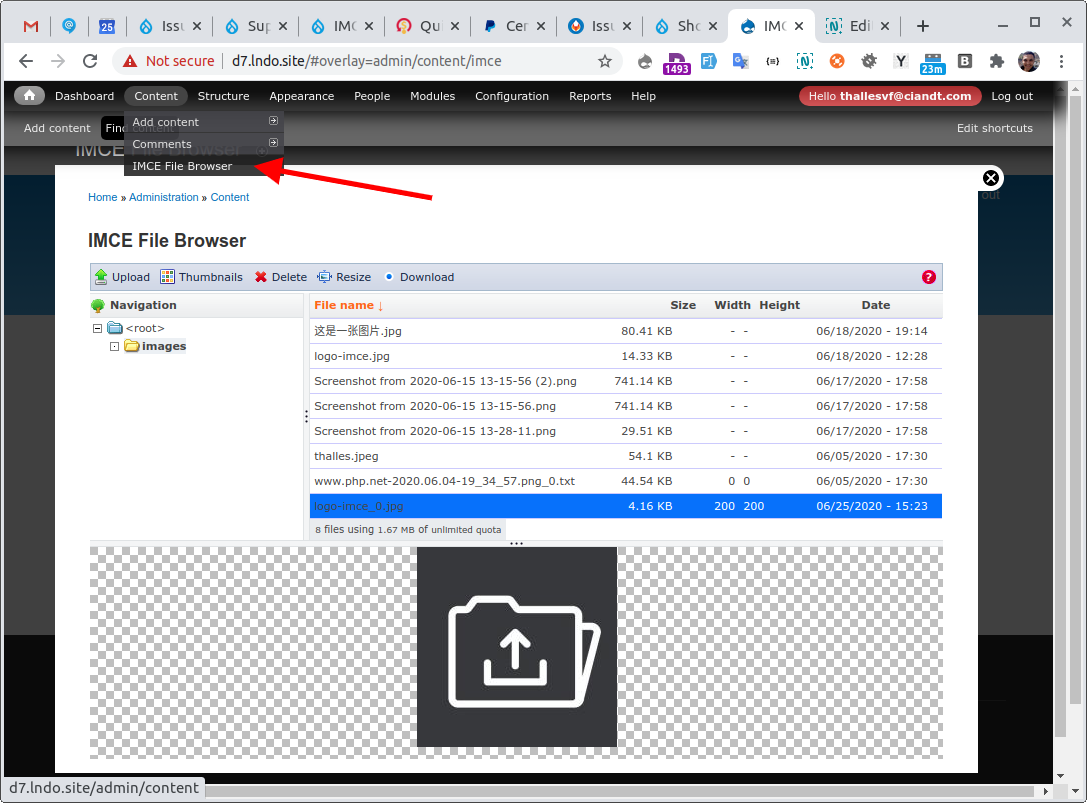
thallesThis page alrealy exists in /#overlay=admin/content/imce, see:
But, I don't know if make sense create this tab
Comment #7
thalles