

 The 2026 Drupal Business Survey is open. Your response will help shape the future of the Drupal business ecosystem.
One of the nice things about Facebook's and VBulletin's private messaging is that you actually see the other user's avatar. It's a small nice feature that adds to a "community" feel, which is why many people prefer to communicate through Facebook messages, rather than e-mails. It's one of those small little features that plays a vital psychological role.
I think it would be nice to have an Admin option to display small avatars inside main Inbox listing and/or inside the mege view. It would work with Imagecache module to make avatars smaller.
| Comment | File | Size | Author |
|---|---|---|---|
| #48 | pm.zip | 19.96 KB | taqwa |
| #50 | fb-messages.JPG | 61.37 KB | taqwa |
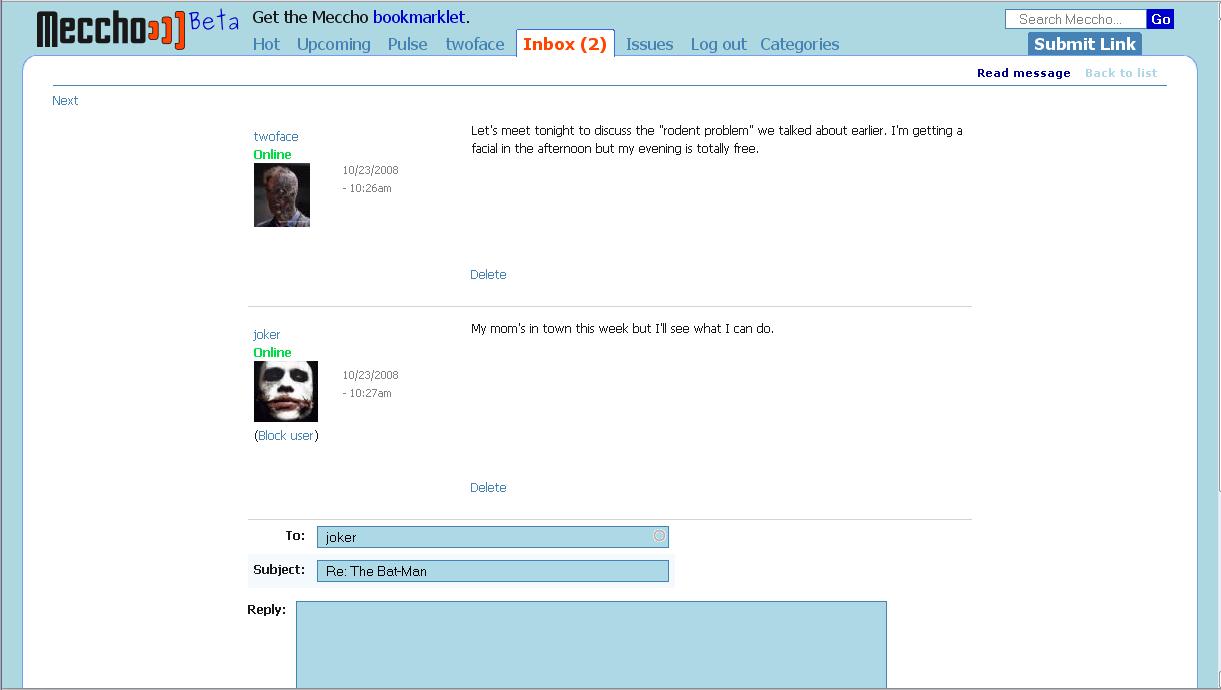
| #42 | Private_Messages_screenshot.gif | 32.71 KB | drupalina |
| #28 | privatemsg.zip | 65.74 KB | litwol |


Comments
Comment #1
chx commentedYou have theme_privatemsg_username , feel free to override that.
Comment #2
chx commentedNo, I do not close this, I also think this would be cool -- but for now , the theme will do.
Comment #3
drupalina commentedthanks for the pointer. Are you talking about privatemsg.css??? I looked at it, but how can I insert a user avatar into that? I mean shouldn't it be called from somewhere?
I have 2 or 3 avatar sizes using Imagecache and the solution that Nate Haug wrote at Lullabot http://www.lullabot.com/articles/imagecache_example_user_profile_pictures
I'm not a programmer, and I would appreciate if you could write here a help text so that other people also can benefit.
Comment #4
yngens commentedI also would appreciate the implementation of this request or at least little bit more detailed explanation of how this could be achieved other ways, please.
Comment #5
yngens commentedchx, i am not a programmer and it took me a while to browse and stare at number of pages on drupal.org to realize that i need to override the function in template.php file. it is frustrating that i could not figure out what exactly i need to put in there. it would be very nice if your could give some explanations for not experienced users like me, please.
i hoped i would dig something out on http://api.drupal.org/api/group/themeable/5, but unfortunately i could not find anythign related to private messages module there.
Comment #6
Fayna commentedI'll try to see if I can figure it out and if I do I can write up some documentation on it until this gets implemented into privatemsg.
Comment #7
yngens commentedwould ne nice, Fayna! looking forward to hear from you.
Comment #8
litwol commentedWith current redesign of privatemsg architecture, it will be possible to theme any and all aspects of privatemsg.
stay tuned.
Comment #9
drupalina commentedPlease....
Would someone actually be nice enough to write the little piece of code that we need to insert inside template.php ???
function theme_privatemsg_username...and what next?Please....
Comment #10
yngens commentedWell, if Drupal gurus have no willing or time to point out how to do this, maybe we, non-coders, can solve this issue by helping each other. I don't need column 'Type' on my site (since all the private messages are of private-message type) and would like to display avatars of message authors instead of this column. So I managed to replace drupal_render($form[$key]['selected']) line in the following function with anything, but user pictures. Who can figure out how to display user pictures instead of drupal_render($form[$key]['selected'])?
Comment #11
drupalina commentedI was contacted today by the maintainers of [Name removed by moderator]and they said that they would share this code to display avatars in private messages, and give it back to Drupal community for $200. I simply can't afford this. I gave them some small CSS improvements as a barter exchange, but they still won't share the code.
I have also toyed around with drupal_render($form[$key]['type'] but with no result.
Then I toyed around with function theme_privatemsg_username and things slowly started to move off the ground, but not with full results:
will display the anonymous avatar for all users, even those who have their own picture. But the links to their profile page works ok. Another strange thing with my code is that it would only display the avatars, but no Username afterwards.
I think all that is needed here is a little push from the the experts. Anybody?
Comment #12
litwol commentedIf you try the new D6 version you will notice that i've implemented facebook style message view (if you do try it out bear in mind its still in early development stage).
from what i gather you want to also show the player avatar in messages listing page (inbox, etc). i will try to provide a patch later today for you guys to apply. i was going to concentrate on d6 but this seems to be a very requested feature for d5 as well so i might as well do it.
soon to come...
Comment #13
drupalina commented@litwol -- THANK YOU SO MUCH!!!!
waiting.... impatiently ;)
(BTW, instead of a patch, could you possibly include it in the latest 5x-2x dev version, please? Thanks again)
Comment #14
michelle"Another strange thing with my code is that it would only display the avatars, but no Username afterwards."
Not strange at all. The first line in that function is a "return" so it will never get to the second line.
Michelle
Comment #15
sdsheridanDon't pay the $200... i've managed to do this with version 5.x-1.8... there's a few things I had to do, as follows:
This is working for me on my site. Still have to tackle the avatar in the actual message. That's next.
Comment #16
drupalina commentedHi, sdsheridan.
Thanks a lot for this! I looked at the code... very well written and thoughtfull. Even though I'm looking for a solution for this for 5x-2.x , I tried your code on my previous community project where I use version 1.8. And it worked, but not fully:
a) it scales all uploaded user pictures into 64 width and 64 height. This results in un-even display of avatars. It would be much-much neater if ALL pictures would be scaled to width of 64 (with height left undetermned), but I couldn't get this done. I thought inserting a wildcard * asterix would work, but it didn't. Any advice?
b) While uploaded avatars are displaying in a scaled size, the default no-avatar is displaying in full size, which is very unpleasant on the eye.
I know some minor adjustments might be needed. Any advice?
thanks
Comment #17
sdsheridanI'll have to noodle on it a bit. My default avatar is already small, so I don't have the issue you do in (b). Although I've not looked into the details of (a) yet, it strikes me that a bit of math and perhaps a couple of conditional statements are all that is needed...
Comment #18
litwol commented@sdsheridan: great code! you seem to have put some work behind privatemsg on your own site. Would you be interested in doing some more official contribution to the project? drupal 6 version has a lot of features that need discussion and work and it would be great to bounce ideas off some one with experience.
Comment #19
sdsheridanGosh, I'm flattered! I am kind of a newbie here, though, and to give credit where credit is due, I merely assembled other folks code to do what was needed. AND, I'm not a php programmer by ANY stretch of the imagination. I haven't been a programmer in about 15 years. That being said, I'm happy to offer my opinion for what it's worth... which may be not much... ;-)
Comment #21
litwol commentedI've commited some code changes to include author's avatar.
i dont really like the way it looks right now mostly due to the overall privatemsg inbox and messave theme and i dont have the will right now to re-theme. if some one wants to give it a try i'd be happy to mentor you to get drupal 5 version privatemsg theme the best it can.
for now please give me your feedback on the avatar display.
on the way it works is so: i'm using drupal default theme_user_picture and theme_username. so the size of the inbox author avatar entirely depends on your site user picture settings.
also it is up to you to provide default profile image if a user did not upload one.
go to your site admin url : admin/user/settings
all the way at the bottom of that page in the 'Default picture:' field paste this link for facebook default profile image: http://static.ak.fbcdn.net/pics/t_default.jpg
also notice i had some difficulties with the 5.x-2.x-dev branch, so i had to port everything to 5.x-3.x-dev branch. those of you that update from CVS will need to do a checkout on -r DRUPAL-5--3, those that download from the project page will need to wait until 5.x-3.x-dev snapshot appear on this page: http://drupal.org/node/3279/release
Comment #22
litwol commentedsetting this issues to "needs review"
Comment #23
sdsheridanOn my site, the user pics are actually relatively large, so you can see what the person looks like. That's why I wound up creating a separate function / facility for the avatars, as I use them elsewhere on the site and wanted smaller versions of the users' pics. In fact, I created the user_picture.tpl.php file to resize the displayed pics when not on the user profile page as follows:
So to me, having a separate, smaller size is a nice thing. :-)
shawn
Comment #24
litwol commented@sdsheridan: I've commited your code from #23.
I've included settings in admin/settings/privatemsg letting site admin to choose whether to show online status or not.
People using CVS can check it out from DRUPAL-5 revision.
People using package download from the project page will need to wait until 5.x-3.x-dev file is generated (happens once every 12 hours)
Comment #25
sdsheridanOK, added an avatar to the message itself by modifying the theme_privatemsg_view function as follows:
Preliminary testing is working for me.
Comment #26
drupalina commented@ litwol - I've uploaded 3.x to my live site. I can't see any changes. What exactly am I supposed to do to get this working???
@ sdsheridan - thanks for these codes. But which version of Private Message module are these for???
1.8 ?
2.x - dev?
or 3.x - dev?
thanks...
Comment #27
litwol commentedah sorry about it, i commited code into a wrong branch.
the 5.x-3.x-dev code should be ready 12 hours from now. at that point you will be able to enjoy this feature.
Comment #28
litwol commentedHere's the privatemsg code from my machine. i'm attaching it here just in case if you dont wish to wait the 12 hours it takes for drupal.org to package the new release
Comment #29
sdsheridan@ drupalina: Sorry that was for the 1.8 version, which is the one I have on my site. Haven't upgraded yet. It's possible (I've not looked) that the functions in the new privatemsg.module are quite different, and then perhaps I've not helped at all... :(
Comment #30
altparty commentedStrange... I've read the code as a non-coder and I can't understand why my inbox shows the 'small pic' from the first else-clause and not the user picture that shows up elsewhere on the site. I mean, it's the same picture, but other dimensions.
I use imagecache and imagecache_profile to create square avatars. Any clues?
Comment #31
litwol commented@truelove-nl : image resizing is hard coded into the d5 version. if some one want to write a patch for admin interface to let admin choose the size of privatemsg avatar, i would apply it.
Comment #32
drupalina commented@litwol #28 -- I used the .zip version -- I love it!!! Thank you very much!!! I use it 3.x-dev for my live site -- all seems to be working well (more or less).
It would be great to have CSS tags in various parts of the display (like for instance for making the date smaller font and grey and for making the message titles bold.
@ trulove #30 - I did some tweaks to the private message code - just set the width to 50px or whatever you like )
Question to litwol: I have a 1.8 version running on my other live site where people are already exchanging messages. Would it cause disruption to user's inboxes and the messages that they already have if I upgrade from 1.8 to 3.x-dev ???
Comment #33
litwol commented@drupalina: i haven't looked at 1.8 code in a long while. dont update yet as there is no guarantee upgrade is possible.
i will need to play with it some more before update path is possible. once i can guarantee update path from 1.8 to 3.x-dev i will release an official 3.0 version for everyone to update to.
Comment #34
litwol commentedcan some one give me status update if the issue at hand have been satisfied? or do we want to work some more on this ?
Comment #35
drupalina commentedI'm personally pretty much satisfied at this stage. Very VERY nice to have Avatars in the private messages and very user-friendly!!!
But I would say that it would be much more helpful to display Offline/Online below the Userame, rather than above the avatar. That way it would be much tidier and compact.
Comment #36
altparty commented@ drupalina #32 Thank you, but where do I find the updated code for D5?
Comment #37
sdsheridan@drupalina: Yes, I can see that in the inbox... but i use the avatars elsewhere on my site, so it just made sense to have it all the same and use one code base. That being said, I suppose one could do some fancy theming of the avatar and displace the online/offline indicator... :-)
shawn
Comment #38
drupalina commented@truelove #36 -- I don't understand what you mean...
@sdsheridan #37 -- It's just a suggestion for an improvement that I had. I think that over the years Facebook has developed a very *intuitive* and easy to use Inbox, which is why millions of people prefer to use that instead of e-mails. I'm sure that they have also spent a lot of money on customer research to see what would be the most intuitive and user-friendly design and layout. And that is why I believe that with Drupal's private messages there is no need to reinvent the wheel -- I think that Privatemsg module should mimic the achievements of Facebook's Inbox as much as possible (though also keep it's various advantages).
I don't see how repositioning Online/Offline underneath the Username can be done through themeing, because it's hard coded into the module.
In terms of theming, the current 3x-dev version could really benefit from adding more CSS tags, for instance to make the date display in smaller grey fonts (and possibly re-positioned under the Username, just like on Facebook) -- this could be a HUGE benefit to the full-view of the message, thus making it appear more as an on-going conversation just like on Facebook, instead of being disruptive and cluttering up the view with an avatar and "To", "From", "Subject" and Date data, which together with the Avatar can all be neatly placed on the left side of the message text. (see Facebook private messages)
Adding more CSS tags could also allow us to customise, for instance, in terms of making the Unread titles (or maybe even all Titles) appear in bold ... because from click stats I can see that end-users are getting confused and often press the Username instead of the message title.
Comment #39
litwol commentedtodo: add more css + divs to allow others to theme the messages
Comment #40
naheemsays commentedHas anyone got any (content-blurred/removed) pics of how facebook does its messaging?
As for general messaging, I do not think this module should support multiple template files - have one template file with every el;ement passed through to the template contained within it's own css class so that all the styling can be done via css.
Comment #41
litwol commentedi took some screenshots today. i'll edit them to remove vital information and hav them posted here for review.
Comment #42
drupalina commentedI think that the Inbox view is pretty much okey for now, as far as the avatars are concerned.
But the actual message view (especially in Threaded Full view) needs more improvements.
I'm attaching a screenshot with notes and suggestions for improvement. (see attachment below)
I think it's very important for user-experience to optimize the screen-space and therefore place the Avatar, Username, Online/Offline, Date and Message Text in a table, like I show in the screenshot.
Can anyone help, please?
Comment #43
naheemsays commentedThanks for the image - it is similar to the setup in HEAD for drupal 6.
I gotta say, IMO the layout wastes too much space on the left hand side.
Comment #44
taqwa commentedHey Drupalina,
Were you able to figure out how to theme threaded messages more similarly to the way Facebook does it for the Drupal 5 version of this module?
Comment #45
asak commentedbump. this is an interesting conversation.
I would very much like to see threaded messages looks more like facebook.
Comment #46
drupalina commentedAnother problem with this unresolved THREAD view issue is that deleting messages has become a nightmare. Because the inbox still lists the actual messages, rather than list of Conversations (like in facebook), what happens is that now we may have an inbox view dominated by a pile of messages from the same person with whom we are having a back-and-forth conversation, while other persons/messages receede into back pages. This is very inconvenient.
Another problem that this presents is that deleting particular messages that have a reply became impossible. After trying various options, I realised that one has to start deleting from the latest message onwards. I don't expect end-users to figure this out by themselves.
What would be a LOT more convenient and user-friendly is that if we choose threaded conversation view, then the Inbox lists conversations (rather than messages), and Deleting would then mean, deleting the whole of that particular conversation.
Having a Thread (i.e. conversation view) would also mean that Titles cannot be changed when replying (because a new title effectively means a new conversation)
@ Lukas 2000, No I did not manage to achieve anything even remotely close to the threaded messages more similar to the way Facebook does it for the Drupal 5 version of this module (like I've shown in the above screenshot). If you know the way, please post the code here or send me an e-mail. I would REALLY love to get this done.
@ nbz, yes, I agree. Maybe Username and Date and Online/Offline could be placed underneath the Avatar picture. In this way, the private messages would be appear as 2 columns: in one column the Avatar, Username, Online/Offline and Date/Time, and in the second column the title and text of the actual message.
another improvement that would absolutely rock, would be if "Send Message" links would be more easily available in different places like in www.drupal.org/profile or in Buddylist listings.
Comment #47
zilla commented@drupalina - the threaded issue is definitely a killer! if messages were to take off on a site, an admin may decide to configure auto-archive or auto-delete as well (or some other admin imposed time or volume limit)
at that point, without the ability for those imposed limits to respect the message's position in a thread a user runs the risk of losing much dialogue *in context* - meaning that the train of thought is cut and hacked
by asking the module to see messages as threads only (either only message in the thread or whatever), then the imposed limits can in turn respect the 'most recent activity' within the thread and limit accordingly - meaning that if you and i have a thread going back and forth for three months, then anothe thread going for 1 year, the auto-archive or delete requests will ignore thread 2 (for one year) because it's "still going on" but will archive the older one (even though some messages from thread 2 are in the system at the same time)
this also opens the door to a more intuitive inbox, just like facebook or gmail or any common app - where most active and current threads rise to the top, and the old stuff moves on down the list...
Comment #48
taqwa commentedI got the entire inbox to look pretty close to fb by hacking this module like there's no tomorrow (yeah I know that's not the proper way to do things...)
Anyway, I've attached my module file for those of you who want to look through it.
You will also need to add some css. All the associated css I could find is below. Some may be irrelevant but I'm pretty sure it covers everything.
Good Luck!
Comment #49
zilla commented@lukas2000- did you hack the whole thing up, or just the css? i'd love to see a screenshot
...and if possible, why not submit as a patch against head for an optional UI??
Comment #50
taqwa commentedScreenshot is attached. I'll make a patch and submit it when I get a chance.
And yes, I hacked the module file up.
Comment #51
asak commentedLooks great!
Comment #52
mrgoltra commentedGood Day,
Noob here. I was wondering if you have detailed step-by-step tutorial on this? I want to try it out but I am a bit confused on modifying/hacking the module as you mentioned. The step you mentioned above privatemsg_list_form and theme_privatemsg_message_table, where do I add those codes? Do I remove the existing codes?
Thank you,
Mark
Comment #53
drupalina commented@ Lukas2000, I've replaced my privatemessaging module 3.0 with your version of the module on my live site. Looks great! And I ahve already received a couple of messages from my users who absolutely love the new message structure and find it a lot more user-friendly. Though I must say, that your CSS was very tricky to modify!!!
Maintainers of Private message module, would it be possible to adopt Lucas2000's theming modifications into your standard version of the module?
That being said, the top panel which lets people to select messages and also change folders (i.e go to Sent Items, for example) is now totally gone. Any idea on how I can restore it?
Also the title of the message is not being displayed.
I have also noticed that some other crucial aspects of Private messaging have also disappeared.
Though, I must say, I love the fact that now each time a person receives a message, he/she also receives an e-mail notification. But there must be a way for the users to turn this off in their settings, which doesn't exist now.
---------------
Nevertheless, the main problem that I outlined in #46 still remains -- the fact that the Inbox view does not list THREADS (conversations like in Facebook), but lists particular messages. I turn, this also causes other problems: when we select a treaded view, deleting a conversation is now impossible, and deleting messages is nearly impossible too. Also replying to a message, one can still change the title (which effectively cretes a new conversation, which becomes very confusing both for the users and for the system).
Comment #54
litwol commented@drupalina sute, as long as we get a patch going.
Comment #55
taqwa commentedThanks Drupalina!
I think you can restore that panel by undoing this css mod:
Also, if you want to look at the areas where I modified the code, just search for the term "Lukas" in the module file I uploaded. When you're done with tweaking and restoring the things that come with this module by default you're welcome to patch this to HEAD. It's your baby now. :-)
Comment #56
naheemsays commentedOut of curiosity, which other modules are you people waiting for before considering a move to Drupal 6?
The drupal 6 version of this module does have a threading view which is closer to that of facebook (too close IMO as it also has some of the downsides), and also the listings display threads instead of messages.
Comment #57
michelleThe D6 version is only in HEAD, not even an alpha release, which is not something you want to be running in production. As to other modules, most people using this will have some sort of social networking sites and there are other modules lagging behind there. My list is about a month out of date but gives an idea of where we're at with SN in D6.
Michelle
Comment #58
naheemsays commentedthanks - I know that this module was not ready yet, but was interested to know what else.
Comment #59
zilla commented@drupalina (and others involved in patching and modifying), regarding this persistent issue: http://drupal.org/node/170387#comment-1066384 (up above about threading and deletion)
have you seen the approach that PM Lite is taking? it's a hobby project from the guy behind ubercart, http://drupal.org/project/pm_lite
there are obviously some dramatic differences - the biggest of which is setting the message as a node - but by doing so, this allows for commenting to be enabled, and in turn, reply-to-reply-above could be disabled, resulting in a flat structure, which in turn would mean that a comment (in this case a 'message') could be safely deleted from within a thread (though it would disrupt flow of dialogue)
just some food for thought...
out of curiosity, i see that nearly 1000 people are now using head on d6!!! (via usage stats) - and only 8 bug reports against head and d6dev - is it time to release a beta perhaps? or are there *serious* lingering issues? i can't find any!!
Comment #60
naheemsays commentedAbout releasing a beta: #324380: Privatemsg: The road to Damascus lists all the "requirements".
We just need to add the missing features (which are more or less ready) and a tested upgrade path from drupal 5.
Comment #61
zilla commented@nbz - thanks - it looks like it's getting quite close, like perhaps only weeks away!
Comment #62
drupalina commented@zilla #59 -- I'm not involved in patching this module, simply because I don't know how to patch or even apply patches. All I can do is take a .dev version and test it on my live site. CSS and a bit or templating is probably the edge of my abilities.
So if anyone can implement the changes offered by Lucas2000 in #48 and #55 I'd be happy to test them.
On my live site, I'm actually running Lucas2000's fork (with some CSS modifications because my site is fixed-width, not fluid). AND it all seems to work fine!!! With a small exception that every new PM results in an e-mail notification (a souper-great feature BTW), while there is noway to turn those e-mail notifications off.
@Lucas2000, could you please also provide us with the bit that lets end-users to turn off the e-mail notifications as you have on your site??? Many thanks.
---
As for switching to D6.x , I'd say there are still 11-13 modules that are not even in .dev in 6x. Most other ones are in .dev. So I'm gonna stay with 5.x for quite some time, by the looks of it. I think it is important to have these message-display and threads-issue sorted for 5.x as many sites might find it difficult to migrate.
Comment #63
taqwa commentedIt's there on line 230 of the module. Go to your user profile -> edit -> Notifications
Comment #64
drupalina commented@Lucas200 #63 -- there is no "Notifications" option visible under Profile>Edit ... no tab either. The feature to send e-mail notification each time a new PM is received is new. Please provide more detail how you acheived this and how to let users to turn them off.
-- The part where it let users to choose "Aggressive notification" etc has also dissapeared. "Aggressive notification", which comes with the standard PM module, imples that a message will be displayed on user's screen each time untill he/she reads it. So you must be doing something else here.
---
UPDATE: just found that the link "user/1/edit/Notifications" actually works and takes you to PM settings. BUT there is no Tab visible on the settings page, so I had to guess this. Given that nobody ever bothers going past the "Account Settings" tab, how can I bring those PM settings back to the "Account Settings" page. Thank you Luas2000!
---
UPDATE: found an answer to my own question finally. On the line 362 of Lucas2000's version of the module simply change 'Notifications' to default 'account'. Please correct me if I'm wrong, or if there's something else to do.
Other than this, IMO, Lucas200's version of PM is very good for now. (Although it doesn't resolve the Threading issue, which is the main issue now.
Comment #65
taqwa commentedlol. I don't think anyone has ever massacred my username in as many ways as you have, drupalina.
"UPDATE: found an answer to my own question finally. On the line 362 of Lucas2000's version of the module simply change 'Notifications' to default 'account'. Please correct me if I'm wrong, or if there's something else to do."
Yes, that should be sufficient.
When I get a chance, I'll work on getting combinined threads. Let me know if you figure it out in the mean time.
Comment #66
naheemsays commentedIt would probably be best to do feature development in a new issue. I did create #323111: Message listing for threads is horrible in 5.x-3.0 for this problem - it has been closed as wontfix, but it would be a good place to do the work.
As for what needs to be done, you may get clues from #314366: Add paging to messages list.
In short, you need to add
GROUP BY threadinto the main listing query, and then unbreak the pager_query by feeding it a new function to count the number of messages (GROUP BY messes up the preg_replace inside pager_query).EDIT: Or you can jump onto the Drupal 6 bandwaggon and help us get that ready for production use - it should more fit the bill of what people are trying to achieve here.
Comment #67
gepeto commentedHello Drupallers!
I am new in Drupal, but until now I really like it, I have learned a lot, I would like to have this functionality for pm 5.x-3.0 (GROUP BY thread) I have read the forums but it seems this is not done yet, I would like to work with some of u, I like team working and in that way I would have a guide to develop this functionality, so any help or guide on how to have this functionality is welcome.
Thanks in advance, and if anyone of u is working on the same, I would be glad to collaborate
Gepeto
Comment #68
naheemsays commentedIt may be better for you to focus on the drupal 6 version. It already has this and more.
Comment #69
gepeto commentedhmmm, but I am working with drupal 5 because there are many modules that I need that are not available for the 6th version, any ideas? I need also to be able to delete all the messages from the same thread (I mean a conversation).
Thx
Comment #70
gepeto commentedOk I did a trick, and I want to share it with u, in the configuration page I selected full thread view and in the function that list the messages in the inbox now I am checking the thread from the DB and unsetting the messages with the same thread except the last one (the most recent one) because they belong to the same conversation. I don't know if it is the right way but it is working as I want.
Now I am wondering how to create drafts, any ideas? My users need to compose a message and not send it but save it in a folder to send it later, can anyone guide me?
Thanks in advance Drupallers!
Comment #71
drupalina commentedHi Gepeto,
Can you please elaborate more on how you did it??? How you made threads to be isted as single conversations in the Inbox? I mean step-by-step details about which original code to replace with which new code?
thanks
Comment #72
gepeto commentedHello drupalina!
As I wrote a did a trick, but for me is working, so I will explain u:
In the function privatemsg_list($uid = NULL) {}, search for the line:
$sql1 = "SELECT id, subject, p.timestamp, u.uid, u.name, newmsg, type FROM {privatemsg} p INNER JOIN {users} u ON ";
now add the thread to the query:
$sql1 = "SELECT id, subject, p.timestamp, u.uid, u.name, newmsg, type, thread FROM {privatemsg} p INNER JOIN {users} u ON ";
Now in the function that list the messages u can access to the thread by messages->thread:
function privatemsg_list_form($messages, $folders, $current_folder, $account) {}
Here in this function we have all the mesages, so we need to unset the messages that have the same thread because they belong to the same conversation and we dont want to show them, we will show just the last one, so:
Write the next somewhere in your foreach ($messages as $message) {
$current_thread = 0;
$last_thread = array();
$current_thread = $message->thread;
if(in_array($current_thread, $last_thread)){
unset($message);
continue;
}
$last_thread[] = $message->thread;
}
Now u will no have messages with the same thread listed, I hope it works for u, By the way do u know or have any idea how to create a dratf folder and save the messages there without sending them???
Na razie
Comment #73
drupalina commentedHi gepeto,
I managed to insert the first line, but inserting the last lines in foreach ($messages as $message) didn't work - but I think I inserted them in a wrong place.
Could you possibly copy/paste your entire function at:
function privatemsg_list_form($messages, $folders, $current_folder, $account) {}
It will be more clear like that.
THANKS A LOT!
Comment #74
gepeto commentedok here it goes...
function privatemsg_list_form($messages, $folders, $current_folder, $account) {
global $user;
$current_thread = 0;
$last_thread = array();
$form['account'] = array('#type' => 'value', '#value' => $account);
$form['messages'] = array(
'#theme' => 'privatemsg_message_table',
'#tree' => TRUE
);
$form['messages']['current_folder'] = array(
'#type' => 'value',
'#value' => $current_folder
);
foreach ($messages as $message) {
if ($current_folder != 1) {
$new = $message->newmsg;
$new_text = theme('mark');
$reply = $message->reply;
}
else {
$new = variable_get('privatemsg_sent_status', 1) ? $message->newmsg : 0;
$new_text = ' '. t('unread') .'';
$reply = 0;
}
$current_thread = $message->thread;
if(in_array($current_thread, $last_thread)){
unset($message);
continue;
}
$last_thread[] = $message->thread;
//$reply = $message->reply;
$form['messages'][$message->id]['message'] = array(
'#type' => 'value',
'#value' => $message,
);
//more code here...
}
Comment #75
drupalina commentedWOW, gepeto - you're a real code guru!!! IT WORKED!!!! -- I recommend it to all.
BUT there's a new problem now: in terms of how many threads to display per page. Because PM module is based on *messages* and not *conversation* ... if you choose "20" messages in the Settings, then this treaded view will count 20 messages in those threads. As a result you may have 1 page that displays 6 conversation and another page that displays 17 conversations. This is because some conversations will have more messages inside them than others.
So there must be a choice in the settings that asks "Threads per page" (just like it is now asks "Messages per page") -- so that each page displays an equal number of conversations. Is there a way of achieving this?
Another problem is that the Title of the conversation should be displayed above in the full view of the conversation (right now it just says "Read Message" for all messages). And the replies to existing messages must NOT have a field for a new title.
Comment #76
naheemsays commentedThe above is the wrong way to do this.
You need to use a GROUP BY in the query to do this properly, however that will break the paging unless there are more modifications made.
Comment #77
gepeto commentedhmmm as i wrote before it is just a trick, and for now it is working, could u guide us how to implement the GROUP BY properly?
Comment #78
naheemsays commentedLets move that to its own issue: #323111: Message listing for threads is horrible in 5.x-3.0
No guarantee if that will always work correctly, but it is the right (or atleast better) approach.
Comment #79
berdirI'm closing old issues since Privatemsg for Drupal 5 is not maintained anymore. I suggest you switch to Drupal 6 if possible, many of the reported issues are probably already resolved there and if not, you're welcome to open a new issue.