Active
Project:
Date
Version:
7.x-2.6
Component:
Date Repeat API
Priority:
Normal
Category:
Bug report
Assigned:
Unassigned
Reporter:
Created:
24 Oct 2012 at 20:31 UTC
Updated:
1 Jul 2014 at 12:02 UTC
Jump to comment: Most recent


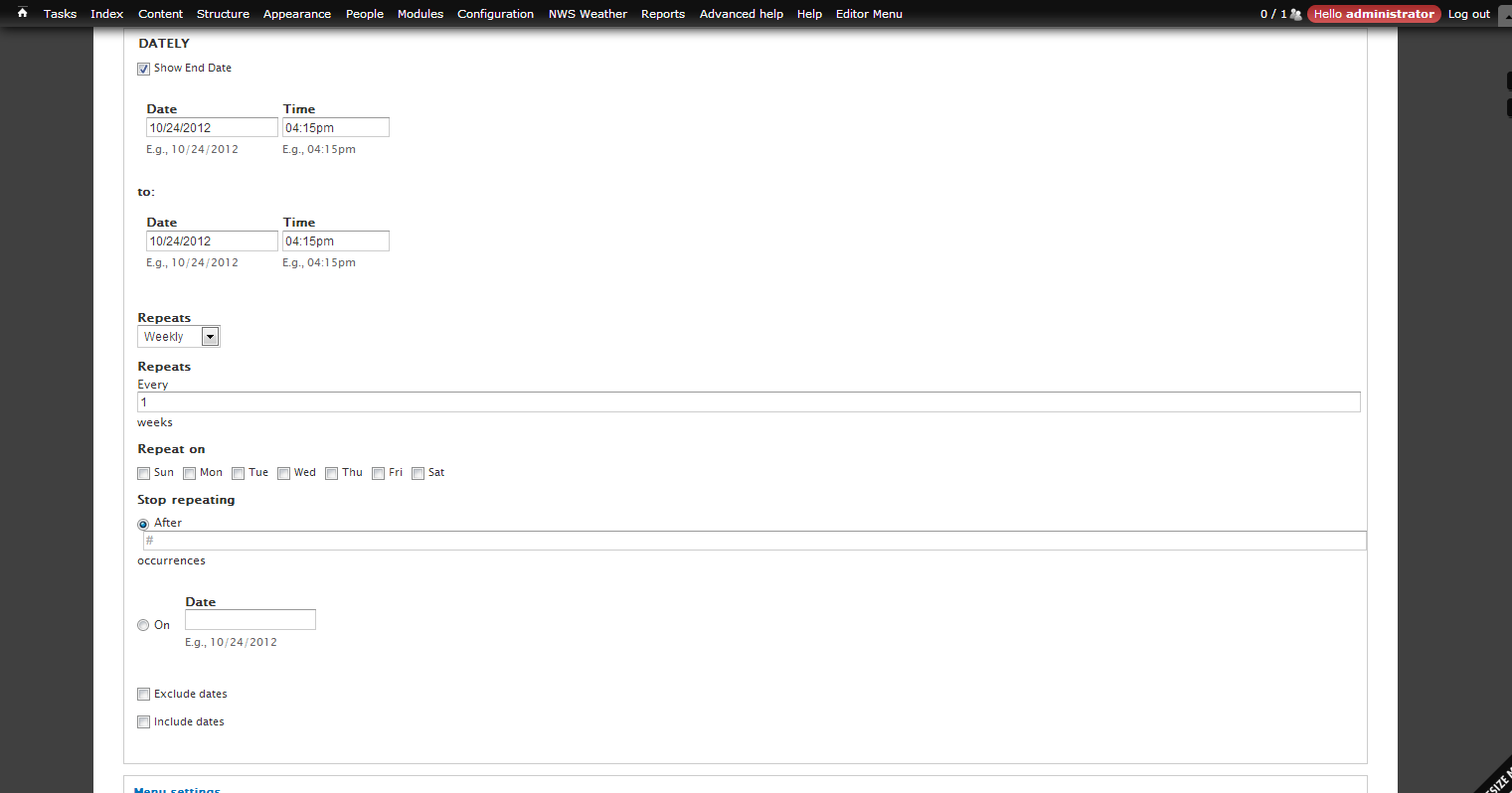
If I create a Date field and make it repeating, then when editing that Date field during node edit the Repeats settings are always displayed and Repeats defaults to Weekly. This is my versions:
date 7.x-2.6
calendar 7.x-3.4
ctools 7.x-1.0-beta1
views 7.x-3.3
drupal core 7.2
| Comment | File | Size | Author |
|---|---|---|---|
| create-event.png | 56.6 KB | xpsusa |

Comments
Comment #1
j-vee commentedDid you figure out a solution to this problem? I am now facing the exact same issue after updating to Drupal Commons 3.9.
Comment #2
j-vee commentedI managed to fix this issue by first opening /sites/all/modules/date/date_repeat/date_repeat.module
and finding the following function:
function date_repeat_freq_options()There's an array declared in that function where I prepended the following line:
'NONE' => t('Don\'t repeat', array(), array('context' => 'datetime_singular')),So the whole function looks like this:
You'll have a new option in the Repeat frequency dropdown and when you choose NONE, the advanced repeat options below disappear and you can save the node.
Hope this helps someone else as well.