

Closed (outdated)
Project:
Views (for Drupal 7)
Version:
6.x-2.16
Component:
Views Data
Priority:
Normal
Category:
Support request
Assigned:
Unassigned
Reporter:
Created:
17 Nov 2012 at 13:20 UTC
Updated:
25 Aug 2017 at 09:51 UTC
Jump to comment: Most recent, Most recent file


Comments
Comment #1
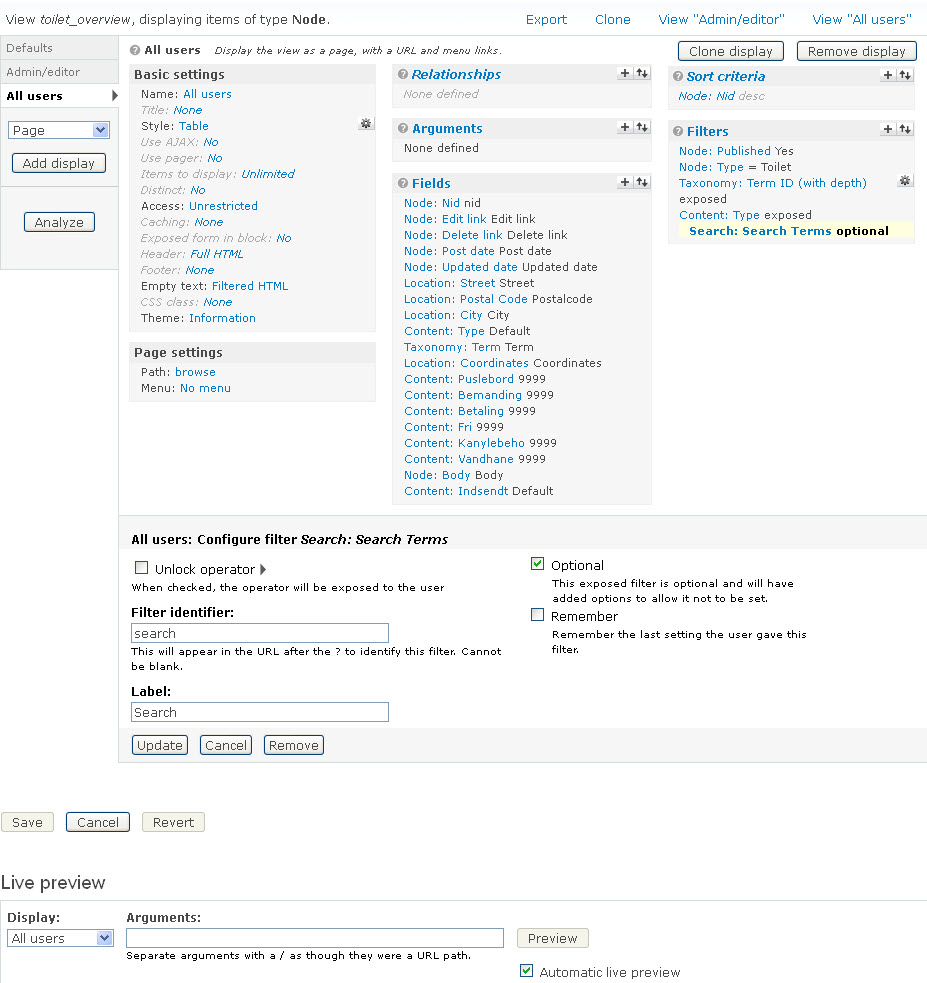
tinem commentedFirst I thought it could be it would only search for Text fields but as you can see here http://tinemuller.dk/div/manage_fields.gif Indsendt af is also Text but still you cant' search for - Tine Müller so don't know how to figure out how this service is constructed/functioning?
Comment #2
tinem commentedComment #3
tinem commentedAm I the only person with this problem?
I know I can use the browser to search for these words but not good for the councils who this site is made for. Not many know that much of IT.
Comment #4
tinem commentedNot sure what to select in Status so I'm sure some one will look at it, sorry?
Comment #5
jaypanI have set the fields properly for you. Unfortunately, you pretty much just have to wait until someone gives you a hand, which sometimes never comes.
To try to answer your question, the search box you have appears to be an 'exposed filter' for one of the fields. Maybe it's not the column which contains 'Ved ikke'.
Comment #6
tinem commentedGlad that you respond but please read my messages where I explain it all and see 2 PrintScreen and maybe a new answer for me?
Comment #7
rougekris commentedIf you're running a proper search, have you considered using the Views Finder?
http://drupal.org/project/finder
This project is a full search tool, and integrates nicely with Views (to the point where you can search and filter results based on entries you make in to the search field).
Comment #8
jaypanTinem - I did look at your post, and your screenshot, and my reply was in reference to the screenshot.
Comment #9
tinem commentedStill haven't found the solution and is still struggling but "maybe" it can have something to do with Views field Content: because it looks like these fields can not be searched. Can this be true and if yes what to do, please?
Comment #10
rougekris commentedFinder. Seriously.
The sub-module of Finder allows you to create a free text field, which allows you to search on multiple fields. It filters the View based on the inputs - I strongly recommend you use Finder to replace your Views filters if you're trying to use one search box to filter based on multiple fields.
File attached.
Comment #11
mustanggb commented