

 The 2026 Drupal Business Survey is open. Your response will help shape the future of the Drupal business ecosystem.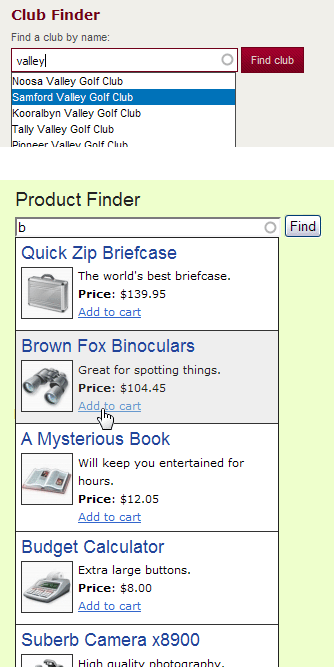
Finder allows Drupal site administrators to create flexible faceted search forms to find entities such as nodes or users based on the values of fields and database attributes.
Typically Finder is used for these purposes:
- As a search tool to find a group of nodes or users.
- As a way to navigate to a specific node or user page that matches criteria.
- As an alternative to exposed filters for a Views module display.
Specific example uses of Finder:
- An autocomplete search on node titles in order to find a node.
- A select list of all the possible values for a particular content field in order to get a list of corresponding nodes.
- Multiple groups of radio buttons and checkboxes with taxonomy terms to find nodes that match all the selected terms.
- An autocomplete search on usernames in order to go to a user profile.
- A multi-step wizard form to whittle down a pool of potential results by asking questions on one step that will reduce the possible answers on the next step.
There are many ways to put together finder's functionality to get the sort of search form you need. There are also many hooks and theme functions allowing full customisation of finder's output. Read the Finder documentation for more information.
Finder does not work like a typical search module, it does not base its functionality on search indexes, and therefore is not an efficient choice for searching body content, though it can technically do that. It is more suitable for filtering on short field values. Finder's strength is the ability to present choices for potential results, for example a select list or autocomplete, this is done by querying current database records to generate the form options. Finder comes with the ability to cache its processes, to improve performance.
CTools and Views
As of 7.x-2.x Finder is powered by the Chaos Tool Suite and Views, so those modules are required dependencies to install Finder.
Project information
 Minimally maintained
Maintainers monitor issues, but fast responses are not guaranteed.- Maintenance fixes only
Considered feature-complete by its maintainers. - Project categories: Content display, Site search, Site structure
 189 sites report using this module
- Created by danielb on , updated
 Stable releases for this project are covered by the security advisory policy.
There are currently no supported stable releases.

