

Closed (fixed)
Project:
AdaptiveTheme
Version:
7.x-3.x-dev
Component:
Panels or Gpanels
Priority:
Critical
Category:
Bug report
Assigned:
Unassigned
Reporter:
Created:
19 Dec 2012 at 11:20 UTC
Updated:
4 Jan 2013 at 09:21 UTC
Jump to comment: Most recent file


Comments
Comment #1
dddave commentedBetter attachement
Comment #2
dddave commentedTracked it down a bit more and it looks like this was caused by changes in AT Core. Running latest dev of DS+latest dev of Corolla with AT 3.1 works fine. Changing to latest dev of AT core breaks the display. Going to do some further hunting...
Comment #3
dddave commentedFrom the devs I have on my computer I can gather that this broke down sometimes after 3.1.-15-dev. From the commit logs I gather that at the changes around December 9th could be the problem...
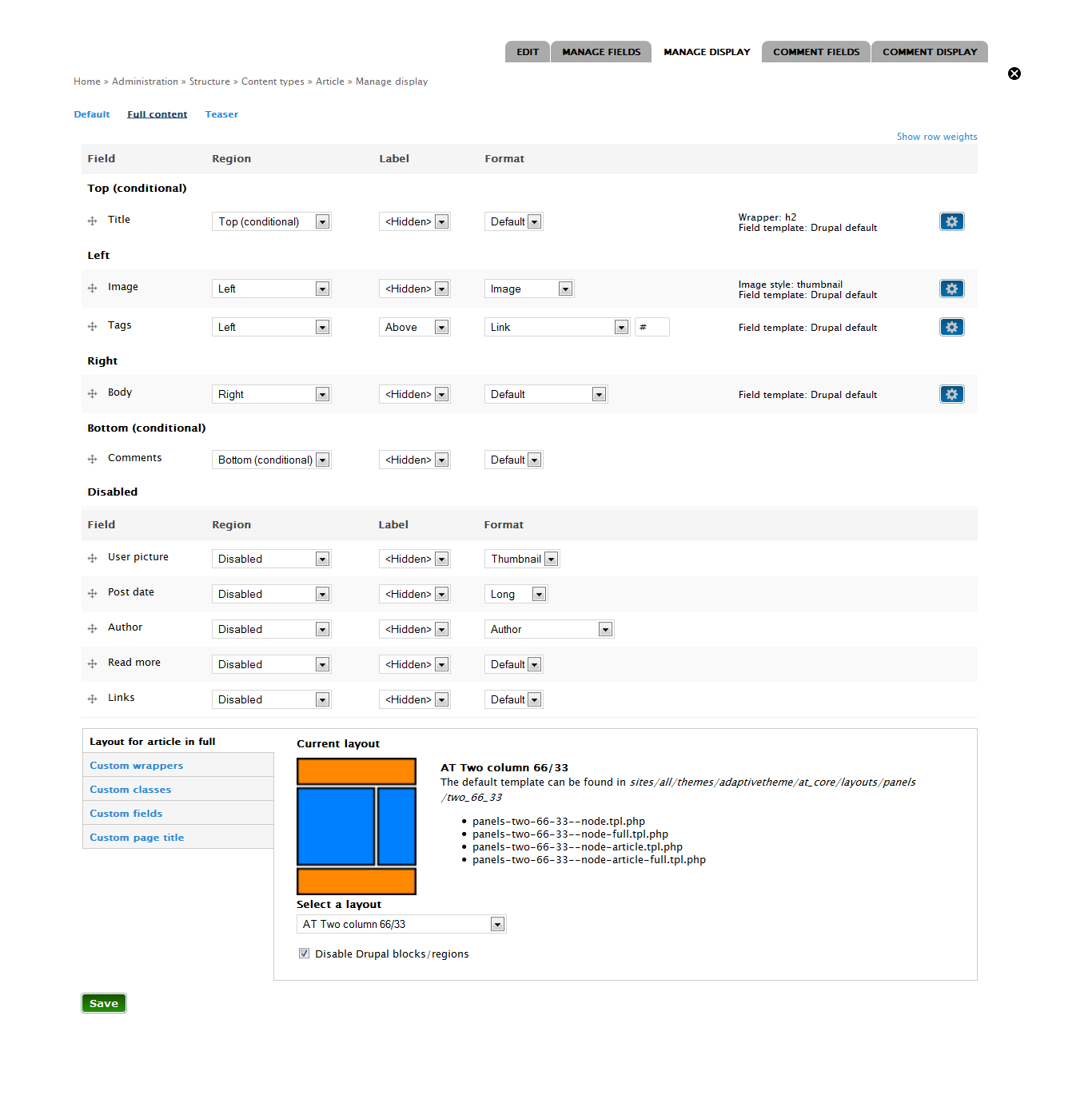
edit: Just to clarify how this shows: I was using AT 50/50 for my node layouts which worked fine. Switching to one of the December devs makes all things display in one column despite what is shown on the settings page. Changing layouts only works when changing to an none AT Panels layout.
Comment #4
Jeff Burnz commentedRight oh, I better get testing with this, there have been some changes to the layout plugins, not major but nevertheless it might be the issue.
The change was in how classes are applied to the Panel wrapper, the outer DIV, which has classes applied to it using the
$classesvariable which is available to all templates. Previously classes were hard coded in Panels layouts and I decided to have a go at using the$classesvariable so themers could easily inject their own classes using a preprocess function, such as:template_preprocess() generates something called the "hook" class, such as
.five-5x20, which is supposed to be available to the template, I suspect when DS is rendering the template that class is not being printed in the output - these hook classes are crucial to the layout.So, at this stage, if that is the issue, I suspect the problem is with DS or its just a limitation of using DS, in which case we will either need to shift this to DS queue and ask swentel about it, or add a workaround in AT. I need to test.
Comment #5
Jeff Burnz commentedAs per #4 I did test this and pretty much this is what is happening.
In essence the $classes variable in the panels layout template is replaced wholesale by the node $classes when rendered by DS. I think this is just how DS is meant to work, so I am working on a workaround to achieve both having an extendable $classes type variable and supporting DS.
Basically its an extension of the issue that DS does not fire hook preprocess and process functions for the panels layout, but rather for node, we had issues with this before with the prefix and suffix variables that are used in AT Panels layouts.
I have some working code which I will likely commit today.
I think this is critical actually, the lack of the hook class breaks the layout, not good!
Comment #6
Jeff Burnz commentedI pushed the change to dev. I removed the classes variables and all code around that idea, so now we revert to the hard coded classes in panels templates, this is the only way I can see this working long term without major hacking in at least 3 separate process functions -Node, Search and User, not to mention what happens when used in forms.
Comment #7
dddave commentedThanks for the quick fix. Sorry that I didn't catch that earlier.