

Closed (cannot reproduce)
Project:
LimeSurvey Sync
Version:
7.x-1.2
Component:
Miscellaneous
Priority:
Normal
Category:
Support request
Assigned:
Unassigned
Reporter:
Created:
3 Jan 2013 at 13:54 UTC
Updated:
19 Jun 2013 at 09:20 UTC
Jump to comment: Most recent file




Comments
Comment #1
spessex commentedPS I have tried to have LS both inside and outside of the Drupal installation and neither works.
Comment #2
spessex commentedPS Also I have tried this with activated and inactive surveys to no avail.
Comment #3
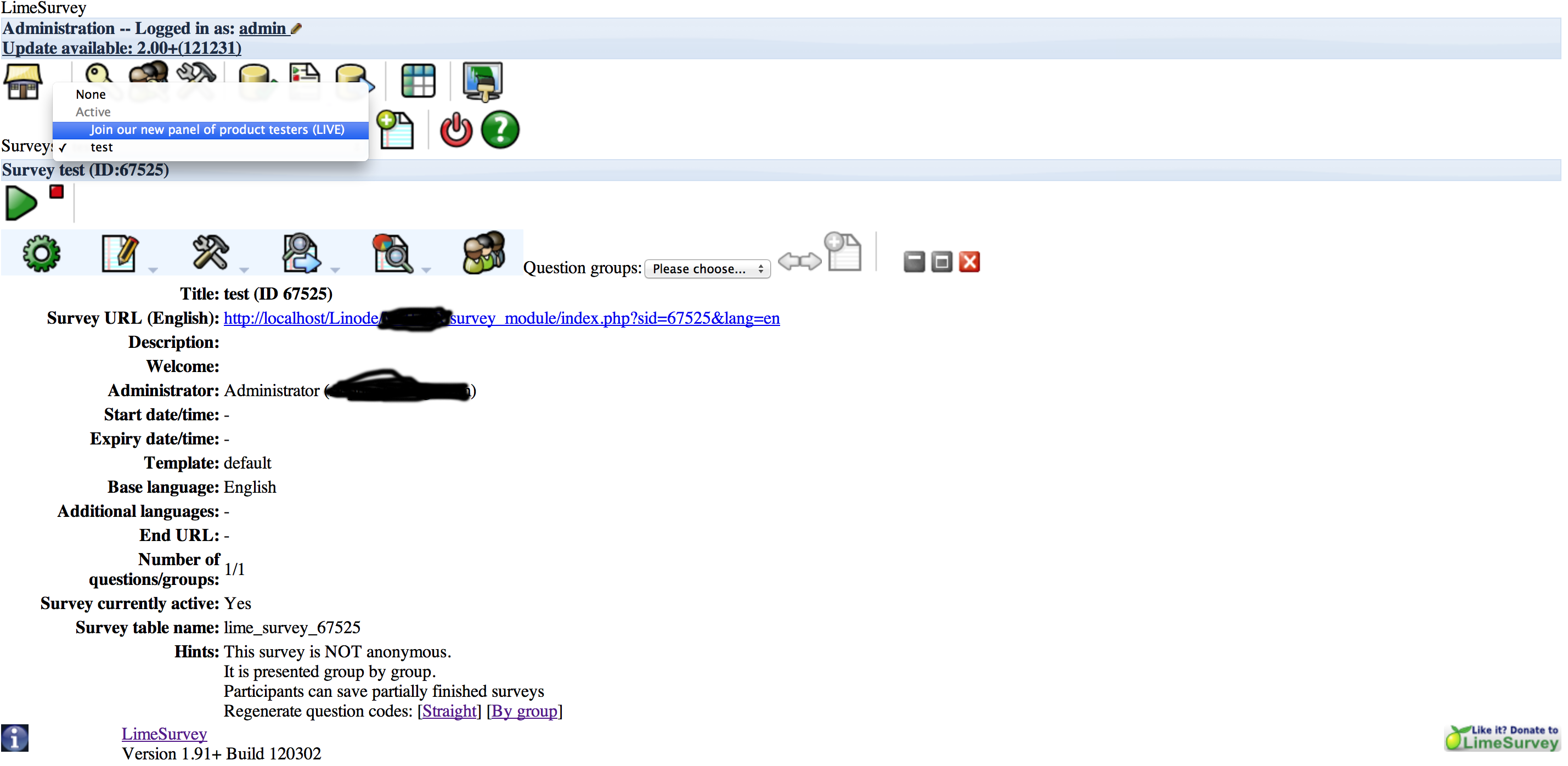
spessex commentedAlso see attached shot of Live Lime Survey with activated Surveys
Comment #4
thedut commentedThat a strange behaviour,
I guess your settings.php file and your LimeSurvey Site url parameter do not target the same LimeSurvey site.
You should try a fresh new start :
Could you provide to :
If it fails again, you could send me by email your installation (all files and databases), It will be easier for me to figure out this issue (my mail is into the module README.txt file).
Comment #5
thedut commented-
Comment #6
spessex commentedHi Julien
I've followed your instructions and the good news is is that it appears to have worked and I can now see the LS surveys in the Survey Content Type. The only issue now is that it's still stating on the Drupal Status Reports that 'LimeSurvey site may not be reached'. I'm not sure how much of a problem this is but I have emailed you all the files just incase.
Thanks again for your help.
I look forward to hearing from you.
Ste
Comment #7
thedut commentedHi !
On test page, a link to your LimeSurvey site is provided : If you do reach the limesurvey site clicking on that link, then your parameters are ok, even if the test fail.
For absolute url, note that you should write the http:// prefix ( example : 'http://localhost/limesurvey', instead of 'localhost/limesurvey').
As a work arround, try to use relative url to :
if your architecture folders are :
localhost
--limesurvey
--drupal
try to use as url path : './../limesurvey' (without the quotes).
It would help me if you provide the test page full error message.
Try those 2 solutions and tell me.
Comment #8
thedut commentedI guess this issue is solved.
Anyway it was due to bad configuration.
I close this post as 'works as designed', feel free to reopen it.
Comment #9
spessex commentedHi Julien
Many apologies for the late reply. Got dragged off the project for a short time and am now back on (sorry I forget to get back to you considering your help). Will be re-testing today and will report back.
Cheers
Ste
Comment #10
spessex commentedHi Julien
As per instructions I can 'reach the limesurvey site clicking on that link' and it works fine (admittedly I cannot actually see a problem but am just a little disconcerted that it says 'LimeSurve site may not be reached'.
I will now send the screenshots to your private mail just for precaution (what with the files paths etc).
Cheers
Ste
Comment #11
spessex commentedComment #12
thedut commentedHi spessex,
As I said, the best validation for the LimeSurvey url parameter is the human one (you !) : if you reach the LimeSurvey site clicking on the provided link, then it is OK, everything will work for you. The test interface tries to reproduce the humain validation. In your case, the test interface fails to test the LimeSurvey url parameter, declaring it as failure instead of success. I don't know why it fails.
You are using the '../../' string at the begining of your LimeSurvey url parameter : try to replace it by './../../' (without the quotes) and report.
Julien
Comment #13
spessex commentedNo worries Julien.
PS Tried ./../../ and it's still the same and the link still work as before.
Comment #14
thedut commentedI can't reproduce this issue. But it does not affect your experience.
I close this thread as "cannot reproduce".
Comment #15
thedut commentedHere is a fix making sure that your settings.php file and your LimeSurvey Site url parameter do target the same LimeSurvey site. It will be included into the 7.x-1.3 release.