

Closed (fixed)
Project:
IP Geolocation Views & Maps
Version:
7.x-1.x-dev
Component:
Code
Priority:
Normal
Category:
Bug report
Assigned:
Reporter:
Created:
17 Apr 2013 at 18:39 UTC
Updated:
11 May 2013 at 08:10 UTC
Jump to comment: Most recent file


Comments
Comment #1
rdeboerThanks for living on the bleeding edge, trying dev versions, Greg!
If we more people did that we'd get to stable bug-free versions quicker.
I'll look into this on the tram to work today.
Rik
Comment #2
rdeboerSo, I **think** I know what's happening here... Some of your nodes have Geofields properly filled out and some don't and with lat/long misssing can't be put on the map.
If this is indeed the case I suggest you add a "check for empty" filter on your View.
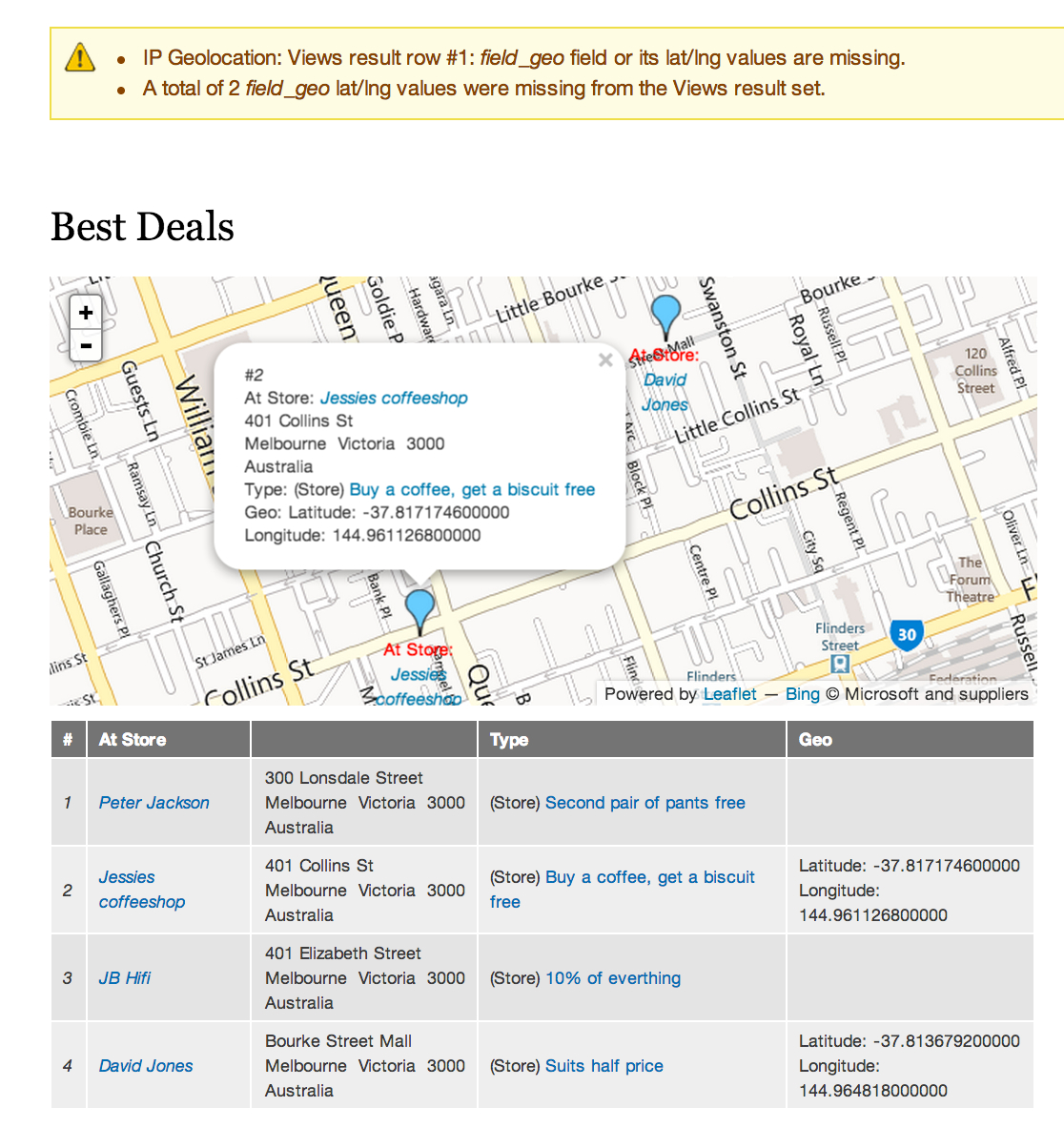
To pinpont this sort of stuff I tend to append on the same page as the map a second View Display, known as an Attachment. It's identical to the first, but has its format changed from "Map (...., via IP Geoloc)" to "Table".
With my latest check-in, available as 7.x-1.x-dev in a few hours, I've made the error message a bit clearer by specifying the first row in your View that has its lat/long coordinates missing and also quoting the total number of rows that don't have coordinates.
See the attached screenshot.
Comment #3
masher commentedI can confirm adding a filter ( Content: geofield:lat (not empty) ) pervents the error message.
Many thank for a excellent module, liking the new tooltip feature!
Comment #4
rdeboeryay!
Comment #5
iaminawe commentedThanks - fixes it for me too - I appreciate the response.
Comment #6
rdeboerThanks iaminawe, fix is part of 7.x-1.20.
The warning only shows when logged in as super admin, uid=1
No point in having the general public see those messages.
Rik