

Closed (fixed)
Project:
ImageField
Version:
5.x-2.0-rc2
Component:
Code
Priority:
Normal
Category:
Bug report
Assigned:
Unassigned
Reporter:
Created:
31 Dec 2007 at 15:09 UTC
Updated:
6 Mar 2008 at 05:52 UTC
Jump to comment: Most recent file

Comments
Comment #1
Gábor Mayer commenteddrupal 5.5, clean install.
Comment #2
dopry commentedwhat happens if you expand the fieldset by clicking on the title?
Comment #3
dopry commentedI cannot reproduce with the DRUPAL-5--2 or HEAD branches.
Comment #4
bastos commentedHi,
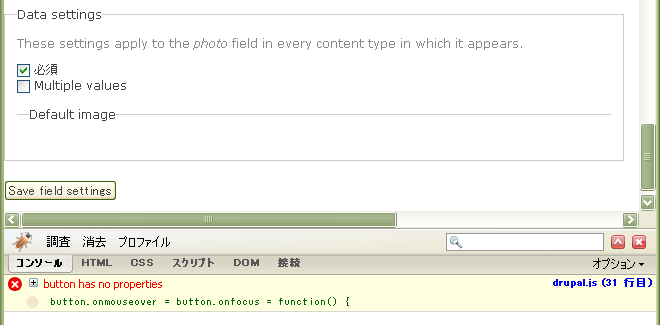
The same issue happened to me. Firebug shows this.
thanks
Comment #5
jmav commentedIs this fixed?
Comment #6
Rob_Feature commentedSame issue here...subscribing...
Comment #7
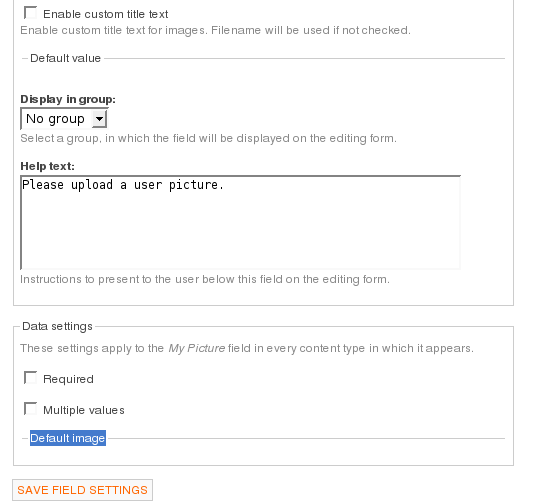
ashtronaut commentedI found a quick hack. If you comment out line 97 in imagefield.module you will be able to see the Default Image fields. . . . .
ash
Comment #8
carsonh commentedBehaviour remains in RC 4. However, the quick hack in this comment: http://drupal.org/node/205122#comment-711273 helps.
Thanks
carsonh
Comment #9
bomarmonk commentedSame problem using RC 4. I performed the quick hack above, and now the default image form shows up. However, default images are still not displayed.
Comment #10
dopry commentedCommitted to DRUPAL-5--2 it seems nested collapsible fieldsets are broken.
Comment #11
Anonymous (not verified) commentedAutomatically closed -- issue fixed for two weeks with no activity.