

Closed (fixed)
Project:
Internationalization
Version:
6.x-1.x-dev
Component:
Module i18nmenu
Priority:
Normal
Category:
Feature request
Assigned:
Unassigned
Reporter:
Created:
29 Feb 2008 at 00:46 UTC
Updated:
15 Apr 2008 at 23:33 UTC
Jump to comment: Most recent file

Comments
Comment #1
jose reyero commentedThis should be a feature request. But no plans to work on this for now (patches welcomed)
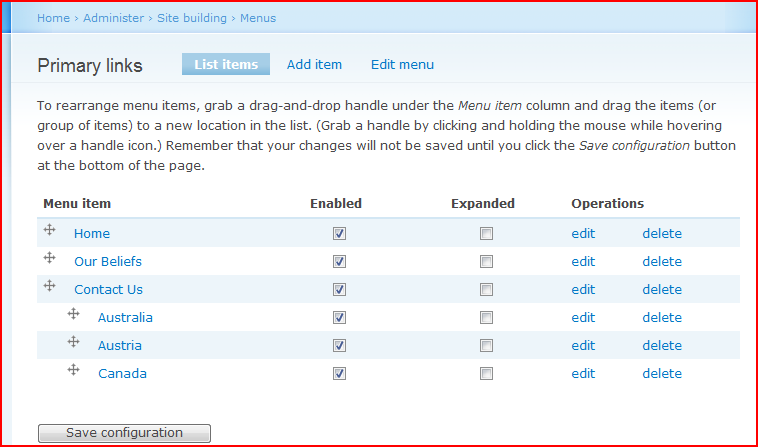
You can set the order manually though, on the menu admin pages.
Comment #2
fletchgqc commentedSetting the order manually on the menu admin pages would be fine - are you sure that you are able to do this? When I go to the menu admin pages I can only see my English menu items (in primary links) - no foreign languages, even though I have definitely got foreign language items in the primary links menu.
Comment #3
oscar.nelson commentedThis took me quite a while to work out as well. Change your language while on the menu admin page for the menu you want to edit.
So '/admin/build/menu-customize/primary-links' would become '/fr/admin/build/menu-customize/primary-links'.
Comment #4
jose reyero commentedOk, I think I got it.
Fine tuned the query rewriting stuff so all nodes should be visible for the menu admin pages.
Comment #5
fletchgqc commentedThanks!
Comment #6
Anonymous (not verified) commentedAutomatically closed -- issue fixed for two weeks with no activity.