Closed (won't fix)
Project:
Image Assist
Version:
5.x-1.6
Component:
TinyMCE Plugin (drupalimage)
Priority:
Normal
Category:
Support request
Assigned:
Unassigned
Reporter:
Created:
11 Apr 2008 at 21:17 UTC
Updated:
4 Sep 2008 at 16:43 UTC


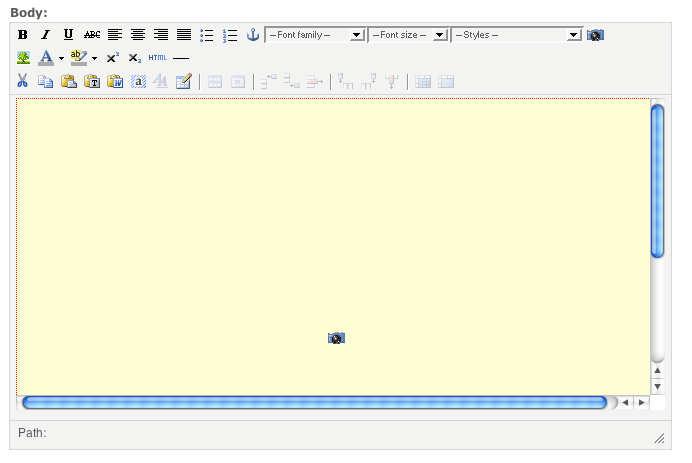
I'm a little confused as to the different between adding an image with Filter Tag vs. HTML Code. If I add it with HTML Code i doesn't embed the image properly (no text wrap). If I add an image with Filter Tag, it looks great when you view the page, but when you're editing it, it creates this GIGANTIC yellow box where the image would go. Even though the image is only 100x100.
Is there anywhere that explains the difference between these two types and does anyone know how I can keep it from showing this huge box? (see attached image)
| Comment | File | Size | Author |
|---|---|---|---|
| ImageAssist.gif | 13.69 KB | visionmark |

Comments
Comment #1
sunThe box in TinyMCE should only have the size of the actual image. Which version of the TinyMCE editor JavaScript do you have installed? Image Assist is only compatible to 2.x versions (see project page).
Additionally, what browser and OS are working on?
Comment #2
visionmark commentedI have Tiny MCE 2.1.3
I'm working on multiple browsers/OS's.. This problems occurs on Mac Firefox, WinXP IE7, and WinXP Firefox
Comment #3
sunHas something changed in the meanwhile? Did you test this with other image derivative sizes?
Comment #4
sunWithout further information I'm obliged to mark this issue won't fix.