

 Come together with the global Drupal community in Rotterdam, 28 Sept – 1 Oct 2026. Sessions, contribution, connection, and Early Bird savings until 8 June.
Hi!
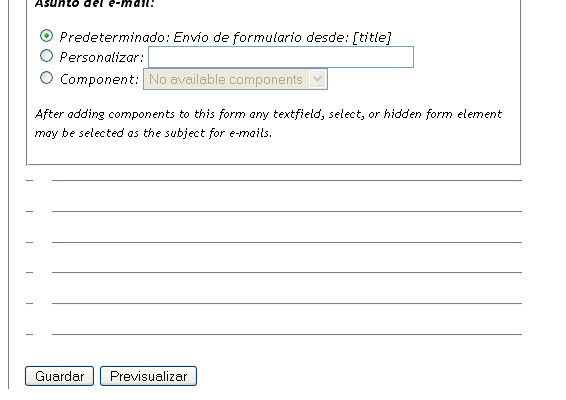
I've created a form using webform. In the creation page I can't see any comments or workflow setting block. There is nothing under the 'webform mail settings', only horizontal lines and seems like there is anything missing.
I know you can adjust default settings value for the content type webmail but when form is created I can't find a way to adjust these settings.
I'd also like to hide creation info (author and date/time) just like in page content.
Thanks for your great work!
| Comment | File | Size | Author |
|---|---|---|---|
| #1 | missing_settings.PNG | 11.28 KB | pumy |

Comments
Comment #1
pumy commentedHere is a capture of the horizontal lines I said.
Comment #2
pumy commentedWell. At last I realised and I've tried with Internet Explorer. I can see all the options with it. Seems like the issue affects only to Firefox.
Is anyone else experiencing this problem?
Changing the category to bug report.
Comment #3
Duplika commentedThe same happens to me. Thought it had something to do with TinyMCE but the same happens if I have it disabled.
Comment #4
ñull commentedThe work around for FF for the moment is to set View > Page Style > No style and then you see the missing settings.
Comment #5
quicksketchTry some of the solutions posted here: http://drupal.org/node/104175
This problem is not unique to Webform, it's a bug apparently somewhere between Firefox and Garland.