I have made a few changes to the wysiwyg_editor.module file to improve the configuration of buttons and:
- be able to split the buttons of plugins, and order them flexibly (mainly for the default plugins)
- be able to use the | separator
These changes are backward compatible, the previous configuration files should still be read correctly.
Here is an excerpt from my new configuration file:
  $plugins['default']['theme_advanced_buttons2-01'] = array('cut', 'copy', 'paste');

  $plugins['paste'] = array();
  $plugins['paste']['theme_advanced_buttons2-02'] = array('pastetext', 'pasteword', 'selectall','|');

  $plugins['default']['theme_advanced_buttons2-031'] = array('undo', 'redo', '|');
  $plugins['default']['theme_advanced_buttons2-032'] = array('justifyleft', 'justifycenter', 'justifyright', 'justifyfull', '|');
  $plugins['default']['theme_advanced_buttons2-033'] = array('bullist', 'numlist', 'outdent', 'indent', '|');
This example shows how I have grouped all the "paste" buttons together, whether they come from the default plugin or from the "paste" plugin.
The new syntax is pretty simple:
- add
'|' to insert a separator
- groups of buttons are defined by
theme_advanced_buttons#????, where # is the button row number (1, 2 or 3) and ???? is a string which names the group of buttons
The button groups are inserted in the order of their names (order as string).
The changes I made are quite simple:
            foreach ($mce_value as $k => $v) {
              // Add a separator
              if ($v == '|'){
                $init[$mce_key][] = $v;
              }
              elseif (isset($settings['buttons'][$rname .'-'. $v])) {
                // Font isn't a true plugin, rather it's buttons made available by the advanced theme
                if (!in_array($rname, $plugin_tracker) && $rname != 'font') {
                  $plugin_tracker[] = $rname;
                }
                // record the subgroups
                if (substr($mce_key,0,22)=='theme_advanced_buttons') {
                  $group_id = substr($mce_key,22);  // strlrn('theme_advanced_buttons')=  22
                  $button_groups[$group_id]=$mce_key;
                }
                $init[$mce_key][] = $v;
              }
            }
and
        if (!isset($init['theme_advanced_buttons3'])) {
          $init['theme_advanced_buttons3'] = array();
        }

        // sort the IDs of button groups
        ksort($button_groups, SORT_STRING);
        foreach($button_groups as $group_id => $key){
          if (strlen($group_id)>1){
            // merge buttons subgroups into the relevant button bar
            $bar_key = 'theme_advanced_buttons' . substr($group_id,0,1);
            $init[$bar_key] = array_merge($init[$bar_key], $init[$key]);
            $init[$key] = array();
          }
        }

        // Minimum number of buttons per row.
        $min_btns = 5;
Sorry I am quite new to Drupal, and I cannot make a proper patch. I attach my new files.
Please let me know what you think of these changes...
I have a question: is it possible to override _wysiwyg_editor_plugins() in a theme? how?


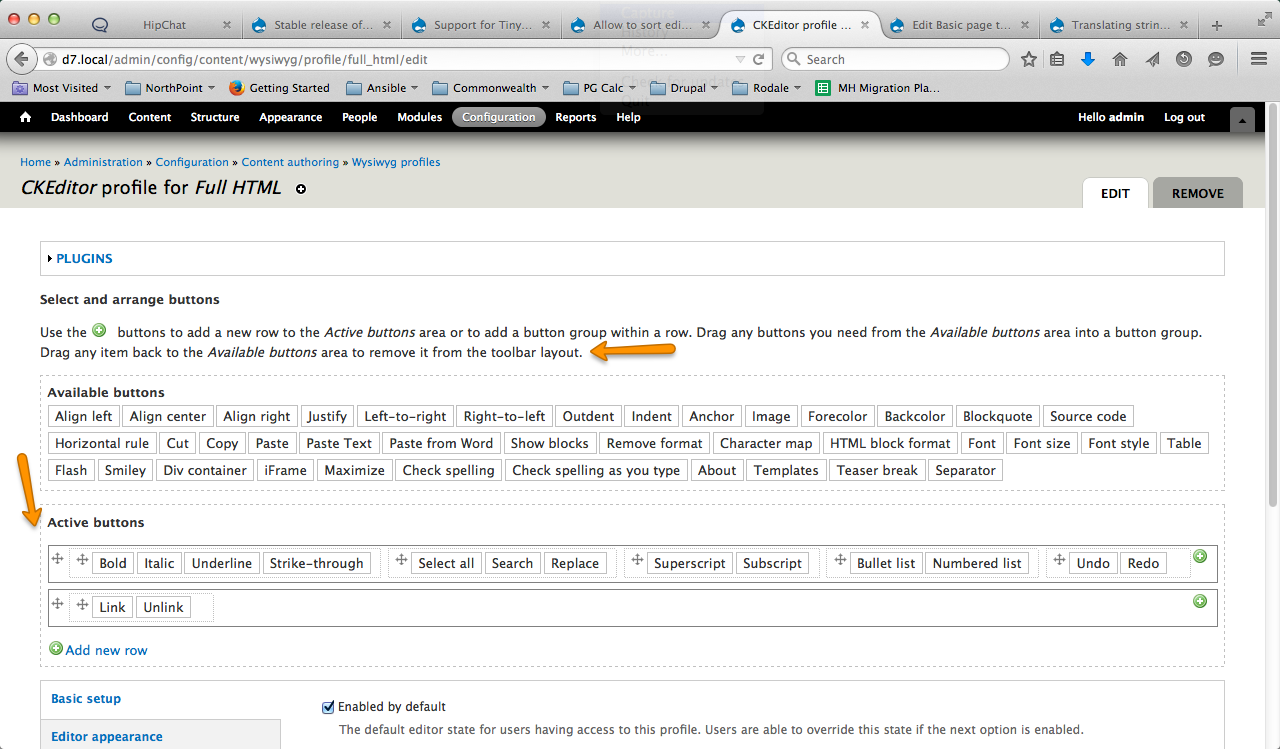
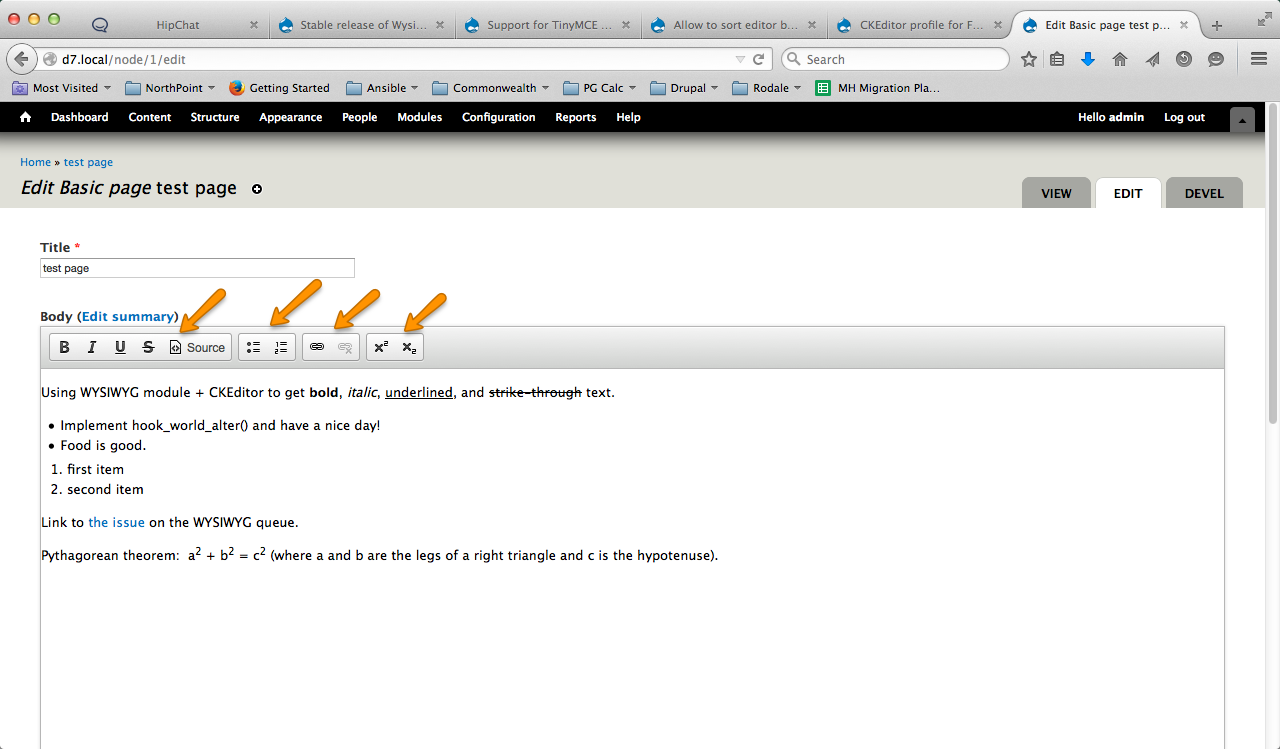
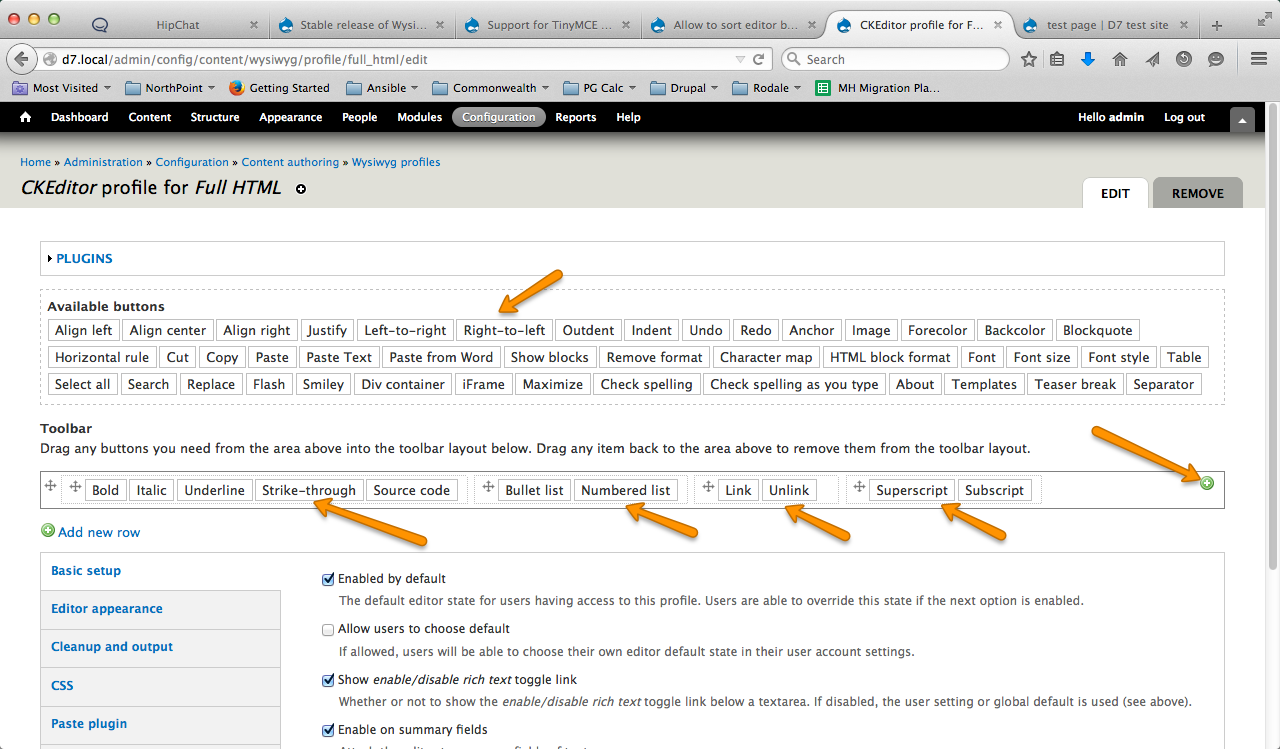
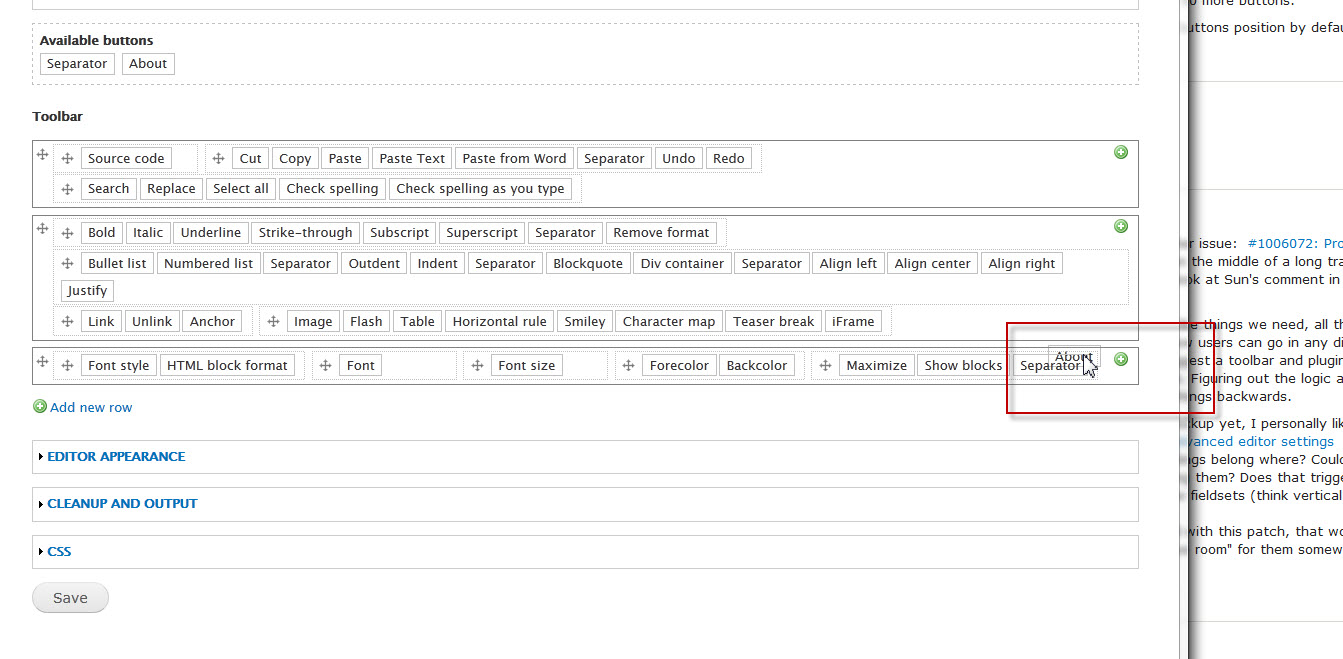
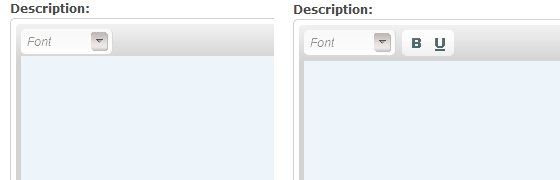
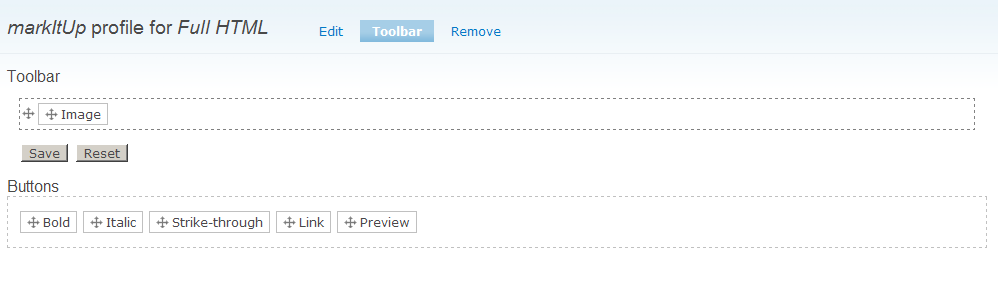
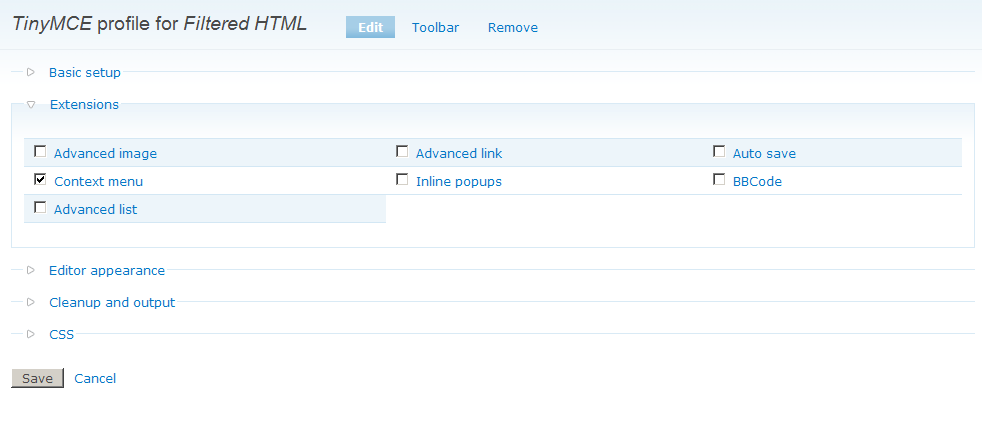

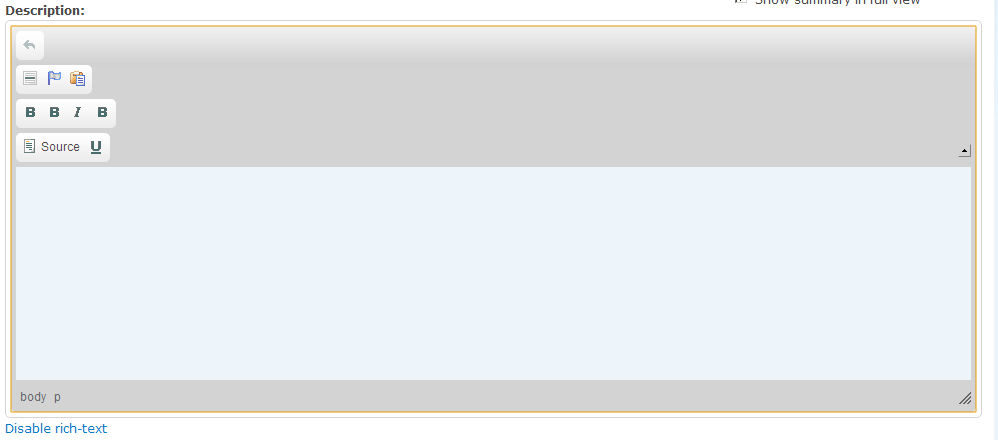
Comments
Comment #1
sunThis sounds good, but I'm unable to review what you have done. Please have a look at http://drupal.org/patch or particularly http://drupal.org/patch/create.
Also, latest code in CVS no longer arranges buttons in multiple rows; it's using CSS to align all buttons in row instead.
Comment #2
AD-DA commentedI'll try to post a patch. However I have to install the diff tools.
However I do not understand what you have done in the CVS version. Removing the ability to arrange buttons on several rows is a huge regression in term of customization. There are just too many buttons to arrange on a single row.
Does your solution somehow "wrap" a row if it is too long?
You said that you are using CSS to align the buttons in the row. Does it enable to order the buttons in the row? Is there a discussion describing these changes?
Comment #3
sunNo, it does not allow to change the order of buttons in a row. But that was also not possible before. The long-term goal for Wysiwyg Editor is to allow the administrator to re-arrange the enabled buttons/plugins in a GUI via jQuery UI sortables, just like JCE for Joomla! (there seems to be no public demo, but I can tell you it's fun to move buttons via drag'n'drop).
Comment #4
AD-DA commentedI agree with you on the target of the GUI. What is the purpose of the changes you have made in the CVS? Is it a step to meet the requirements for the GUI?
Obviously these changes in the CVS will not work with mine.
I was trying to enable a (simple) way to configure the buttons from a configuration file. Here is what I would propose to implement the same kind of functionality with the new CVS:
wysiwyg_editor.plugins.incfile, add a "button group default" information to the buttons, eg.Here I used a position naming scheme such as #-&&-?? with #=button bar number (1 to 3), && = button group number and ??=button position in group
wysiwyg_editor.admin.incgenerate the buttons bars based on the bar/group/position, with | between groups of buttonswysiwyg_editor.admin.incadd a text input form to modify the button position (optional)What do you think of this?
Comment #5
sunWell, the ordinary audience of this module does not even know how to pronounce "configuration file". So better forget this plan rather sooner than later.
Also, Wysiwyg [Editor] module (and most notably hook_wysiwyg_plugin()) was developed to remove the need of editing of configuration files. If we would implement hard-coded button "weights" like you propose, site admins would have to edit plenty of module files to get the buttons in the order they want. Please read #152046: hook_wysiwyg_plugin() for further information.
Comment #6
AD-DA commentedMy last bullet proposed to add a text input in the Wysiwyg config page in addition to the checkbox to enable a button. This text input would enable the input of the order of buttons without modifying the config file. The config file would just provide the defaults values.
Of course this text input is less "user friendly" than a drag and drop solution, but it would be easier to implement, and a step toward the AJAX solution.
Comment #7
sunWell, implementing this via jQuery UI should be fairly easy. All we need is the list of buttons in the desired order.
I could imagine two ways of doing this: Either allow the user to sort directly in the button list (where the checkboxes are), or introduce a new fieldset which contains the sort interface.
Technically, I could imagine three ways of storing the order: Either by re-arranging and submitting the buttons in the form already in the right order (that would be the simplest, but might also be the most error-prone way), or add another fieldset which contains the enabled buttons only and additionally submit button => weight pairs (IIRC, ui.sortable provides this already). The 3rd way would be to add a hidden weight field to each button, allowing the user to sort in either of the preceding ways, and store the new weight of each button in the hidden field.
We've implemented something similar for ImageField recently, see #264162: Allow to sort multiple images and #264171: Use jQuery UI for drag'n'drop sorting of images
Comment #8
sunBetter title.
Comment #9
zmove commentedI would love to see an ajax drag and drop UI to order button as you want, like CCK, block or menu provide (in drupal 6).
/Subscribe
Comment #10
sunsmk-ka worked on this and showed me a working preview already. Assigning to myself, so we are not running into duplicated efforts. However, a patch will probably not make sense until #319363: Rewrite editor plugin API has landed.
Comment #11
Nick Lewis commentedSee yui editor for a decent approach to this:
1. Focus the drag on and drop on adding and removing buttons
2. Try to keep similar buttons in groups. Why would you want to move an italicize to another row, on the opposite side of bold, and underline?
Comment #12
sunSome quick notes about the current considerations:
- Buttons will be sortable via jQuery UI.
- You can place buttons into multiple rows in the toolbar.
- We need a way to allow users to insert button separators into the toolbar. This will probably be handled through a simple link "Add separator", which adds a separator "button" into the layouter.
- After adding a separator, a user may want to remove it. So we need a way to remove a particular separator "button" from the toolbar.
- That could be done by implementing a drop area, which removes a separator "button" from the toolbar.
- But then again, the question arose why we do not simply implement 2 toolbars - one containing all available buttons, and the other containing all enabled buttons. By dragging a button from the available to the enabled toolbar, it is enabled for the profile. By dragging a button from the enabled to the available toolbar, it is disabled.
- The same would work intuitively for separators. However, there would be an additional link between both toolbars that allows to spawn a new separator.
So this is the current plan:
1) Turn the current table containing checkboxes into a toolbar containing all "available" buttons.
2) Add a second "enabled" toolbar where buttons can be drag'n'dropped into and sorted.
3) Add a link between both toolbars to spawn a separator button into the enabled toolbar.
This will be the base for further, required improvements; specifically: Allowing to configure settings for each plugin/button. The current idea is to load a configuration form for a button via AJAX by double-clicking on it.
Comment #13
skilip commentedHey,
For about a year ago I created a module which enables administrators to create roles for TinyMCE's RTE. It was not only intended to serve node textfields while you could use jQuery selectors to attach TinyMCE to. It also provides admins a way to customize the toolbar by drag and drop. Because it's sort of similar to what's discussed here, I thought it would be wise to mention. I've put an example here. Note the plugin checkboxes are updated after a button is dropped.
Comment #14
sun@skilip: Thanks - however, a demo video doesn't help much. If you have code to share, please attach it (uncompressed) to this issue.
Comment #15
skilip commentedWhat do you mean with uncompressed?
Comment #16
skilip commentedWhat do you mean by 'uncompressed'?
Comment #17
sun"uncompressed" = single files, no archive (like tgz or zip)
Comment #18
skilip commentedMy apologies for the delay. Here are the files. Since they are D5 and from my early Drupal days, the code isn't state of the art.
The idea is simple; I've created a file in which all buttons are defined in an array. The skins and plugins are fetched with a readdir. This file is included in the profile's settings pages.
The plugin / button array is stored in a hidden input element (in json format) and then picked up by javascript. Every time the order of the toolbar changes, the value of the hidden input field is updated. After submitting the form, the new order is stored with the profile.
@sun: You asked me to attach the files uncompressed. While it isn't possible to attach js files here, I zipped the module anyway. Sorry if didn't understand you correctly.
Comment #19
spiffyd commentedDoes anyone know of a thread on...
1) How to sort plugin buttons in Version 6.x?
2) How to add and enable plugins in Version 6.x?
Comment #20
sunOh, you are right - assigning proper version (new features go always into the latest version first). However, aside from that, Wysiwyg API has almost no differences between 5.x and 6.x.
Comment #21
spiffyd commentedI am confused though because I do not see "wysiwyg_editor.module" or "wysiwyg_editor.plugins.inc" in the 6.x module so I'm not sure where Andjety's changes apply to...
Comment #22
sun"wysiwyg_editor" was basically just renamed to "wysiwyg". However, since that happened some time ago, it is also possible that parts of the code/patch can no longer be applied properly.
Comment #23
spiffyd commentedOkay, I'm not a PHP and coding whiz and from what I see, yes, the code seems entirely different than what is present in the latest 6.x module. I'll stand aside for now until someone can take a serious look at this issue and have the sorting work out for 6.x! >.<
Comment #24
joshuajabbour commentedHere's a Wordpress plugin that might be able to be used as a basis for this feature:
http://wordpress.org/extend/plugins/wp-super-edit/screenshots/
Comment #25
remi commentedSubscribing to this thread.
My Web site's layout was getting screwed up by having too many buttons on one row. I ended up modifying the code in editors/tinymce.inc at around line 250.
Original code:
Modified code:
Now, if a toolbar has more than 22 buttons on a row (or more than the number you specified in settings.php file for the wysiwyg_buttons_per_row variable), the buttons will be moved on the next toolbar. The WYSIWYG now has a reasonable width and is no longer "breaking out" of my site's layout.
This is only meant to be a temporary solution for anyone who needs a quick fix. This is not fit for the permanent solution proposed in this thread.
Another one described the problem I was having at the following address:
http://drupal.org/node/98958
Comment #26
webengr commentedsubscribe
Comment #27
carlclancy commentedI've implemented this fix and although it succeeds in breaking after the right amount of buttons, it throws up another problem.
After my first 11 buttons I have the "Table" check box selected, but instead of displaying the Table buttons it just displays four separators.
I'm going to try this instead: http://drupal.org/node/308912
Comment #28
carlclancy commentedThe same thing is happening with the other fix. Can anyone advise as to why?
Thanks.
edit: The Table buttons display in Chrome but not in IE6,7,8 or in FF2 and 3.
Comment #29
carlclancy commentedI started from scratch and somehow eliminated this issue.
Thanks for the fix, remi!
Comment #30
remi commentedNo problem. However, keep in mind that my fix is only a temporary solution before a permanent solution is perfected by the other people in this thread, which is already in the works.
Comment #31
hass commentedHow about using the drag and drop interface we have ready to use in D6? Like the menu config pages, cck fields and so on... disabled items are grey...
Comment #32
sunI know that the current situation is not optimal. However, I do not want to waste time with a half-baked solution.
Next to the envisioned UI in #12, this issue is slightly depending on #313497-13: Allow configuration of advanced editor settings, which explains further details of how the final wysiwyg profile configuration will work. That needs a lot of work and deep insights into CTools though.
Comment #33
hass commentedWhy depending on CTools? I hope you do not really need it... It haven't been build on jQuery and have other buggy stuff like a broken modal window library no more maintained since ~2 years or more :-(.
Comment #34
markus_petrux commentedSubscribing
Comment #35
monotaga commentedsubscribing
Comment #36
markus_petrux commented@sun:
1) I wonder if it is ok to use jQuery UI sortables to achieve this?
- http://jqueryui.com/demos/sortable/
- http://drupal.org/project/jquery_ui
Also, a couple more questions:
2) how many lines of buttons are available per editor? Is there something about it in the editor packages?
3) how the order of the buttons should be stored in the {wysiwyg} table?
Comment #37
sun1) Yes, jQuery UI's sortable is the way to go.
2) Unlimited. Which can mean zero or 1,000.
3) We want to order the buttons only once, so they have to be re-arranged in the form submit handler, before DB storage.
Comment #38
dkruglyak commentedSo what is the status of this? How can sort my TinyMCE buttons and arrange them into rows?
Comment #39
markus_petrux commentedI'm not sure "when", but if I have a hole, I'll try to write something. Anyone else is more than welcome to chime in, though. Now that we have specs (see #36/#37 above), it shouldn't be too hard. :P
BTW, if jQuery UI is going to be used here, then I would suggest doing so with 1.7.1 or higher. That requires latest snapshot of jquery_update 6.x-2.x-dev, and jquery_ui module with the proper library installed. See comment #64 in #358082: jQuery 1.3 in Drupal 6.x
Comment #40
skilip commented@markus_petrux I'm much willing to help here. As you can see by watching the video I've linked to in #13, I've got some experience with the drag and drop sorting of TinyMCE toolbars. Would it be possible to meet in IRC this weekend?
Comment #41
markus_petrux commented@skilip: Sweet. Thought, I'm not sure of when I'll be able to spend time on this. I'll have to find holes here and there...
Aside from what sun posted in #37, we need to know:
4) Is there a common method in Wysiwyg API to obtain the paths to the button icons?
5) How do we store the button information in the {wysiwyg} table? We need to know, not only which buttons are enabled, but also the lines and position of them in the button bar of the editor. Any recommendation on this?
6) Finally, the implementation of this feature will have to provide a hook_update() method to migrate existing profiles.
Comment #42
ccshannon commentedsubscribe. much want me do.
Comment #43
i.chris.jacob commentedSubscribe. Will take a KISS solution ...
Comment #44
samchok commentedsubscribe
Comment #45
brisath commentedSubscribing. I would really appreciate this function.
Comment #46
aarondesignedit commentedsubscribe
Comment #47
sadist commentedsubcribing to this.. it's an important feature.
Comment #48
endiku commentedSubscribing. This is too important not to be in the wysiwyg module. One reason why I'm using tinytinymce instead of the wysiwyg (tinymce) at the moment.
Comment #49
milos.kroulik commentedsubscribe. Is there any hack for the meantime?
Comment #50
twodYou can use the workaround in #313497-30: Allow configuration of advanced editor settings, to get direct access to the settings sent to the editor. Most button lists are currently stored in
Drupal.settings.wysiwyg.configs.editorName.format#.buttons, or a similar location, as arrays or strings depending on how the editor likes it. Overriding the value is a bit tricky since you must make sure not to add or remove any buttons or that can cause errors, reordering them should be fine. I'd suggest defining a new array holding all the available buttons in the order you'd like them to be, even if you currently don't use some. Then loop over the array and compare it to the array currently in the settings (split if string) and unset any buttons from the first array if they are not found in the settings. After that you put your own button array in place of the settings array. That way you can enable or disable any button(s) and the order will stay the same without causing errors. A bit tricky, but you asked for a hack. ;)Comment #51
kaakuu commentedSubscribed.
Will there be an user interface to do this sometime soon?
BUeditor allows to do this - drag,drop and sort, and also allows to upload custom icons.
BTW where is this located - Drupal.settings.wysiwyg.configs.editorName.format#.buttons ?
I did not have luck when I reordered some buttons in some config file.
Comment #52
twodI was partially wrong in #50, the button list cannot be read on the server as it was sent to drupal_add_js() and is stored internally in that function.
One can however use a JavaScript to do the same thing if it's set to run before Drupal's behaviors (behaviors run onload, so your code needs to run before loading is done). It's a hack of course. There is also an issue about adding a hook_wysiwyg_editor_settings() (or similar) to the module, and it's probably easier to apply that patch and then use the hook to do the alterations on the server.
Editing config files will not work as the settings in those are ignored, Wysiwyg module sends the lists of buttons and plugins to enable directly to the editor library during initialization. The settings generated on the server are serialized into a JavaScript object notation (JSON) string and written to the page as the global Object Drupal.settings.wysiwyg. The JS part of Wysiwyg module then passes parts of this global object to each editor when it is initialized.
Comment #53
siklosg commentedSubscribing
Comment #54
jrabeemer commented+1 ^ 99999 A much requested feature.
Comment #55
jrabeemer commentedRebasing...
Comment #56
karljohann commentedsubscribe
Comment #57
skilip commented@sun, Can we meet in IRC regarding this issue? I've got some time to work on this this week.
Comment #58
aren cambre commentedComing from #727782: Selecting new buttons should modify, not replace, default buttons which might be a duplicate of this issue.
Is this issue's title accurate? Not clear if it's just focused on sorting or has expanded to other features like button selection?
(It's been over a year since the last patch, so reverting back to active.)
Comment #59
nquocbao commented(move from #744664: Wysiwyg Toolbar Designer)
I have been waiting for this feature since the 1st version of WYSIWYG module, but look like it's not going to be implemented in 3.0 (or maybe 4.0). So I decide to spend a few days on weekend to implement this feature.
And here is the result
What I have done:
- implement Toolbar Designer based on jQuery & jQuery UI
- add dependencies to jquery_update & jquery_ui (for the drag & drop)
- remove the $profile->settings['buttons'] and replace with $profile->settings['toolbar'] and $profile->settings['extensions']
- replace the old "Buttons and Plugins" fieldset with "Extension" fieldset.
- Update tinymce & ckeditor to work with the new toolbar designer
The down side:
- I use jQuery UI 1.7 instead of 1.6 (1.6 draggable & sortable is very buggy), so I have to use jquery_update 2.x to have jquery 1.3 available.
Check the video & screenshot for more example. If you want to install, you will need to use jquery_update 2.x-dev and jquery_ui with jQuery UI 1.7 to use the module.
Please give comments & feedback, I hope we will have a Toolbar designer for 3.x or even 2.x.
Comment #60
not_Dries_Buytaert commentedRegarding post #59 of 'nquocbao', I prefer that the contents of the new 'Toolbars' tab replaces (!) the checkboxes within the collapsable "Buttons and plugins" section (admin/settings/wysiwyg/profile/*/edit). Great work!!!
Comment #61
nquocbao commentedThe "Buttons and plugins" is replaced by "Extensions", which is only for enable / disable editor extension. The "toolbar" section requires heavy use of javascript, and the user flow is different (ajax saving instead of page-by-page) so I think it's better to separate this out.
By default, user will use the default toolbar come up with the editor.
Comment #62
twodReference note: "extensions" are plugins without buttons. Wysiwyg implicitly enables plugins based on which buttons are selected by the user, but can not do so when a plugin has none, so this requires separate processing. The profile page in the video still shows "Buttons and plugins" as an option, which I'm assuming is because the video was made before it was replaced by "Extensions".
Comment #63
jrabeemer commentedRebasing based on #59 patch...
Comment #64
aren cambre commentedPer #62
Comment #65
twodYou misunderstood me, the video says "Buttons and Plugins", but in the patch it correctly says "Extensions". This is a big patch and I need to reserve some time to review it and also test how this works with the other editors.
Comment #66
nquocbao commented@TwoD: Yes, the video was made before the patch is finished. Check the attachment for the screenshot.
This patch is not ready yet. Since the settings structure is different. I replace $settings['buttons'] with $settings['toolbar'] & $settings['extensions']. Only CKEditor & TinyMCE is updated for the new patch. I will update other editors tonight.
What we should consider right now is to apply this patch for 6.x or only for 7.x. Because we need jQuery 1.3 & jQuery UI 1.7 requirements for the designer, it will make it harder for us to integrate it to 6.x branch (6.x still use 1.1 and jquery_update 2x is not stable yet). 7.x branch will be easy since we're updating to jQuery 1.4 #653580: Upgrade to jQuery 1.4.
Comment #67
not_Dries_Buytaert commented@nquocbao: Personally, I definitely hope a patch for D6.x will be released. Since, D7.x isn't ready for production yet, the fast majority are running previous branch of Drupal (6.x). Also some other D6.x modules (like: http://drupal.org/project/wysiwyg_imageupload) require jQuery 1.3. I wish I could (re)write code and help you out.
It would be more user friendly, if the buttons would be presented in two main categories when constructing toolbars:
Buttons which directly change the content itself (bold, italic, underline, list, ...) and
Buttons which are used to edit (!) content (cut, paste, select all, find, replace, spelling, remove formatting, ...).
BTW: I think (but am unsure) that some editors (at least FCkeditor) use the term 'plug-in' (instead of 'extension'). If so, maybe you want to clarify this in a help text.
Comment #68
nquocbao commented@not_Dries_Buytaert: I will update the help for extension fieldset, but it would be great if you give some suggestion. Right now we have no way to know whether a button will change content or edit the content, since the editor only gives the list of buttons but no information about it.
Comment #69
twodI've not yet had time to test the patch, but I hope to be able to do so later today. I have a few questions/comments though, In the video we see that the 'used' buttons stay in the 'available' area. I don't think all (any?) of the editors allow more than once instance of the same button [in a single editor instance] as they may need to have a unique name, one which often corresponds to the command it'll trigger.
It would also be much easier to determine which buttons you haven't enabled if not all of them are always listed in the 'available' area.
Not all editors support multiple toolbar rows, and some may not even support separators, and some (CKEditor?) make a quite important distinction between separators and groups.
We need to make each editor report which ones of these features it supports, and have the GUI adapt to that situation or users would be very confused when their three-row-multigroup-separated toolbar is collapsed to a single row in the actual editor.
If these things are already part of the patch, please ignore this message. ;)
Comment #70
nquocbao commented@TwoD: Right now I just allow all editors to have many groups, separator support & duplicated button. Maybe we should extend the definition of hook_editor to add toolbar information, like the code below
Default value for toolbar support will be: multi group => false, and separator => true.
I will just remove the duplicated button feature. It's not very useful after all, noone will want to put two same buttons for the editor anyway.
Comment #71
twod@nquocbao, yes, that's exactly what I had in mind. Toolbar "attributes" like "multiple rows", "grouping", "separators" etc need not only be tracked per editor, but also per editor version:
Comment #72
nquocbao commentedHere is the update:
- update markItUp, nicEdit and FckEditor to support toolbar designer
- remove duplicated buttons `features`
- add `toolbar support` configuration as discussed above
I attached a screenshot to demo markItUp toolbar: no multi group and no separator
There is a problem with version support, since we merge the whole array of editor definition, so we wont be able to just enter the change in the version definition array, we will need to use the full definition
$editors[$editor] = array_merge($editors[$editor], $editors[$editor]['versions'][$version]);Now all I have to do is continue porting editor to work with toolbar designer.
Comment #73
aren cambre commentedCan this work also solve #735624: Enabling one button removes default editor toolbar? WYSIWYG - GeSHi Bridge module can't be finished before that is solved.
Comment #74
nquocbao commented@Aren: This patch has a completely different approach to buttons design, because you don't "enable" button any more but you will build your own toolbar. If there is no toolbar then the default one will be used. Check the video for more detail.
Comment #75
twod@nquocbao, great work!
I see the version problem with array_merge. At first I was thinking "Then let's skip array_merge and do our own merging." but then it hit me; "How often would features like that change anyway?". Redefining toolbar features is the way to go, easier code over almost zero bytes saved.
Here's a quick coding style review. (just minor nitpicks hehe)
EDIT (by sun): Removed to keep this issue readable; review issues mostly seem to have been incorporated.
Comment #76
nquocbao commented@TwoD: hehe, I didn't run codereview yet :D. I will clean it up today
Comment #77
nquocbao commentedHere is the new patch. I fixed coding styles as your comments.
- I'm not quite sure about this, but I think there the same problem with CKEditor if there is only Font Selector or Font Size buttons, check the screenshot. I just revert it back.
- About the dragging, you will never hit the reset button. I put it there because I click save very often, and below the available buttons is ... too far away.
- I treat group as row, or you can't create group. And the toolbar designer only support row & separator. I just replace multi groups with multi rows to make it easier for us to understand.
Check the new patch. We still need to port jwysiwyg, openwysiwyg, whizzywig, wymeditor and yui. One question: do you think we should allow user to choose default toolbar from editor?
Comment #78
nquocbao commentedarggg, my eclipse remove all ending lines
Comment #79
twodHmm, how about this layout to make the it a more top-down flow of tasks?
I'm not sure what to do about a "Use default toolbar" option. That's a bit linked to #735624: Enabling one button removes default editor toolbar as removing all buttons from the toolbar would currently reset it to the editor's 'official' default state, but that doesn't quite match what we support in Wysiwyg. If we implement our own default toolbar, that might be the one used when removing all buttons. If we implement our own default toolbar, but only use it for the initial state (ie, emptying the toolbar in the designer leaves teh editor without buttons), an extra "Use default layoyut" button might be useful.
We'd need some user interface/experience experts in on this, would these tags get their attention?
Keep up the good work, nquocbao! I'll see if I get some time over this weekend to help out with the other editors.
EDIT:
Btw, I think we probably need to support grouping as well (if only for CKEditor now) as it's quite different from using a different row. A group never spans several rows, and if there are too many buttons in it to fit on the row, it jumps down to the next one. (I know we can't accurately reflect that in the toolbar designer so it needs to go into some on-screen documentation.) I updated the sketch above to include some more "+"-buttons for adding groups. (Maybe represented with an additional border around the grouped buttons?)
Comment #80
nquocbao commented@TwoD: I think the toolbar designer can't reflect how buttons will be arranged in reality, we don't have enough information such as editor width, button width, button height, button spacing ... So we just ignore the fact that toolbar designer is not really "WYSIWYG".
CKEditor & FCKEditor support both multi groups & rows. YUI only support multi groups and other editors only support multi rows. I will spend some time in the weekend to see about that.
Comment #81
karljohann commentedIs relying on JQuery UI really necessary? I for one don't use it and don't really want to install it AND JQuery update just to be able to re-order the buttons, something I might do two or three times. Wouldn't it be possible to fallback on a non-JS sollution? Perhaps this is being slightly overthought(?)
I did however install this a dev site and it is some good work, so keep it up!
Comment #82
aren cambre commentedWhy resist JQuery? http://trends.builtwith.com/javascript/JQuery says its use is rapidly increasing and has mainstream acceptance.
Comment #83
karljohann commentedNot JQuery, JQuery UI. JQuery itself is actually an integral part of Drupal.
My point was that having to install two additional modules (JQuery UI and JQuery Update) simply to re-arrange the toolbar buttons seems a bit much.
Comment #84
hass commentedIn D7 this two libs are part of core. Than you don't need to install it yourself, but for now you need and other modules may require it, too. Who cares...
Comment #85
aren cambre commentedI'm happy to install standard libraries if that makes this module work.
Comment #86
sunSorry for not chiming in earlier. I'm relatively busy currently, as I've being sick for a couple of days and need to catch up with client stuff.
@nquocbao: wow. Nice work so far! :)
This initial review hopefully clarifies some of the high-level challenges, and I really hope you (and others) won't run away screaming. ;) I really appreciate your work on this long-standing issue and will try to provide all background information and high-level as well as low-level details that may be needed to get this done. Usually, most of what TwoD and me are saying is based on in-depth knowledge of both Wysiwyg API and editor library APIs, but please do not take everything for granted. There is always room for open discussion, even if we may sound like "there is only acceptable solution". ;)
ul.editorToolbar li.buttonName astructure. We should definitely investigate whether we can "resemble" (i.e. fake) the HTML output of the editor's toolbar, and load the editor's native CSS to save us from implementing a fairly complex button icon integration logic. At least AFAIK, jQuery UI is also able to support different markup structures via options.This is, actually, where it also gets a bit fuzzy and icky: (not to be incorporated in this patch, but to be taken into account)
One underlying goal is to support optional configuration parameters for extensions/buttons. Even for the most simple buttons there can be configuration options - for example: Should the "Bold" button insert a
<b>or<strong>? Some editors have a configuration option for that.However, it doesn't make sense to provide configuration options for stuff that is not enabled at all. If you happen to know the new input format/text format configuration form in D7 (I'm to blame for that ;), then I could imagine a similar pattern for configuring extensions: Each extension gets a vertical tab pane, which is only displayed, if the extension is enabled.
I'm not sure how to handle configuration options for buttons though. I originally thought of introducing a UI similar to Views', where you would enable the buttons you want by arranging them in the active toolbar, and by double-clicking a button, a configuration form would appear below (no AJAX needed here).
But again, I only want to outline the challenges we need to take into account. Nothing of this is prepared elsewhere in the API, so we absolutely do not want to make this patch even larger. All that we really need to do is to foresee that stuff in the design we choose for this implementation.
Thoughts?
Comment #87
karljohann commentedComment #88
nquocbao commentedI was very busy at weekend, here is what I think about sun's comment.
1. I maintain my own local git repo, just to make it easier for me to generate the patch. Maybe I should create a repo on GITHub, any suggestion ?
3. I agree with 7.x-3.0 for this patch, but there will be many people will miss it on D6 and I think it will take one or two years for D7 to replace D6. May be we should backport this patch as a separate module for 6.x-3.x.
4. About the toolbar support attribute: the patch allows developer to specify "toolbar support" as TRUE / FALSE or a configuration array. If the value is absent or equal to FALSE, it will completely disable toolbar designer for the editor (such as jwysiwyg), TRUE will use default toolbar support configuration (no groups, no rows, no separator), and an array will override the default configuration.
5. I prefer the simple solution, but we can do this by adding an "icon" attribute to button definition array. The value should be a relative path to editor library. I will try it with CKEditor in next patch.
6 . Tracing buttons and extensions dependencies would be a very large task, since at the moment we only have title and an unique id for each button. And advance button configuration will make the module over complicated in an unnecessary way. I think we should support basic feature of editor, for editor button management, and allow developer to customize their own configuration: #313497: Allow configuration of advanced editor settings.
7. Agree with the new layout too, but I think we don't have to restrict user the number of rows, he should be able to freely add as many rows as he want, right ? And yes, each row must contain a group and button must stay inside group. An editor with no groups support simply does not have the "add new group" button.
8. Best match for #313497: Allow configuration of advanced editor settings
I'm implementing grouping for toolbar buttons, and moving the toolbar designer to configuration page. Hope to up it here later tomorrow or more ...
Comment #89
realityloop commentedThis is an awesome patch unfortunately placing a Teaser Break or Image Upload button both stop CKEditor from rendering when using this patch, all you get is white area where CKEditor should be displayed.
Console output with Teaser Break button enabled:
uncaught exception: [CKEDITOR.resourceManager.load] Resource name "break" was not found at "http://drupal6.dev/sites/all/libraries/ckeditor/plugins/break/plugin.js?...".
Console output with WYSIWYG Image Upload's Image uploading button enabled:
uncaught exception: [CKEDITOR.resourceManager.load] Resource name "imgupload" was not found at "http://drupal6.dev/sites/all/libraries/ckeditor/plugins/imgupload/plugin...".
WYSIWYG Image Upload: http://drupal.org/project/wysiwyg_imageupload
Hopefully this is relatively easy to resolve as I'd really like to use it on a few sites as soon as possible..
Comment #90
bryancasler commentedsubscribe
Comment #91
weynhamz@nquocbao Wonderfull work,i want this feature for a long time.
I hope this could be ported in to the 6.x branch,even the next release of 6.x-2.x. This feature is very very important,and i hate to rearrange the order of buttons each time by hacking the code itself.
I've rebased the 4 patches upload with git,and test it.
I think we should consider the seperater and the group the same thing.And it is always the same about how to group the buttons.
--------------------------------------------------------------------------------
first row : editor buttons
(Bold,Italic,Underline,Strike-thought)(Align left,Align middle,Align right,Justify)(Nubered list,Bullet list)(Indent,Outdent)(Superscript,subscript)(quote,blockquote)(Link,Unlink,Anchor)
--------------------------------------------------------------------------------
second row : style buttons
(Font,Font size,Font style)(blockformat)(forecolor,backgroundcolor,remove formats)(Smiley,Image,Flash,charmap)(table,div)
-------------------------------------------------------------------------------
third row: editing help buttongs
(Select all)(cut,copy,paste,paste as text,paset as word)(Undo,Redo)(Seach,Replace)(Spell checking,Spell checking as typing)(Source code,Show blocks,Maxmize,About)
Peopel always group much like this row,so,may be this shoud be grouped at the begining,and we can just pick a group in a row.
Realy hope this feature could be included in the next release of 6.x-2.x.
Comment #92
weynhamz@nquocbao
Agree with you to create a reposity on github,it's not good to work with the diff patch.
I use this command to create a local repo form the wysiwyg repo
add i merge all your patch into Drupal-6--2 branch.
that i hope you can provide us ge git reposity that come up with the wysiwyg 2.x branch,because it seems long time to make this feature included in to the official branch.
There is one thing i can't understand,why in the cvs wysiwyg depend on
dependencies[] = libraries
dependencies[] = ctools
dependencies[] = jquery_ui
dependencies[] = popups
dependencies[] = debug
Comment #93
realityloop commentedTechlive, I patched 6.x-2.x-dev with #78, currently working fine apart from my post at #89.
Comment #94
twodSee the module pages for more info about why we'll depend on these modules (most of it is code reuse). I don't think we've locked in popups and jquery_ui fully yet, so this is to be considered "in flux".
@techlive, you're missing an "-" before the "x" in your command. I think I know which guide you followed, please check the comments accompanying it.
You can use hook_wysiwyg_editor_settings_alter() (available in 2.1) to reorder the buttons too. A bit trickier, but avoids hacking the module.
How about if we all clone an existing semi-official repository instead of manually creating our own conversions?
http://git.drupalfr.org/ has repositories for contrib which seem to be up to date (Wysiwyg's all the way down the bottom).
The link to this page can be found at Alternative Version Control System mirrors of cvs.drupal.org.
UPDATE: Those dependencies should not be present in the DRUPAL-6--2 branch as can be seen at cvs.drupal.org, but it appears that git.drupalfr.org has this wrong and has applied the DRUPAL-6--3 changes to DRUPAL-6--2 as well.
Comment #95
realityloop commentedstatus needed updating
Comment #96
nquocbao commentedHere is the latest patch: This patch add toolbar group & row and fix #89 problem. I didn't move the toolbar designer to profile page yet, but I would like to show everyone current work and feedback on the new design (with group). I don't really like it. this patch is based latest on 2.x-dev (Apr 3), so make sure you update your original code first.
@TwoD: the repo on git.drupalfr.org seems to be invalid, 2.x branch is not the same with our latest version, so I'm not sure we can clone to work from this one. Do you have other suggestion ?
Comment #97
sunAs there is no working, public git repository that could be shared with write access (to create a feature branch), usage of git doesn't seem to be doable. When still doing patches with git, the base branch has to be a CVS checkout from HEAD, and --no-prefix needs to be used for git diff.
The most apparent actionable tasks for this patch:
Afterwards, we will have to analyze/revisit the structural changes applied to the toolbar portion of the profile form, and we most probably want to revamp major portions of the toolbar JS. All doable, but I guess we need to do everything step by step to get this done.
Comment #98
realityloop commentedConfirming #96 fixed #78 issue, thanks nquocbao.
I've refactored #96 as patch using cvs diff against downloaded wysiwyg-DRUPAL-6--2.
You also need to put the images folder from http://drupal.org/files/issues/wysiwyg_toolbar_patch_bin.zip into wysiwyg root.
Comment #99
nquocbao commented@sun:
1. Agree. It will solve #75. I will move toolbar support to toolbar rows, toolbar groups, and toolbar separator. Any editor has one of this property will have the toolbar designer enabled.
2. I have no idea how we identity a separator and a button. Do you have suggestion ?
3. Agree.
4. if we remove our own custom image, how we will replace them ? With full text like "Add group", "Add toolbar" or [+] [x] ?. And drag the group / row to the available region to delete the group / row instead of clicking [x] button ?
5. Next patch :D.
Comment #100
realityloop commented@nquocbao
With the changes added in #96 there is actually no need for separator buttons anyway, at least with ckeditor each group is separated, assuming thats what Sun was talking about.
Regarding image removal, you could make it so dragging items back to the buttons area removed them from the toolbar.
Adding toolbars and groups could be done with buttons, and you could use /misc/watchdog-error.png for deleting them or a button with - character perhaps which would remove the need for images altogether.
Comment #101
skilip commentedHi guys! Sorry for joining late! As sun mentioned I'm willing to spend some time into this, merely because I've already spent a huge amount of time on this like two years ago. (A screencast of this is available here). We could even organize a sprint for this IMO.
Are there any screenshots available of the ideas so far? If not, shall I make some? I really am the type of guy who wishes to have designs of the whole UI before going mad on writing patches.
Comment #102
nquocbao commented@skilip: you can check at #59 for the video (this one is old), there are some screenshots in the attachments. We will need a lot of feedback on the UI, right now it just works :P
@realityloop: I think we should not merge the idea between group & separator. You may later want to have many separator in a group too. And actually, in FCK or CK, groups are not separated by separator, we need to add it ourselves.
Comment #103
sunre #99:
'toolbar separator' => '-'property could specify it instead of TRUE. I'm merely requesting to remove the constant, since it's a little weird reason for using a constant. If all fails, just use a certain string, but don't waste too much time on it, since we will likely have to do further changes to the toolbar structure.Thanks!
Comment #104
nquocbao commented@sun:
1. Ok.
2. If we use a custom string to for separator, it will be harder for us when writing generic code. I use a constant because I need a way to identity separator through out the module without knowing what editor we are working on.
4. I intend to use the icon from /misc too, but I want to use it as CSS sprite instead :D. This is a big patch, and the image make the UI look better, so my opinion is just add them to the module.
Let finalize everything and then go ahead to the implement.
Comment #105
sunre 2) The constant is a custom value, too. Again, if all fails, just replace the constant with its value.
re 4)
This statement is contradictory to itself. CSS sprites have nothing to do with this issue. This patch is already big and most likely will get bigger, so anything that is not within the scope of this issue needs to be removed from the patch, and instead possibly be dealt with in follow-up issues. That's the only way to get this issue done. Thus, if some other hidden, non-obvious things slipped into this patch, then better remove them now to speed up the overall progress. :)
Comment #106
nquocbao commented2. ok. I will replace the constant with 'separator' value.
4. I mean I can't reuse the icon from misc folder. Or we have to use an img tag point to the misc/draggable.png, but I want to use CSS background instead. Anyway, the icon is not important. What I really concern is how the UI looks like without the icon :(
Comment #107
skilip commented@nquocbao, that demo looks quite promising! Thanks!
Is the 'toolbar/sorter/thingy' in a separate local tab because we're working on a separate branch of wysiwyg? Or are we planning to keep this in a separate local tab?
I will create some UI mockups asap!
Comment #108
nquocbao commented@skilip We're going to move the toolbar desginer back to the profile form. It was my mistake to separate the toolbar designer with other configuration.
Comment #109
twodre: #160, 4. I don't see what the problem is. Just replacing url("images/draggable.png") with url("/misc/draggable.png") in #wysiwyg-toolbar-designer .handler works fine as they are both identical and there's no need for an img tag.
Btw, is there a reason for using <a> tags for all the clickable/draggable things rather than plain divs? Would not have to worry about the default click handling with divs. Made a quick test and replaced them all and added cursor: pointer; where needed and it seems to work well.
Comment #110
nquocbao commented@TwoD: The problem is when we not running Drupal at root folder.
Comment #111
sunLet's ignore installations in sub-folders for now. This direction maps 100% to what has been stated earlier: let's focus on the pure base functionality - advanced UI tweaks can come later.
Comment #112
skilip commentedOk, here's my first mockup:
 .
.
Comment #113
smk-ka commented@skilip
I would recommend not to remove used buttons from the repository. Instead, they should be visually disabled. Reason is, it makes it harder to find the "right" position when adding new buttons later, since most editors have a sensible default order of buttons that administrators usually want to preserve.
Comment #114
nquocbao commented@skilip: nice mockup. What's about group ? Do you think we should add use button icon from editor library or we should use plain text as in my current code ? I like the idea of dragging button enable the plugin, I will try to implement this to the toolbar designer :D
Comment #115
aren cambre commentedYou are correct. However, WYSIWYG destroys the default toolbar once you make any change. E.g., add just one button to the default, and you end up with a one button toolbar. You have to rebuild from scratch. See #735624: Enabling one button removes default editor toolbar for more discussion.
While I think this issue is important, it is seriously compromised if #735624: Enabling one button removes default editor toolbar is not also fixed. I presume that most users will want to alter the sensible default toolbar, not start over from scratch.
Comment #116
skilip commented@smk-ka: You're right about retaining the order of the buttons. I will adjust my mockup with that.
@nquocbao: I definitely prefer icons above text. It is just far more scannable and looks like 10.000 times better :P. I'm most willingly to do the theming for each editor myself, if it that's what it takes to convince everyone ;).
@Aren Cambre: I see your point. However, I never use all wysiwyg buttons available. In fact, almost all Drupal sites I've seen so far have only 10-20 buttons enabled. Mostly because you do not want your site editors given full HTML permissions. But that's me.
However, when you're not alone in this, we can consider enabling all buttons and plugins by default. So get some votes!
Comment #117
sunAs explained in that other issue, the default order of buttons is defined by Wysiwyg module, and this likely won't change for several reasons: 1) We do not always expose all available buttons, on purpose. 2) We cannot access and parse an editor's default toolbar definition easily. 3) Regardless of editor, administrators need to find the buttons. We are trying hard to keep the order consistent for all editors.
#735624: Enabling one button removes default editor toolbar has nothing to do with this issue, so let's keep that separate.
I'm not yet fully convinced of smk-ka's proposal to keep enabled buttons in a disabled state in the available toolbar. However, since we need to support buttons that can be spawned multiple times (separator), we can simply prepare the drag&drop code to support it either way. That said, the proposal would probably be the only way to support multiple spawned instances of the same button / Drupal plugin with different configurations in the long run (which is totally not on the roadmap, so just mentioning).
On the mockup:
a) The add/delete row buttons are reversed - you shouldn't be able to remove the last row. But allowing to insert a new row after each row would make sense.
b) Agreed that we need to account for groups. Some editors actually require groups, so the toolbar designer would even have to start with a single, empty one.
Comment #118
aren cambre commentedDon't mean to belabor the point, but #735624: Enabling one button removes default editor toolbar could be totally solved, and this issue's usefulness be improved, if WYSIWYG defines its own default toolbars for each supported editor. Satisfying that issue along with this issue would enhance WYSIWYG plugin modules like WYSIWYG-GeSHi Bridge (see #727710: When enabling this plugin's buttons, all standard CKEditor buttons disappear).
This default toolbar can simply match the editor's own default toolbar. That fixes the problem where even the slightest toolbar change destroys each editor's sensible default toolbar.
Understood, and I wouldn't advocate for that.
Probably easier to manually define default toolbars anyway.
Not clear how fulfilling #735624: Enabling one button removes default editor toolbar hurts this.
No need to respond; don't want to drag this out. Sun is correct that these are well-discussed in #735624: Enabling one button removes default editor toolbar.
Comment #119
nquocbao commentedI also agree with define a default toolbar for each editor, this will resolve #735624: Enabling one button removes default editor toolbar and use will stop asking where are their buttons. As in CKEditor / FCKEditor module provides DrupalBasic and DrupalFulltoolbar, which is very useful to me.
Let say: the next Wysiwyg will support the following options:
- use Wysiwyg toolbar by default
- use toolbar designer to customize the toolbar as he want (what we are working on)
- use editor's default toolbar
- And if possible, doing his own toolbar configuration in #313497: Allow configuration of advanced editor settings :P.
Implement a default toolbar is fairly easy, we only have to decide which buttons should be enabled by default.
Comment #120
sunCan we pretty please keep the discussion on default toolbars over in #735624: Enabling one button removes default editor toolbar and stay on topic to move on here? :) I already provided plenty of reasons over there for why it would be wrong to do that. And I'm happy to explain again, but not in this issue.
Comment #121
nquocbao commentedHello, long time no see.
I'm too busy with company project so that I can't work on this issue. I manage some time on the weekend to create a new patch. This patch resolve 1,2,3,5 and some 4. The "remove" image is removed, you can remove a row or a group by simply dragging it back to Available buttons area, don't know how to solve with the "add" image yet.
Let check if it works for you.
p/s: this patch is based on the latest dev version.
Comment #122
nquocbao commentedResolve the `TODO` in wysiwyg_toolbar.js
Comment #123
pearcec commentedsub
Comment #124
skilip commented@nquocbao I couldn't get the draggable behavior working with your latest patch. Are there some more requirements than jQuery UI (1.6) and WYSIWYG 6.x-2.x-dev?
Comment #125
nquocbao commented@skilip: actually, it's jquery 1.4 + jquery ui 1.8
Draggable & Sortable in 1.6 is buggy so I just use the higher version instead. Check #59 comment.
Comment #126
skilip commented@nquocbao: wow, that's a lot of dependencies already. Is that really needed?
Comment #127
nquocbao commentedThis is patch target for D7. In D7, we already used jQuery 1.4, so jQuery UI 1.8 has no pb with this one.
Later we will decide to port it to D6 or not, or to D6 as a submodule in Wysiwyg.
Comment #128
nquocbao commentedAnybody's active for this issue ?
Comment #129
realityloop commented+1 for a D6 port, tho I have it working on 6.
Comment #130
jleinenbach commentedAs another workaround until this is fixed/added etc, you can group and sort your CKEditor-buttons with the Drupal module by Fabianx:
http://drupal.org/node/751196#comment-3091682
Activate all buttons you need and edit this file for that:
wysiwyg_ckeditor_nice.module
Comment #131
danny_joris commented+1 for D6 port
Comment #132
nancydruFWIW: here's a standard D6 drag & drop button reordering module that adds a tab to the WYSIWYG settings page. It doesn't add separators, so feel free to add that (and contribute back). There are no dependencies except the base module.
Comment #133
bryancasler commentedThis is exciting :) Look forward to trying it.
Comment #134
aren cambre commentedPer #86 above, this needs to target 7.x first.
Comment #135
nancydruI posted it for anyone who needs it for 6.x, as I do. My customer is nowhere close to thinking about 7.x yet. Besides, I thought I saw a post that said it would be in 7.x.
Comment #136
not_Dries_Buytaert commentedI agree. There seems to be a patch for D6.x in post #132. So, why not stick with that, as the startposter intended? If anyone likes a port to D7.x, they could create another issue.
Comment #137
aren cambre commentedBecause #86 is by sun, this module's maintainer.
Comment #138
nancydru#86 states . 7.x-3.x isn't even listed on the project page. It sounds like 7.x will have something better in it; but who knows how long that will be. "Might consider" isn't good enough for my customer, and probably not for many of the 6.x users out there. My customer needs it now, so I wrote this little add-on module that does what they want. Sun is welcome to disregard it and even, as a DO site maintainer, has the authority to delete the post. He also has the authority to add it to the 6.x branch for those who need something now. I'm willing to let him decide.
Comment #139
not_Dries_Buytaert commentedI installed, enabled and tested the module for D6.x (posted in #132) and it works flawlessly. I suggest we integrate this one into Wysiwyg for D6.x, so people can start adding features, like:
1) separators (like the author suggested),
2) "reset to default order"-button,
3) sortable toolbars (or some sortable 'put following icons on a new line' tingy) and
4) support of 'optional' and/ or editor-specific icons, like:
Advanced horizontal rule, Advanced image, Advanced link, Auto save, Context menu, Left-to-right, Right-to-left, Emotions, HTML block format, Font, Font size, Font style, Fullscreen, Inline popups, Insert date, Insert time, Insert layer, Move forward, Move backward, Absolute, Paste text, Paste from Word, Select all, Preview, Print, Search, Replace, Style properties, Table, Media, Citation, Deleted, Abbreviation, Acronym, Inserted, HTML attributes, BBCode, Advanced list, IMCE, Node picker, Teaser break.
I thought of changing this issue's version to '6.x-2.x-dev' (as it was originally) and status to 'reviewed & tested by the community', but figured that we first need consensus on whether or not to create a separate issue for the 7.x. branch.
Comment #140
nancydru@not_Dries: I understand, and largely support, the desire to only update the 7.x-3.x branch first. If we complicate that code with all that you mention, it is highly unlikely to happen. Certainly separators and grouping probably need to be added (my customer wasn't concerned about that). "Reset to default order" just requires editing the button choices and the order will reset automatically. IMHO, the rest should be relegated to 7.x-3.x first, but I can't speak for Sun.
Comment #141
GrahamO commentedI have installed this module (#132) with D6 but when I try to enable buttons I get these warnings:
* warning: array_filter() [function.array-filter]: The first argument should be an array in /var/www/vhosts/_____.co.uk/httpdocs/drupal/sites/all/modules/wysiwyg_buttons/wysiwyg_buttons.module on line 49.
* warning: array_keys() [function.array-keys]: The first argument should be an array in /var/www/vhosts/______.co.uk/httpdocs/drupal/sites/all/modules/wysiwyg_buttons/wysiwyg_buttons.module on line 49.
* warning: Invalid argument supplied for foreach() in /var/www/vhosts/______.co.uk/httpdocs/drupal/sites/all/modules/wysiwyg_buttons/wysiwyg_buttons.module on line 56.
What am I doing wrong?
Comment #142
nancydruOkay, this is not going to work. We need to find another vehicle to cover potential problems with my submission here before this issue gets completely sidetracked. For the moment, perhaps using my contact form will work.
Comment #143
twodYes, please keep comments related to NancyDru's module in #132 out of this issue so we can keep building on nquocbao's patch from #122.
@not_Dries_Buytaert. As has been explained earlier, we will do this for D7 first. Once D7 is officially released, that's where most other modules will also be putting their effort.
Sun and I have been discussing cleaning up the repository and removing the 3.x branches for now. Those branches have just been moving in parallel with 2.x branches, getting the same updates without any real new features so they are pretty much pointless right now.
Basically, we'll develop this and new features based on Wysiwyg 7.x-2.x code (will become HEAD), and they'll be committed as a new 7.x-3.x when done. We've talked about only giving Wysiwyg for D6 bug fixes after that and leaving it at 2.x, but I'm aiming to get a 6.x-3.x branch going anyway.
Wysiwyg module's D6 and D7 sources are currently very similar so from that point of view a tleast the first patches going into 7.x-3.x will be easy to backport. If the features require jQuery UI and/or a later version of jQuery than what is shipped with D6, we'll have to consider if to bring in the corresponding contrib modules as dependencies for 6.x-3.x or if to cut the patch down a bit.
Again. This will have to be closely coordinated with #313497: Allow configuration of advanced editor settings as these issues will be a major part of 3.x's new features and structure. If not, some of the things mentioned in #139 will be very hard to do.
Comment #144
nancydru@TwoD: In that case the only change my module should need for 7.x is to check the menu path.
Comment #145
twodMarked #951816: Possibility to arrange editor toolbars in a more advanced way a duplicate of this issue.
@NancyDru, that's great and it would be useful if one needs this feature right now, without hacking the module. But for the final implementation we'll need to follow what's been outlined and/or decided already. Nquocbao's patch is what most closely matches that now. You're of course welcome to build on it as well and integrate fitting parts from your module.
Comment #146
shenzhuxi commented#132 wysiwyg_buttons module only works for editor's buttons. WYSIWYG plugin buttons like Teaser break andIMCE will not be listed.
Comment #147
nancydruSee #142 and #143.
Comment #148
fleetcommand commentedRe #117: I think keeping added buttons on the 'available buttons' toolbar in a disabled state is a good idea since it does not cause the UI 'move' and buttons would not get repositioned so it would make easier to d&d.
Comment #149
Blooniverse commented... I cannot afford to spend any more time with editor issues, just wanted to add:
I'm using CKEditor 3.4.2 with [currently current] Drupal 7.0-beta2. After enabling the module 'IMCE Wysiwyg bridge' the button/toolbar layout of CKEditor is completely flattened -- no toolbar breaks and no separators anymore!
Comment #150
twod@the_phi. That's not because of imce_wysiwyg_bridge, it happens when not using the default config and is what this issue is partially about, see also #735624: Enabling one button removes default editor toolbar.
Comment #151
bleen commentedsubscribing
Comment #152
rv0 commentedsubscribing
Comment #153
Hiroaki commentedsubscribing
Comment #154
boftx commentedsubscribe
Comment #155
sunBlatant re-roll against HEAD. Expect some fatal errors.
Comment #156
sunThis still needs a lot of love and passion, but at the very least, attached patch seems to restore the rudimentary functionality.
Will probably continue next weekend.
Comment #157
sunMy primary goal is to optimize this code to come below 40 KB, the secondary is to get below 30 KB.
Right now, one of the most important things is to review and validate the storage of toolbar settings, and how they are loaded and applied internally. I didn't attempt to do that yet, only skimmed through the code so far. Once that is fleshed out, we can move forward by committing either the entire status quo of the patch, or just those internals. Afterwards, we can still change the UI, the form, AJAX, form processing, editor integration details, jQuery UI, JavaScript, and CSS.
Also, despite the quite heavy API change, I currently plan to commit this to 7.x-2.x, unless there are strong objections. That is, because community-wide adoption of Wysiwyg basically started "too early" and this functionality is quite essential; so regardless of whether we are going to commit this to 2.x or a new 3.x, there'll be plenty of users that actively use it. It boils down to breaking the API in 2.x and exposing it to everyone soon, or providing it in 3.x, which wouldn't see a stable/official release anytime soon, because, if we are going to take API changes seriously, then we need to break a lot more of the API to make any sense of 3.x. This topic is extremely mind-boggling, so if there are strong objections against 2.x, I'd appreciate it if you'd create a separate issue for discussion.
Comment #158
boftx commentedI'm not familiar with the details on this project, but my experience has been that if you are going to introduce changes that will break a lot of existing code it would be better to put it into a new branch so existing users are not going to have to jump through any hoops when they see that the module is out of date. In my mind, a change to the API that breaks existing code is worthy of a new branch number.
That said, I am in favor of making as many drastic changes as possible in a new branch. Jump big or stay at home.
Comment #159
twod@sun, Without first looking close enough at the newest patch to know exactly which API changes it makes, I say go for it - IF we can end up adding this to 2.x-devs without existing users "noticing" it (as in the "Argh, upgrade removed all my buttons and none of my plugins work!"-way, excluding the obvious "Yay, we've got new widgets to fiddle with on on the profile configuration."-way).
Like boftx says, we don't want to make users jump through hoops, so I think it'd be better if we are the ones to jump through a couple of extra hoops instead while developing this feature so they don't have to once it gets into an official release.
3.x will pretty much be a rewrite/refactorization of the entire project and holding onto this improvement until an official 3.x release sounds too late. I'm not sure about using a separate branch for this though, but that's because I'm not that familiar with the project/release management part of d.o. If we were only using git already, I'd probably vote for that too, but with CVS involved as well I just don't have enough info... I play with git branches every day, but as little as I have to in CVS...
Aside from that, I'm very eager to have a look at the rerolled patch, but work is taking too much time. :(
Maybe this weekend, but I've already promised to look at a couple of other support issues and patches that might get tricky...
Comment #160
sunRemoved the toolbar designer theme template.
Comment #161
rv0 commentedMade a module for D6 which does re-ordering and separators (currently only TinyMCE).
EDIT: this is now a "real" project + module: http://drupal.org/project/wysiwyg_button_order
Comment #162
wbeling commentedsubscribe
Comment #163
peter törnstrand commentedsubscribe
Comment #164
bryancasler commented+1
Comment #165
bryancasler commentedApplied the patch in #160. This is my first time using git to apply a patch, so there is a possibility I messed it up.
On "admin/config/content/wysiwyg/profile/filtered_html/edit" the toolbar configuration shows up, but the "Add new row" link is messed up.
http://awesomescreenshot.com/0329cy7ef
Also after saving and returning to edit the arrangement, everything was reset back to normal. I think the layout is not saving, which would explain why when I visit my node/add pages the wysiwyg editor is completely empty.
On "admin/config/content/wysiwyg" I get
On "node/add" and "node/add/blog" and several other pages I get
Comment #166
sbandyopadhyay commentedsubscribing
Comment #167
Shadlington commentedSubbing.
Comment #168
betamos commentedSubscribing! This would be very useful for us who develop modules that adds new buttons to WYSIWYG supported editors.
Comment #169
twodMade a couple of changes to Sun's patch in #160.
That resulted in a new patch which has CKEditor behaving nicely with the new GUI!
The .patch file below is a complete patch against the master branch in git (D7).
After applying the patch, you need to get the images folder from http://drupal.org/files/issues/wysiwyg_toolbar_patch_bin.zip and unzip it to Wysiwyg's root folder.
If you just want to see the changes between #160 and this patch, look at the .diff file below. NOTE: It won't apply to the master branch unless you've already applied the patch from #160.
==OR==
Follow these git instructions to check out the new sort_buttons feature branch!
I hope we can create patches against this branch in the future to keep the amount of code to re-review in patches to a minimum. ;)
Comment #170
twodI forgot I was using a jQuery UI version newer than what's in D7 core.
Reverting to v1.8.7 revealed bug #5811 in jQuery UI's Draggable code.
I've implemented a simple fix which performs the same operation the patch for the bug does, which is essentially a cache flush on the Sortables (groups) receiving the available Draggables (buttons).
I've already committed this patch since it prevented any buttons from being added to the toolbar unless creating at least two toolbar rows or groups.
Did some quick testing with TinyMCE as well and at least the basics are working there as well.
Comment #171
betamos commentedI checked out the sort_buttons branch and it works good with TinyMCE 3.3.9.3 and Chrome 11. I tried with two rows and a couple of buttons per row.
However the GUI would have been a lot more awesome if one could drag'n'drop the real buttons and not just textboxes.
Comment #172
twod@betamos, I couldn't agree more on that, but first we need to make sure this works in at least all currently supported editors, considering their toolbar handling differs quite a lot.
Once that is done, we can look over the possibilities of borrowing graphics/stylesheets from the editors for our GUI. (This assumes their licences etc allows that sort of thing, something we've not got much details on yet.)
If that doesn't work out - like if we'd have to recreate all the markup of each editor- myabe we can bring in a live preview instance of the editor?
Comment #173
twodCommitted a bunch of fixes for the editor implementations, summary in the attached patch, see the branch log for individual patches.
Button sorting should work with all of the editors now (except for jWYSIWYG since we don't support enabling/disabling buttons at all there yet).
Would love some feedback now that it's getting more stable.
(No need to apply this patch manually, it's just here for quick reviews, it's all committed to the sort_buttons branch.)
Comment #174
nancydruThanks, TwoD. Unfortunately, there is no Git here at the customer location; any chance of a real 6.x branch with a -dev?
Comment #175
sunFor simple string definitions for separators like this, we could directly specify the string in the editor plugin definition, no?
I thought our intention was to specify support for rows, groups, and separators in the editor plugin definition...?
In other words, I did not expect to see this manual massaging/key lookup here. Rather, I somehow expected us to not use nor store row-specific and group-specific keys in the first place when an editor doesn't support them?
Powered by Dreditor.
Comment #176
twodDo you mean something like this?
When
$editor['toolbar separator'] === TRUEit's assumed the implementation itself converts separators (if needed), but when$editor['toolbar separator'] === '|'Wysiwyg will replace 'separator' buttons with '|' or whatever the string is before the implementation gets it. Sounds good to me since it looks pretty common operation for separators.If you want to keep
$editor['toolbar separator']constricted to boolean values, we could add an optional$editor['toolbar separator key'] => '|'or similar.---
Yes, it is my intention to eventually get rid of the extra wrapping arrays before they are sent to the editor implementations, as part of a couple of later refactoring/optimization steps. This was the quickest way to make sure we have something to test the changes you did in Wyswiyg core with all editors. I just don't like it when the implementations' working/not-working state are out of sync hehe.
Btw, the sorting tests I did above also revealed that we've got several buttons in the openWYSIWYG implementation that don't exist in the editor itself. My dev machine is offline for the moment now due to a thunderstorm, but I'll create an issue & patch for later.
Comment #177
sunAlthough it's probably not überclean, I thought of re-using the TRUE value, since '[any-string-other-than-empty]' == TRUE in PHP.
Oy. Good decision. Hope that all your tech survives!
Everyone else: Take this as an excellent example for best practices. Some hours without your tech gadgets won't hurt you. Potential data corruption or total malfunction will.
No need to comment on the last paragraph. Thanks!
Comment #178
willmoy commentedSub
Comment #179
Jamie Holly commentedSubscribe.
Comment #180
guillaumeg commentedThank you very much to sun for the patch.
In my case, I have removed this few lines in wysiwyg/editors/js/tinymce-3.js :
And the tinyMCE editor display now on 3 lines.
I have to test a little bit more but it seems to fix my own issue.
Comment #181
twod@GuillaumeG, as the removed comment says, that might break things in IE. If you want to help fix this permanently, try checking out the sort_buttons branch in git. It's for 7.x-2.x only yet.
There seems to be a great deal of interest in this feature in the community, but we could really use some help with actually testing the changes made to the sort_buttons branch! If you're not comfortable working with git, I'll upload a full patch based on the master branch (7.x-2.x-dev snapshot) when I get home from work.
Comment #182
Mac Ryan commentedsub
Comment #183
fizk commentedThe mockup in #112 looks sexy. Would love to see this soon.
Comment #184
tchopshop commentedsubscribe
Comment #185
droplet commentedCan it add default group set of buttons?
It's more easy to config. think of now we have to drag 30 or 50 more buttons.
and ALL wysiwyg have their default layout, keep them same buttons position by default is good for everyone.
Comment #186
Fidelix commentedSubscribing...
Comment #187
twod@droplet, I see what you mean and I agree, but that's another issue: #1006072: Provide some kind of default toolbar that is similar to each editor's default (the discussion there kind of starts in the middle of a long trail of issues and brings up a couple of implementation details that might not be so interesting, but look at Sun's comment in #7 in particular). (Things like "Add/Remove all" buttons are also secondary/follow-up issues.)
Let's keep this issue focused on getting a UI that can do all the things we need, all the way from an empty toolbar to very complex setups. We can easily change the default state when we know users can go in any direction from there. The trouble is figuring out what the default state should be. Ideally, I'd like to auto-suggest a toolbar and plugins based on the format settings so we didn't need to force a fixed starting position where it doesn't make sense. Figuring out the logic and code for that before we can actually display [and override/customize] anything manually would be doing things backwards.
Not counting that it's not as visually pleasing as the #112 mockup yet, I personally like the way it works now, but I think I'd like to see it in combination with #313497: Allow configuration of advanced editor settings to really know if it works. How do we integrate per-plugin/button settings into this so it's obvious which settings belong where? Could those little cogwheel icons pop up next to buttons added to the toolbar to configure them when hovering them? Does that trigger dialogs or does it scroll down to where the relevant plugin settings are? Would it be enough to hide/show fieldsets (think vertical tabs) below the toolbar designer as buttons are added/removed?
I'm not saying these features/widgets should be implemented with this patch, that would go against what I said earlier in this comment, but we should at least consider if we need to "leave room" for them somewhere - especially if icons are displayed on the buttons themselves.
Comment #188
droplet commented@TwoD,
Thanks.
I found an issue here:
when the drop area touching page edge "full width of screen". It's not possible to add a new button. (see image)
Comment #189
roderikSeeing the same behavior in #188.
The drop area is actually 'jumping around' for a fraction of a second. What I think happens, is:
It seems that something should be written to keep at point 1, until the user releases the mouse.
Right now, if I keep dragging the selected button to the place where the larger drop area would be, it reappears and I can drop the button in there.
(It feels kinda weird changing status of such a huge & useful issue, but AFAICT it's the right thing to do...)
Comment #190
dealancer commentedHere is a module http://drupal.org/project/wysiwyg_ckeditor_nice which is other way to do this.
Comment #191
twodIn the interest of picking up the pace in this issue, I've merged in all changes from 7.x-2.x into the sort_buttons branch and made a few additional minor commits. The last of those commits was quite large and will require a bit of explanation, so here's the current situation.
so in the future.
What's left:
enabled/disabled. Follow-up issue.
Attached is a patch with the diffs between the current 7.x-2.x and the sort_buttons branch.
Sorry about the large patch size, but all this is already committed to the sort_buttons branch so future patches will be smaller.
I noticed the issue @droplet and @roderik mention in #188-#189 but didn't find it as severe after fixing a styling problem which caused the toolbar to temporarily grow in height slightly when dragging buttons around. Perhaps because the drop area better matches up with the visual representation of the toolbar row now.
I want to pick up the pace on this because I feel it ties in a lot with getting CKEditor 4 working properly (#1853550: Ckeditor 4.0 - The version of CKEditor could not be detected.), because of all the different variants you can get it in. The number of plugins available for it is huge and that's where automatic dependency handling will make it a lot easier to configure.
Comment #192
vinoth.3v commentedVery nice patch.
Comment #193
bohemier commented#193: Amazing, thanks TwoD
Comment #194
benjifisherI am looking at this at the extended code sprint after DrupalCon LA.
The sort_buttons branch has diverged significantly from the 7.x-2.x branch, and I got some nasty conflicts when I tried to merge. I am not sure whether it will be any easier to work from the patch in #191. After trying to resolve the conflicts, enabling the module, downloading and configuring CKEditor, I now have a WYSIWYG textarea with no buttons. :-(
One thing I noticed when applying the patch is that it did not create the image (PNG) files. I think you should add the
--binaryflag when creating the patch:git diff --binary 7.x-2.xComment #195
benjifisherI made a second attempt at resolving the merge conflicts, and now have a working UI (for both admin and editor). I have attached a patch against the current 7.x-2.x branch. If anyone wants to see the full git history, I can create a sandbox project in order to share.
I plan to continue working on this, addressing some of the points in #191.
I have attached two screenshots: the admin page

and a node-edit page
On the admin page, click the green "+" button to create a new button group. Drag blocks between the "Available Buttons" area and the Toolbar area in order to add buttons to a button group.
Comment #196
benjifisherI updated the help text on the admin config form: see the screenshot. Note the border around the "Active buttons" section, matching the "Available buttons" section.
I have attached a patch and an interdiff, to show the changes since #195.
Comment #197
benjifisherFrom #191:
The patch in #196 is my attempt to address the first point. Or does "the toolbar" refer to what the editor sees?
As for the second point, I find the drag-and-drop somewhat cumbersome. I would prefer either
I will open a new issue for this, and some of the other points listed in #191. IMHO the current behavior is good enough, and I do not want to delay this feature (or a new WYSIWYG release) because of this.
Comment #198
twodWohoo! Thank you so much for the reroll and your continued work on this! The screenshots look great!
I will give more feedback on this, and the other issues, soon. (I've intentionally stepped back from the queue for a while to not get distracted. I'm sorry if it feels like I've gone MIA, but I just felt like I did not see the forest for all the trees and needed a fresh perspective...)
I have not yet had time to review all these changes because I've been working on a separate patch which refactors button/plugin management.
It duplicates some of the work here but does not add support for toolbar rows/groups/sorting and only makes minimal changes to the button UI (adds a new table for enabling plugins, like this patch).
It restructures the clientside settings management and the serverside "proxy plugin" management so the UI doesn't have to care if it's dealing with a native plugin or one of our cross-editor plugins.
I'm putting some last touches on that patch now (like adding an upgrade hook) and then I'll post it. Let's see then which one of the patches we'll reroll on top of the other.
Btw, like you said, the sort_buttons branch is way out of date, let's ignore it for now.
Comment #199
rv0 commentedThat indeed looks very cool
It would be nice to be able to toggle between textual representation (as it is now) and the actual buttons. Or a quick preview function?
From UX standpoint It's hard to visualize what the end result will be
Comment #200
twodNo worries, that's coming!
Comment #201
joseph.olstadLooks cool , patch might need a reroll.