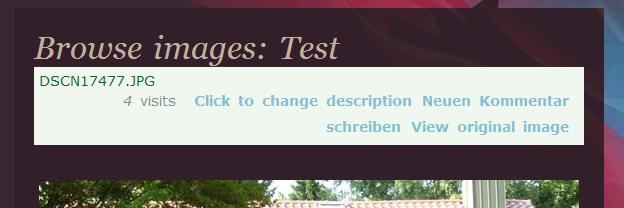
The whole image view is a template, so you should be able to copy it (photos_imageview.tpl.php) to your theme folder and change it as you wish.
Someone else tried it and had the problem that it was not working, probably because of the name of the template file... see #3 and #4 (my answer) at http://drupal.org/node/317617#comment-1047596
Another way would be to overwrite the css definitions.
It is however hardly possible to make it so that it fits *every* theme...
Please report if it does work for you or if you need more information/help


Comments
Comment #1
berdirThe whole image view is a template, so you should be able to copy it (photos_imageview.tpl.php) to your theme folder and change it as you wish.
Someone else tried it and had the problem that it was not working, probably because of the name of the template file... see #3 and #4 (my answer) at http://drupal.org/node/317617#comment-1047596
Another way would be to overwrite the css definitions.
It is however hardly possible to make it so that it fits *every* theme...
Please report if it does work for you or if you need more information/help
Comment #2
Babalu commentedhmm i have copied the photos_imageview.tpl.php, renamed it to photos-imageview.tpl.php but its not working
can you say me how i have to do this step by step please ?
maybe with the css, when it is easier to do
Comment #3
eastcn commented#2
You do not have to be renamed. Please keep original name, and empty the cache.
Comment #4
nathaniel commented