

 Come together with the global Drupal community in Rotterdam, 28 Sept – 1 Oct 2026. Sessions, contribution, connection, and Early Bird savings until 8 June.
Hi
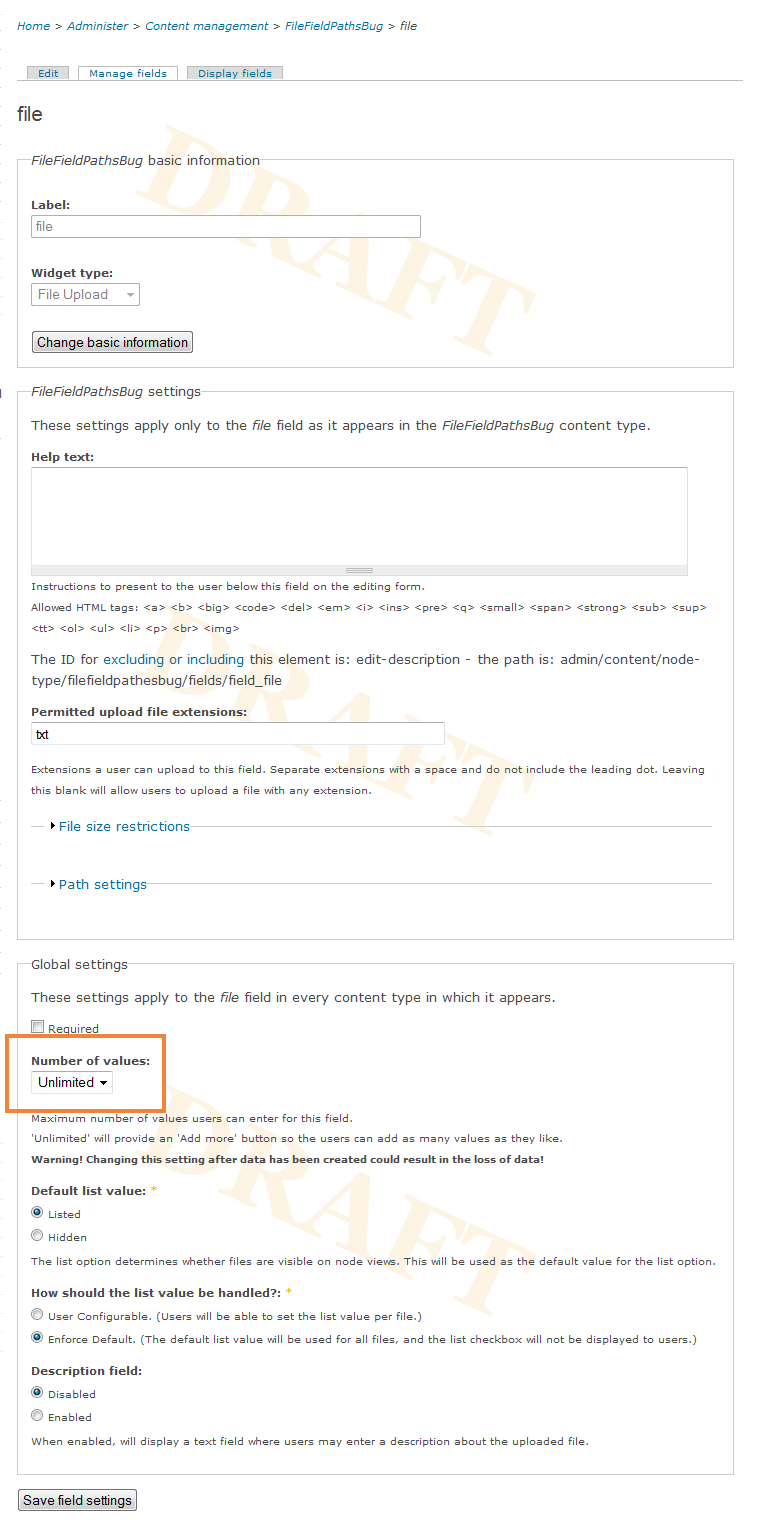
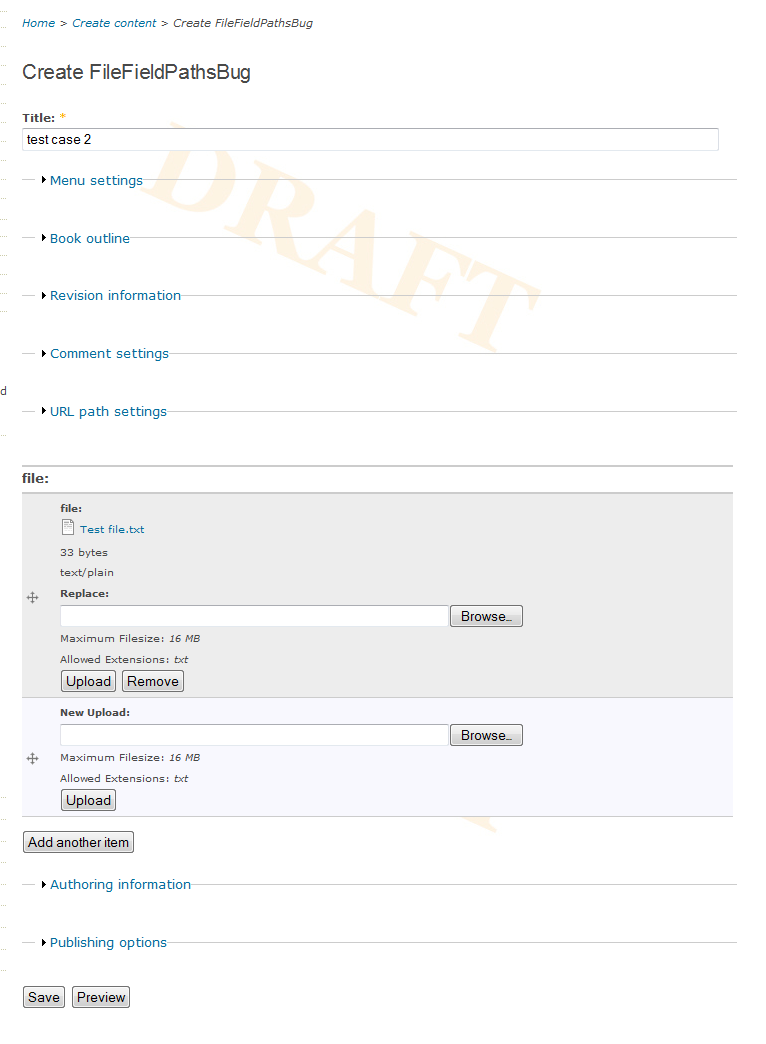
When I have a node type with a CCK field of type File set-up to allow an Unlimited number of values in the 'Global settings' fieldset I get this error when attempting to save a node of that content type that has only 1 value entered:
Fatal error: Cannot use string offset as an array in C:\xampp\htdocs\ReefAtlasDev\sites\all\modules\filefield_paths\filefield_paths.module on line 186
I tried setting the number of values to 1 and 2 and got no error in either case, it only seems to be with the Unlimited value.
To fix this I changed line 177 of fielfield_paths.module in function filefield_paths_nodeapi() from:
if (empty($file['filepath'])) {
to
if (!is_array($file) || empty($file['filepath'])) {
You only get the "Cannot use string offset as an array" error when you try to assign something to the array on line 186 but the earlier accesses of $file are also incorrect.
The problem is that the foreach loop is gone through twice, once with the actual file information and then a second time when $file just contains the string "Add another item".
Using the same test case with the dev version that I just downloaded I get the same error but a different line number:
Fatal error: Cannot use string offset as an array in C:\xampp\htdocs\ReefAtlasDev\sites\all\modules\filefield_paths\filefield_paths.module on line 235.
| Comment | File | Size | Author |
|---|---|---|---|
| #16 | filefield_paths-6-1.3_336117.patch | 40.94 KB | Anonymous (not verified) |
| managefields.png | 153.58 KB | pauline_perren | |
| create_filefieldpathsbug.png | 63.45 KB | pauline_perren |

Comments
Comment #1
decipheredHi there,
I've run multiple tests with the latest dev version on both my lamp and wamp setups and have not been able to replicate the issue.
What version of FileField are you running?
Comment #2
decipheredComment #3
pauline_perren commentedFileField 6.x-3.0-alpha5
Comment #4
pauline_perren commentedand CCK 6.x-2.1
Comment #5
pauline_perren commentedComment #6
socialnicheguru commentedI am getting this:
array(4) { ["type"]=> int(1) ["message"]=> string(36) "Cannot use string offset as an array" ["file"]=> string(111) "/sites/all/modules/filefield_paths/filefield_paths.module" ["line"]=> int(183) } n/a
i am using fp 6.1.0
Comment #7
socialnicheguru commentedI also tried fp 6.1.x dev version and same result
array(4) { ["type"]=> int(1) ["message"]=> string(36) "Cannot use string offset as an array" ["file"]=> string(111) "/sites/all/modules/filefield_paths/filefield_paths.module" ["line"]=> int(183) } n/a
Comment #8
deciphered@activelyOUT
I have never managed to replicate this issue, is there any information you can provide that will help me reproduce it?
Did the fix pauline_perren suggested work for you? It's line 318 in the dev build instead of line 177.
If it does, can you install the devel module and enter the following line before line 318 and post the results here?
Let me know how you go.
Cheers,
Deciphered.
Comment #9
pauline_perren commentedFYI: I've upgraded to 1.1 (without my fix from before) and I no longer get the error. I'm running version 3.0-rc1 of FileFields now.
Comment #10
decipheredThanks Pauline, that is fantastic news.
However, there where no major changes on my end for this issue. It is possible that it is related to FileField?
@activelyOUT
What version of FileField are you using? And are you still seeing this issue on 6.x-1.1?
Cheers,
Deciphered.
Comment #11
joachimds commentedHi all,
I've got the same issue as Pauline with the latest version of filepath. The fix of Pauline worked very well, but it's on a different line number: 412
Comment #12
decipheredHi joachimds,
Is it possible for you to provide some information on what you did to reproduce the issue? Such as steps taken, modules enabled and settings used.
Also, if possible could you run the FileField Paths tests using the simpletest module and let me know the results?
Cheers,
Deciphered.
Comment #13
decipheredMarking this as closed to lack of information and the inability to reproduce the issue.
Cheers,
Deicphered.
Comment #14
rtackett commentedI believe it may be a conflict with the Context module, which in turn uses the PURL module. I am also using spaces and features modules.
Comment #15
deciphered@naptown
Can you provide more information, such as how you came about this assumption and how to reproduce this issue?
Comment #16
Anonymous (not verified) commentedI'm running into this issue on CCk 2.5, Filefield 3.2 and FileField Paths 6.x-1.3. Like paulinie, I can change the number of items to a fixed number of values, there is no problem. Only when using 'unlimited', I get the error displayed. It's on line 362 in my version of File Field Paths. The error is there, no difference if I upload a file, create a node with no file attached or save an existing node.
Changing line 356 like pauline suggested solves the problem, but I have no idea, what siedeffects this could have.
Attached a patch against 1.3. (sorry, seems to be a bit more than necessary. Damn CVS/Eclipse patch generation).
Comment #17
Anonymous (not verified) commentedSeems to be fixed in -dev. Please release a new version.