

Closed (fixed)
Project:
Sheetnode
Version:
6.x-1.x-dev
Component:
User interface
Priority:
Normal
Category:
Support request
Assigned:
Reporter:
Created:
24 Nov 2008 at 15:19 UTC
Updated:
23 Mar 2010 at 00:00 UTC
Jump to comment: Most recent file




Comments
Comment #1
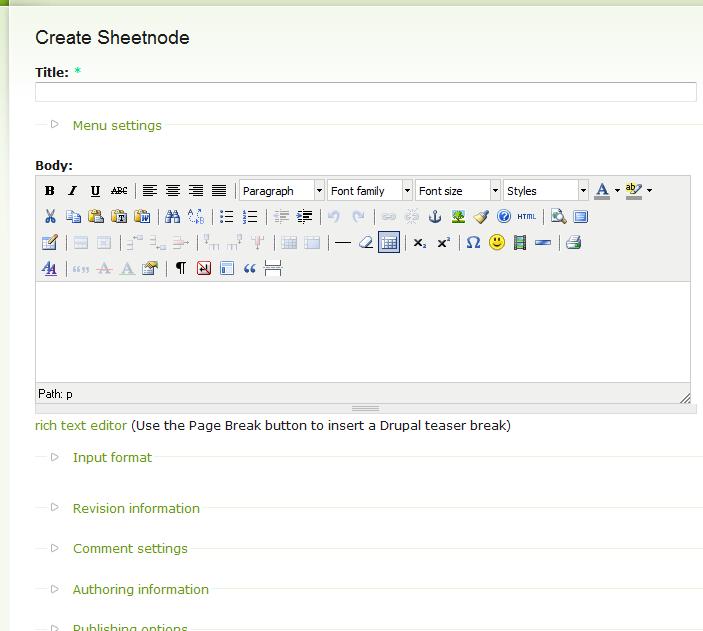
infojunkieBelow the input format section, you should see a spreadsheet as in the module's screenshot.
Did you try the 5.x version and did it work there?
Are you sure you successfully installed the SocialCalc files and patches?
If you're using Firefox, can you please download the Firebug add-on (https://addons.mozilla.org/en-US/firefox/addon/1843) and let me know if you see an error on the bottom-right section of your browser window?
Thanks for your help.
Comment #2
Regw commentedHi - I installed the Firefox fix - and it still doesn't show up (neither in IE).
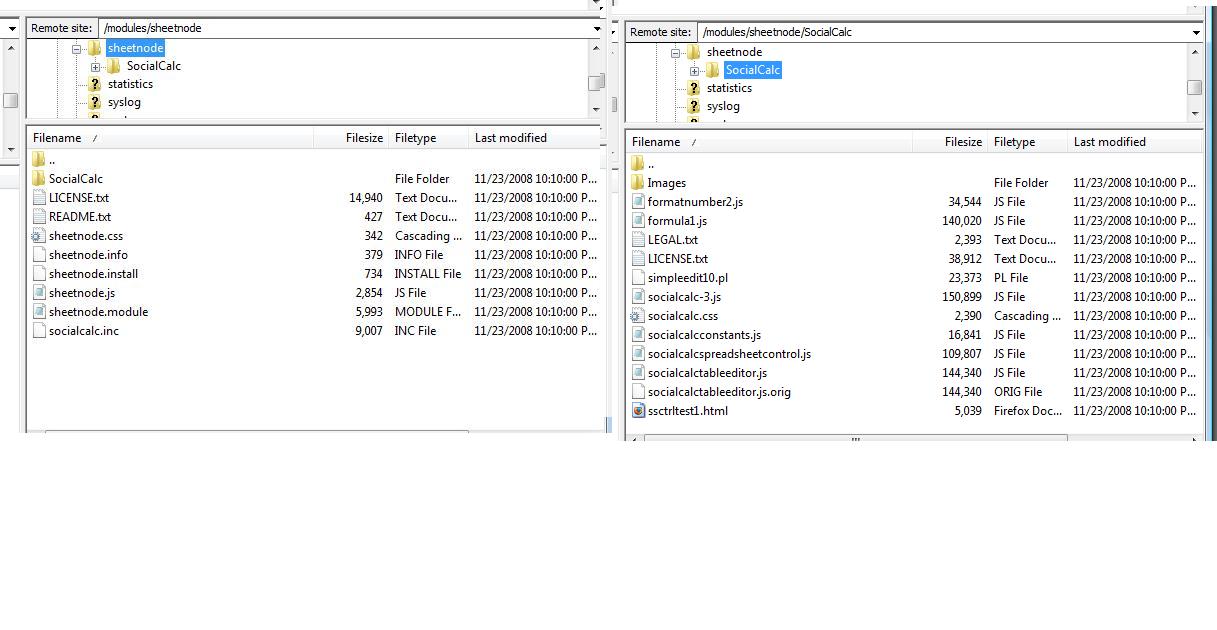
Attached a view on what is installed on my server. My Hosting provider showed me that he successfully applied the Socialcalc patches.
I tried version 5.x a few weeks ago, but since it did not work on Drupal 6, I requested you to create a version for 6.x.
Thanks
Comment #3
infojunkiePlease rename the folders SocialCalc to socialcalc and Images to images (all lowercase). That's what the module expects. It might not make a difference if your host is running Windows, but better be safe than sorry :-)
Also, if you installed Firebug: does the browser status bar on the lower-right corner show JavaScript errors? If so, what do they say?
Comment #4
Regw commentedI renamed the folders - and no, I don't see any errors.
Attached the Firebug window...
Thanks for helping me make it work - i really need this!
Comment #5
infojunkieOkay let's debug the page together:
* Is your jquery.js version = 1.2.6 ?
* In Firebug > Script tab, do the following files show:
formatnumber2.js
formula1.js
socialcalc-3.js
socialcalcconstants.js
socialcalcspreadsheetcontrol.js
socialcalctableeditor.js
sheetnode.js
"
* Does the page source (View > Page Source) contain a script such as the following:
* Does the page source contain a
* In Firebug > DOM tab, is there an object called SocialCalc?
* In Firebug > HTML tab, is there a div whose id="te_endcapv" inside the body? Is the div whose id="sheetview" populated with another nameless div, itself containing 6 divs?
Thanks for your patience and help :-)
Comment #6
infojunkieOkay let's debug the page together:
* Is your jquery.js version = 1.2.6 ?
* In Firebug > Script tab, do the following files show:
formatnumber2.js
formula1.js
socialcalc-3.js
socialcalcconstants.js
socialcalcspreadsheetcontrol.js
socialcalctableeditor.js
sheetnode.js
"
* Does the page source (View > Page Source) contain a script such as the following:
* Does the page source contain a div whose id=sheetview and class=sheetview? Does this div contain a script like this one:
* In Firebug > DOM tab, is there an object called SocialCalc?
* In Firebug > HTML tab, is there a div whose id="te_endcapv" inside the body? Is the div whose id="sheetview" populated with another nameless div, itself containing 6 divs?
Thanks for your patience and help :-)
Comment #7
Regw commentedIt now all works! I presume the renaming of the folders fixed it - I just did not cleared my cache when I ran the test afterwards.
Thank you for all your help. I'm sure your advanced debugging suggestions will serve other users going forward.
Comment #8
infojunkieHappily marking as closed :-)
Comment #9
Rosamunda commentedHello there!
I have the same problem that the fellow RegW used to have.
I´ve applied all the patches with tortoise, and added all missing images.
* Is your jquery.js version = 1.2.6 ?How do I know that?
yes
no
* Does the page source contain a whose id=sheetview and class=sheetview?no
yes
* In Firebug > DOM tab, is there an object called SocialCalc?yes
* In Firebug > HTML tab, is there a div whose id="te_endcapv" inside the body? Is the div whose id="sheetview" populated with another nameless div, itself containing 6 divs?no
Besides that, I´ve attached the list of errors that the page show.
I really hope you can help me out :)
Thank you!!
Rosamunda
Comment #10
Rosamunda commentedComment #11
infojunkieConcerning the points where you didn't say yes:
* jQuery version: the file misc/jquery.js has a header with the version number. Open it with a text editor and check the version.
* jQuery.extend line: what does your page contain instead?
* You said "no" to a div with id="sheetview" and class="sheetview". However, you said "yes" to the script that calls startUp(). So the div is not there but the script is there?
* As for the "te_endcapv" div, the code has changed since this issue was closed so it is no longer in the same place. Let's not worry about that for now.
Your errors seem to show that the main sheet object is not created in sheetnode.js. We'll work on this issue once we make sure the prerequisites above are fixed.
Comment #12
Rosamunda commentedWhen I entered again on the firebug addon, just to search for the jquery.extend thing, this is the error that appears:
Yes, the jQuery version is 1.2.6
About the
"id="sheetview" and class="sheetview"issue, I´ve looked for that line inside the node view page source, and the edit page source, and didn´t appeared.Thank you very much for your help!!!!
Rosamunda
Comment #13
infojunkie* You didn't answer about jQuery.extend. You should find that line in the HTML source page of the browser. What does it say?
* Open http://localhost/aplicacion_web/sites/all/modules/sheetnode/socialcalc/s.... Do you see the spreadsheet?
* In sheetnode.js, add the line
at the very end of the Drupal.sheetnode.startUp() function. When you refresh the page, the Firebug console tab should show
and you can click that line to examine the object. Is that the case?
Comment #14
Rosamunda commentedI´m sorry this is what appears in the source page now:
I´ve attached what appears when I open http://..../ssctrltest1.html
About the sheetnode.js file, now it looks like this:
Now this line does show up:
<div class="sheetview" id="sheetview">The console tab shows only this (after refreshing and reinstalling the module using Devel):
Again, many, many thanks for your help!!!
Rosamunda
Comment #15
Rosamunda commentedsorry, forgot the attachment... :)
Comment #16
infojunkieWell, now we know that the plain SocialCalc test page doesn't even show... So we should concentrate on making ssctrltest1.html work before proceeding with the module.
* In the folder sheetnode/socialcalc, please do the following:
This will revert the socialcalc code to its original state before the patches. Then, try to open ssctrltest1.html again and let me know if Firebug displays any error.
* Alternatively, if you can post your Drupal site on the Internet, I'd be happy to check what's wrong.
Comment #17
infojunkieClosed unless anyone minds.
Comment #18
pimousse98 commentedHi, I'm having a similar issue.
The test of socialcalc works.
However, the spreadsheet does not show on the create spreadsheet page, nor on a simple view.
* Is your jquery.js version = 1.2.6 ? Yes
* In Firebug > Script tab, do the following files show:
formatnumber2.js Yes
formula1.js Yes
socialcalc-3.js No
socialcalcconstants.js Yes
socialcalcspreadsheetcontrol.js No
socialcalctableeditor.js No
sheetnode.js No
In addition I have socialcalcpopup.js
"
* Does the page source (View > Page Source) contain a script such as the following:
jQuery.extend(Drupal.settings, { [..] "sheetnode": { "value": "", "imagePrefix": "http://.../sites/all/modules/sheetnode/socialcalc/images/sc", "element": "sheetview", "editMode": true } });
I also have DHTML menu, so there's a line first for that, but the section about sheetnode says:
"sheetnode": { "value": "", "imagePrefix": "http://localhost/strategy/sites/all/modules/sheetnode/socialcalc/images/sc-", "element": "sheetview", "sheetsave": "edit-sheetsave", "editMode": true }
* Does the page source contain a div whose id=sheetview and class=sheetview? Does this div contain a script like this one:
  $(document).ready(function() {
    Drupal.sheetnode.startUp();
}); It says Drupal.sheetnode.start()
* In Firebug > DOM tab, is there an object called SocialCalc? Yes
* In Firebug > HTML tab, is there a div whose id="te_endcapv" inside the body?No
Is the div whose id="sheetview" populated with another nameless div, itself containing 6 divs? No, it contains the script shown above (sheetnode.start()). There are some hidden divs called 'edit-sheetsave', 'edit-sheetnode-nodeform-token' and 'edit-sheetnode-nodeform'. They are not inside of sheetview. I do get the save as template option.
Additionally I get the following error in Firebug:
and
this.spreadsheet = new SocialCalc.SpreadsheetControl();both from sheetnode.js (lines 168 & 135)..
My folders are named correctly (lowercase). I have applied the patch using cygwin. I'm using windows Vista/Wamp 2.
*edit* I tried turning off DHTML menu but it didn't fix it. * end edit *
Any help is appreciated!
Comment #19
infojunkie@pimousse, can you confirm that you still get this with the latest dev release?
Comment #20
infojunkieComment #21
Alan.Guggenheim commentedI cannot get it to work with IE. It does display in FireFox.
Any suggestion?
Comment #22
infojunkieI just tested the latest dev version with IE8 and it works. Did you follow the installation instructions? Specifically, did you apply the needed patch?
Comment #23
Alan.Guggenheim commentedThanks for the prompt response. Actually, now it finally did its magic and is displaying the spreadsheet in IE8 too. Could it be a Drupal cache issue? I should have tried to update it after fixing the install issues.
Now on to the additional modules.
I am using cpanel, and i am not sure at all how to install properly (or find out if they are already installed) on our server:
Java 6 JRE, PHP/Javabridge, Apache POI 3.6. Any recommandation or link?
Thanks
Comment #24
infojunkieIf you don't have SSH access to your host, then it's up to the host admin to setup Java 6 and PHP/Java Bridge for you. I'm not familiar with CPanel unfortunately. Apache POI is just a library that needs to be extracted somewhere on the server (e.g. inside the sheetnode module folder).
Comment #25
infojunkieComment #26
Alan.Guggenheim commentedThanks