

Closed (won't fix)
Project:
The Morning After
Version:
6.x-1.1
Component:
Code
Priority:
Normal
Category:
Task
Assigned:
Unassigned
Reporter:
Anonymous (not verified)
Created:
12 Dec 2008 at 12:11 UTC
Updated:
9 Mar 2022 at 12:24 UTC
Jump to comment: Most recent file

Comments
Comment #1
bengtan commentedHi,
Sorry, I didn't even know quicktabs existed :)
Um, I'll have a look at it when I have time, but I don't know when that will be.
Comment #2
loko commentedHello
Not only IE, this it not work at all with all browsers.
Why Quick tabs with this theme don't work?
Please fix it if you have any time.
Comment #3
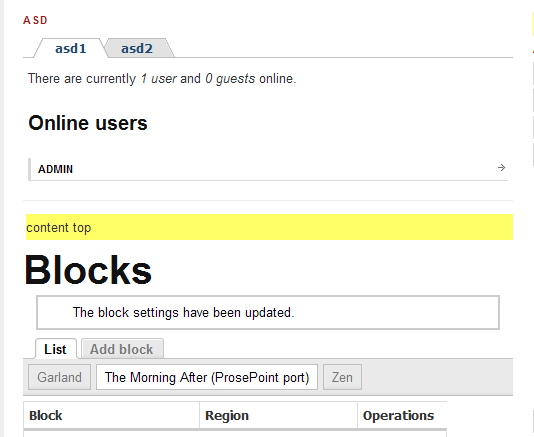
pasqualleattachment: styled quicktabs within this theme (browser: IE7)
try to clear the Drupal cache
Comment #4
loko commentedYes but Zen style still don't work.
Comment #5
decibel.places commentedsame problem, IE only, all themes
cleared cache with devel module, problem persists
[edit]
This is a CSS issue with Quick Tabs - optimizing CSS may help: http://drupal.org/node/358114
Comment #6
bengtan commentedHi,
Please refile your respective issues in the Quick Tabs issues queue. The tma theme isn't doing anything special, although the fact it's based on Zen might break something (#406264: zen tabs don't work with zen theme).
Comment #7
pasqualleRe #5
just a clarification
#358114: site broken in IE (Optimize CSS files) is a CSS issue with IE. It is not a Quick Tabs specific issue..
Comment #8
decibel.places commented@7 Re #5
Yes, it is a core issue when using many CSS files
However, optimizing CSS resolved my problem in IE using Quick Tabs
Comment #9
ademarco commentedHi all,
apparently the module http://drupal.org/project/unlimited_css solves this problem. Thanks decibel.places for pointing it out in the module's issue queue #436882: IE Unlimited CSS Loader name change? module affects other browsers, fixes other issues.