

 The 2026 Drupal Business Survey is open. Your response will help shape the future of the Drupal business ecosystem.
I have a content type with a number of images saved using imagefield.... normally more than one.. the imagefield crop is exaclty the functionality I want (cos I want all thumbnails to be square), but is see that it currently only works for one image per node....I need it for all of the images in that node/content type.... is there a workaround where I could get this functionality using views or something... it seems like there could be a way of doing it... but I keep getting stuck trying tot think about it.




Comments
Comment #1
Joe Malik commentedHi,
I've got exactly the same problem. It would be very very nice to have two or more differently working (i.e. different crop-dimensions) cropping fields on one node.
Comment #2
sandorczettner commented+1
Comment #3
pieterbezuijen commented+1
There is an untested patch for the 5.x branche. Maybe someone has the knowledge and time to convert this to the 6.x branche? I looked at is, but my guess is that the 5.x branche and 6.x branche has some serious changes...
Comment #4
mtcrutch commented+1
I'm interested in this as well.
Comment #5
stevenx commentedi need it too :(
Comment #6
chadd commented+1
Comment #7
brynp commented+
Comment #8
johnmunro commentedThis is partially working for me. I current have working two different fields with imagefield_crop. The first field has two images above the body and the second has three below the body.
Uploading and cropping with works fine the first time around. It is when you come to edit the node that problems develop - only the first image works with the crop widget, the others are loaded by the crop widget but are not croppable in that they display at their full uploaded resolution and not the reduced 500x500 size.
Is this a more specific description or are other users in is this thread experiencing a different issue?
NOTE: I am using beta3 of imagefield_crop with beta3 of both filefield and imagefield.
See attachmented screenshots for details. Note the 2nd and on images in the edit mode are at their full (800x800) resolution and no cropping is possible. Removing the image and adding it again re-enables the croppability.
Comment #9
johnmunro commentedIs this actually a bug or feature request?
As above I can use multiple widgets (both multiple fields and multiple images per field). It is only when a node is edited that has more than one image already uploaded and cropped that the widget breaks below the first image.
Looks more like a bug from what I see (contrary to the issue description "I see that it currently only works for one image per node").
Comment #10
chrisyates commentedHere is a patch against 6.x-1.0-beta3 that allows multiple fields and multiple images per field. One thing I haven't yet fixed is live updating of previews when a fixed aspect ratio is chosen.
-c
Comment #11
chrisyates commentedTypo in previous patch. Try this one. Still need to fix live previewing, but cropping works.
-c
Comment #12
johnmunro commentedThanks for the start on this Chris. I tried the patch but it is not quite working for me yet. Is there a reason the patch for the imagefield_crop_widget.inc is in a subdirectory "Attic"? Resulting in no changes to the top level imagefield_crop_widget.inc?
With imagefield_crop_widget.inc patched at the top of the module directory, the widget is broken even when adding a new story. It seems it is the following change that completely breaks it:
NB: I tried the patches on both beta3 and the dev (April 7) manual via manual editing with the same result on both.
Comment #13
chrisyates commentedSigh. I hates me some CVS. I'll reroll this shortly.
Comment #14
d7 commentedI have hackedtogether a somewhat more working version based on chrisyates' work. It seems to support multiple images. It's based on the beta3 release plus the patch.
Apologies in advance for the rough approach -- A better approach would probably be to get the (context) passed in correctly to the whole set of code so that all the little individualized hacks become unnecessary.
The upload contains the entire module with all the patched files and the stock ones from the beta3 release.
Alvin Engler
Systems & Development
Domain7 Solutions Inc.
http://domain7.com
Comment #15
magoo commentedTried the tarball in #14. Multiple cropping of images in the same imagefield works.
I added the hook_file_download proposed in #423652: Private file system can't see crop_display.jpg image. to support private file system and it still works.
Comment #16
magoo commentedme again!
I'm getting curious errors with my previously described install:
I. When I upload a new picture, the cropped preview appears but the "full-sized" area where I should be able to make my crop selection does not appear or is ridiculously small.
Saving and editing corrects the issue (but not a solution).
II. When pressing on "remove", the picture is removed but the cropped preview is not in the edition form.
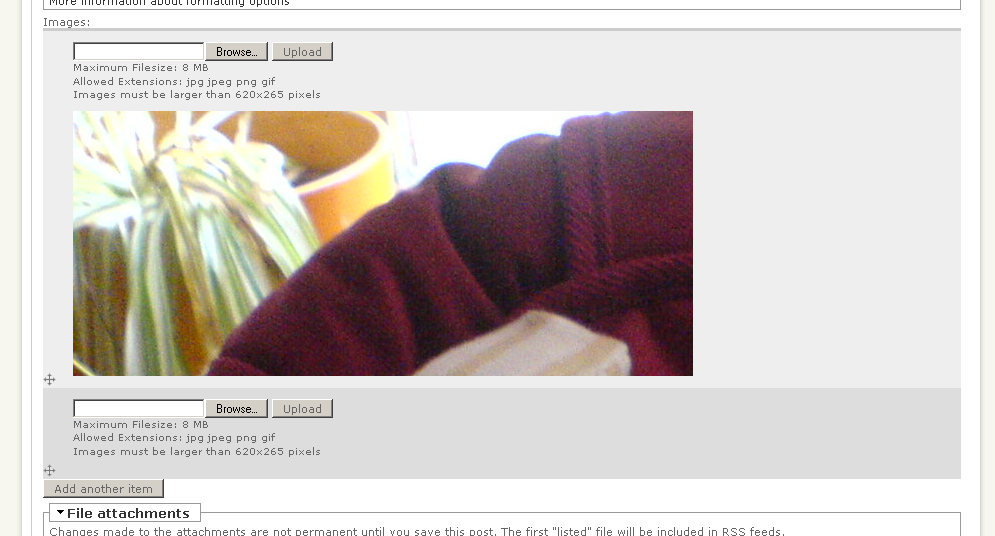
See my attached screenshots.
note that in imagefield_upload.png, the crop preview *is* black
Comment #17
jrefano commentedsubscribe. would love to see this
Comment #18
mason@thecodingdesigner.com commentedsubscribe
Comment #19
Maikel commentedSubscribe. Waiting to see this too!
Comment #20
vivianspencer commentedsubscribing
Comment #21
mdez commentedSubscribing
Comment #22
johnmunro commentedAfter trying d7's tarball in #14 it is not working for me at all. I can upload two images and both are resized to fit "Maximum resolution for Images" but not resized into "The resolution of the cropping area". Further, no cropping is available at all in both images.
The difference in my results may have to do with the current versions of FileField (3.1) and ImageField (3.1) which were recently updated.
Comment #23
blup commentedsubscribing
Comment #24
EmilOberg commentedsubscribing
Comment #25
axel pressbutton commentedSubscribing
Comment #26
LaurenH commented+1 definitely interested in this
Comment #27
luckysmack commented+1 subscribing
Comment #28
seanrReally need this too.
Comment #29
gzfelix commentedI made a patch against the latest dev for multiple field support. Please review it. Thanks.
Comment #30
gzfelix commentedThis patch fixed multiple fields with different aspect ratios and box width/height.
This patch is against 6.x-1.x-dev.
Comment #31
yhager commented@gzfelix: Thanks a lot for the patch!
Does this work for you on new images as well? The 'src' argument is http://mysite/sites/default/files, and I got the following JS error after uploading the first image:
on imagefield_crop.js, line 38:
Drupal.settings.imagefield_crop.box[src] is undefined
[Break on this error] aspectRatio: Drupal.settings.imagefield_crop.box[src].ratio,\n
Only after I added another image (on the same field), the cropping interface for the first field started working (but for the new one it didn't).
Comment #32
gzfelix commented@yhager This patch currently only works with multiple fields with one value. But it won't work with one field with multiple values.
Comment #33
yhager commented@gzfelix, right - I misread your first post. This issue mixes up both of these issues - multiple fields per node, and multiple images per field.
However, this is still not working for me. I have created a content type with two imagefield_crop fields, and upon upload I get the following error (FF 3.5 + firebug):
Setting a breakpoint there, I see that although 'src' correctly points to the image url, the Drupal.settings.imagefield_crop.box array contain only one element, with index being 'http://crop/sites/default/files'. I think the problem lies between lines 193 and 206 of imagefield_crop_widget.inc - this code was a bit tricky to get right in the beginning, and I think it bites us again.
Comment #34
gzfelix commentedthank you for your report. i checked the code. it has several issues with newly added images. i'll diff a new patch on Monday.
Comment #35
gzfelix commentedNew patch to fix multiple field support in adding new nodes.
Comment #36
gzfelix commentedduplicated post.
Comment #37
gzfelix commentedreupload the patch. last upload does not work due to server interupttions.
Comment #38
seanrThanks for your work on this. Are you going to attempt to resolve the single field multiple values case as well or will that need to be a separate issue after this patch is committed?
Comment #39
gzfelix commented@seanr I changed several lines so it should now work in the singe-field-multiple-value case. Please test this patch. Thank you.
Comment #40
brisath commentedsubscribing
Comment #41
yhager commentedI've tested the multiple value one field option.
Field is set up to have unlimited number of values.
I click on 'browse', then 'upload' and mark the area I wish to crop. Then I click on 'Add another item'. The whole crop area then briefly flashes to full size and back to normal size, and the crop area I just marked changes size and position, to a totally different place.
Comment #42
dokumori commentedFYI, while the patch does not seem to work for single-field-multiple-value case, this works perfectly fine if you have two separate cck image fields. This was exactly what I needed. Thanks!
Comment #43
yhager commented@dokumori: thanks for the confirmation. The patch is very good indeed. I just want to make sure it works for all cases before I commit it to the module.
Thanks all for your help!
Comment #44
seanrI installed the patch, but the first hunk failed so I had to apply it manually. After doing that, when I go to upload an image, the JavaScript controls never appear on top of the image. I'm guessing this patch needs to be re-rolled for the most recent version of imagefield_crop. As it stands right now, it doesn't work at all.
Comment #45
seanrBTW, I get no JavaScript errors, it just doesn't do anything at all.
Comment #46
yhager commented@seanr: The patch does apply to the latest CVS version. Please check again. However, note that there are still issues with it.
Comment #47
dokumori commented@yhager - I know. Just thought people in the same circumstance as me might find it useful :)
@seanr - afaik the patch affects two files. are you sure you applied the patch to both files?
Comment #48
spelcheck commentedpatched and works excellent on 6.x-1.x-dev (2009-Sep-13) using gzfelix_381712_imagefield_crop_multiple_fields_20090831_1.patch .. right on fellas, keep up the good work!
Comment #49
naero commentedI tested this out -- looks like the multicrop and the delete is working. What else should I test for?
Comment #50
spelcheck commentedI'm finding that the crop settings on some images displays incorrectly in preview. It doesn't affect the images on node save, unless the crop is changed. Any idea what would make it read the incorrect crop data for preview? Anyone else finding this quirk? I have multiple fields that are multiple value.. each field has different crop contraints.
Comment #51
spelcheck commentedI made a couple test images, uploaded them, made an original crop and saved. The images were cropped successfully, then I edited the node again and the position of the preview crop was incorrect. If I leave it alone, it doesn't affect the original crop, it just previews it incorrectly. To find some kind of rhyme or reason, I then positioned the image one pixed down, then one back up then resaved. I did this a few times and made screenshots. Hope this helps
Comment #52
spelcheck commentedanother with debug
Comment #53
shadysamir commentedSubscribe
Comment #54
spelcheck commentedhopefully gzfelix shows up sometime soon, but If anyone wants to team up on troubleshooting I'll be on #drupal-support on freenode irc 9-5PST..
Comment #55
spelcheck commentedIn gzfelix_381712_imagefield_crop_multiple_fields_20090831_1.patch, change:
+ setSelect: [
+ parseInt($(".edit-image-crop-x", widget).val()),
+ parseInt($(".edit-image-crop-y", widget).val()),
+ parseInt($(".edit-image-crop-width", widget).val()),
+ parseInt($(".edit-image-crop-height", widget).val())
+ ]
to
+ setSelect: [
+ parseInt($(".edit-image-crop-x", widget).val()),
+ parseInt($(".edit-image-crop-y", widget).val()),
+ parseInt($(".edit-image-crop-x", widget).val()) +
+ parseInt($(".edit-image-crop-width", widget).val()),
+ parseInt($(".edit-image-crop-y", widget).val()) +
+ parseInt($(".edit-image-crop-height", widget).val())
+ ]
worked for me, please verify and thank you everybody who created and worked on this module.. gzfelix++ for this last piece of the puzzle.
Comment #56
BeRGB commentedSubscribing
Comment #57
axel pressbutton commentedHi gzfelix & elizzle,
I've just updated to 6.x-1.x-dev (2009-Sep-13) and patched with gzfelix_381712_imagefield_crop_multiple_fields_20090831_1.patch - I now have multiple imagecrops for the same field (I use 8 images for a certain section of the site, these are all use the same CCK field so that the site manager can drag them around into different positions as and when he swaps for a more current image).
I tired to edit the first image and all went well. Returning to the edit screen the crop preview was all OK. I then tried the last image, this cropped OK but when I came back in to the edit screen the preview/crop window was smaller than it should have been for the current selection and was centralised whereas it should have been offset.
Not sure if I can help in any way with testing but please give me a shout if there's anything you want me to try
Comment #58
nkatt commentedsubscribe
Comment #59
spelcheck commentedAxel, you didn't mention whether or not you applied the additional modifications from #55 to the patch before patching.
Comment #60
axel pressbutton commentedSorry, yes I included those - I actually worked my way through the patch file manually and made the changes and then altered the lines given in #55, saved and uploaded...I'm not sure on how to actually run a patch on my windows machine so thought it just as quick to go through it by hand.
Comment #61
spelcheck commentedAxel, IMO your manual patching job is suspect. I typed "apply linux patch in windows" and the following link was the first result:
'http://docs.moodle.org/en/Development:How_to_apply_a_patch' Use 6.x-1.x-dev (2009-Sep-13), modify gfelix's patch file with modifications on #55 and patch it. Good luck, we're here to help.
Comment #62
gzfelix commented@elizzle Thanks for you updates. I haven't got time to run through the patch again for a white.
@Alex @yhager there comes the working patch. please review and test it.
Comment #63
gzfelix commentedComment #64
axel pressbutton commented@elizzle - Many thanks for your help. I managed to get there in the end with GnuWin32 but as that article mentioned the -p(num) option proved to be a major pain - turns out I didn't actually need to use -p(num) at all with everything in the right place.
@gzfelix - Many thanks for the latest .patch. I had a couple of problems with it as I wasn't sure which version i was applying the patch to. The README.txt I had was already updated - in the end I just went for the latest dev release (October 6th 2009) and stripped out everything that had been done already...leaving just the tweaks to imagefield_crop.js and imagefield_crop_widget.inc
Everything is working fine now with the cropping but I did notice tonight that Opera 10.0 REALLY does not like uploading new images!! I get the following error;
An HTTP error 0 occurred.
/filefield/ahah/homepage_8/field_banner_thumbnail/0
Followed by a jump to a page full of junk at /filefield/ahah/homepage_8/field_banner_thumbnail/0 - I'll obviously need to look into this but it's fine in Firefox. (note: the image sizes being used are very small, so not a memory_limit issue as I think I've just seen mentioned somewhere).
Anyway, thanks to all again for your help
Comment #65
gzfelix commented@Axel the failed hunks for README.txt and .info files can be safely ignored. Opera handles AJAX a bit differently. I'll take a look at Opera when I have time.
Here comes the version against the latest dev (Oct 06).
Comment #66
axel pressbutton commentedGreat, thanks for that gzfelix! Also thanks for the Opera explanation.
All of your hard work, along with that of everyone else in this community is greatly appreciated.
Comment #67
johnmunro commentedI'll second that. Thanks to all that have helped here. This is a major step forward.
Comment #68
will_in_wi commentedsubscribe. Am having this problem with a site. Don't have a lot of time at the moment, but if I find some I will test patches.
Comment #69
the2ndday commentedSubscribing. @gzfelix Thank you for the last patch. perfect.
Comment #70
yhager commented@gzfelix: thank you for your continued help in here.
There are still issues though.
I set up a content type with one imagefield_crop field, and 'unlimited' entries. I upload one image, carefully select the crop area, and then click on "Add another item". The cropping area of the previous image jumps to another location and size, and I lose the preview on that image too.
This is getting really close, and I can't wait to commit it already...
Comment #71
yhager commentedComment #72
yhager commented@gzfelix: while there are still a few issues with this patch, it certainly makes the situation better, not worse. Since it is important for so many people, I went ahead and committed this patch to the dev version.
Let's continue working on the remaining issues on different issues, and close this one, it's been long enough :)
Thanks all for your help, and especially for @gzfelix, who managed all the obscurity of dynamic js on ahah forms :)
Comment #73
seanrYippee!! ;-) Thanks for committing this.
Comment #74
yhager commentedI have just committed a fix for the "unlimited values" problem - please test dev and let me know what you find. This should end the long standing issue of muitiple crop interfaces in the same page.
Comment #76
zeemp commentedEven in the dev version, using two crop images fields in the same node, their crop get desaligned after saving the node.
Thanks,
Comment #77
zeemp commentedThe problem I mentioned in #76 is not caused by having multiple images in the same node, actually it's the cropping area that doesn't change using the keyboad to move the image.
The image moves, but when you save the node, it comes back to the previous position.
I created a new issue for that in http://drupal.org/node/1128118.