

Closed (fixed)
Project:
Menu Per Role
Version:
6.x-1.0
Component:
User interface
Priority:
Normal
Category:
Support request
Assigned:
Unassigned
Reporter:
Created:
3 Mar 2009 at 17:11 UTC
Updated:
11 Mar 2009 at 08:22 UTC
Jump to comment: Most recent file


Comments
Comment #1
AlexisWilke commentedHi Dasium,
Is it empty for the Admin user?
Otherwise, there may be some permission issues. Also, if you are part of the "restricted" user role, you may need to give them access to the "menu module". If you do not want them to have such access, you may need to create another role (i.e. admin) and make yourself part of that role and allow the role to modify menus.
Let me know whether this solves the problem.
Thank you.
Alexis
Comment #2
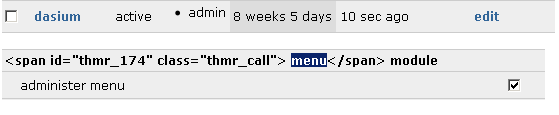
dasium commentedYeah, it's empty for the admin. I tried creating an "admin" role and enabling permissions for everything, and then applying the admin role to myself (the admin, uid 1), but that didn't work either. I've attached an image that shows that I am in fact part of the admin role and that it has menu admin permissions. Let me know if you have any other ideas.
- james
Comment #3
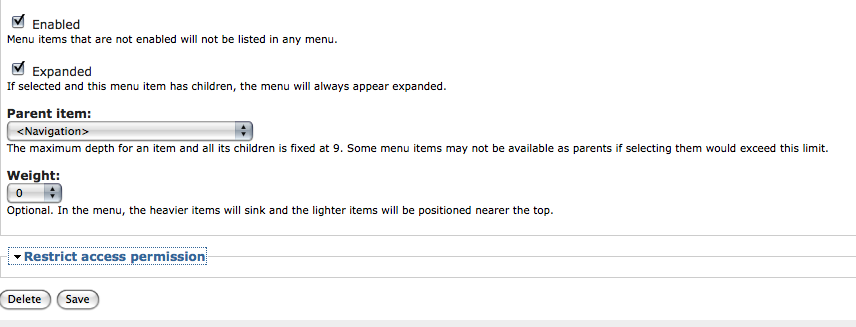
dasium commentedThis is actually a bug related to the Theme Developer module. When Theme Developer is enabled, I get "doc.body = null" javascript error when clicking the permissions dropdown.
Comment #4
AlexisWilke commentedDasium,
What do you call the permission drop down?! The module shows a set of checkboxes, right?
Thank you.
Alexis