After upgrading to 6-2.3 from 6-1.3, the player for single mp3s is rendering as Flowplayer3, and doing so with the wrong path. It's trying to read from sites/default/files/sites/default/files - a duplicate path which doesn't exist. It seems to be assuming that the mp3 in a post is mixed media rather than just an mp3.
I see
You are missing some Flash content that should appear here! Perhaps your browser cannot display it, or maybe it did not initialise correctly.
if I set the player for Mixed Media to JW4 and
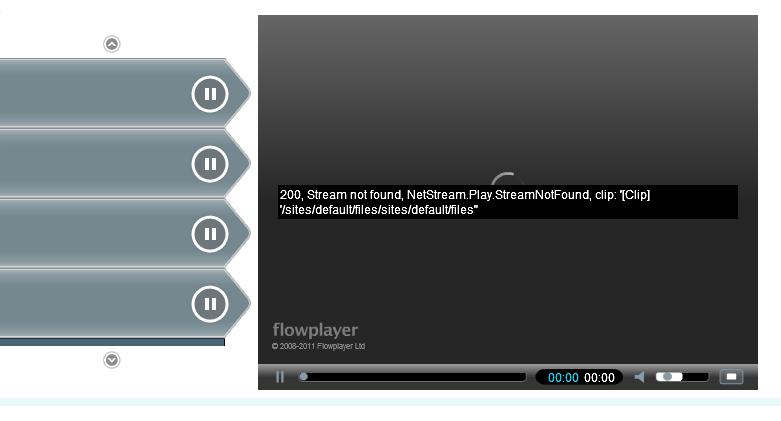
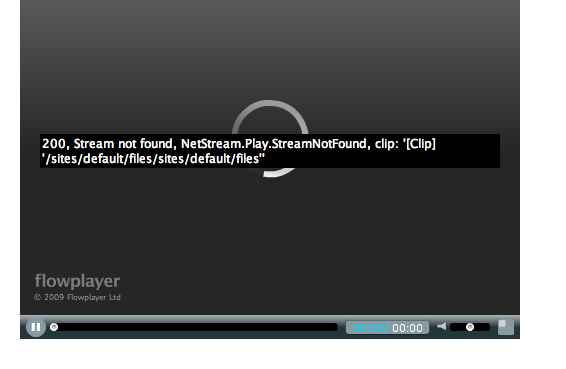
200, Stream not found, NetStream.Play.streamNotFound, clip '[Clip] 'sites/default/files/sites/ default/files
when its set to Flowplayer3.
I'm only calling for one mp3 file in the swf syntax, doing it through TinyMCE in the WYSIWYG API.



Comments
Comment #1
Stuart Greenfield commentedThat sounds very strange. The message you are seeing for FlowPlayer3 is the one you should see if you're trying to stream audio, rather than play a file. Can you confirm how you're calling SWF Tools.
If I use <swf file="audio.mp3"> locally then it works fine, and I can use any player that I like. Was it all working ok before the upgrade?
Does it start working normally if you downgrade back to 6.x-1.3?
The other thing you can try is check the SWF Tools status page - what does that say is configured as the default player?
Comment #2
Stuart Greenfield commentedI'm renaming this thread as I have now seen this report in a few places.
For some reason, for some users, the file path to an audio file is being presented as
sites/default/files/sites/default/files.I have never seen this behavior locally, but it is clearly something that is not affecting everyone, but is relatively common. Therefore I am going to use this thread to try and track down why it is happening.
Based on the post above, for this user, things were ok at version 6.x-1.3, but broken in 6.x-2.3. That at least might pin down what code was changed and shed some light on the change.
Please can anyone else being affected by this bug report in this thread so I can try to establish a picture of what is causing the bug to appear.
Thanks.
Comment #3
Stuart Greenfield commentedA similar issue is reported in #418064: External Files in filter not working where the wrong path is being created when using an external reference.
Comment #4
Stuart Greenfield commentedOK, I think I may have an idea of what is happening.
When I was tidying up the issue queue tonight I found #351725: SWF Tools <swf></swf> tags being removed by Tiny MCE on page 2, somewhat lost, that describes an issue with the WYSIWYG editors.
First I tried installing WYSIWYG API and TinyMCE and it was working ok, although you have to use the [swf] filter format rather than <swf> (but that's ok, the [swf] filter is now working properly. As an aside [] is the preferred Drupal way to write a filter, so I'm going to start promoting that syntax from now)
As a test I tried locally using the swf filter, not in a WYSIWYG editor, but setting <swf file="">, ie passing an empty file. That resulted in the message No player is configured to play a series mixed media files. Check the SWF Tools file handling settings on the configuration page..
If I then do what you have done and configure a media player for mixed media then it tries to render the empty file and I get the player trying to play
http://localhost/drupal6/sites/default/files/sites/default/files, exactly the error that is being reported.So, what does this mean. I think the issue might be related to users that are using WYSIWYG editors that change the input and result in a filter string that SWF Tools no longer recognises. It must be recognising the
swfpart since it is trying to render something, but it I suspect it is not properly detectingfile="somefile". So SWF Tools tries to render an empty file. In turn, SWF Tools doesn't know what to do with a "nothing" so it interprets it as mixed media (so I need to fix it to intercept an empty file to make it clear what is wrong, but park that for now).The linked thread also suggests that " can be encoded to " and if that is happening then that will break the filter. A patch is provided to fix it.
I simulated this scenario by creating an input filter using " instead of ", and again, I get the error message as the filter doesn't find the file. Using the suggested patch makes it work properly.
I then ran a test using FCKeditor, and without the patch the filter fails. With the new patch it works fine.
So I am now fairly sure that the issue here is the WYSIWYG editors cleaning the code in a way that the SWF Tools processor didn't like.
As this looks like the probable fix I have committed it on branches DRUPAL-5 and DRUPAL-6--2. If people experiencing this issue could pick up the latest code and give it a go I'm very hopeful this will fix your issue.
I have also changed the wording in the help and filter tips to show the filter in the new, preferred [swf] format and I will get round to amending the documentation to encourage use of this format.
The only thing I don't understand is that the filter processor didn't change between 6.x-1.3 and 6.x-2.3!
Please can you post your findings - to me this patch looks good locally so I plan to make a new release very soon, but would appreciate any feedback on whether it works for other users.
Comment #5
Stuart Greenfield commentedReleased in SWF Tools 6.x-2.5.
Comment #6
escoles commentedRe-opening and adjusting version as I am seeing this in 6.x-2.5, with video. Some of my particulars are different, but it seems to me likely to be related.
If I view the rendered source, I see the following as the path to the video directory:
/sites/default/files/sites/default/filesDifferences:
Similarities:
ADDENDUM:
Comment #7
vm commentedfolded in from: #449892: File URL Being changed to /sites/default/files/sites/default/files
Comment #8
escoles commentedNote that this issue has been observed on systems which have never had a WYSIWYG editor enabled.
See first comment at:
http://drupal.org/node/449892
Comment #9
clemens.tolboomfwiw I cannot render my own player from the themes directory
What I noted in swftools.module is that in line 443 I would expect a negation. That is if _no_ media path given make it into drupals files system directory
(Changing the media path would off course render my swf files uploaded into drupal filesystem useless.)
In code there are a few calls to file_create_path and file_create_url ... could it be that somewhere a '/' got into the $file which bumps it into the file system.
That could explain the duplication of the file system path.
Hope this helps :)
Comment #10
jmpalomar commentedI got the same problem and resolved rearranging the filter order.
In my case seems some kind of interference between SWFTools and Typogrify. When I putted Typogrify after SWFTools all worked ;).
Hope this helps
Comment #11
utter-joy commentedI seem to be getting this when trying to refer to a manually made (or generated by swf tools) playlist, manually ftp transfered to the playlists directory which refers to files manually ftp transfered to default/files/(directory_name), using the [swf file="playlists/playlist.xml"] command typed in the body of the content. Being a newby, I don't know if this is exactly related, but I see the error in recent log report. Even though error reporting is set to both screen and log file, I don't see the error on the page, just get no audio, although the player seems to show up.
Also, when using [swf files="file1.mp3&&file2.mp3&&file3.mp3"] I do get an error on the page which states "cannot display the player because the file amp; does not appear to exist."
Using swf tools 6.5, jwmediaplayer4, and drupal 6.2
Comment #12
sdmaxey commentedI'm getting this error--with all other input filters turned off with an input profile that does not include a WYSIWYG editor. Has there been any progress on finding the cause, or do I just need to use a different video player?
Comment #13
sdmaxey commentedAgain: I'm still getting this error with SWFTools 6.x-2.5 when using an input format that doesn't have an attached WYSIWYG editor and has all filters except the SWFTools filter turned off.
Whether my file is a fully qualified URL (which plays in my browser) or a relative link, the error and the "not found" path are the same.
Comment #14
mafet commentedjust a quick question... is your server configured to have clean urls?
Comment #15
aeternus commentedI am experiencing this same problem. Has anyone found a solution? Instead of 1 pixel out player being called to play my .mp3 file (even thought that it how I have the file handling set up) it tries to use FlowPlayer3. With Flowplayer it can not find the correct mp3 file I am pointing it to. Instead it looks in "sites/default/files/sites/default/files" which is not the path I have set up.
Comment #16
vm commentedaeternus which version of swftools in is use? I ask because a fix was already committed.
have you tried -dev? are you uisng 2.5?
Comment #17
Stuart Greenfield commentedThis can also happen under 6.x-2.5 if the path is a relative url, starting with a /. This confused the old name handler and resulted in this issue.
Version 6.x-3.x uses a different piece of code to expand nonabsolute file paths and will properly handle /some/path/to/swf.
I'm going to set "needs review" as I think this might be the issue, but please change if not!
Comment #18
mafet commentedenable clean urls.... all will be fixed....
Comment #19
lyallp commentedclean url's does not fix it for me.
I am using CKEditor, clean url's and attempting, vainly, to have a media player that works by having a
[swf file=my.mp3]My Recent log entries shows
page not found 05/12/2010 - 22:22 sites/default/files/sites/default/filesComment #20
Stuart Greenfield commentedJust checking - you haven't included quotes around the filename in the code above - did you include them in the input filter? It should be
[swf file="my.mp3"]Comment #21
lyallp commentedHmmm... After a re-boot of the system it's working!
I am guessing some config entry was caching somewhere.
Still,
[swf file="my.mp3"]is working!!!Comment #22
Stuart Greenfield commentedReinstall fixed the issue. Setting as fixed.
Comment #23
casaswing commentedI'm getting this issue as well while creating a Playlist via views in the latest 6.x-3.x dev build (Fantastic work on this BTW). Works in the node as the CCK field. Not sure if this should go here, just wanted to report this though.
Comment #24
Stuart Greenfield commentedIt's still the elusive sites/default/files/sites/default/files issue, so I'll change this back to active.
Normally this happens when the path is set to an empty string, and the function for building the path gets called twice.
I am starting to think I might write a diagnostic in to that function to log what happens when that is the result and try to get a handle on what scenarios cause this?
Comment #25
Stuart Greenfield commented@casaswing - do you know what filename you are expecting to be returned from your view? And what are you passing to SWF Tools from Views (what field / from what module).
Looking at the SWF Tools code again the most common cause of this error is going to be because SWF Toos gets an empty string as the filepath. That causes the first "sites/default/files". But the way the function tries to build a valid path it loops through the function again, so it adds another "sites/default/files".
Another cause could be an invalid or bad path. There is a relatively recent change on the dev branch which you may or may not have. I discovered that filefield will pass paths that contain spaces, and this caused one of the validity checks to fail. Spaces are now encoded. I think when I've seen this before the error was due to spaces in the filename.
Note to self / others. The function that is probably doing this is
swftools_get_url_and_path($file). The functions takes the parameter$fileand tries to return a filepath, and a fileurl.This function does the following checks:
This is how SWF Tools handles the case of $file="mySWF.swf". On the first pass it gets built in to a path to the local system on the first pass, and is expanded to a proper url on the second pass.
This relies on the Drupal function
file_create_path($dest). This returns the file system path if $dest equates to false (the function tests for !$dest). So an empty string would satisfy that condition and cause the files directory path to be returned.If the SWF Tools function were passed a "bad path" then this would fail all checks on the first pass, it will call file_create_path($file), and that could return FALSE. That result is looped through the function again. All checks fail but this time file_create_path($file) will return the directory path since !$file is true. A third pass would result in the "double" reference to the files directory.
Comment #26
casaswing commentedHi Stuart,
I'm passing FLV files named Real8mmTest.flv, via a CCK file field with a Display Type of SWF Tools - No Download Link. So in the node itself, the video is playing fine (some playlist items are showing up on the node, but the video is playing).
In Views, I'm calling the file field itself (Not the data or the delta). Much like the other reports earlier, Its treating the field as a Mixed Media type and through Firebug, while the CCK field picks up the file and the file name, the views field does not, I will send screenshots when I can.
I'll read through what you wrote and check with my build to make sure things are in order. If it seems like I'm doing anything wrong, please let em know. Thanks.
Vinny
Comment #27
casaswing commentedI reviewed the file paths for my build. I had some underscores before, but no spaces, so I reloaded the videos with no underscores, Video names were like...
testvideotwo.flv
Same results, Still s/d/f/s/d/f path.
I still have the latest dev on the page (dated 4/14/10) and I see that the function swftools_get_url_and_path($file) replaces spaces with a %20. No spaces on my filenames.
I have attached a small zip package with some screenshots. One with the Page Display type of Unformatted (where the Video Works) and one with the Page Display type of SWF with the settings field exposed. In addition, I have the front end source code being generated for these displays. I have screenshots of the Front End Display and the Views UI for this view and display. Not sure if this is going to help, but thought it may be useful. Front end is a mess becuase I haven't gotten to do much with it.
Hope this helps.
Comment #28
Elleon commentedThank you lyallp (post #21), clearing the cache fixed it for me too!
Comment #29
mikeytown2 commentedSame problem. Input to swftools_get_url_and_path() is a url on a different domain; what comes out is /sites/default/files 2x
Comment #30
mikeytown2 commentedProblem is valid_url is too strict; it does not allow spaces. swftools_get_url_and_path means 2 things. It gets a valid URL and valid path. due to url encoding these 2 strings may not be the same; thus they need to be treated differently. Patch makes this work for me.
Patch also cleans up a lot of white space issues; a lot of them.
Short version:
New function _swf_glue_url()
modify swftools_get_url_and_path() and use $uri where it's a url not filepath.
Comment #31
mikeytown2 commentedmissed switching to $uri in an array
Comment #32
mikeytown2 commentedDid a little bit more logic reworking. double base file path should never happen now.
Comment #33
theorichel commentedHaving the same problem, but I do not dare to patch. Could someone send me a file where is ptach is committed please?
Comment #34
xeraseth commentedI am having a simliar issue but not quite the same, I am getting "No player is configured for a single video. Check the SWF Tools file handling settings." while Flowplayer 3 is selected.
Comment #35
Jefferym commentedI have tried both mikeytown2's patch (thanks!) and unpatched versions with clean urls both on and off: the error still persists. The players still cannot access the files: I've tried feeding null "", xspf playlist (in the default - ie. site\default\files dir), and mp3s both singly and in lists. Every argument fed to the input filter makes it believe that I want to load a list of files. I've tried this with both a player defined for the list type, and none selected. When one is defined, the player loads and has no access to the files, when one is not defined it demands that I select a player to handle a list of mixed media. I have tried overriding the player using methods="someplayer", and the player overrides properly, but irrespective of the player tried (Flowplayer3, WPAudio, XSPF Player) there is no on-server access to the files.
Has anyone managed to get around this with the dev version? Or managed to get playlist working through php?
Even though no player works through the java input filer, I can still successfully call a single mp3 to play through
print swf('somesong'), though feeding an xspf playlist causes the player to load and believe that I want to stream the files local to my server.Any help would be most appreciated!
Comment #36
virtuali1151 commentedI am having this same issue (/sites/default/files/sites/default/files), and I would say its a pretty major defect as all this video content is now not displayed just out of the blue. I think this should be looked at fairly urgently.
Cheers.
Comment #37
virtuali1151 commentedIs or any patch being commited for this error?
Cheers.
Comment #38
tacituseu commentedHappened to me with video-6.x-4.2-alpha2 / flowplayer-3.2.5 / swftools-6.x-2.5 with video configured as a CCK field and "Don't create thumbnail" selected without "default video thumbnail" defined. Video module passes empty string from
theme_video_flv(inside ['othervars']['image']). Then it hitsisset($vars->othervars['image'])insideflowplayer3_swftools_flashvars.Comment #39
virtuali1151 commentedDoes this patch work with swftools..???
Comment #40
virtuali1151 commentedFor those of you who also had this error.. our problem was with the SWFtools cache being enabled.. turned that off.. and it worked ok..
Comment #41
virtuali1151 commentedspoke to soon... this error is still happening.. does anybody have a patch for swftools 6.x-3.0-beta4 that will fix this..???
does anybody else get there video_thumbs folder deleted when this error happens as well..???
Tks guys.
Comment #42
mikeytown2 commentedlooking at my wiki these are the patches i'm running for video stuff. Some of these have been fixed most likely.
http://drupal.org/node/401140#comment-3574880 - SWF Tools (this one)
http://drupal.org/node/895270 - Media: YouTube
http://drupal.org/node/941156 - Media: YouTube
http://drupal.org/node/931616 - Video
http://drupal.org/node/932676 - Video
http://drupal.org/node/934178 - Emfield
Comment #43
virtuali1151 commentedHey Mike,
I tried to use your patch for swftools... all the hunks are failing... I am running version 6.x-3.0-beta4
patching file swftools.module
89 out of 89 hunks FAILED -- saving rejects to file swftools.module.rej
Comment #44
mikeytown2 commentedno need to use my contact form.
Here is the module file I use
Comment #45
virtuali1151 commentedHey Mike... I tried to replace that file.. cleared caches etc.. but still same issue.... its a very strange prob.. cause if I reupload the vid it will work for a little while... then all of the sudden out of the blue.. all the vids on site go to that wierd url sites/default/files/sites default/files...
Any other ideas?
Thanks again.. I really appreciate you trying to assist.
Cheers.
Comment #46
mikeytown2 commentedIt's really hard to debug if I can't repo your issue.
file_directory_path() is the function that generates
sites/default/files/. Found in swftools_get_base().In order to debug start picking apart swf(). Good luck. I will say that swftools_get_url_and_path() is where the error is most likely as my patch fixed this for me; as this is where I ID-ed this last time.
Comment #47
virtuali1151 commentedOk.. tks Mike.. I will see what I can come up with.. thanks again..
Cheers.
Comment #48
bcobin commentedTrying to get playlists working for a series of .flv files and I have the same problem. I've set up a content type and used File Upload and the individual videos play fine (if output is set to SWF Tools), but when I try to use a series of them in a playlist (using Path to file as output) I get the following error:
Result: Stream not found, clip: '[Clip] 'sites/default/files/sites/default/files'
I've tried several remedies:
Saving the media files to a non-default directory and changing settings.php; e.g.,
$conf = array(
'swftools_media_url' => 'http://xx.xxx.xx.xx/[test_site]/sites/default/files/media', // No trailing slashes!
);
Result: StreamNotFound, clip: '[Clip] 'http://xx.xxx.xx.xx/[test_site]/sites/default/files/media' - so it least it's looking in the right place, but not finding anything it can use.
I've also seen references to the lack of a thumbnail being a potential problem, so I also created a thumbnail field; no joy.
Tried the patch from #38 which resulted in '25 out of 89 hunks FAILED' but still no change.
The .module file from #44 - result:
Error: Cannot redeclare swftools_get_id() in sites/all/modules/swftools/swftools.module, line 1697
I'm currently working in a sandbox environment where my test sites are located as http://xx.xxx.xx.xx/[site] - but still, the base URL should work correctly. I see others have encountered the base URL issue (I've encountered it in another context here: http://drupal.org/node/1030482) - any suggestions? Thanks much!
Comment #49
tacituseu commented@bcobin: there is only one hunk in #38
Comment #50
bcobin commentedOops - I meant patch from #32 - sorry!
Comment #51
Stuart Greenfield commentedJust acknowledging that I've seen this thread.
I'm really puzzled as to what is happening here.
Locally I've not seen this in a while, but I'll try to work through the comments above, try to recreate the errors, and then fix it.
Will leave status as critical as this clearly does break SWF Tools and there seem to be enough instances to warrant a critical status.
Comment #52
tacituseu commentedIn my case (with swftools 2.5/flowplayer3 and video 6.x-4.2-beta2) it turned out to be caused by video.module passing image path already containing 'sites/default/files/' and swftools prepending it again in
flowplayer3_swftools_flashvars()For related video.module issue see http://drupal.org/node/1061092#comment-4094908
Comment #53
kobnim commented@Stuart
I too am having a similar problem (path = "sites/default/files/sites/default/files") and none of the solutions suggested above has worked for me.
My problem occurs within views, when I:
(a) select style = "SWF Tools", and
(b) set my field display to "path to file"
It seems that filefield is generating the correct path:
If I change the views style to "unformatted", and leave the field display as "path to file", then my view displays the correct paths, eg "sites/default/files/flv-1.flv".
In an effort to see whether some other module was causing the problem, I created a very basic drupal installation, with a minimal set of modules. Unfortunately, the problem did not go away. I will describe my minimal installation, in the hopes that this will help you reproduce the problem.
Libraries
=====
I added flowplayer to the library: sites/libraries/flowplayer3/flowplayer-3.2.7.swf
I added swfobject2 to the library: sites/libraries/swfobject/swfobject.js
I am attaching a zip of my libraries folder.
Modules
=====
I added these modules to a default install of drupal-6.20:
-- content 6.x-2.9
-- filefield 6.x-3.10
-- flowplayer3 6.x-3.0-beta5
-- swf_tools 6.x-3.0-beta5
-- swf_tools_api 6.x-3.0-beta5
-- swfobject2 6.x-3.0-beta5
-- views 6.x-2.12
-- views_ui 6.x-2.12
I am attaching a zip of my modules folder
Settings
=====
I made these changes to the default admin/settings/swftools settings:
-- embedding method: swfobject2
-- flowplayer3 player: flowplayer-3.2.7.swf
-- file handling: flowplayer3 for all options
-- swf tools cache: disabled
For all other modules, I used default settings.
CCK
===
I created a "media" node-type with one filefield-type field, "myvideo". I used the default filefield settings.
I created two media-type nodes, each containing one uploaded flv file
Views
====
I created a view with one field and one page display.
Field:
-- I added the "myvideo" field, with display = "path to url". All other settings are default.
Page display:
-- I added a page display, and set style to "SWF Tools", with default settings
I hope this will be helpful in reproducing the problem.
- Mindy
Comment #54
kobnim commentedI added some debug code to swftools and discovered a problem that may help explain the "sites/default/files/sites/default/files" problem.
The template file:
views-view-swftools.tpl.phpcalls this function:
swftools_views_add_playlist_element(&$files, $key, $options, $work)which is supposed to fill $files with the playlist information. In particular, this function is supposed to fill the filepath:
$files[$key]['filepath'].The $work array contains the correct file path:
The problem is with:
$files[$key]['filepath'] is getting set to NULL, because $options['filepath'] is set to "__undefined", rather than "field_myfilefield_fid".
Here is the code that sets a default value for $options['filepath'], in views_plugin_style_swftools.inc:
I imagine $options['filepath'] is supposed to get reset to the fieldname, but it is not happening.
I hope this is helpful in tracking down the problem.
- Mindy
Comment #55
shane birley commentedJust to confirm, I am experiencing the same issue. Tested in clean installs and pre-existing players in the beta stream and the issue appears to persist regardless of how clean the Drupal installation is. I suspect the latest comment above is on the right track... still testing on this end.
More for documentation sake as it doesn't help much but this is what I find in the Drupal error log each time the player (JW Player 5) loads:
Type: page not found
Date: Tuesday, May 17, 2011 - 11:41am
User: administrator
Location: http://www.example.com/sites/example.com/files/sites/example.com/files
Referrer:
Message: sites/example.com/files/sites/example.com/files
Severity: warning
This error is the same regardless of the player being used - which means it points to the Views playlist plugin (from what I can tell at the moment, more digging required).
Comment #56
kobnim commentedHere is a temporary hack to fix the 'sites/default/files/sites/default/files' problem. It does not address the underlying problem, but it seems to get the job done.
a. Create a copy of views-view-swftools.tpl.php, called "views-view-swftools--page.tpl.php"
b. Add the following code, just above the call to swftools_views_add_playlist_element():
Comment #54 explains the motivation for this hack.
- Mindy
Comment #57
sven_xo commentedmy way to fix this is:
go to settings.php
add:
smile
Comment #58
geantbrun commentedI'm getting the same issue. I've created a simple view (output last ten mp3 files, only one field : file - not data -, Path to file format, style SWF Tools) and I get the following error when I go to the page of the view:
200 Stream not found NetStream.Play.StreamNotFound, clip: '[Clip]'sites/default/files/sites/default/files''
FlowPlayer3 has been activated to take care of mixed media files.
Any hint on that Stuart? (BTW, thanks for the awesome work!)
regards,
Patrick
Comment #59
drupal9months commentedTry istalling Paths? http://drupal.org/project/filefield_paths
Had the same problem but this solved it for me
Comment #60
rcrusoe commentedSpent the last week trying to get SWFtools and Flowplayer3 running on D6.28 just to play a simple MP3 audio file on a static page using inline embedding, no views, no filefield, just swf file='myfile.mp3' and using the SWFtools input filter, and the error sequence outlined in post #58 still happens. Installation is SWFtools 6.x-2.5 and Flowplayer3 3.2.16. Can this actually be the case on an issue that was originally created March 13 2009??? Pardon my rudeness but WTF? Ordinarily I'd be glad to post additional info, full version and installation details, blah blah but this is kind of ridiculous. OTOH if this is a dead issue, nothing to see here move along citizen, that's ok too but would love some advice on a currently working solution to simple playback of sound files (mp3) on D6. Client is a non-profit and we're trying to get ready for the move to D7 but will that help either? BTW if I use double quotes on the mp3 filename I get the does not appear to exist error. I've also created the (duplicate) directories so /sites/default/files/sites/default/files does exist on the site and has a copy of the mp3 in it as well. Didn't help.
Regards,
H. Johnson
Metadata Labs
Comment #61
shane birley commented