

Closed (works as designed)
Project:
Acquia Marina
Version:
6.x-1.5
Component:
User interface
Priority:
Normal
Category:
Feature request
Assigned:
Unassigned
Reporter:
Created:
28 Mar 2009 at 13:33 UTC
Updated:
19 Aug 2010 at 16:49 UTC
Jump to comment: Most recent file


Comments
Comment #1
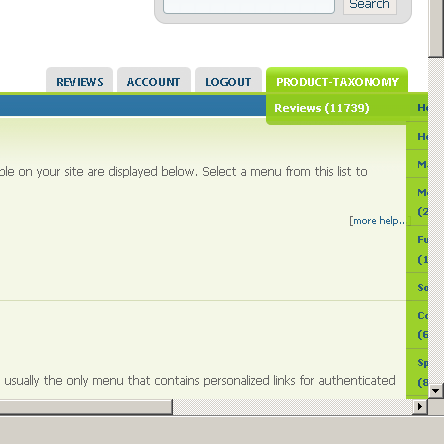
giorgio79 commentedThinking a bit about this more, anyone knows how I could make the menu expand to the left?
So far I only found scripts.js but there is not much in there.
Comment #2
giorgio79 commentedComment #3
giorgio79 commentedI am attaching a screenshot :)
I believe this may be a duplicate, but I am unsure http://drupal.org/node/385054
I also checked and I believe the primary menu item dropdown is css, so I will try poking around there.
Comment #4
giorgio79 commentedFound another duplicate http://drupal.org/node/337866
Comment #5
jwolf commentedComment #6
jwolf commentedWe have a new group at groups.drupal.org - maybe someone in the TopNotchThemes group can help -> http://groups.drupal.org/topnotchthemes
Comment #7
m_i_c_h_a_e_l commentedDid you ever find a solution to this? I have the same problem.
On other websites, the menu drops down to either the left or right, depending on available screen space.
I would appreciate any tips. Thanks.
Comment #8
jeremycaldwell commentedThis issue can be fixed by switching to the 3.x version of Acquia Marina which is a sub-theme of Fusion. It includes the Superfish menu script which has this feature built in. So the menu item closest to the edge of your browser will either expand to the left or of the right if there is room. It's intelligent enough to understand what is displayed and adjust the expanded menu as needed.