hi.
I have been following all the issues with the accessibility tag, and I find this to be a very nice gesture from the community to be accessibility aware. I have been using drupal since the days of 4.6 until today, doing all sorts of websites using a screen reader only.
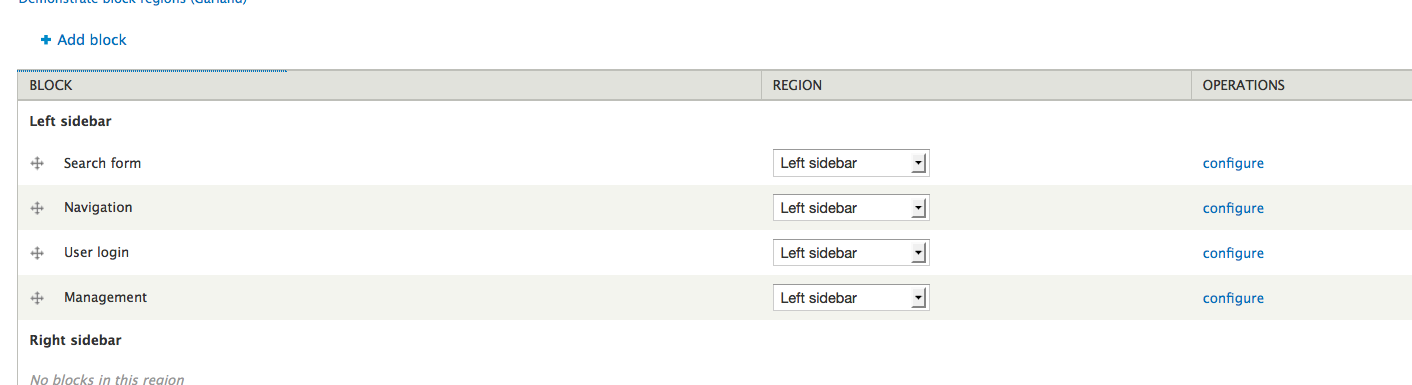
the biggest threat in the drupal system to me has always been the absolute inability to arrange fields by drag and drop like arranging blocks, menus, etc. I know though that this feature is very attractive and user friendly to those who don't depend on screen readers.
that's why I don't know what we could do to conpensate for this and at the same time keeping that attractive feature in place. it's the only thing that I have to ask for sighted assistance to do in the whole system. perhaps an optional alternative setting to use the old good combo boxes for determining weight?
thanks.


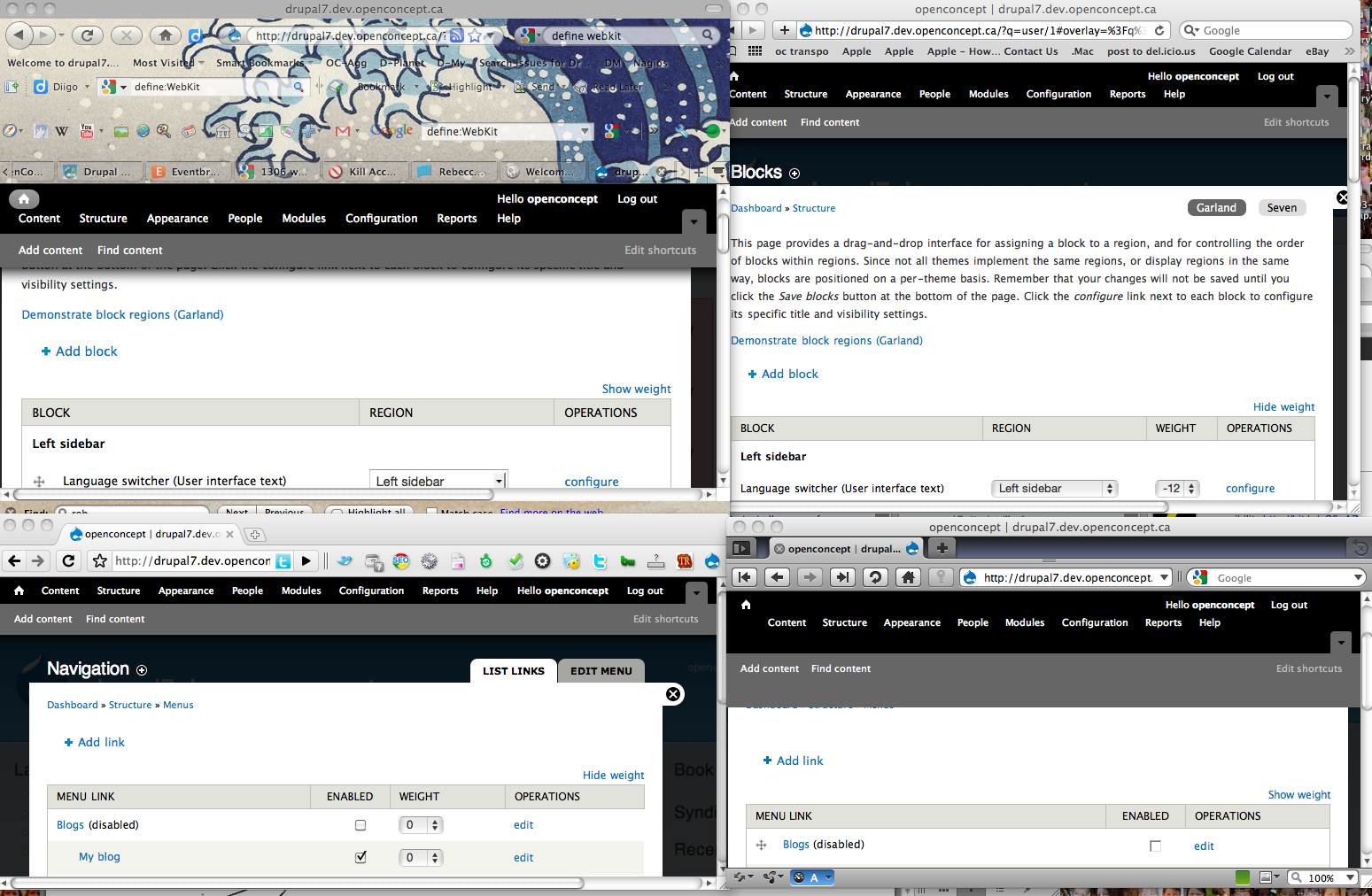

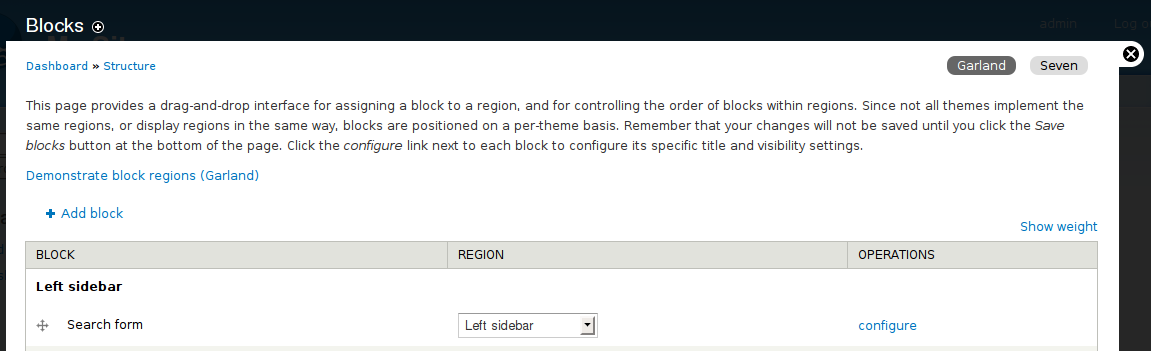
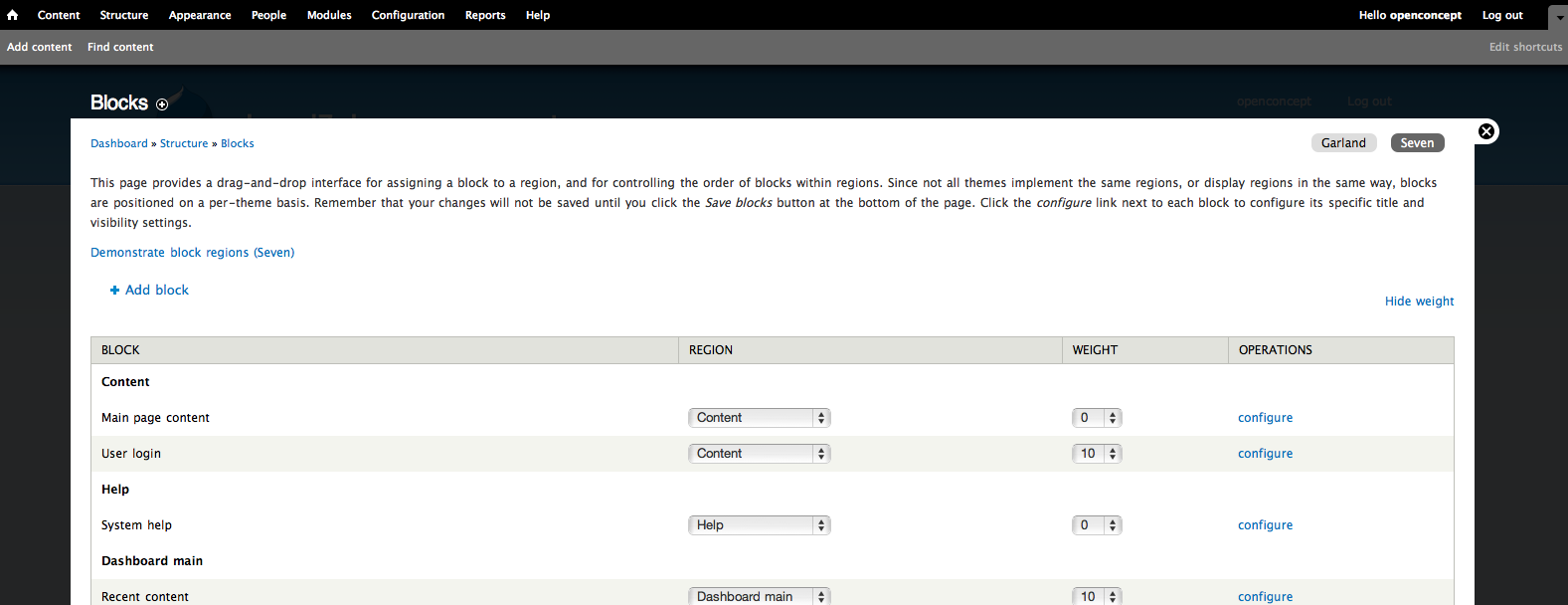
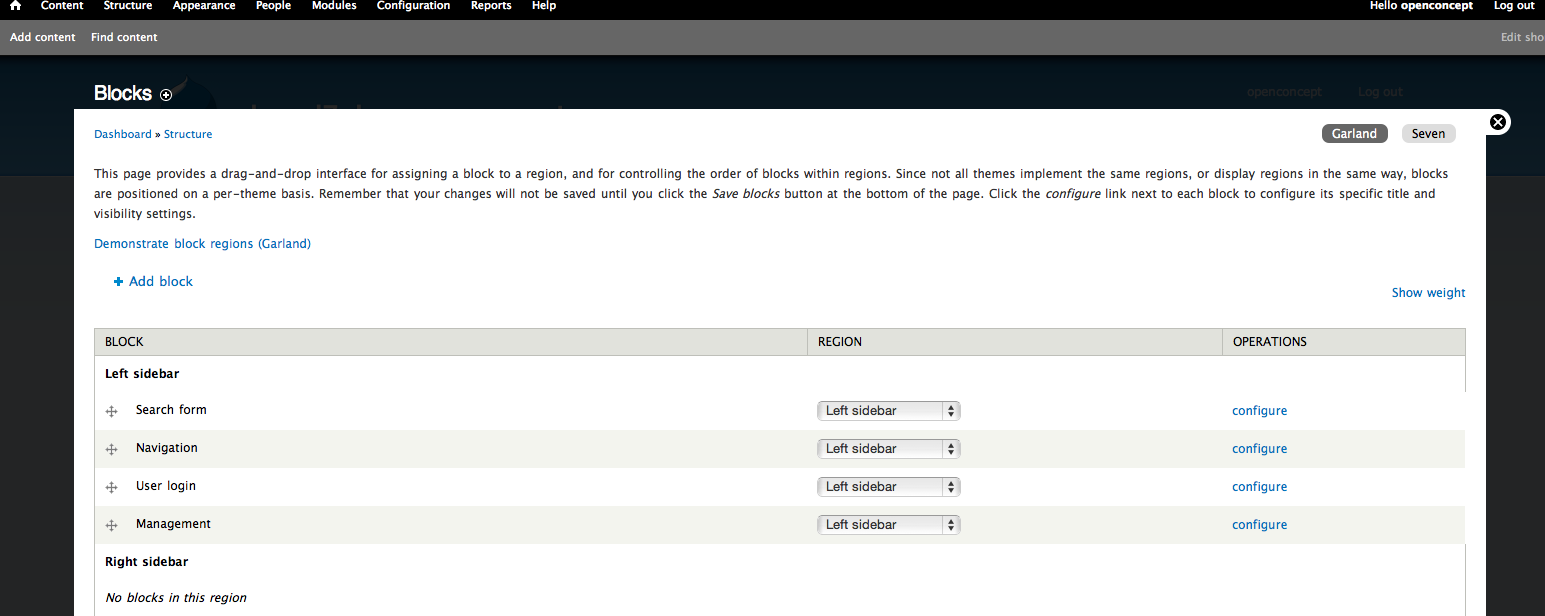
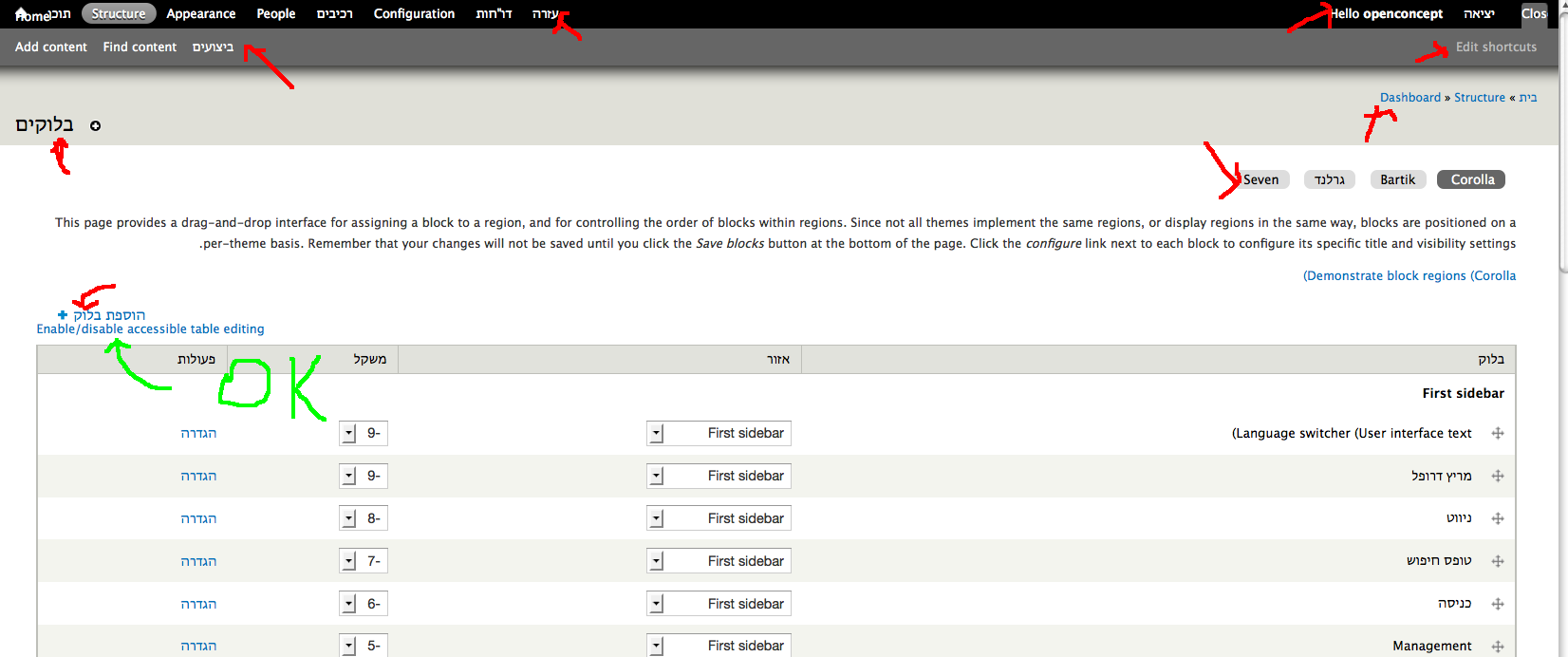
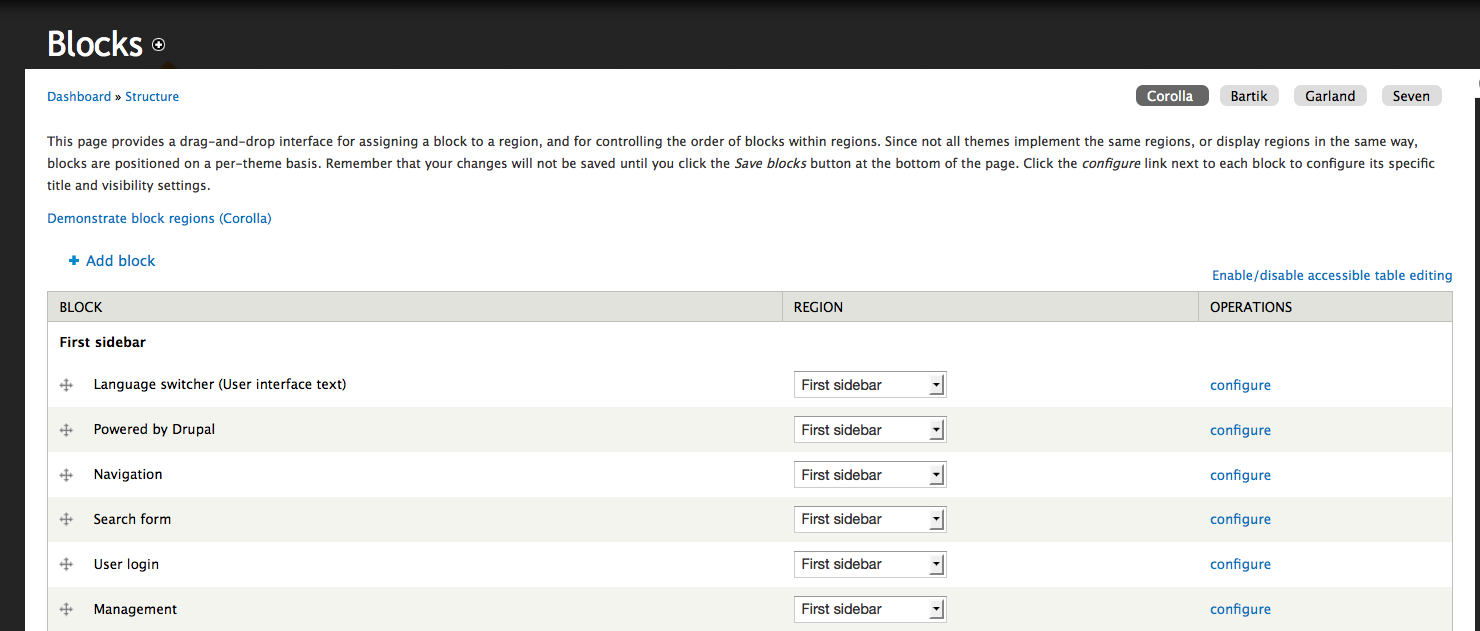
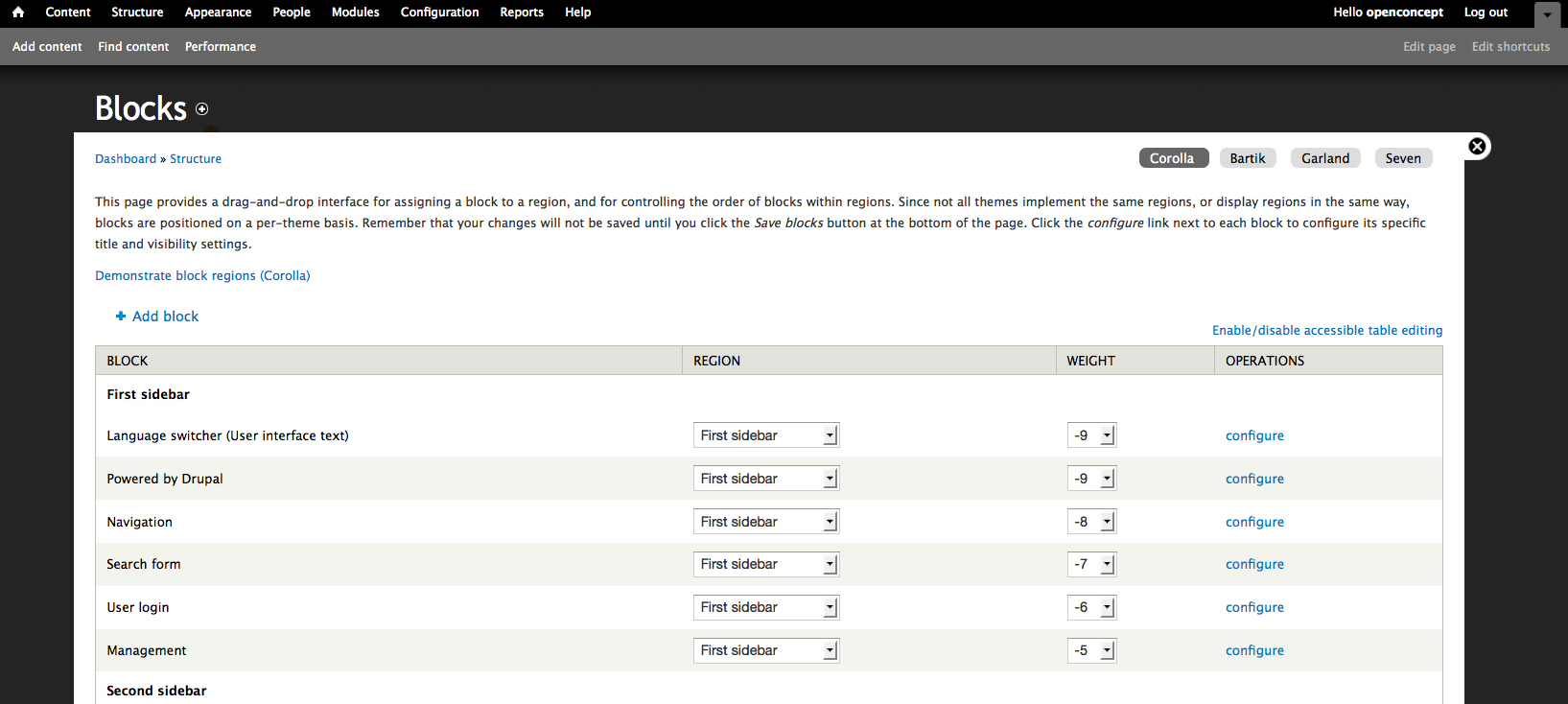
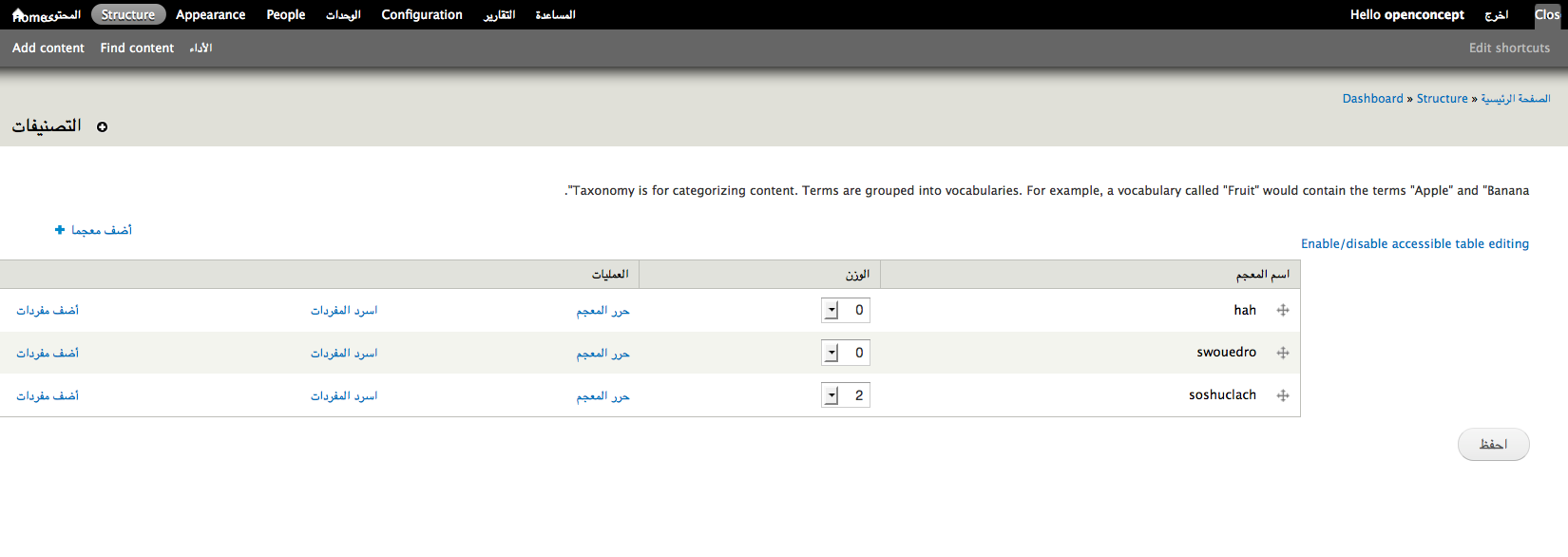

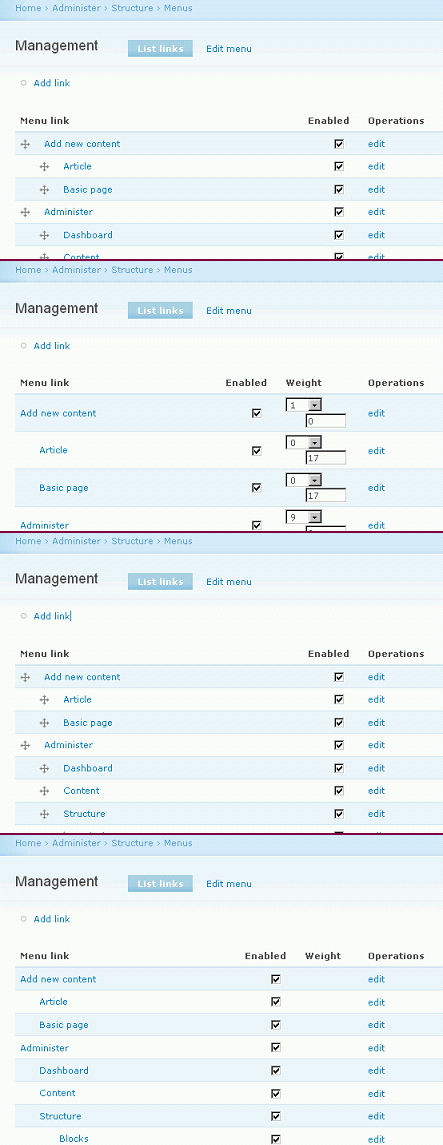

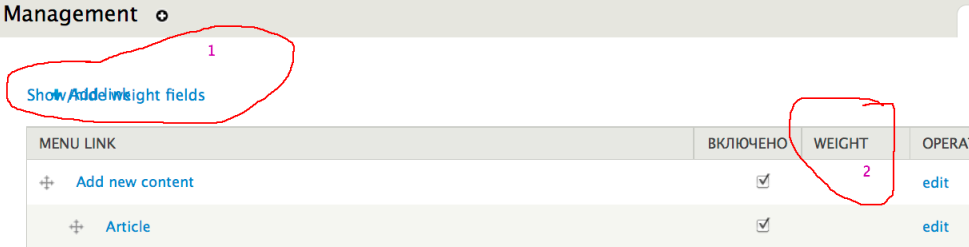
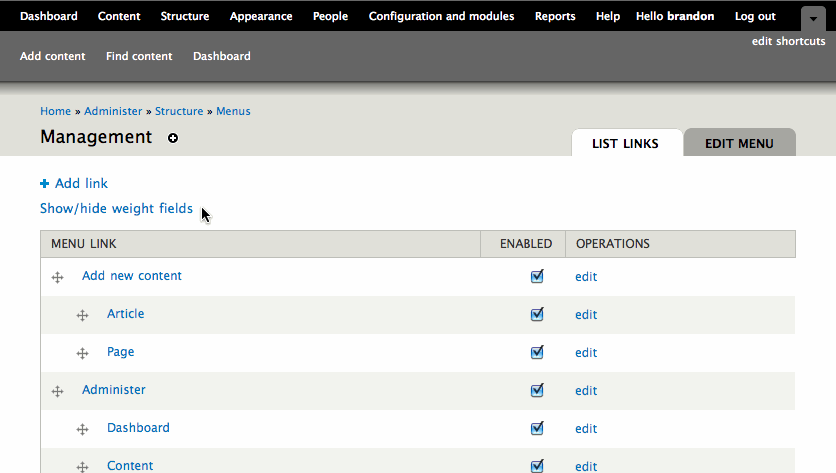

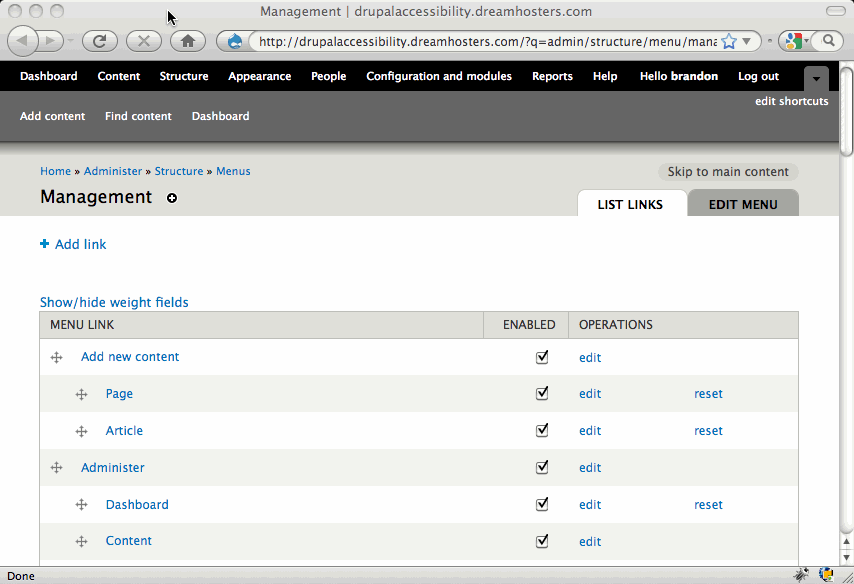

Comments
Comment #1
mgiffordSome threads on this here:
http://groups.drupal.org/node/18563#comment-64225
http://groups.drupal.org/node/15695
Just having a link where you can disable the javascript would also be useful to deal with ordering lists that are broken by pagination. Large lists really don't work all that well with the drag/drop concept in my opinion.
Think that http://groups.drupal.org/user/33730 had some ideas on this at Drupalcon, but can't remember the details.
Mike
Comment #2
mjh2508 commentedHi all,
We should take a look at Fluid Project. See below links.
Drag and Drop Pattern - Fluid Project Wiki
http://wiki.fluidproject.org/display/fluid/Drag+and+Drop+Design+Pattern
Shiny New API for the Reorderer (blog)
http://fluidproject.org/blog/2008/05/29/shiny-new-api-for-the-reorderer/
Layout Reorderer Specification - Fluid Project Wiki
http://wiki.fluidproject.org/display/fluid/Layout+Reorderer+Specification
Thanks,
Mike
Comment #3
mgiffordThanks Mike,
I was a bit worried that this was a project that had been hibernating for the last couple months, but found some good demos of this code:
I think this meets the needs we have with reordering the lists.
http://www.fluidproject.org/releases/1.0/standalone-demos/quick-start-ex...
They have lots of other interesting demos here:
http://fluidproject.org/products/fluid-infusion/infusion-demos/
In the Download of the 1.0 version though:
http://fluidproject.org/products/fluid-infusion/download-infusion/
I am a bit concerned thought that there will be a license conflict that will stop it from being included with Drupal:
http://wiki.fluidproject.org/display/fluid/Fluid+Licence
It's a neat model though. Definitely when looking at where http://www.d7ux.org/ is taking Drupal 7.
Some other traffic on fluid here - http://groups.drupal.org/node/7750
Mike
Comment #4
mgiffordJust turning off the javascript has been an issue that has been brought up before. Seems the page uses progressive enhancement and if the javascript can be turned off you can still edit/order the page.
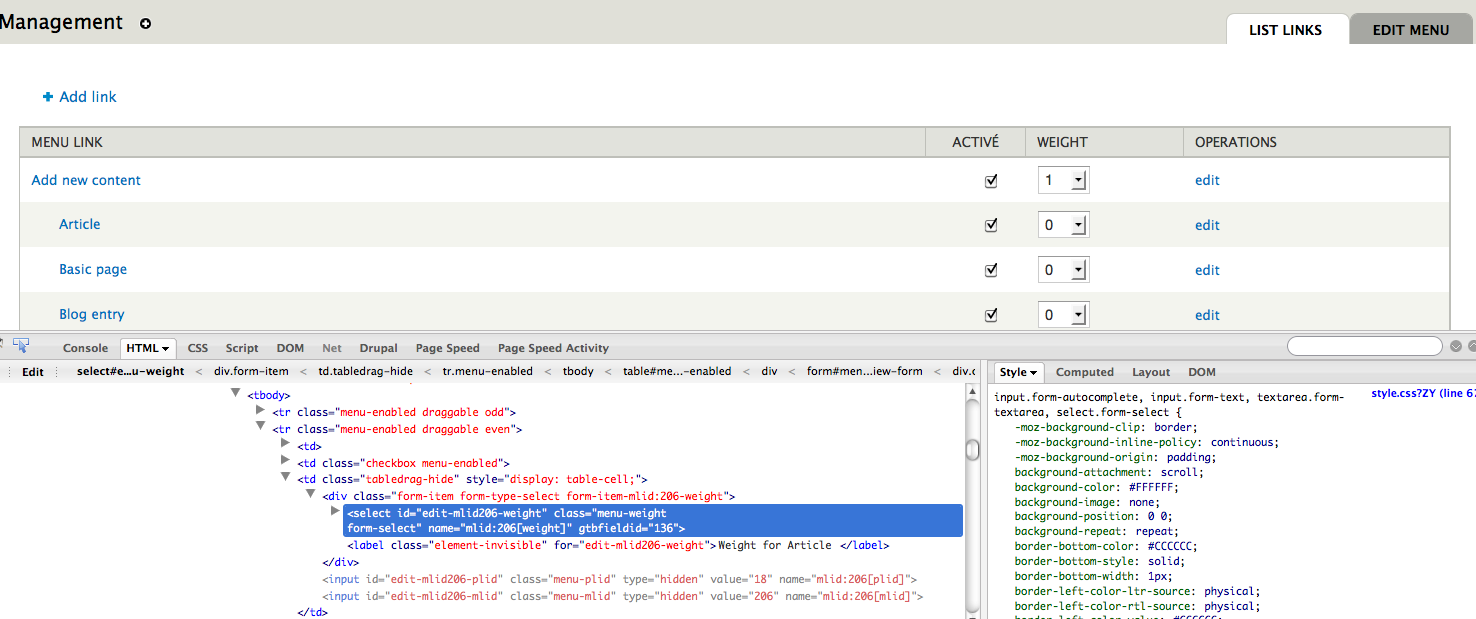
Not that the labels for the checkboxes are all that understandable:
And the select boxes for weight don't seem to even have any labels associated with them.
But it is editable if you spent a bunch of time trying to figure out the grid (from what I've been told).
The function drupal_add_tabledrag() could be modified to allow a user to insert a session variable (say something like $_SESSION['tabledrag'] = 'disabled';) which would disable the tabledrag options for that users session. Seems like a hack compared to the fluid solution, but for a few reasons it is worth considering I think.
I'm thinking that the menu page could have a link like:
echo t('You can disable the drag & drop.', array('@drag' => url('admin/accessibility/dragdrop_disable')));
About here /admin/build/menu-customize/main-menu which would enable/disable this.
Wouldn't be an ideal approach though.
Comment #5
webchickHm. We built keyboard support into drag and drop. Are you saying this doesn't work for you? Or are you saying it works, but doesn't help because you have no concept of what you just moved it above or below?
Comment #6
mohammed76hi Webchick! what do you mean by: "We built keyboard support into drag and drop." that doesn't work for me at all. was that a new feature in d7? other than the fact that I have no concept where I'd moved the menu, block, etc, I can't do anything to drag and drop using my keyboard. all I can do is click "drag" which doesn't apeare to do anything, or so my screen reader makes me think.
Comment #7
webchickNo, this was added in Drupal 6. It was a prerequisite to the feature getting committed because we would never want to leave unsighted users in the cold!
In Safari, what I do to activate this is opt+tab to the drag and drop handler (It has alt text of "Drag to re-order") and press the up/down keys. Then it will move the current table row above/below other rows in the table, and also between regions.
On pages such as menu and taxonomy, which support a hierarchy as well as weighting, the left and right arrow keys work as well.
I have not tried this in something like JAWS, however...
Comment #8
Jeff Burnz commentedFor menu items you can still do it the old fashioned way by setting weight when editing a menu item, however I found it hard to know exactly what I was editing.
I was able to configure my blocks with the keyboard, however only because I am sighted. Listening to my screen reader I get zero feedback about about which block is which. I have no idea which block I am actually changing. When you tabbing through the blocks page the first link you get is the drag and drop handle - screen reader says "Blank". There is no feedback that it is a widget and that I can do something with it.
The lack of labels is an accessibility barrier. For example for check boxes the only feedback I get from NVDA is "check box, not checked". Check box for what?
If I could choose the region and weight when editing the actual block that would improve things a lot, at least I would have a way to get it done.
BTW, does anyone know if the keyboard shortcuts for drag and drop for Windows are documented, I haven't got a clue how this is supposed to work.
Comment #9
mohammed76hey Webchick,
thanks alot for the hint. guess what? that really does work with a screen reader. but I had to be careful and count my presses because my screen reader had no clue I was moving the block. so it works by trial and error now, much better than nothing at all. the thing is that we are never used to treating links like we do combo boxes.
that said, I don't think it's at all an elegant way for us because it's not documented. had I not raised this issue I probably wouldn't have known.
can't we treat blocks like we treat pages such as menu and taxonomy, and make it support a hierarchy as well as weighting?
Comment #10
Everett Zufelt commentedGlad to see that this issue is document here. As a screen-reader dependent Drupal developer this is the first major accessibility issue that I noticed with the administrative interface.
I have set this issue to Bug Fix and Critical as it completely blocks my ability to successfully administer sites, without disabling JS in my browser and guessing at form fields.
1. Providing an option to switch between the drag and drop, and weighted user interfaces would be a good first step at addressing this issue from both an accessibility and usability perspective. I have had many other Drupal developers tell me that the drag and drop interface is less than ideal for long lists of content.
2. If they currently are not, the form fields used for the weighted reorder need to be properly labeled.
3. Having done some work with Fluid Project I will say that their reorder is in good working state, but I have not tested it thoroughly enough to recommend it for this interface. Fluid Project is currently looking into compatibility between their BSD license and the GPL. If this is to be implemented it would likely be best to modularize the Fluid Infusion http://fluidproject.org/products/infusion/ product for inclusion in core.
4. It is also possible to learn from Fluid's reorder widget and to apply appropriate ARIA markup to the drag and drop interface that currently exists, presuming that the keyboard only functionality is accessible to AT on more than one OS, not tested.
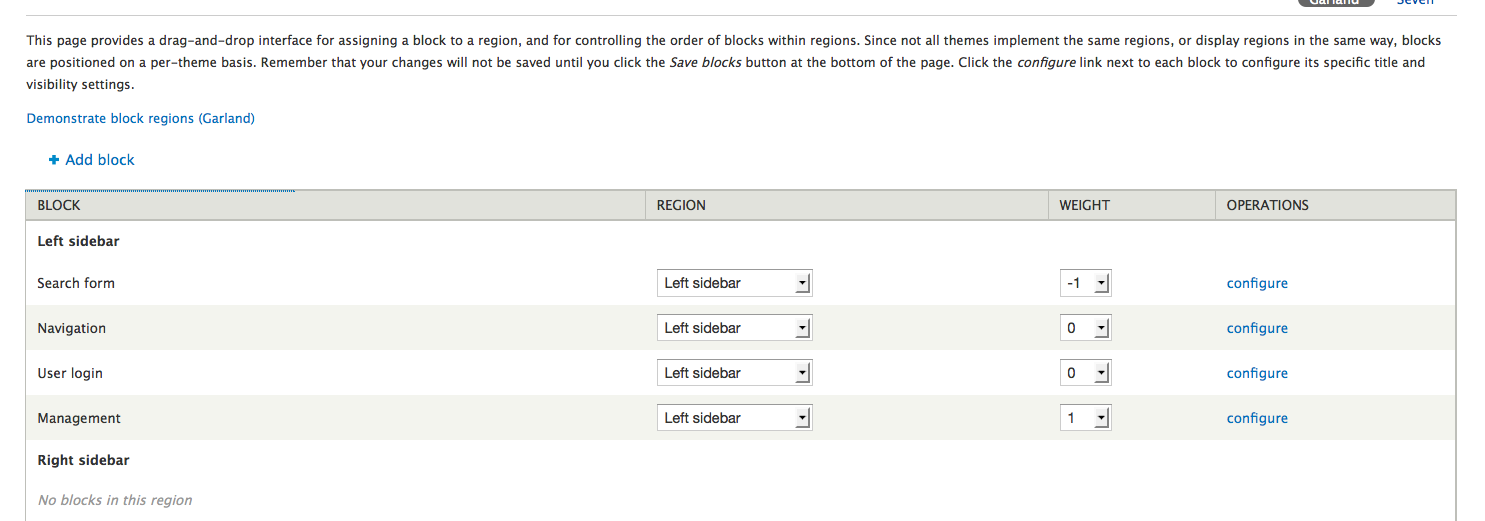
Comment #11
Everett Zufelt commentedI have checked and it appears that it would be a great deal of work to get Fluid's Infusion (aria toolkit) into d7, even as a contributed module. Drag-and-drop is a core issue and requires a core solution.
AFAIK, the following D7 UIs implement a drag-and-drop interface: administer/blocks, administer/menu, administer/taxonomy, administer/cck, administer/content type, administer/forum
Are there any UIs that I have missed? And, can someone please provide a description of what drag-and-drop is used for in each of these UIs?
Comment #12
Everett Zufelt commentedGoing to start looking into adding a control to UIs that have drag-and-drop functionality to allow administrators to select to use the non-drag-and-drop UI. A couple of questions:
1. Should state be retained: a. only for the particular page visit, b. for the session, c. until the administrator chooses to switch back to drag-and-drop mode?
2. What type of control would work best: a. link, b. select, c. radio / checkbox?
Thanks for any input.
Comment #13
Bojhan commentedSee the solution at Views 1 interface, regarding reordering list items. It's going to be a though thing to push forward if this patch adds another UI element to the already pretty filled table.
Comment #14
Everett Zufelt commentedRenamed issue for better clarity
Resource
I found that a lot of the code responsible for this can be found in /misc/tabledrag.js
Comment #15
owen barton commentedSubscribe
Comment #16
lilou commentedAdd tag.
Comment #17
bowersox commented@Everett
#12.1. C is best. B is better than nothing. A is acceptable.
#12.2. I recommend using a link. Link text could be "Disable drag and drop" or "Re-order by selecting weight". I would avoid using a select box or a radio/check box, because that might make users think that this field is part of the form they should fill out before clicking Save.
+1 for this issue. I'm glad to know what webchick told us about keyboard access, but I know many people will still prefer to use the weight dropdown.
Comment #18
mgiffordIs this documented somewhere? Seems quite useful, but this is the first I've heard of it.
Comment #19
Everett Zufelt commentedOne of the current implementation problems with keyboard access to drag and drop is that the keys used for reordering table rows are the arrow keys. Some screen-readers, like JAWS, capture the arrow keys for their own purposes and don't pass this along to the browser. So, alternative key bindings would be required to make an screen-reader accessible drag and drop.
Comment #20
bowersox commentedPlease review this patch. It is a rough demonstration to help advance our discussion about what approach is best.
To try it out:
It has a number of problems: it needs to be translatable, changing the weight fields needs to refresh the actual row order, and more. But I'd like to know what people think of this approach.
I believe this approach would enhance accessibility. I agree with other comments that although the drag-n-drop functionality is keyboard-friendly, I know users with assistive technology who would prefer to use the weight fields.
Comment #21
webchickBrandon, could you post a screenshot of your changes?
Comment #22
Everett Zufelt commented@Brandon
I haven't tested out the patch. But, I think that it is important that the switch appear before the table so that it is easier to find.
Also, as long as the non-JS functionality of the weighting for the table is available, then I wouldn't worry about table rows moving around when the weight is changed. Not sure what happens currently if JS is disabled.
Comment #23
mgiffordThis seems to work to disable the Javascript in the drag/drop. Thanks Brandon.
Comment #24
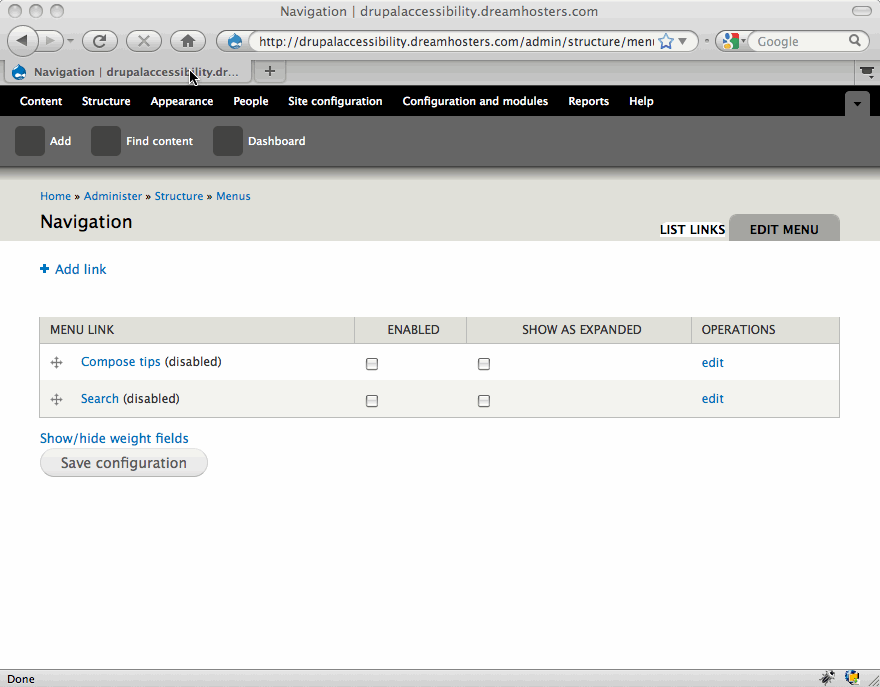
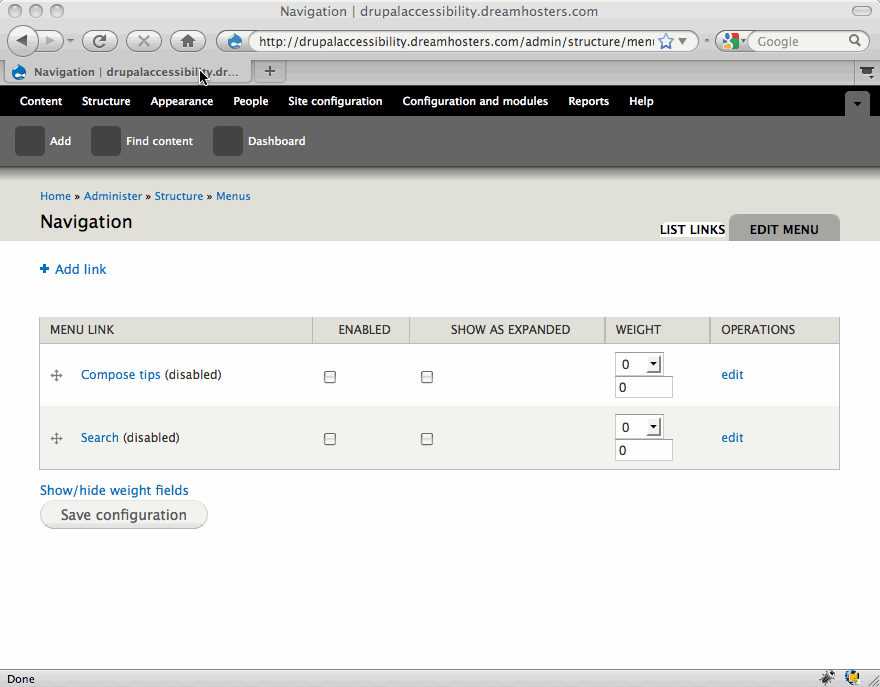
bowersox commentedAttached are two screenshots of the patch in 20:
Again, the patch has known problems but I'd appreciate feedback on this approach.
Comment #25
mgiffordHad to add in Drupal.t() to translate the string.
I also removed the commented out line in the code.
My previous screenshots included some code fragment that was leftover from my previous work. @brandonojc's look right.
@Everett Zufelt, I don't know how to move it up to the top. I'm not a javascript person.
Comment #26
Everett Zufelt commented@brandon @mgifford
I took a look at a page with thi patch applied.
1. Functionally it does work, after activating the toggle the weight column reappears and I can reorder the table rows by selecting a weight and selecting the save button.
2. The toggle still should be before, not after, the table so that it is more easily located.
3. The current toggle only persists the urrent page visit, and should have a longer persistence, perhaps session?
Comment #27
annmcmeekin commentedI'd love to see a solution to this... and I agree with @Everett Zufelt that the toggle should be placed before rather than after the table.
Comment #28
mgiffordI do think this would be better to do within PHP rather than javascript. This would allow us to store a preference in a session variable or perhaps even a user setting (like may WYSIWYG editors allow).
This solution does work, but I think we can do better.
Comment #29
cliffSubscribe. Will review this weekend. (So consider this my zeroth pass.)
Comment #30
mgiffordThis is an improved JQuery solution where the link appears before the table. It is available to sighted keyboard only users along with screen-reader users.
I am hoping that we'll have time to produce a better solution in PHP that stores preferences in sessions, but this is an improvement.
Comment #31
Everett Zufelt commented+1 this patch looks like a good intermediary step to allow users to show the weight column for reordering rows in tables. Ideally the next iteration will allow for the ability to save the state of the users option.
I question if the wording of the show / hide link should:
1. Be Show / Hide weight column.
2. If Show and Hide should toggle with the state of the weight column.
Also, testing this patch on the blocks page I wonder if we might visit changing the text that comes before the table on some UIs to give direction on the weight field.
Comment #32
Everett Zufelt commentedTo clarify my earlier comment.
Show / Hide weight field
Show / Hide weight column
Show weight column
Hide weight column
Ideally whether we choose column or feild for the wording on the link, the show and hide would toggle with the visibility of the weight column.
Comment #33
cliff@Everett, why not simply "Show weight"? (And then, of course, "Hide weight" when the weights are showing.)
I wonder if the ability to set the weight for a block should be added to the "Configure" screen as well. In other words, if I couldn't see, as best I can tell, the only way for me to activate a disabled block or to move an active block from one region to another would be through the "configure" link. So if all I wanted to do was add "Who's online" to the very bottom of the page content, why couldn't I give it a weight of 8 at the same time — in other words, on the same screen I would have to use to configure it?
As designed, I think it's great. I suspect this addition would make it even better.
Comment #34
mgiffordPatch in #30 is done without much extra javascript. Unfortunately getting the state right & putting in the proper show/hide into a description with a link requires more jQuery chops than I've got. I did give a go of it previously, but came up blank.
However, since we're hopefully going to have a PHP/session solution rather than this jQuery one I'm going to leave it for now. Hopefully we'll have a different solution in a week or two.
Comment #35
cliffI look forward to reviewing it then.
Comment #36
mgiffordThe php solution is still the preferred one, but we don't have a champion to develop it yet.
Comment #37
bowersox commentedYes, this really needs work and a champion.
Comment #38
mgiffordOk, here's a first draft of this in any case. Unfortunately it isn't possible to save the chosen preference at this time. Yes, it's a big flaw, but need to get some discussion around this started.
Comment #39
sun1) I wonder how many other JS behaviors we have in core that are not suitable.
2) I wonder whether this couldn't be stored on the client side.
Comment #40
mgifford@sun I suppose if the problem isn't there when javascript is enabled that it could be tossed back to the client side to resolve.
Is there a default way for jQuery to set cookies in Drupal. There is at least one plugin. Alternately there is code like http://www.quirksmode.org/js/cookies.html
Comment #41
bowersox commentedDrupal uses cookies for other similar user preferences. Here's a new-ish example from modules/toolbar/toolbar.js:
Comment #42
mgiffordThis is an issue that's gotten away from me. I almost had an implementation organized, but the logic wasn't sticking.
@brandonojc's cookie solution will work fine, but I think I need to find someone else to implement it. Certainly for turning on/off the flag in the cookie all was good.
This is a critical issue as without an alternative this major feature of Drupal 6 & 7 is a significant accessibility barrier.
Comment #43
mgiffordOk, I've spent the morning trying to work through this jQuery problem but haven't gotten any further. I'm posting it here for further refinement & discussion.
I can get it to set a cookie, but initially on load it doesn't seem to respect the cookie's status. Also, it seems like I have to click twice to get it to switch the first time (which is likely related).
I'm really not a jQuery person so calling out for help to bring this along so that a user can save the state with which they last viewed a dragable table item.
This is a critical issue and hope we don't have to jump in with #30 which really isn't sufficient!
Comment #44
bowersox commentedPlease review this updated patch. It is based on the prior version and I believe it fixes all the issues @mgifford mentioned. I also did an overhaul of some of the code and function names for coding standards and readability. Mike, please let me know if I went too far.
I attached a screenshot to show the 'Show/hide weight fields' link that is inserted above any draggable table.
I believe this is working well and might be close to finished. I tested in Safari 3 and Firefox 3.5 on Mac.
However, I do think we might want to set the Show/hide link
element-invisiblebefore this is committed. My reasoning is that the table-drag feature works fine for sighted as well as keyboard-only users, so I believe the main user community served by this patch is screenreader users. If others agree, making it hidden would help us avoid cluttering the visual interface.Comment #45
mgiffordIt works great for me Brandon! I agree that we're very close to RTBC now.
I haven't tested very long menus, but I have in the past been quite frustrated with the drag/drop as a sighted, mouse-using user. Being able to access the raw numbers is useful if you have a long list that is split over several pages. Might also be useful in other cases, so not sure that just sighted people will benefit from it.
Like most of the keyboard only controls, they do need to be better documented. It does work, but sometimes just tabbing over to the number and manually forcing it to be in the order that you want might be easier than trying to guess how to do it with the keyboard.
Someone had recommended that the Show/Hide should be separated so that it isn't the same link text for both commands.
The critical stuff is in though. Thanks!
Comment #46
bowersox commentedOkay, let's tag this for Needs Usability Review and see what feedback we can get. Maybe the link should be invisible until focus/hover.
Comment #47
Bojhan commentedOk, thanks for using this tag - although I agree that for long menu's it might get somewhat frustrating at times, I am not very keen on introducing this as a feature for tackling that issue (Understand we already discussed this feature in many times - in the 2 year lifecycle). To me that seems more of a orientation and workflow issue we should solve differently.
Could we make this on-focus? With that allowing those who really need it to use it, and to avoid visual clutter for others? To understand why it adds visual clutter, its the only element we are "attaching" to a table both visually and in terms of functionality. These are both very enticing changes, we have no real good pattern for in core - I hope with Drupal 8 where searching in a table and other patterns like these emerge we are able to provide better standards for this.
Comment #48
mgiffordBecause there are a number of ideas about this discussed above I'm fine with this link displaying on hover.
I would like to have it be either themable or over-ridable though. Should
Comment #49
mgiffordThis hides the link using CSS unless it is focused on. I'm fine hiding it for D7.
@Bojhan In browsing through many forms in D7 I was reminded how similar the solution we've come up with is to the "Hide descriptions" / "Show descriptions" links which appear at the top of the tables in /admin/config - not that we followed it exactly, but there is a precedent to follow for D8.
Comment #50
Bojhan commentedActually, we are going to remove that - if Overlay goes in, so :)
Comment #51
mgiffordBrandon spotted a tab that I'm removing.
@Bojhan your referring to the show/hide links?
Comment #52
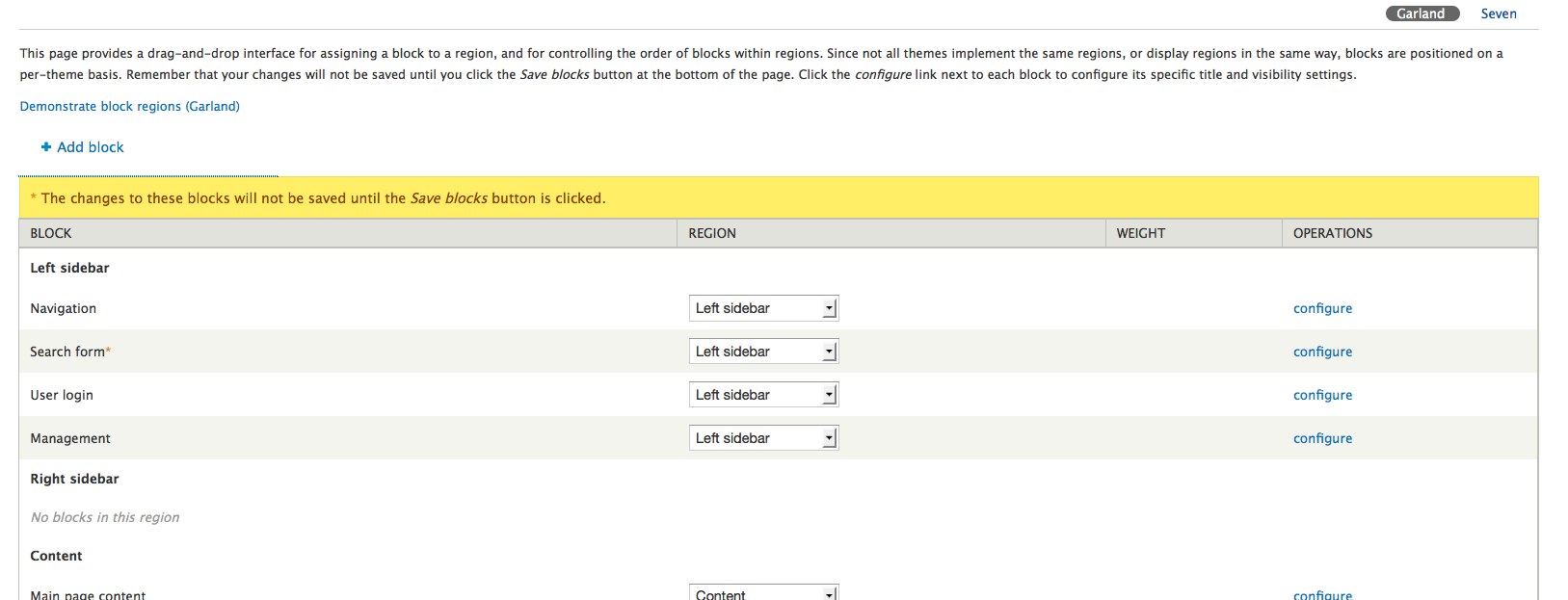
mgiffordForgot to toss up a screenshot with the link on focus in Firefox 3.5.5 on the Mac. This can only be accessed if you tab to the link.
Comment #53
bowersox commented+1 for this patch. It works well for me in Safari 4 with VoiceOver screenreader.
I tested to confirm this patch causes no visual change and no shifted position of the table. The only visual change is when the link receives focus. I'm happy we provided the functionality for people who need it and didn't overwhelm the visual interface in the process.
I've attached a Safari screenshot.
P.S. When this is committed there is also 1 trailing space to remove at the end of the CSS, the last line
}.Comment #54
bowersox commentedI think this is a strong enough patch to be RTBC. Because it has no visual change except on focus I believe we've accomplished what @Bojhan and I had agreed to.
I do wonder if there's anyone on the Javascript side who should also review it.
Comment #55
sundiff -up
Comment #56
bowersox commentedYikes! Here is a
diff -upversion with the fixes for trailing spaces and coding standards in the CSS. Please review.Comment #57
mgiffordI'm setting this back to RTBC. That was totally my oversight on the -up, no idea how I missed that (I've done so many of them maybe I was trusting my fingers to remember)...
Brandon's re-roll works nicely. I tried in in a fresh instance.
Comment #58
mattyoung commented~
Comment #59
webchickSorry, December was a rough month and this fell off my radar. :\
Re-testing to see if this still applies.
Comment #61
mgiffordIt's a huge role and a crazy time of year! Thanks for retesting this and please let us know if you need any help.
Comment #62
mgiffordIt's a huge role and a crazy time of year! Thanks for retesting this and please let us know if you need any help.
Comment #63
aspilicious commentedIt's green again (#56)
Comment #64
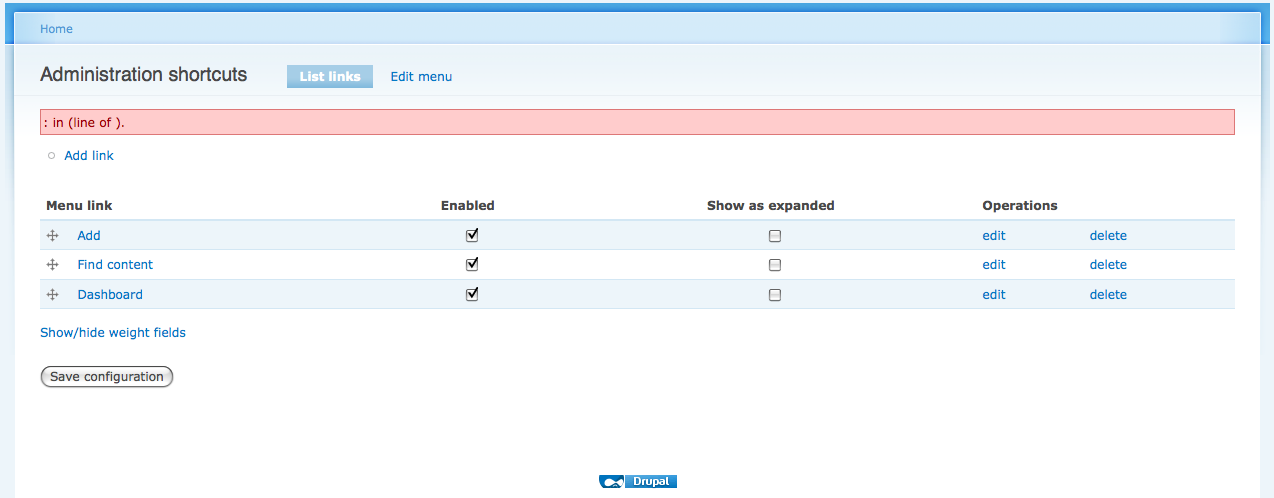
webchickHm. When I apply this patch, I'm getting this at the menu screen (FF 3.5, Mac):
I tried shift+reloading to get the new styles, and that didn't seem to make a difference. It's also odd that there are two weight fields showing up.
Could someone take a look?
Comment #65
mgiffordIt's not pretty for sighted users, but it does look fine in a screen-reader. There aren't two weight fields, the lower one is for the parent menu.
It would be nice to make the presentation more user friendly for those who are tabbing through it and discover that they can disable the drag/drop though. It's also much faster if someone does want to make the changes without the drag/drop.
I'm up for ideas on displaying this better for sighted users.
Comment #66
mgiffordChasing CVS.
Comment #67
webchickWell, the patch as-is creates a total WTF for 99.9% of our users, and is uncommittable as-is. :\ I guess I'll tag this as needs design review, but honestly I think we should hide these fields form all but screenreader users, as we have with similar things elsewhere in HEAD.
Comment #68
mgiffordI wanted to follow-up to both @webchick's comment on usability & this comment in the groups.
It would be useful to add in titles/labels to the menu table (and others). I'm suggesting something like this, but there is also the need to have better CSS so that the positioning of the forms looks better than it does right now.
Comment #69
mgifford@webchick - I missed post #67 when writing post #68. Sorry.
99% of users will never see this because they aren't tabbing through web sites. The people who will see it are screen readers and keyboard only users. That being said, the form can be made more useful and start to actually make some sense.
It mostly needs CSS to make it line up properly and I think it will be fine. At the moment though without the label however it really doesn't make much sense for anyone.
Screen reader users aren't the only people to work for in the accessibility community, so just hiding it for everyone else isn't a good solution.
Comment #70
webchickI meant "hide until you tab into it" or the same solution as in the other areas we did this in. If you want to make it more obvious then maybe add a link toggle, but let's get UX team feedback on this.
And yes, we definitely need some kind of labeling here. That screen as-is isn't remotely clear. Is it possible to split it into two columns in the table and toggle the visibility of those columns?
Comment #71
webchickAlso, how would someone manually change the value in that screen shot that's "18" anyway? I don't understand how that is remotely usable by someone without DB access.
Comment #72
mgifford@webchick - the best, most accessible vision is defined here - http://groups.drupal.org/node/29142
This patch still doesn't have this capacity to choose parents unfortunately.
I'm still not happy with this patch, but it to quote @HenkAbma - "On my unpatched D7, blocks menus and content types are completely inaccessible, so the patch is a great improvement." He hasn't been able to use D6 because of the drag/drop menu problems so has stayed with D5.
I've tried to enable labels with the weights for these forms, but I'm still having trouble with it.
Comment #73
webchickWouldn't it make more sense if you wanted to re-parent a menu item to hit 'edit' on it and do it from that screen? In other words, could we just ditch that extra field from here altogether?
Comment #74
HenkAbma commentedAgreed,
I wrote something simular on the accessibility group after discovering that the third column was for the parent item.
In my opinion the third column should be either a list of parent items, or be omitted.
The edit screen for the menu item is IMO the more logical place for binding items to parents, so I wouldn't miss the column if it went away.
As Mike quoted me, I'm very happy with the way the patch makes admin parts such as blocks, menu's and content types mannageble again. D6 was completely unusable, since we had to get sighted assistance for any change in site lay-out, whereas D5 was initially chosen for its clean, accessible interface. The patched D7 I tried a few days ago make the interface as usable as D5 was, the recent labeling attempts make it even more 'blind-user-friendly' than D5.
Comment #75
mgiffordOk, I think we may have consensus here. I just want to run through what needs to happen to the patch.
1) parent menus need to be invisible to everyone but the drag/drop interface. (No label should be provided for the field + field should be hidden with .element-hidden in the CSS
2) Fix display problems in menu table. I've attached a screenshot that includes both the problem with the positioning of the Show/Hide Weight text when you've tabbed onto it and the blank weight column. I still like having some means to manually change the sort order of lists rather than having to drag/drop everything (especially with long paginated lists of menus this is pretty horrible for usability at the moment). With error messages I'm having difficulty positioning the text properly. If we can't get the text positioned properly (and ideally say Show or Hide rather than Show/Hide) we might need to move this link down to D8. I am pretty sure that the menu will be invisible when the parent id field is removed from view. Something like this would have been nice for the tabledrag.js file:
3) Overview messes up the display of the Show/Hide Weight text. It just doesn't display when it is enabled.
It seems to work fine in fields & blocks, but again the positioning of the Show/Hide Weight text is wrong.
This is a simpler patch that just removes the Show/Hide text for everyone but screen readers. That's really the critical audience for this improvement.
Comment #76
mgiffordSeems I'd forgotten that #558928: Form element labeling is inconsistent, inflexible and bad for accessibility didn't actually introduce a way for labels to be sent to the screen but invisible to everyone but screen readers. It was discussed here, but didn't seem to make it's way into the patches I reviewed:
http://drupal.org/node/451980#comment-1933292
In noticing that labels weren't being output, I looked into the code to see what was going on and there isn't any way at this point to accommodate this use case. It's possible to create custom themes that extend the forms and write special cases for individual content types, but no way to just ensure that every form element with a title displays that content.
So I've added another patch here to make the labels appear. Unfortunately this seems to affect the width of the columns.
Comment #77
mgiffordThis patch is identical to the previous one except that it uses the new invisible '#title_display' attribute.
This patch will work well for screen readers and I've now tested it in all cases in D7 and it is displaying correctly.
Keyboard only users will be able to navigate as they did previously in D6. It doesn't address any issues with people who might want to be able to re-order rows without using the drag/drop.
Comment #78
Bojhan commentedTested, it seems to work the way it was discussed - perhaps this still needs a code pass.
Comment #79
casey commentedComment #80
sun(and elsewhere) Please write this on multiple lines, like any other function. The performed actions within these functions should be properly described, if they are not totally self-explanatory.
JSDoc summary should be on one line. If more should be described, split it into a short summary of what the function does, followed by a blank JSDoc line, followed by the description (wrapping at 80 chars).
Why not simply "tabledrag-hide" ?
We can write these 4 lines on one line, only start wrapping after the {
Powered by Dreditor.
Comment #81
HenkAbma commentedHello Mike,
I assume what I see at your test site is the most recent patch?
1. Personally I liked the previous version better, because it didn't show me useless 'drag to reorder' links. A new blind user will try to hit this, and see nothing happens, without knowing why.
2. the link above the table: 'show/hide weight columns' is not clear to people not coming from D5 or earlier. If I were a new blind drupal user, I would not recognize this option as being 'for me'.
3. I think a disabled admin, will stay so for the foreseable future, so turning accessibility mode on per user is logical, and easier to explain to new users.
However the patch makes the d7 interface still very accessible, so the remarks above are only intended to make it even better, not to complain.
Tomorrow I will install it on my own D7, in order to actually change some things with this interface.
Kind regards,
Henk.
Comment #82
mgiffordThanks everyone for your comment on this important issue. It's been in the issue queue for quite some time and I feel we're very close to finding a solution that will work for everyone.
@Bojhan there should be no visible difference for users without screen readers. There are some screenshots here that aren't really relevant as only people using screen readers can "see" them - http://drupal.org/node/558928#comment-2485226
@sun good comments as always. I think I've brought them into this patch, but please let me know if I've misunderstood or should clarify it further. I made the following changes:
- added spacing to the .click(function()
- broke up docs for Drupal.tableDrag.prototype.hideColumns
- switched class name to the shorter tabledrag-hide
- shrunk the cookie calls down to one line $.cookie('Drupal.tableDrag.showWeight', 0, {
Let me know if this is what you meant.
@HenkAbma I am not sure we're going to be able to get to all three concerns, but certainly it's good to hear that it's better than what it is now. I have been applying the patches to the sandbox but it doesn't happen as regularly as it should. I've got the patch below (and the modification to form.inc that it depends on it) applied here but I have to nix it semi-regularly to deal with errors/upgrades.
1) I'm not sure how we would have hidden the 'drag to reorder' links. I'm a bit of a loss as to how to only hide things to screen readers, though suppose anythings possible with enough AJAX.
2) Can you think of a better way to enable/disable weight links? How should this be phrased?
3) I do agree that a per user setting would be useful, but using cookies we've got a similar result with a lot less code. Something to think about for D8 though I think.
This patch depends on this other one to be applied - http://drupal.org/node/558928#comment-2471112
EDIT
Oh ya, I also switched the parent id from a textfield that would be displayed to hidden so that it wouldn't be. Seems to continue to work great for drag/drop and not add confusion for screen readers as there's no way that they will know what pid # to insert.
Comment #83
mgifford@chx is suggesting a CSS solution to hide the field labels here - http://drupal.org/node/558928#comment-2489574
If anyone would like to roll a patch to provide that it would be good. At the moment the titles cannot be presented with the forms unless they are visible.
Comment #84
frank ralf commented@mgifford
I applied both patches from #82 to today's HEAD version but the link doesn't show up, e.g. at /admin/structure/menu/manage/management/list?destination=node Am I missing something?
EDIT:
Firebug shows the following error message:
$.cookie is not a function
[Break on this error] var show = $.cookie('Drupal.tableDrag.showWeight');
tabledrag.js (line 155)
Can it be that jquery.cookie.js isn't included by default?
EDIT 2:
jquery.cookie.js seems only to be included by toolbar.module (line 178) and won't be available if the Toolbar module is deactivated. If we want to use cookies we must include the library ourselves somehow.
Frank
Comment #85
mgiffordI have to look at that firebug javascript error. I haven't messed with the javascript function much.
To deal with the usability concerns we were having with previous patches only screen readers should be able to set the cookie to display the fields that allow you to manually enter the weights.
For testing purposes you can enable or disable the cookies manually (I use the Web Developer Toolkit extension for Firefox to do this).
It's possible that the cookie needs to be added initially to display if it is 1 or 0. Suppose that if it doesn't exist we could just write the cookie. Would that work?
Comment #86
HenkAbma commentedReply to #82:
1. Why not hide drag/drop link when enabling weight columns? That would provide all user groups with a consistant interface.
2. Would something like enable/disable accessible table editing" be more clear?
Kind regards,
Henk.
Comment #87
mgiffordThis isn't ready, but wanted to toss up the latest code I was working on as I won't be able to look at it till probably Friday.
There are a few javascript errors listed with the tabledrag.js file that are unrelated.
Have changed the wording in this patch, so hopefully it is clearer to folks.
Henk, I've tried to remove the extra links for the weight columns, but I'm really no javascript person. It takes me a lot of time to do this and it's often very frustrating as I don't have enough dedicated time to learn how to make jquery do what I need to. hiding the drag/drop link might be done here, but haven't had time to test it. I've got some code to test here at any point.
Doesn't seem to be complaining about $.cookie anyways. And strangely the jquery cookie code was loading when it was giving me that error.
Comment #88
bowersox commentedI like the ideas to make this better. As far as naming the link, I would suggest "enable accessible ordering by weight". It's probably good for the link to be invisible since it is only meant for screenreader users.
But let's keep all these good new ideas in context. The ugly screen @webchick pointed out in #64 is actually what all users currently see if they turn off Javascript. So on the one hand, I'm excited to see the new ideas that are making this patch better but I wouldn't want these new ideas to hold back something getting included in Drupal 7. As Henk has pointed out, any versions of this patch will be critical for screenreader users to use this basic feature of Drupal 7.
Comment #89
webchickI consider this a release blocker and want it to get it in in some form. But not in a form that comes at the expense of usability (and duplicate bug reports, etc.) for 99.9% of our users.
Haven't looked at the most recent patch.
Comment #90
mgiffordWell said Brandon.
Anyone want to create a patch to say:
"Enable accessible ordering by weight"
and also:
"Disable accessible ordering by weight"
@Henk, can you propose code to deal with hiding the drag/drop link?
EDIT: Thanks @webchick. We'll keep working at it!
Comment #91
Everett Zufelt commented@Brandonojc
Ignorance disclaimer, I haven't been paying attention to this issue for some time, and only started reading at comment 88. However, why is there a presumption that only screen-reader users will want to use weight ordering? I have heard from other developers, who to the best of my knowledge are not disabled, who would appreciate this as well.
Can we not just create a link that toggles the weight column that all can use: universal design?
Comment #92
Bojhan commented@Everett No, because we have made a concious design decision in #47 and on IRC. To not introduce this feature, also given that we are in feature and UI freeze - I would like to avoid such big changes.
Comment #93
Everett Zufelt commented@Bojhan
Thanks for the clarification. I will however state that unless the UI control is visible to everyone, or there is explicit onscreen documentation of how a non-mouse user can reorder the table rows that we are not actually making this accessible to everyone who needs it. Non-mouse users are not using an accessible interface if they need to hunt for hidden UI components. Again I haven't read through all comments, so this may have been addressed above.
Comment #94
Bojhan commented@Everett Then the "Skip to content" pattern we introduced to Drupal is not accesible either. Eitherway see :
#49
#54
Obviously we do need to explain the existance of this feature, however I am kind of lost, how can someone with a screenreader not be seeing this? It is in text, only hidden from sight - the reader should see it.
Comment #95
Everett Zufelt commented@Bojhan
I would argue that showing a "skip to..." link only on focus is not ideal practice. However, I would make the distinction that using show on focus for a link that appears at the top of a page is more accessible than using this method for a link elsewhere on the page.
A link that is somewhere within the page content, and is only shown on focus, causes a non-mouse user to hunt for the link. Also, although the "Skip to..." link does not represent necessary functionality to a non-mouse user (only convenience), a link to show the weight column of a table drag UI component does represent necessary functionality. Therefore the method to allow non-mouse users to reorder columns (whether through keyboard commands or the weight column, must be made apparent. Remember that not all non-mouse users are screen-reader users, therefore the method must be visually apparent.
Comment #96
Everett Zufelt commentedTo make my point in the last comment more clear I have provided an excerpt from the W3C - "Understanding the Four Principles of Accessibility" document below.
I would say that a link that only appears on focus, and which is within the content of a page, is not perceivable, and therefore the functionality that the link provides is not operable, to non-mouse non-screen-reader users.
Comment #97
Bojhan commented@Evertt Sucks, you are comming in so late in the discussion. I really whish, we could have shipped this with Drupal 7. I see no way, to create usable and accesible features - if that means sacrificing on usability. You might not see it that way, but by adding "hide this, show that link" in plain sight, we are making it far more clutterd.
So basicly you are also saying that the Skip navigation link on focus in Drupal core now, is not sufficient. If you take such a hard standard against it. Honestly, though I am somewhat suprised by the lack of flexiblity on this argument, I fully understood the W3C its main standing on this - I am just trying to find a way, without sacrifcing one for the other.
Also somewhat suprised that @mgifford - agrees its something we should look into for Drupal 8, and just quick fix now, but you see it as a unbendable topic.
Comment #98
Everett Zufelt commented@Bojhan
I do have flexibility on show on focus for the "Skip to..." links. Although I don't think that hiding those links from non-mouse, non-screen-reader, users is ideal; they are far easier for non-mouse users to find than the toggle for the weight column, as they appear at the top of the DOM.
As far as flexibility for this issue, at the very least some on-screen, visible, information needs to be provided to these users to explain how to operate the table drag (whether explaining the keyboard commands provided, or through making the weight column toggle UI component visible). Otherwise how will a non-mouse, non-screen-reader user know how to operate the UI?
I would actually argue that more instructions than just a UI component to toggle the weight column should also be provided for screen-reader users, but I am flexible on this, because the UI component itself will be perceivable to these users.
Comment #99
Bojhan commentedSo its choosing, between the "hide/show weights button" or a long help text explaining how to show the "hide/show weight button"? I hope to get to something better then that, are we really the only system/site facing this problem?
I do agree, that its less favorable as the Skip to.. links at the top of the DOM. But the element is very near to the context of use, so its highly likely it will be exposed to a non-mouse users as he/she tabs towards the table? Also I am not sure who a non-mouse, non-screen-reader is, but thats my lack of knowledge on this subject.
Anyways I dont intend to be stubborn, I just want to be carefull since a table like this is a - heavily used, very intense, and carefully conciderd design. By adding something, for increased accesibiliy we have to be very sure - it will not cause a new usability problem (i.e clutter / visual distrubance).
Comment #100
Everett Zufelt commented@Bojhan
A non-mouse, non-screen-reader, user is anyone who has the inability to use a mouse (e.g. motor-function impairment), but who does not need a screen-reader. I believe that this YouTube video will give you some point of reference http://www.youtube.com/watch?v=NyIHtNHYroM .
As for your idea that the weight column toggle link would be easier to find because it is in proximity to the table, I did have that thought myself. I then thought that if I were a non-mouse, non-screen-reader, user looking at the page that I would just presume that there was no way for me to reorder rows in the table. That is, I would not presume that there would be a non-visible UI control that would provide the functionality that I was seeking and that would appear somewhere on the screen once I tabbed to it's non-visible location.
Comment #101
Bojhan commented@Everett Thanks for the reference, I know understand what you mean.
No, definitly - if its not visisble, you do not know its there. I think thats pretty obviouis, heh :). So how can we tackle this? Is documentation possible, or do we need to show it - there is no other way of fixing it?
For exactly this reason, we should have worked on this 4 months ago - its an extremly difficult problem.
Comment #102
Everett Zufelt commented@Bojhan
In short, I don't know the answer to your question. As someone with far more usability knowledge than myself, how would you answer the question from a usability perspective, if accessibility wasn't a factor? That is, for a commonly used function would you make the opperability of the UI apparent to users, or would you require them to look in the documentation to see if the functionality exists and how to perform the function?
Once you have answered the above question, take into consideration that users are not generally accustomed to finding any type of accessibility information in documentation -- this trend is thankfully changing, albeit slowly.
Comment #103
Bojhan commented@Everett Thats a difficult question:
For non-mouse users, non-screen readers: What they use 90% of the time, should be exposed.
For the mouse users, screen viewers : What they use 90% of the time, should be exposed.
So its not a matter of, who's more important or what is more important. Its when its more important, and its more important when one is a non-mouse, non-screen reader user. My ideal user experience, would obviously be a accesiblity mode - one can toggle, to expose all kinds of handy tools only applicable to that type of user.
I think its commenly conciderd a standard, that users don't read documentation no matter what type of documentation :').
So this answer to your question, but doesn't really get us any further. Can we research for how others attack this issue? I dont know, but tab index?
Comment #104
Everett Zufelt commented@bojhan
The only analogous experience I can refer to myself is in working with the Fluid Infusion Reorder widget. This widget allows for mouse and keyboard reordering of items in a list or grid. Now, my only experience is with testing the widget on a test page, where there were visible instructions, and clearly what is a good practice on a test page may not necessarily be good practice on a live site.
The following conversation is one that I just had with Colin Clark, the technical lead for the Fluid Project (http://fluidproject.org/).
From irc://irc.freenode.net/#fluid-work (reproduced with authorization of Colin Clark).
Comment #105
Bojhan commentedI dont really see the fluid project providing a solution for this, it does indeed offer an interaction to reoder using the keyboard soley. But that will require, quite a lot of help text. That is unacceptable, we have spend a lot of time cleaning up pages like these - not to reintroduce explaining interaction (we actually have a UI-text pattern against this). I see absolutely no other way, then providing a link in clear sight. All other alternatives either require a whole bunch of help text, or something else.
I am somewhat disturbed though, given that non-mouse, non-screen reader people use tab. Wouldn't they be able to get to the on:focus link in less then 4 tabs? Given that they use the skip to content link. I am still considering this option, as it might be less favorable - it is at this stage of the development the best I can come up with.
To explain a bit, why introducing a pattern like "Show/hide wieghted links" is bad apart from the arguments mentioned above. Primarily it introduces the pattern to core, that an interaction can have a "second mode". But also, we cannot easily remove this pattern from core - because our developer audience will grow attached to it. Were we spend almost all our time, creating usable and clear interface patterns, different modes will greatly increase the complexity of interactions.
Interaction idea : If you tab on a selected row, you can move it by clicking up and down? Or perhaps even choosing the fluid way, by only providing a tooltip how to use the interaction - when one navigates to the table with tab?
I am still considering what options we have towards finding a good model for all future accessibility options that will exist along side existing features. This because its likely the future will bring more complex and more javascript driven interactions. I will be available today on IRC to discuss this.
Comment #106
Everett Zufelt commented@bojhan
I agree that a more universal solution to the accessibility problems inherent in complex UI components needs to be found, clearly this needs to be a d8 issue, not d7. I am fully appreciative of your ux knowledge and efforts on Drupal, which is why I see my role here as providing you with input and assistance from the ax perspective, but I want to defer the decision making to you. We want Drupal to be usable and accessible to the greatest number of users possible, disabled or not.
My concern with not visibly showing the toggel link is that people will presume that it is not there. Remember, the standard mindset is that complex UI components are not accessible, so the benefit of the doubt, unfortunately, is not given to the concept that "if I keep tabbing maybe something will appear to let me use this UI component". Also, since this UI has never really been accessible to non-mouse users since table drag was implemented it is unlikely that a user, without reading the documentation, will have any hope at all that the UI is accessible.
You can ping me on twitter @ezufelt when you are free on IRC to discuss this further.
Comment #107
bowersox commented@Bojhan and @Everett -- important discussion. Let us know if you came to any conclusions or decisions.
Drupal 8 is a blank canvas but for Drupal 7 I believe we are more limited in what we change at this late stage. So maybe we need to compromise to get an "invisible" version of this feature included, and it will be easy for anyone to make it visible in their own themes or CSS or to add custom instruction text.
Comment #108
mgifford@brandonojc - Agreed!
I think perhaps if we had something that was easily themable or if it could be set in the admin like has been proposed #639460: Evaluate CSS of #skip-link, .element-focusable, and upcoming "disable overlay" links for their impact on contrib/custom themes it would be easier to get in.
For over-riding the output in the theme would simply require adding more javascript. I don't think it is something that can be resolved by CSS as it is now.
Are there any comments on #90 above?
Comment #109
frank ralf commentedIMHO with regard to accessibility and usability the general problem is that one size doesn't fit all.
So what about making some of the accessibility improvements more configurable by putting them in a separate (core) module?
A place for that might be http://drupal.org/project/accessible (started at "Accessible Module for small accessibility tweaks in Drupal 6") by John Barclay.
There's also the quite recent http://drupal.org/project/accessible_content and the abandoned http://drupal.org/project/accessibility (with a slightly different focus).
Another related discussion is "The Accessible Content Module and the Accessible module".
Might be a bit late for that for D7, though...
Frank
Comment #110
David_Rothstein commentedHm, I am wondering if the following plan would be a complete solution to the issues raised here:
If those three things were implemented (none of which are hard to do except perhaps the last one), would that completely address all the accessibility issues?
I hope so, because I am reasonably convinced that the vast majority of people in the world would prefer to move around actual objects rather than dealing with numerical weights -- and that is true regardless of what technology you are using to access the website :)
If you have a different preference, nothing stops you from turning off JavaScript on that page (or even just writing a contrib module that disables the Drupal tabledrag behavior), but that is not relevant for this issue. IMHO, this issue should focus on making the default behavior accessible, and only resort to a weight-based solution if there is absolutely no other way to do it.
Comment #111
Everett Zufelt commented@David_Rothstein
I definitely agree with your first point. Ironically the keyboard reorder interface has been in table drag for a while (not sure if it was in d6) but who would ever know how to use the functionality?
Agreed, this would be progressive enhancement, and would be very much like what FluidProject implemented for their reorder widget.
By screen-reader only markup I believe you are refering to ARIA roles and attributes. This would definitely be necessary for screen-reader users to make use of any changes suggested in your second point. However, this is also progressive enhancement.
Unfortunately no. ARIA is a draft W3C recommendation and is subject to change. Many users of assistive technology do not use technology that supports ARIA roles and attributes. The Weight column is still required in order to make this UI reasonably accessible. As far as Help goes. I would argue that reordering items in these types of tables fits into the category of 90% most used functions and therefore the controls to allow all users to reorder rows in the table should be perceivable and operable to all users. In addition, as little as a user may click on a help link to figure out how to use a UI, I assume that users are even less likely to click on Help looking for accessibility instructions, because they generally don't exist.
Comment #112
Bojhan commentedGiven the complexity of this issue, I will provide a summary for webchick/Dries to decide upon, as it is clear the community can not come to a clear commitable direction.
Problem
Users who are unable to operate the mouse, will not be able to use drag-drop-functionality.
Solution
Provide a link, that provides the user with the weight column.
Discussion
User experience
From a user experience standpoint, providing a link to acces "alternative interaction" is not favorable. We chose very conciously, for the drag-drop pattern in core - and having an "alternative interaction" will set a new mental model that UI's can have alternative interactions. This is obviously bad, because this isn't the case.
A second concideration is that asheticly the interface is clutterd by providing a link, with that also cluttering a lot of interfaces where this link makes no sense - i.e the reodering on the roles page, where most people have 5/7 roles max.
Accesiblity
The accesiblity argument is obviously very strong, drag-drop makes up for 90% of our complex interactions. By this beign unavailable for people with certain disabilities - we shut the door on most of Drupal its features. The problem is there are people whowho can see and use the keyboard - but not operate a mouse, we have to concider not hiding this feature (like we did for skip to content) - because there is no way, they would find out about this feature untill they tabbed passed this.
Decision
1. Implement the link solution
2. Implement the link solution only show :onfocus ( accesible to screenreaders, not to only-mouse-impaired users)
3. Implement nothing (and find a real solution in D8)
After spending quite some time on this topic, I am unable to make a decision - both the UX and the Accesiblity standpoints are strong.
Comment #113
Everett Zufelt commented@Bojhan
The fourth option is to hide the link and make it visible on focus. Pro, the link is not visible and does not clutter. Con, many non-mouse users who need to see the link will not realize that it is there, making it essentially invisible.
Comment #114
Bojhan commentedRight, refined my decision 2.
Comment #115
David_Rothstein commentedWell, it sounds like there would be at least one more option other than the ones listed above, which would be:
element-invisible(i.e., make it only for screen-readers) and then provide some means to ensure that sighted, keyboard-only users are informed of the (existing) keyboard functionality.Right?
A standard "Help" link could be replaced with something else I guess - but ultimately, we have to decide who needs instructions and where and how to provide it to them. Currently in Drupal 7, we do not provide any help text that tells people how to use their mouse for this either; they are expected to figure it out on their own. At least comparing a sighted keyboard-only user to a sighted mouse user, I'm not sure there's much of a difference: The mouse user has to figure out to put their mouse on the icon and drag it around; the keyboard user has to figure out to put focus on the icon and move it with the arrow keys. Sounds like we should provide help for either none or both.
Can you elaborate on this - without ARIA, there is no way at all to make this accessible? I can see how that might be true for a very complex drag-and-drop widget (e.g., the Dashboard), but tabledrag is a much simpler behavior. All you can do is move an item up or down (and rarely, left and right). So it would seem the main context you need here is the ability to 'ask' a question like "Where is it now?" and get an answer back along the lines of "Below item X and above item Y". There is no way to do that in an accessible way via standard JavaScript?
Sorry if this is ignorant - I'm just trying to think out of the box here :) I would also put forth the perspective, that compared to weights, the bar here seems pretty low. Weights are definitely accessible, but how easy are they to use? To move an item from 2nd to 6th place in a list, for example, it would seem that you need a fair amount of context as well, in order to choose the appropriate weight.
Comment #116
webchickI don't know if I'm ready to lay down a "final" decision yet, but here's my current thinking. Thanks for the great summary.
I think that one of the greatest (and most totally unexpected) improvements in Drupal 7 is its vastly improved accessibility. My understanding is the work that Everett, Mike, and folks have done this release is largely to push Drupal far beyond nearly all other open source and proprietary CMSes in terms of out-of-the-box support for accessibility. This is an insanely huge win for us as a project, and for the accessibility community in general.
In that context, the fact that blind and keyboard-only users can't use one of the most common admin interface patterns (and only going to be more common now that we have easier tableselect elements in D7), this issue is truly a critical bug, as it completely stomps all over all of that other progress that was done in this area. Therefore, option 3 (do nothing and wait for D8) is not an option for me.
At the same time, one of the other greatest improvements in Drupal 7, and one which we dedicated nearly 2 years to addressing, is Drupal's usability. The UX team has done tremendous work this release to come up with interaction patterns, consistency, vocabulary changes, and help-text culling, to make Drupal 7 far, far more approachable to all types of users than it ever has been before. I am especially not eager to undo any of the work that's been done to carefully craft our user experience this release. So I take the concerns of Bojhan seriously when he talks about mis-matching user expectations and cluttering the UI, since I am very aware of how much blood, sweat, and tears was required to remove all of that this release.
I'd like to see how the discussion around the proposal raised by David Rothstein in #111 (who, as usual, swoops in to a very contentious issue and comes up with a proposal that sounds unbelievably sane and reasonable ;)) fares, before making any final calls, and I'll continue pondering.
Comment #117
Everett Zufelt commented@webchick
Thanks for your input on this issue. I've noticed that @David_Rothstein doesn't have a comment in #111. I have already responded to his comment in #110, which you may have been referring to, and I will respond to his comment in #115, which you may also have been referring to, below.
An interesting idea and one that I didn't think of until I read David's post. As the pros are apparent, I will focus on the cons.
Although I cannot speak for all involved in the .element-invisible work, I can speak for myself in saying that the intention behind the class was that it be used sparingly, and where no other reasonable option for conveying perceivable information to a screen-reader user is available.
To make the argument for facilitating the functionality to display the Weight field I will mention another subset of assistive technology users, the screen magnifier user. Although a screen magnifier user may have use of the mouse, and be able to see the screen, their viewport of the screen is limited, and dragging a table row * may * be an uncomfortable challenge. I cannot speak from experience here, as I have never been a magnifier user, but I believe that it would be reasonable to recognize that the Weight column could benefit these users as well.
If we were to follow this recommendation, which would require some form of Help functionality, I would recommend that we do this in combination with the Show / Hide Weight link on focus / hover, and that we do not make a, possibly large, number of focusable fields available in the DOM but not available on screen.
Comment #118
frank ralf commented@ #84
I couldn't get the cookie code to work and found out that jquery.cookie.js seems only to be included by toolbar.module (line 178) and won't be available if the Toolbar module is deactivated (as was the case with me because I prefer the traditional Admin menu).
If we want to use cookies we must include the library ourselves somehow (via a module or a theme?)
Frank
Comment #119
mgiffordI guess that the jquery cookie code isn't added by default to cut down on load times, etc. The cookie based solution I've been aiming for means that we'd have to load this in all pages that use the drag/drop interface. That's probably not a huge deal.
Could just ensure it's loaded here by inserting it every time the tabledrag is used:
I don't know enough from drupal_add_js()'s docs to know what happens when the same file is called by drupal_add_js() though. I'd hope it only gets loaded once...
Will have to try to test this though.
Comment #120
jide commentedI have some catch up to do with this issue, so here I am, subscribing.
Comment #121
jide commentedStill a bit lost on this, I'm having hard time to understand all challenges here.
Particularly, the whole concept of using hidden fields for parents and weights is above my head. I would have thought that select fields are more accessible, but I am surely missing something here.
So, sorry if my questions don't make sense, but still giving a shot :
From your comment #82 :
How would it be if we used a select element with the book/menu/whatever hierarchy ? I tried with books, and it works well.
I also noticed something a little off-topic (and not related to the patch, this happens in HEAD) :
On the book hierarchy page (admin/content/book/[nid]), there is no validation against plid values, so if a user enters an irrelevant number, form is submitted.
When javascript is enabled, this has few probabilities to happen (so it is kind of related to accessibility), but without, anything will go and your page will get lost out of the book hierarchy. Anyway, these values should be validated on submission I think.
We could put this in a separate issue, though.
Comment #122
frank ralf commentedThanks for your feedback, jide. A checkbox might indeed a better approach.
Just an idea and a reminder to use media aware CSS to show/hide certain links and/or form elements:
More use of "media" attribute for providing device dependent CSS
Frank
Comment #123
Everett Zufelt commented@Frank
Do you have any information that shows how well media aware CSS is supported in the browsers supported by Drupal and by assistive technology for the past 3 - 5 years?
Comment #124
frank ralf commented@Everett
I hope the following quotes shed some light on this issue:
http://reference.sitepoint.com/html/style/media
http://css-discuss.incutio.com/?page=ScreenreaderVisibility
http://lab.dotjay.co.uk/tests/screen-readers/abbreviations/
See also Aural CSS: Support for CSS 2 Aural Style Sheets / CSS 3 Speech Module.
Frank
EDIT
Read Joe Clark on the subject which might very well be the final say for the time being:
http://joeclark.org/book/sashay/serialization/Chapter11.html
Comment #125
Everett Zufelt commented@Frank
I only read your excerpts, and didn't click on any of the links. But, from what I gather media aware CSS is not going to be useful to us for this issue. Would you concur?
Comment #126
jide commented@Frank Ralf :
I think you meant a select ?
Comment #127
frank ralf commented@Everett - yes
@jide - yes
I am still struggling to get this working in the first place. I applied (only) the most recent patch from #87. The Weight column shows but none of the associated select fields. I suppose I'm missing something important but what? Can someone post a screenshot how this is supposed to look?
tia
Frank
Comment #128
Everett Zufelt commented@Frank
My guess is that it is suppose to look as it normally does, just with the addition of the Weight column. Perhaps loading the page with JS disabled will give you a better idea of what we need here.
Comment #129
frank ralf commented@Everett
I think I'm getting there, slowly.
Attached is a screenshot of the behavior of an unpatched system (top two screens) and a system with patch #15 applied (bottom two screens), each with JavaScript activated and deactivated. As you can see the weight fields are invisible all the time in the patched version. I suppose that is what has stumped me all along.
EDIT
Screenshot accidentally attached twice.
Comment #130
Everett Zufelt commented@Frank
It sounds like you're on the right track. Thanks for the description of the screen shots. Being blind I get a cold chill up my spine when I hear 'as you can see in the screen shot'.
Thanks again
Comment #131
frank ralf commented@Everett
I'll try to summarize how I understand the current state of this issue:
(I've been reading chapter 10 on "Tables and Frames" of Joe Clark's "Building Accessible Websites", which is a most thorough treatise on the subject. But implementing all those ideas is no easy undertaking.)
Comment #132
frank ralf commented(Oops, hit save button one time too often...)
Comment #133
Everett Zufelt commented@Frank
I am sure you are aware, but Joe Clark's text is about 8 years old. I'm pretty sure that the table that exists is fine and dandy accessible, at least accessible enough. I do however recognize that there may be a challenge hiding / showing a column of the table, particularly since html doesn't really have a table column element.
Good luck and thanks for continuing to work on this.
Comment #134
Everett Zufelt commentedI was able to use table drag today with JAWS 10 and Firefox 3.6. This was a pretty technical and poorly accessible method of accessing the functionality. It doesn't decrease the critical nature of this issue, but I figured it was worth sharing.
I've documented my success at http://zufelt.ca/article/Accessing_Drupal_7_Table_Drag_with_JAWS_10 and have posted the instructions below.
1. Open a Drupal page that contains a table drag UI component.
2. Navigate to the row of the table that you would like to re-order.
3. Using the Tab, or Shift + Tab, keys place focus on the "Drag to re-order" link, which appears in the first column of the row.
4. Disable the "Virtual Cursor" by pressing JAWS Key + Z.
5. Use the Up and Down arrow keys to move the row within the table.
6. Enable the "Virtual Cursor" by pressing JAWS Key + Z again (you may need to do this twice).
Comment #135
HenkAbma commented@#134:
Would this work for longer lists as well? In most cases, with virtual cursor off, I can only read the top part of a web page. I'll give it a try!
Kind regards,
Henk.
Comment #136
HenkAbma commented@#110:
As the target audience for this part of drupal is administrators not end users, I think a clear indication of the work that has been done to make drupal accessible in the release notes, including a web page where all this information is stored would be enough to let site-builders know about the things that have been done Of course a help button is welcome as well, however the first problem is making impaired people aware that drupal has something useful for them. I think this is best done by making it a highlight in the release announcement.
Henk,
Comment #137
Everett Zufelt commented@HenkAbma
I believe that the instructions that I have provided for using table drag with JAWS will work regardless of the size of the table, but I have not tested this.
You may be write that the table drag functionality is primarily used by administrators. This might be true, but since the functionality is so easy for module developers to incorporate I think that we need to be aware of endusers as well.
Totally agree that as the release date approaches that someone should figure out something short that can be said about the d7 accessibility accomplishments and suggest that it be included in marketing.
Comment #138
bowersox commentedI vote for option 2 from Bojhan's comment #112: "Implement the link solution only show :onfocus".
This option is the best balance between the need to keep the UI as clean as possible and the need to allow assistive technology users the ability to trigger this. Anyone can use CSS in their own site to alter the visibility of this link if they choose to.
Also, it was mentioned that this option is not accessible for only-mouse-impaired users, but actually it is still accessible as long as we educate those users that this link is available by tabbing to it. The only issue is that it's not visible on screen initially, but that is part of keeping the UI un-cluttered.
What is your vote? Let's see if we are nearing a consensus.
Regarding the suggestion in #115 from David_Rothstein -- "Hide the weight column with element-invisible ... and then provide some means to ensure that sighted, keyboard-only users are informed of the existing keyboard functionality" -- I share the concerns others mentioned that when tabbing the focus would disappear into these invisible fields.
For D8 and beyond we can continue seeking the 'ideal' solution that allows the drag-n-drop interface to be used by everyone without the weight fields. But with the 'state of the art' in accessibility today, the weight fields are really the only practical option for many users.
Comment #139
Everett Zufelt commented@brandonojc
Can you suggest non-visually intrusive ways by which we can educate keyboard-only users about either the keyboard commands for reordering the table rows and / or about the link that will appear on focus? My concern is primarily that if access to the documentation isn't reasonably apparent then we are substantively limiting these users' access to the UI component.
Comment #140
cliff@brandonojc, you make a good point: Just when have we done enough to make the site accessible, to the point that our job has changed to educating people who need these features as to how they work? At some point, we need to raise awareness and change expectations.
A similar case is our effort to filter html input in comments to ensure that heading levels within comments don't trump heading levels in the page in general — that is, to make it impossible for me to create an
<h1>or<h2>in this comment, because either would bust the overall structure of this page. Well, if I used screen readers and had been coming to Drupal for a long time, I might have given up on using heading levels to navigate in forums. So a "What's new in accessibility" page — or set of pages — might be needed.Would it make sense to prepare these bits of information as advanced help topics? I haven't thought this through too well… mostly just tossing it out for consideration. I'm wondering if that would let us mention in the released notes that accessibility tips are available as advanced help topics in context. I guess one important question is, if this is doable, would this approach buy us any more time to polish the content for each help topic, or would it just give us something else to hurry up and do by the same deadline?
What should we put in the help topics? Anything that would give a tip as to how the site is more accessible today, especially if it would lead me to try a technique that the page content doesn't overtly indicate is available to me.
I'm not sure that's even $0.02 worth. Shoot it down or run with it.
Comment #141
frank ralf commentedI would like to repeat my suggestion from #109 i.e. bundling all accessibility enhancements in a core module. That way there would be a central place for activating features and setting options and providing thorough documentation and help.
Frank
Comment #142
Everett Zufelt commented@Cliff
A funny example is that I for the longest time didn't realize that I could create a custom block in D7, because the button to Add a block is broken and doesn't appear on the admin/structure/block page. I actually believed that I couldn't create a block until I asked on irc and was told that navigating to admin/structure/block/add would bring up the Add block page. D7 is a release with the goal of making Drupal more intuitive and easier to use for all. It would seem to me that an important function of the table drag UI component shouldn't be unobvious to any user.
@Frank
Continuing my comment to Cliff, I would say that the principal of inclusive design would mandate that to the extent that it is possible and reasonable that accessibility not be considered a feature, but that it be inherent in the design of all UIs and UI components. If Accessibility were a core module then it for one must be required. Secondly I would want to make sure that accessibility features couldn't be disabled by administrators who don't understand them or who don't believe them to be important. Each UI component should be accessible on it's own, this functionality shouldn't be added by another module, but should be included by default.
Thanks.
Comment #143
HenkAbma commented@138:
I'm not quite sure what happens if I don't use tab to get to the table. E.G. When I don't know a page, I will read it top-to-bottom to se what I can do. Later, when I know a page better, I will simply 'search' for the string I need. E.G. When I want to move a block, I wil just search for the blockn name and expect the weight columns to be there.
If I then have to go back to the table-top to enable the weight column, I would call it usable.
Personally I'd prefer an admin setting to enable the weight column, and disable D&D completely, However any solution that makes D7 administrable again, is OK with me. Next problem will be views, which has shifted from very usable in D5, to completely unusable in D6.
Henk,
Comment #144
frank ralf commented@Everett
I agree with you in general. Just two remarks regarding this special issue at hand:
In this very special case I would even vote for a radical approach and provide a totally different accessible interface to screen reader users (on a separate page).
Frank
Comment #145
Everett Zufelt commented@Frank
I think you are making two points here, please correct me if I get this wrong. 1. The table drag interface is not for end users. 2. It is more important to make sure that Drupal is accessible to end users than to administrators.
I would agree that currently table drag is primarily used in the admin interface, that doesn't mean that the table drag component is not, or cannot, be used on pages designed for end users. A key benefit of inclusive design, and ensuring that all modular components are accessible, is that if a UI component is accessible fin one implementation it will be accessible in all places that it is used.
As far as accessibility being more important for end users is concerned, as a completely blind developer who 1. earns part of my living developing Drupal and 2. has contributed countless personal hours to improving the product I want the administrative interface to be as usable for myself as it is for everyone else in the community. I want to feel that I am an equal member of the community and that there are not unnecessary barriers to my inclusion.
I'm not sure that we agree about how radical of an approach is required. Admittedly I know little about jquery. What I do know is that javascript has altered a table to remove a column, I imagine therefore that javascript can alter a table to replace the column, or to set a flag to not remove it in the first place.
pseudo-code (primative and not thoroughly thought through)
Presuming that you do not have a profound vision loss problem, I would add that it is a little presumptuous for you to make assertions about what is useful or not for a blind or partially sighted user or administrator. Having been partially sighted, and now being blind, I wouldn't feel comfortable making presumptions about what is useful or not for a partially sighted user or administrator.
Comment #146
bowersox commented@Everett,
I suggest that we add a new help topic that covers the keyboard commands for re-ordering table rows and covers the link that appears on focus. We could call this new topic /admin/help/tabledrag. By default Drupal 7 has a 'Help' link on the admin menu where people can find help for Menus, Blocks, and the other admin forms that use table drag-n-drop. So we can add a link onto those existing help pages (eg, /admin/help/menu and /admin/help/block) to link to our new help topic. Please let me know any other ideas you might have too.
I still vote for option 2 from Bojhan's comment #112: "Implement the link solution only show :onfocus". I think it is the best compromise for Drupal 7. And providing help text is critical if the link is only visible on focus.
Comment #147
frank ralf commented@Everett
Thanks for your feedback. I am still struggling what the best approach in this case is.
No, not at all! My point is that we might use different (and more focused) mechanisms for administrators to gain accessibility than for end users.
After all we don't know who our end users are, but usually there's only a small number of administrators for any given Drupal site.
Comment #148
zersiax commentedHello there,
I'm pretty new to all this i'm afraid. I'm not at all good with coding jscript or php (yet). I've been reading through this issue and have seen some pretty good ideas. I am wondering though, can the patches offered here be modified easily to work with d6? I am considering Drupal as my development platform but i'm not really sure how to go about designing, being fully blind. Is it easier to patch d6, or downgrade to d5 for the time being and wait for d7?
Also, about the issue itself, i might have an idea. I think the link should be visible onfocus and that you should place a link on the main page labelled 'accessibility' or 'accessibility features' and list it there. I don't think this is the only tweak done for accessibility, wouldn't it be easiest to document them all in one place? True, documentation is often overlooked, but my experience is that i first take a look through the links on a main page before i do anything else. There's sites like Blindplanet or other VI community sites who might pick it up, spreading the word. I'm not sure about non-mouse non-screenreader users ...i have no experience with that whatsoever.
Hope that helps,
Balliol
Comment #149
yoroy commentedHi balliol. Check out http://groups.drupal.org/accessibility for all kinds of discussion on the topic at large. With plans for documentation and everything :)
Comment #150
Everett Zufelt commentedSetting to needs work. We are still awaiting for some direction on the issue from @webchick, who is understandably very busy right now.
Comment #151
yoroy commentedNeeds work implies we know what to do and webchick actively ignores patches that need work. We have to at least be at 'needs review' for a chance to get her in here :)
Comment #152
Everett Zufelt commented@yoroy
Thanks for clarifying this for me. Wasn't aware.
Comment #153
mgifford#87: tabledrag-448292-v15.patch queued for re-testing.
Comment #154
mgiffordI do understand that this is a critical issue and @webchick has identified it as a release blocker in #89.
I posted the last patch #87 back at the end of January, it still seems to apply nicely btw. Since then there have been 65 comments on this issue, all of those in the month following. It certainly was an active discussion in that time, but I am disappointed that we haven't seen any new patches rolled and that this thread has dragged to a stand still in the last couple of weeks. I'm not sure we're really moving to consensus on this issue just yet either.
Partly I think that this is because there was some confusion as I understand it in Bojhan's framing of the question in #112. I'm pretty sure that keyboard only users don't have any problem using the Drag/Drop functionality. (Tab switches between the fields & the up/down or right/left arrows allow you to either drag/drop or choose the entry in a select box). It's a nuisance to navigate with the keyboard, but it's doable. This works the same way in D6 (most folks just don't know about it as it isn't documented anywhere). However, it doesn't work for screen readers, which is the focus of this issue.
If I'm wrong about this, please let me know. I'm also sorry I wasn't able to jump in earlier. This last month has been very busy & I haven't had the brain space to focus on this growing thread of comments.
@brandonojc has suggested twice that we run with option 2 from Bojhan's comment #112 "Implement the link solution only show :onfocus", unfortunately we're not answering his call for a straw vote on this issue.
For non-screen reader users who want to see what the interface looks like with the patch I've suggested, the easiest way to get there is to just disable CSS and then click on the 'Enable/disable accessible table editing' link.
I've incorporated @Frank Ralf's suggestion from #119 & also this patch (which mine in #87 is essentially dependent on in it's present form http://drupal.org/files/issues/form-label-cleanup-v2_0.patch
@Henk's review of this patch with a screen reader was quite positive (although he was going further by suggesting that the drag link was removed). By adding invisible labels to the form elements screen readers know what the box is that they are filling out and don't have to mentally keep track of which field they are attempting to manipulate. http://drupal.org/node/558928#comment-2471112
This patch only affects folks who uses screen-readers. It dramatically improves the presentation of the Drag/Drop interface and it really doesn't fit nicely into any of the 4 options presented above.
Decision
1. Implement the link solution
2. Implement the link solution only show :onfocus (accesible to screenreaders, not to only-mouse-impaired users)
3. Implement nothing (and find a real solution in D8)
4. Hide the weight column with element-invisible ()
5. Leave keyboard navigation alone (it isn't broken), display toggle to screenreaders to disable drag/drop, enrich what screenreaders are presented so it makes sense
With all of these options there needs a new help topic that covers accessibility, with things like keyboard commands & some of the other accessibility issues we've been struggling to bring into core. This has been mentioned elsewhere, but not sure what it will take to do this, or indeed where it would sit in the code (as it isn't module specific).
@ezufelt you stated - "The fourth option is to hide the link and make it visible on focus." but I think that's essentially identical to #2. If not please restate why.
I think #5 is the best. #1 changes the UI for all and introduces a new element to the page. #2 adds additional functionality for keyboard only users (which is great), but I don't think it's needed. #3 well, that's just not an option. #4 Everett's gone into why this is a problem in good detail.
I do hope this clarifies things a little and makes it a bit easier to test by combining issues together into a single patch.
Comment #156
Everett Zufelt commented@mgifford
AFAIK, my fourth option comment was incorporated into Bojhan's second option.
Two things need to be accomplished.
1. Tabledrag must be accessible to screen-reader users, I haven't tested @mgifford's patch, but it sounds like it will accomplish this.
2. All users who do not have access to the mouse need a reasonably perceivable method to understand how to operate the UI. I Do not believe that Help files alone are sufficient to provide this. I also do not believe that a toggle visible on focus is sufficient to provide this. Of course, this would depend on the individual's interpretation of reasonably perceivable and understandable.
As I have already mentioned Help documentation, a great idea regardless of the implementation we decide upon, is not reasonably perceivable. To the extent that it is possible users should be able to understand how to use a UI without having to search for a help page. Firstly, users who can use the mouse do not need to use the help page to have a reasonably clear understanding of how to use this UI. Second, since documentation of accessibility related isues is rare in software / web applications, it is less likely that a user requiring this added information would think to search there.
Comment #157
cliff@Everett, I agree: We need to make it accessible and then document it. No one should have to find the documentation to figure out the interface.
Comment #158
bowersox commented@mgifford, for solution 5 that you proposed in #154, can you explain whether there is any UI change that is visible? Does this solution involve showing sighted users a new toggle link?
I want to make sure we understand your proposed solution and how it differs from @Bojhan's #2 solution in comment #112. Thanks for the continued energy to get this one solved!
Comment #159
frank ralf commented@brandonojc
On my machine (Windows 2000, FF3.6) the last patch I tried hides the all the weight fields but strangely not the respective column header. The toggle link is invisible by default. IMHO that's not the best behavior for sighted keyboard users.
Comment #160
mgifford#154: tabledrag-448292-v17.patch queued for re-testing.
Comment #162
frank ralf commented@mgifford
Looks like you copy&pasted the last patch using different patch syntaxes. That's why the patch won't apply. I think you will have to re-roll the patch.
Comment #163
mgiffordYou nailed it on the head Frank. Sorry about that, bad cut/paste error.
Comment #164
mgiffordResponding now to the comments.
@Everett at #156
1. Tabledrag will be be accessible to screen-reader users with this patch. It's already been tested by @HenkAbma
2. I don't know if we'll have a solution that gives all users a reasonably perceivable method to understand how to operate the UI. Heck, even for those using mice there's no universal that says that arrows will allow you to drag/drop items in an interface. I also "do not believe that Help files alone are sufficient to provide this. I also do not believe that a toggle visible on focus is sufficient to provide this.", however I'm not sure we can address this in D7. I think that we need to sit back & rethink how to do this consistently throughout D8. The usability folks were well out of the gate on improving D7 before we started to bring up these very important accessibility issues.
"Second, since documentation of accessibility related isues is rare in software / web applications, it is less likely that a user requiring this added information would think to search there." - We do need to have some sort of Accessibility statement which defines what has been done for Drupal 7 - I've tried to outline options in the accessibility group.
@brandonojc at #158
"can you explain whether there is any UI change that is visible? Does this solution involve showing sighted users a new toggle link?"
- There's no UI change in this patch. There is no change for sighted users. Following @Bojhan's concerns with introducing new elements I thought that this would be the best approach for D7. Keyboard only users aren't being given any additional help unless they go to the help page where we will explain (for the first time) how it has worked since Drupal 6.
As far as a comparison with @Bojhan's #2, "Implement the link solution only show :onfocus ( accesible to screenreaders, not to only-mouse-impaired users)", I think that there would be some advantages to providing a visible link that keyboard only users could access, but it also opens up the need to clean up the styling of the Menu & Block forms as it is visually presented. Even as it is now for screen readers there is an extra link that should be cleaned up (that manages the visual drag/drop). @webchick was concerned earlier about what the forms look like when the drag/drop has been disabled, so unless someone steps forward to address these visual concerns, I'm not sure it can be on the table for D7.
Frank Ralf #159
"On my machine (Windows 2000, FF3.6) the last patch I tried hides the all the weight fields but strangely not the respective column header. "
Yes, there is a bug in my patch. I may be able to look at it on the weekend, but can't guarantee it. Would be useful if someone else could look at this.
"The toggle link is invisible by default. IMHO that's not the best behavior for sighted keyboard users."
Not ideal no, but perhaps as good as can be accomplished for D7. If someone can put forward a patch which cleans up the form so that it looks good for both keyboard only users & screen reader users I'd be keen. I can point to what I know needs to happen & can test it. I just don't have the jQuery chops and the time to do more than hack.
Also
Sorry had to re-post the patch.
Comment #165
frank ralf commentedI got the following error message when trying to apply the most recent patch:
There's a lonely "case" statement on that line without any "switch" in sight. I commented out that line and the patch applied ok. Attached the modified patch.
Comment #166
mgiffordThanks for this Frank. I was pretty sure I'd tested this, but apparently not. Trying to do too many things.
Have done more testing here and have included some screenshots demonstrating that it is working as expected.
screen-capture-21.png - shows a menu link view with firebug & the invisible label. This is WCAG compliant.
screen-capture-22.png - shows the Block as everyone will see it normally.
screen-capture-23.png - shows the Block with drag/drop disabled & weight fields included
With this patch the weight header doesn't show up any more when it isn't supposed to be there.
If this is acceptable then we can look at extending it just a wee bit more to include a link to allow keyboard only users to also (on focus) click on a link to turn on/off the drag/drop.
Comment #167
Everett Zufelt commentedA little OT, but should our solution include using .element-invisible, which at the moment it does not appear to do, then we need to als fix #718922: system class: .element-invisible does not work with VoiceOver on OS X Snow Leopard.
Comment #168
mgiffordThanks for bringing the issue with Apple's VoiceOver to our attention. That will require a fix, but just a fix to the CSS of the class.
It's to Drupal's great advantage that there is a centralized class like this which can be either over-written in a theme file or for that matter just updated from time to time when there is finally a standardized, universally supported best practice for only displaying content to screen readers. Whenever there are improvements the modules/system/system-behavior.css file can just be changed. I can't foresee this happening all that often, but there are times like this when a major vendor seems to be doing something wacky that needs to be accounted for.
We have no other way to either hide the link from sighted user. The hidden labels (which are also part of this larger patch) provide additional information which was previously not at all visible to screen readers as no label was provided. It would be unfortunate if these labels weren't visible to Voice Over, but it's kinda irrelevant as they would have no way to turn them on/off anyways.
So yes, the .element-invisible, needs to be dealt with & this should happen in #718922: system class: .element-invisible does not work with VoiceOver on OS X Snow Leopard. Lets keep this thead focused on the Drag/Drop solution and assume we will find a workable answer for the bug introduced by VoiceOver on OS X Snow Leopard.
Comment #169
mgiffordI had time to add a screencast to what this looks & sounds like http://screenr.com/tHg
Comment #170
bowersox commented@mgifford: Thanks for the screencast. Based on that, this latest patch appears to cause no visual UI clutter concerns, and yet it appears to provide the needed functionality. I'll try out the patch next to give more feedback. Thanks for doing this!
Comment #171
Everett Zufelt commentedI should likely open a new issue for this, but I'd like to get consensus on that first.
Currently. with JS enabled, or disabled, there is no way to non-visually determine parent-child relationships of rows in a tabledrag table. With JS enabled there is absolutely no non-visual indication. With JS disabled there is an unlabeled text field beside the weight combo box. All first level rows in a table appear to have the value 0 in that text field. child rows all appear to have the same number, which I imagine is the ID of their parent.
It is essential that the hierarchy of table rows is perceivable and understandable and operable non-visually. Thoughts, comments?
Comment #172
mgiffordI think that the only space where parent ID's are presented in the drag/drop table is in the menu at the moment. Blocks don't have parent ID's.
Last I recall it was decided that it was far too complicated to represent the name of the parent field in an understandable way at the moment and this information could much more understandably be controlled by editing the menu item. Since the placement of the menu item within the hierarchy can be controlled by editing the hierarchy it wasn't critical to be dealt with in this patch.
I do think for D8 that we could find a better way to address this right within the tabledrag menu. I'd prefer if we don't add more complexity to this present patch however so adding a new issue would be good.
Comment #173
Everett Zufelt commented@mgifford
Good point about being able to modify this by editing the menu item itself. Once we get this all wrapped up I'll file a bug about the text field which references the parrent row being unlabeled.
Comment #174
frank ralf commentedI think that is a general issue and deserves its own queue.
The problem is that by default every item gets a weight assigned but this doesn't necessarily reflect the order or parent/child relationship as items with the same weight will be ordered alphabetically. So in fact there are two separate mechanisms at work for determining the final order of items on the page.
IMO we should strive for making this only one coherent mechanism for determining the order.
That leaves us with the second problem of meaningfully "flattening" a two-dimensional hierarchy (as nested menus are) for screen readers.
OT
I used the chance to read the classic Flatland: a romance of many dimensions by Edwin Abbott, http://en.wikipedia.org/wiki/Flatland, in hope to gain some insights :-)
Comment #175
Everett Zufelt commented@Frank
Yes, what we have here is an expanded treegrid. Even with ARIA this is difficult to get working for screen-reader users, and obviously, not all screen-reader users have ARIA aware technology.
But, to revise what I said in response to @mgifford earlier, this isn't only a problem for menu admin, where the problem is mitigated by being able to modify parent-child relationship by editing the menu item. The issue we are working on here is the accessibility of re-ordering rows (which my be nested in a parent-child relationship) within a tabledrag table. The issue is related to the accessibility of the UI component, not to it's current implementation in D7.
Comment #176
frank ralf commented@Everett
The issue is related to the accessibility of the UI component, not to it's current implementation in D7.
I think I don't fully understand that distinction. But probably that should be discussed in the separate thread you proposed ;-)
Comment #177
mgiffordSmall changes in the invisible label patch are now at RTBC here:
http://drupal.org/node/558928#comment-2779638
The old one was incorporated into the patch in #166 above. The changes are formatting changes so I won't re-roll it now, but it is something that will need to be updated.
Comment #178
bowersox commented@mgifford, good point. The final version of this drag-n-drop patch should not include the changes to form.inc, form.test, form_test.module or modules/filter/filter.module, assuming all that gets committed as a clean-up patch on issue #558928: Form element labeling is inconsistent, inflexible and bad for accessibility.
Comment #179
bowersox commentedPlease review this updated patch. This has the same functionality from the prior patch (#166) but fixes IE 7 javascript compatibility as well as cleans up some trailing whitespace.
The changes from the patch at #166 are:
expires: 36500,. See issue #559368: Trailing commas in JavaScript cause syntax errors in IE or see the cookie handling in toolbar.js for examples of how to code it the way IE 7 likes it..css('display','table-cell')to.css('display',''). That new code simply removes the display property so each browser will go back to a default of displaying the cell.Otherwise the functionality and all the work that went into this looks good! A few important notes:
This patch still includes the changes from #558928: Form element labeling is inconsistent, inflexible and bad for accessibility to form.inc, form.test, and form_test.module. But ultimately we can remove those changes from this drag-n-drop patch.
Comment #180
mgiffordI've reviewed the changes, applied the code & tested it with VoiceOver in Safari.
I'm looking forward to seeing this in core!
Comment #181
David_Rothstein commentedI haven't done much more than glance at the patch, but one minor thing in the code that should be fixed is that there are several instances of:
(and similar). These should all use code like
t('Weight for @row', array('@row' => $instance['label']))instead... so that it's easier to translate.Overall, I lost track of this issue somewhere along the way, but isn't there a reason why a solution like this was going to cause problems for keyboard-only users? Note that the code comments in system-behavior.css for when to use element-invisible say this:
This patch uses it for a link so would seem to violate that. And indeed, it seems that with this patch, if I use the keyboard I can tab to the toggle link, but can't actually see it...?
Comment #182
bowersox commented@David_Rothstein,
Regarding translation, your suggestion about
Weight for @rowlooks great.Here's a quick recap of recent conversations:
So given all that, what do you (and everyone else) think we should do for D7?
Comment #183
Everett Zufelt commentedHappy to see all of the work that has gone into this patch. But, it is not RTBC if sighted keyboard only users cannot access (perceive) the toggle link. Placing documentation in the help system is excellent, but is presuming that Help is enabled and that the user has access to Help through a menu item / access permissions.
Comment #184
bowersox commented@Everett,
@mgifford's stance is that sighted keyboard-only users can use the existing drag features. If you disagree, can you suggest an alternative option from the list of 5 options detailed in #164 or from #110? (Personally I was supporting solution 2, to show the link on focus.)
Comment #185
Everett Zufelt commented@brandonojc
I would prefer that the link always be shown, but if that is not possible it should at the very least be shown on focus, with the ability to change this wit CSSS or a theme override. But, not having the link visible at all really doesn't work for me.
Comment #186
mgiffordI was looking at how to add help for accessibility for Drag/Drop and other than adding a separate accessibility module as part of core that describes the accessibility features generally, I think we're left with adding a line to individual modules like:
This just adds a line to the bottom of the help page for each major section that uses Drag/Drop.
I was considering this for the Vertical tabs (ya, sorry off topic), and think that could possibly go under nodes.module. It would be handy to have an /admin/help/accessibility page, but I think this will do for now.
I think this would be a huge step ahead for both screen readers & keyboard only users. I like the idea of having the enable/disable link display on focus, but do agree that this changes the UI and that this needs consideration.
Comment #187
frank ralf commentedFor showing the link on focus we would have to add the following CSS somewhere to override the default CSS for the "element-invisible" class in /modules/system/system-behavior.css, line 296 ff. (the colors are only for demonstration purpose):
Comment #188
Everett Zufelt commented@Frank
I would suggest that we give the link its own CSS class with a default style / focus style so that it is themable apart from all other elements marked up with element-invisible.
Comment #189
frank ralf commented@Everett
Good idea. What about creating a new "accessibility" class for all such elements?
EDIT
On the other hand, "element-invisible" is only for screen-reader users so the problem at hand (invisibility of certain elements for sighted keyboard users) might very well be a generic one so we perhaps really should add visibility on focus for all those elements.
Perhaps we should open a separate issue as this problem not only pertains to table drag&drop?
Comment #190
Everett Zufelt commented@Frank
I was more suggesting that this element receive some specific class / id so that developers and designers can choose to display the specific element however they like. Including always showing it to all users.
Comment #191
frank ralf commented@Everett
I'm still not sure whether this should be a separate class or whether we should refine the concept of "element-invisible" in general.
I post here the relevant section from /modules/system/system-behaviors.css so everyone knows what we're talking about.
So what you're suggesting is dropping the "element-invisible" class (which would be in line with the quoted recommendation) and add a separate class instead, right?
Comment #192
Everett Zufelt commented@Frank
I believe that we generally need the .element-invisible class. However, element-invisible is not appropriate for this situation. This is not instructional text for screen-reader users, but a focusable UI control. So, the controlshould have a unique class or id with a default style defined. This way designers can override the default and display the UI control how they like.
Comment #193
bowersox commentedOkay, so it sounds like we should go with option #2 (Implement the link solution only show :onfocus).
I think it makes the most sense to use a new class or ID for this link so it can get a bit of its own CSS. I don't think this particular link has any bearing on the rest of the element-invisible content. The existing element-invisible should remain as is (not focus-able and not visible).
Comment #194
mgiffordOk, so I'm just trying to put things together here. Are we looking at essentially following up with @effulgentsia's points here:
http://drupal.org/node/473396#comment-2648316
http://drupal.org/node/639460#comment-2638374
And adding a new class to modules/system/system-behavior.css for items that become visible on focus (ie, only when tabbing through them with a keyboard)? If we can get approval for something like this then we can have a standardized way to skip links and other items.
The code above hasn't been tested and is ripped and mangled from themes/garland/style.css
I note that there still is a problem here that has been introduced with Apple's VoiceOver #718922: system class: .element-invisible does not work with VoiceOver on OS X Snow Leopard
Comment #195
Everett Zufelt commented@mgifford
Nope, not a system class. A unique style defined for this unique UI component so that it can be uniquely styled.
@brandonojc
I would prefer that the default for the UI component be visible to all.
Comment #196
frank ralf commentedI would suggest adding a separate tabledrag.css file similar to vertical-tabs.css but haven't found instructions on where and how to add such CSS file yet. Can someone give me a pointer?
tia
Frank
Comment #197
mgiffordI think it's added here - http://api.drupal.org/api/function/system_library/7
Comment #198
frank ralf commentedThanks, Mike, I had a look at that but tabledrag uses a different mechanism for including tabledrag.js than vertical-tabs: drupal_add_tabledrag.
I suppose we should use drupal_add_css somewhere, but I have no clue where.
Comment #199
mgiffordWhy not just add drupal_add_css('misc/tabledrag.css'); into the drupal_add_tabledrag() function right under:
drupal_add_js('misc/tabledrag.js', array('weight' => JS_DEFAULT - 1));
That would ensure it's always called with the JS and only called once, right?
Can you put it in there and we can have something that should work to insert the CSS and we can test. Then @sun or someone can tell us where's the right place to put it.
What do you want to put in the CSS file? Also since invisible form labels are now in core we should re-write the last patch to adjust for that.
Comment #200
domesticat commented@Everett Zufelt asked me to chime in and note that I cannot use drag-and-drop to reorder blocks on a 6.x install using my iPhone. (A sighted user without mouse access.) Just FYI.
(Tested using second-generation iPhone and Rubik theme.)
Comment #201
Everett Zufelt commented@domesticat
Thanks for testing tabledrag on a touch input device. I think that this further highlights the need to ensure that the tabledrag UI component needs to be operable with device agnostic input.
Not many will need to admin a D7 install on a touch device, but some may. Also, tabledrag is not just a d7 admin tool. It is a UI component in d7 that is available for any developer to use as they like in their own custom modules.
Comment #202
Bojhan commentedI don't get how that is in any way related to this issue, this issue is not about making it accessible for the Iphone or other mobile devices.
Comment #203
mgiffordOften by addressing accessibility issues there are benefits for the broader community. People who don't really care about accessibility can benefit if things are designed with universal usability in mind.
It's related in that it's a non-traditional non-mouse interface that a lot of people use. If we can improve the accessibility for the blind we will also make it easier for web admins who suddenly realize that they have to change the order of the blocks on their home page but don't have access to a computer or the Internet except through their smart phone.
I just verified that the last patch basically makes it possible for iPhone users to admin their D7 site. The one exception from the last patch is that I removed the element-invisible class so that I could see the link to change it from drag/drop mode to a more verbose mode.
For iPhone users (without this) it would be very annoying to administer because they would be able to see the full form as the page is loading and then when the javascript kicks in they would loose the weight fields.
I was testing with D7 & Seven and the patch from #179.
Comment #204
Everett Zufelt commented@bojhan
What @mgifford said is exactly what I was going to write. We need to make sure that this UI component is accessible to the broadest range of users possible. Blind, montor-function impaired, touch input device users, everyone. That is the idea behind accessibility.
Comment #205
Bojhan commentedLook I get that, but its totally bloating the scope of this issue. Because the platform of the iPhone is significantly different then what we design Drupal for, and arguably Drupal fails big time on the iPhone. It is as community members beside making it usable and accessible too all, also important not to scope issues beyond oblivion - but instead make new ones where appropriate.
Anyway lets continue with the code problems.
Comment #206
Everett Zufelt commented@bojhan
I don't think that mentioning the issue of touch device interaction with tabledrag 'bloats' the scope of this issue. It was just to point out one more advantage of getting this fixed in a universally designed way. It the link to expose the weight column is visible, it will not only have the benefits I have already pointed out, but may also help out touch device users.
Comment #207
cliff@Bojhan, there are assistive technologies for people who have mobility impairments that function very much like touch input devices. So by testing the interaction on her iPhone, @domesticat actually gave us a simulated usability test of this interface for people who have mobility impairments. And for Drupal to be accessible, it must also be operable for people who have impaired mobility.
Accessibility is quite broad in scope. We're doing our best to help you cover all aspects of the issue.
Comment #208
David_Rothstein commentedI don't know about the iPhone, but for people using touch input devices for mobility impairment reasons, don't they have a mechanism to use - or simulate the use of - a keyboard? (I assume they must, so as to be able to enter data in forms, right?)
As long as they have the ability to activate the arrow keys (and tab to switch focus), then I believe they can use the keyboard substitution for drag-and-drop that is provided in both Drupal 6 and 7.
Comment #209
bowersox commentedSummary of IRC discussion including @Bojhan, @mgifford, @brandonojc, @yoroy and others:
We believe there are 2 options left on the table.
The general consensus is that if we really need to do option #2 to be accessible, we will push for that even though we are disappointed that there is not a more ideal solution. We also felt the iPhone conversation was beyond the scope of this critical issue for D7 and it could become a separate issue. There was lots more conversation in IRC, so if I missed anything please chime in.
@Everett, do you feel the visible link (option #2) is necessary? if so, can you explain that?
Comment #210
Everett Zufelt commented@brandonojc
+1 for solution 2.
Reasoning:
People should not be expected to use help to understand how to use most common functions of UI controls. Also, sighted keyboard only users shouldn't be expected to play hide-and-seek to use a UI component. Finally, I disagree that the touch interface question isn't relevant. UI controls should be input method agnostic for greatest accessibility.
Comment #211
mgiffordSo I've got a rough patch for #2 for discussion. It doesn't work in RTL, but it should be in the right place to allow for this. Just missing some CSS know how or something.
It does display on the right above the table as per the discussion on Monday afternoon. Screenshots are attached.
Ideas on the new class name can be considered too. By having a CSS class for this it can be overwritten in themes that don't like it.
Any thoughts/improvements would be appreciated.
Comment #212
mgiffordForgot to set it so the bot reviews it.
Comment #214
Bojhan commentedWhat about just, Show weight, and when trigged. Hide weight?
Comment #215
mgiffordI cleaned up the patch a lot. I was trying to do it quickly before I headed out the door. Didn't rip out some stuff that was in the older patch for testing. I also had an extra (and wrong) instance of the css in the RTL CSS.
In anycase, I think this is working now. This patch should pass. It also has the link on the correct side for the RTL.
I am a bit concerned though that there are so many elements that are still in the wrong place for a RTL interface. I added red arrows for them, but didn't adjust them in this version.
When is a RTL review of Drupal 7 going to be done?
Comment #216
aspilicious commentedmgifford, I'm working on the rtl patches, don't wory about that, has nothing to do with your patch :)
Comment #217
mgifford@aspilicious Great, glad to hear. Are you able to read a RTL script in order to better test that the 'Enable/disable accessible table editing' text works when it is written in a RTL script as well? I've done lots of work with RTL, but can't actually read it.
Comment #218
Bojhan commentedCan anyone also implement my suggestion in #214 while you are at it
Comment #219
aspilicious commentedI use english change direction to test rtl... (not an rtl expert)
You can try the patches in: #740182: Toolbar and shortcuts lack RTL styling
If you use al of those you'll see what still has to be done (hopefully)
Comment #220
mgifford@Bojhan - Ahh.. I missed what you were suggesting there. So 'Show weight' and when triggered. 'Hide weight'
I think I'd need some Javascript help to do that. I was hopeful that this would work (but it doesn't):
@aspilicious - thanksfor links for RTL. Not sure if I'll be able to contribute, but good to have the source for the discussion.
Comment #221
mgiffordMade a bit of progress, this at least displays:
It just doesn't toggle live.
Comment #222
yesct commentedI think this needs a re-roll with the stuff from #221 and maybe the stuff Bojhan references in #214 and #218 ... or is that what #221 did?
Anyway, needs a new patch. (http://drupal.org/patch/create)
Comment #223
mgifford@YesCT - sadly there's really not working code to pull into a patch at the moment beyond what is there in #215.
I don't have the jQuery chops to toggle the Show/Hide text. I've asked on IRC & Twitter, but haven't found someone to help push this through into testable code.
Please let me know if you can help with this. I can create a patch easily enough, but it seems kinda pointless if what I've done in #221 doesn't work.
Comment #224
seutje commentedsubscribe
Comment #225
frank ralf commentedThis is a first stab at implementing #214. It's still not perfect as it should pull the initial state from the cookie setting.
Comment #226
frank ralf commentedOops, forgot to change the status.
Comment #228
seutje commentedtried #225, functionality seems to work, aside from the fact that if it's set to show the weight and u got back to the page, it'll show both the weight and the drag/drop handlers
reposting #225 without a # in the filename ;)
Comment #229
seutje commentedfixed the issue in #228
found a lil oddity though (at least to me)
onload it says "show/hide weight" but after u click it, it says either "show weight" or "hide weight"
wouldn't it be better to either stick to "show/hide weight" or have the proper one onload?
Comment #230
mgiffordThanks for re-posting this @seutje. And for getting the initial toggle working @Frank.
I think that Frank left in the "show/hide weight" initially because it isn't checking the initial state of the cookie when it first loads the table.
So @Frank your approach was to add an ID to the link:
And then to just modify this accordingly when the table is called.
So potentially we could just check the cookie state and insert the correct value instead of displaying the "Show/hide weight" text.
Comment #231
frank ralf commented@Mike
Yes, that was just a quick hack.
The toggleShowWeight() function is only called when clicking the link. Perhaps it can also be triggered when loading the page.
EDIT
On second thought that won't work. A better approach might be to move the cookie checking code out of the toggleShowWeight() function.
Comment #232
mgiffordOk, well, based on that feedback @Frank, I think I may have a working solution that resolves our needs..
The code still needs a review/cleanup, but the functionality is working.... It's up here in my sandbox http://drupal7.dev.openconcept.ca
I had to blow away the DB again, so please feel free to make an account again.
Comment #233
frank ralf commentedDoes work as promised. Thanks Mike! Changing status.
Comment #234
mgiffordThanks for all your help on this Frank. Maybe this will close up this issue.
Comment #235
mgiffordOh ya, got some screen shots to share too.
Present patch respects the cookie & toggles the text as you click on the link.
Comment #236
Bojhan commentedLooks good, only a small alignment issue. It should look attached to the table. Rather then floating somewhere. So probably a 4/5 pixels downwards.
Comment #237
Bojhan commentedBack to need review based on #236
Comment #238
yesct commentedyou mean needs work?
Comment #239
seutje commentedhow's this? instead of floating it, putting it relative, and having a negative top in px while it has a font-size in em, I put a wrapper around it and put text-align right on that (and left in the RTL css)
FireFox - Chrome - IE7 - IE8
Comment #240
seutje commentedoh btw, this does push down the whole table a bit and causes the "Add block" link to be further from the table -> bigger screenshot (FF)
Comment #241
David_Rothstein commentedAttached patch fixes the issues noted in #181 ("Weight for @row") - no other changes. I was going to fix #236 also, but for me, there is nothing to fix :) I don't see anything like the screenshots in #235, but rather when I apply the patch, the link already appears directly above the table, without extra space. I only tested on Firefox though... maybe this is different in different browsers?
By the way, I have to say I find the "show weight" wording a bit confusing. Are people really going to understand what that refers to? Seems like at least it should be plural ("show weights"), but maybe instead something more like "show row weights"?
I'm also not sold on why we are showing this link by default to non-screenreader users? I have read all the above comments, and I don't believe there's a clear, definitive example that has been given of a group of sighted users who cannot use either (a) drag-and-drop via the mouse, OR (b) drag-and-drop via the keyboard. I am not sure the iPhone should count as a legitimate example.... but even if it should, the questions above don't seem like they were answered: Can iPhones not use tab and arrow keys or their equivalent? (If I weren't a technophobe, I'd perhaps already know the answer to that...) If they (and others) can, then it seems like we are basing this on an assumption that a weight field is significantly easier for these groups of people to use and discover, as compared to the tab/arrow key option, and I think that needs to be backed up by some evidence?
Comment #242
David_Rothstein commentedOops, crosspost... Well, just to clarify, the attached screenshot is what it looks for me with the patch from #241 - i.e., WITHOUT any fixes from @seutje's patch. Notice how this is very different from #235. Is that not what others are seeing?
Comment #243
Everett Zufelt commented@David_Rothstein
I can not say if it is visually intuitive that rows can be reordered with the mouse, my assumption is that there is some degree of visual affordance to indicate to users that this is possible. Without seeing the UI I would imagine that there is not a great enough visual affordance to indicate to keyboard only users that rows can be reordered with the keyboard, and there are no on-screen directions to this affect.
Without usability testing, with sighted users who are familiar with using the web via keyboard alone, we cannot know how usable the UI will be. Until this testing is conducted I would prefer we err on the side of caution.
Note: It is my opinion that a stronger affordance needs to be provided for keyboard reordering than for mouse reordering, as the ability to reorder objects on the web via keyboard, as far as I am aware, is less commonly expected than the ability to reorder via mouse. E.g. what percentage of Drupal admins, who are familiar with table drag UIs, are aware that a keyboard can be used instead of a mouse? The answer to this question would not be definitive, as context changes when taling about a subset of users, i.e. sighted keyboard only users, however it would give some indication of the intuitivity of the UI. There isn't really a science here, how usable a UI must be to a particular group of users is a judgement call. However, the W3C Web Accessibility Initiative calls for web content to be perceivable, understandable, operable and robust. I would argue that although the UI may be perceivable and operable by a sighted keyboard only user, that it may not be understandable, meaning that only users with prior understanding will be able to operate the UI.
Comment #244
mgiffordI don't want this patch to go off course again.
I think we can come to consensus on taking the patch in comment #232, moving the Show/Hide weight link closer to the table but changing the tabledrag-accessibility class in modules/system/system-behavior.css to something like
By just moving the position from the top from 25px and ensure that the translation is cleaned up as per #181 with
Being swapped for:
for ease of translation.
But really, I don't think we should be opening up any other variables, and in an issue that is as complicated as this it is critical that patches that are re-rolled make it very clear what they are re-rolling and why. It's very easy to loose a great deal of work by not being clear.
Comment #245
sunSorry.
The comment refers to a different cookie name than the actual.
Strange declaration here - why not using the ternary operator?
Also, trailing white-space.
What if multiple tabledrags are on the same/single page? The HTML ID will break.
See also below.
Exceeds 80 chars.
Wrong indentation here.
Also, the variable show is not used anywhere else here.
If I read this correctly, then this code is resetting the cookie whenever it is not set or 0 (zero), which it actually is, by default, for everyone. I wonder how that makes sense?
Weird comment, weird value; needs better comment + clarification on why + how.
Why not this.hideColumns() and this.showColumns() ?
Prototype functions normally shouldn't be invoked directly, as they have no context this way.
All of these methods and jQuery selectors are missing a DOM context. With Overlay in D7 core, this gets more important than ever before, as anything that matches, anywhere, will be selected here.
1) Anonymous functions should have a space after "function".
2) Anonymous functions also follow our coding standards for functions.
Context insanity: This function gets self, a pointer to this (Drupal.tableDrag), as argument, but is using this.hideColumns() to access/invoke other object methods afterwards. The latter is correct, the argument needs to go (and calling code be corrected).
(and elsewhere) undefined can be globally redeclared. Needs to use
typeof rowSettings != 'undefined'Is it possible that the entire updateField() method does not work without rowSettings? Why those declaration checks all over again?
textfield is changed to hidden, but #size is not removed. Is this overall change actually valid?
That's a slightly weird class name... why not .tabledrag-toggle-weight or similar?
Powered by Dreditor.
Comment #246
seutje commented@David_Rothstein: the problem occurs in webkit
Comment #247
mgifford@sun - It's good to have this type of review. It's moving this issue forward. I would like to know which patch you were starting from. I'm a bit concerned that some things have been lost (although not in the issues you brought up).
I didn't use a ternary operator with jQuery as I hadn't played with them in this language. Looks like it's just how PHP does it so that should be easy.
With the HTML ID, we don't have a working instance of multiple drag/drop tables on a single page. I do wonder if it would work or not (on any level). However, I do agree that it could be an issue. Any suggestions on alternatives to id="toggle-weight"
with setting the cookie, looks like you're right and probably should be something like if (show === null) {
The cookie expire comment/code is taken right from modules/toolbar/toolbar.js - but ya that must be wrong.. that's the 36500 is the number of seconds, that works out to about 10 hours.
I don't know how to set up the jQuery selectors to include DOM context... Any pointers?
Agreed that the #size should be nixed. It isn't useful.
I'd be fine with switching the class names for the CSS.
Other thoughts?
Comment #248
seutje commentedid="toggle-weight" -> class="toggle-weight" ?
$(selector, context) or $(context).find(selector)
usually like
Comment #249
mgiffordThis response is broken into two pieces. That which is working & that which is not. This post is only focusing on those elements which are working. The code below works and it is better. If you are going to re-roll a patch, please start from here.
1) Positioning
#236 Bojhan - So probably a 4/5 pixels downwards.
Looks like this is a WebKit issue that affects Safari & Chrome as seutje noticed in #246. Thanks for posting the different screen shots David_Rothstein in #242.
I'm not sure why Webkit struggles against this, but, maybe a flot solution isn't going to work.
#239 seutje - instead of floating it, putting it relative, and having a negative top in px while it has a font-size in em, I put a wrapper around it and put text-align right on that (and left in the RTL css)
But by adding a wrapping in tabledrag.js to the output in a div we've got more control over the CSS it seems.
Which is controlled by the CSS modules/system/system-behavior.css
And then the RTL modification modules/system/system-behavior-rtl.css:
This seems to work more consistently although it adds more javascript and is pushing the table down further from the heading as noted by seutje in #240.
2) Translation
#181 David_Rothstein - ("Weight for @row") - no other changes.
/
So swapping in these all makes sense.
I wanted to check if the title needed to be run through check_plain() to ensure that there's no HTML there. Any thoughts on this.
3) Text
#241 David_Rothstein - By the way, I have to say I find the "show weight" wording a bit confusing. Are people really going to understand what that refers to? Seems like at least it should be plural ("show weights"), but maybe instead something more like "show row weights"?
I fixed this so that it says 'Show row weights' & 'Hide row weights'
4) Great, but long code review by @sun
#245 sun - The comment refers to a different cookie name than the actual.
Fixed (though it was shorter and don't think there would have been confusion).
Regarding the ternary operator on line 93, I shrunk it down to this line which seems to work:
Think that also got rid of the trailing white-space.
Exceeds 80 chars.
Fixed with:
* Identify and mark each cell with a CSS class so we can easily toggle
* show/hide it. Finally, hide columns if user does not have a
* 'Drupal.tableDrag.showWeight' cookie.
Wrong indentation here.
Fixed for this section
set cookie error
Replaced with check for cookie checking/setting process with:
Which I think addressed all the outstanding issues on this section.
Weird comment, weird value; needs better comment + clarification on why + how.
I think this is sufficient:
100 years seems excessive and a strange number to throw out.
Why not this.hideColumns() and this.showColumns() ?
Prototype functions normally shouldn't be invoked directly, as they have no context this way.
Ok, I've got them using this.hideColumns() and this.showColumns()
textfield is changed to hidden, but #size is not removed. Is this overall change actually valid?
Removed '#size' => 6 as the textfield is changed to hidden. Should be valid at that point.
That's a slightly weird class name... why not .tabledrag-toggle-weight or similar?
Sure.. That's more clear..
Anonymous functions should have a space after "function" & follow our coding standards for functions. http://drupal.org/node/625926
Ok, they look like they are following the standards better:
Comment #250
mgiffordNow what doesn't work based on @sun's review in #245. I'm not a jQuery person and a bunch of this is going over my head. Where I have ideas of what's being asked I've pushed in that direction as far as I can.
1) What if multiple tabledrags are on the same/single page? The HTML ID will break. - id="toggle-weight"
Thanks seutje for changes in #248 - I think a re-worked version like this should work, but it doesn't seem to pick it up:
I suspect it's something I missed from your example $('.bar', context).each(function(i, el)
2) All of these methods and jQuery selectors are missing a DOM context. With Overlay in D7 core, this gets more important than ever before, as anything that matches, anywhere, will be selected here.
I can understand why this is important, but don't know how to inject it.
3) Context insanity: This function gets self, a pointer to this (Drupal.tableDrag), as argument, but is using this.hideColumns() to access/invoke other object methods afterwards. The latter is correct, the argument needs to go (and calling code be corrected).
I believe I understand the problem you're describing, but not the specifics. Not sure where to break the loop.
4) (and elsewhere) undefined can be globally redeclared. Needs to use typeof rowSettings != 'undefined'
This is used about 4 places in two functions. I'm not sure what you're asking us to do here. Got some more info here http://docs.jquery.com/Types
5) Is it possible that the entire updateField() method does not work without rowSettings? Why those declaration checks all over again?
I don't know. @Frank? Any suggestions?
Comment #251
smk-ka commentedI have some thoughts specifically to the 'Show/Hide weights' button: shouldn't such a button targeted at a limited user group better live in some sort of accessibility enhancement module? I mean, for 99% of the users showing the weight adds nothing, being a rather arbitrary value, and has therefore rightfully been hidden by an easy to use DHTML solution. It seems like now we're adding clutter back to the interface in the form of a rather useless (for the 99%) 'show/hide' button that wasn't there before!?
Comment #252
mgifford@smk-ka - This has already been discussed very thoroughly. This is a release blocker http://drupal.org/node/448292#comment-2556464
Please let us know if you have suggestions for how to deal with the outstanding issues outlined in #250
Comment #253
jpamental commentedI apologize if this has been covered - I searched through the posts, but since I'm #253, I'm not certain I would have found it...
I attended a workshop on accessibility by Derek Featherstone at Future of Web Design last fall and he talked about a very similar issue that you can see in Basecamp - same sort of pattern for drag/drop of to-do items, etc. His take was that rather than trying to tackle getting focus on a row and then using arrow keys - simply add up and down arrow elements that can be tabbed-to which when clicked, move the row in question up one position. It's a UI pattern that's pretty common when drag/drop is not an option, and more readily understood than 'weight'. It can also be pretty compact visually with a good 'title/tool-tip'. I would think that there might be a way to hide it from general visibility but expose them to tabbing via screen readers. (This last part might not be bulletproof, but you get the idea).
This solution could vastly simplify the coding required and provide a very solid, usable solution in much shorter order.
Jason
Comment #254
Everett Zufelt commented@jpamental
I like your suggestion for row up / down controls. These would have to be visible so that they can be used by sighted keyboard only users.
Comment #255
Bojhan commentedSorry, but we already have row up / down controls. These where not accessible enough, because they weren't shown. Honestly showing them would defeat the purpose of what we designed all along - because it would greatly clutter the form and make it less usable for sighted users, we have drag and drop lets not move to a very different interaction suddenly. Lets just go along with the implementation approach we took the last 150 comments.
Comment #256
mgifford@jpamental I do think it would be great to spec out @Feather's UI pattern further, but not for D7. It would likely mean re-building most or all of the interface and would have serious implications to the UI at this point. Please open up a new issue for D8 & put in as much information as you can for how you would like to see this built.
So who has the skills to fix the remaining 5 issues that came from @sun's review and are sitting at #250. I think we are pretty close to closing this, but need to make sure that the jQuery is solid.
Comment #257
frank ralf commented@Mike
I've been looking at the jQuery code but haven't come up with a new patch yet. Hope to find the time in the next few days.
Comment #258
frank ralf commentedThis is just a quick & dirty patch against tabledrag.js. I rearranged the code to get rid of some of the redundant code. There's still more work to do.
Comment #260
frank ralf commentedRerolled the patch with all affected files included. Only tabledrag.js changed compared to #249.
Comment #261
frank ralf commentedChanging status.
Comment #262
mgiffordThanks so much Frank,
I've installed & tested it in my sandbox. It still seems to work fine -> http://drupal7.dev.openconcept.ca/
So, just looking at the changes self.initColumns(); is now being called after:
I think this comment was left in and needs to be removed:
// this.toggleShowWeight(self);
In addressing @sun's concerns in #250:
1) you've used a class rather than an ID so that's settled class="tabledrag-toggle-weight"
2) jQuery selectors are missing a DOM context.
3) Context insanity
5) Is it possible that the entire updateField() method does not work without rowSettings? Why those declaration checks all over again?
I'm assuming that these are taken care of by having rewritten much of Drupal.tableDrag.prototype.hideColumns, Drupal.tableDrag.prototype.showColumns & Drupal.tableDrag.prototype.toggleShowWeight functions.
4) (and elsewhere) undefined can be globally redeclared. Needs to use typeof rowSettings != 'undefined'
I'm not sure where this would be seen.
There's definitely progress here!
Comment #263
Jeff Burnz commentedI applied this patch and it works as expected (afaict, I have not read through the entire issue).
I am wondering if there should be some help text to explain what this is and why you might want to use it?
The link text "show row weights" is clear, its shows me the row weights, I am wondering if other users will understand what this actually does, or allows them to do. For example when I test with NVDA theres no message telling me this will allow me, as a screenreader user, to change the order of my blocks. I don't know if its worth putting a hidden message in the anchor or some help text to clarify this.
Comment #264
frank ralf commentedThanks for the feedback.
I could strip down the code even further by moving all the toggle behavior to the show/hideColumns() functions and the code from the toggleShowWeight() function directly to the click handler for the link - thus eliminating toggleShowWeight().
For good measure I also added a title attribute to the link with some help text though I don't know whether this will be visible (and useful) to screenreader users.
Actually, I don't fully understand all of sun's remarks above but hope this will solve some of the issues he's mentioned ;-)
Comment #266
frank ralf commented#264: tabledrag-448292-264.patch queued for re-testing.
Comment #267
bowersox commentedPlease review this updated patch. It has only 2 changes from #264:
typeof rowSettings != 'undefined'as @sun suggested in #245.Otherwise this patch is looking good to me. I think we're near finished.
I believe we only have 2 remaining issues. Here's a quick summary of the status of issues @mgifford summarized in #250:
typeof rowSettings != 'undefined': fixed by this patchWith a little more input on issues 2 and 5 we might be done with this before comment number 300.
Comment #268
frank ralf commentedThanks for the review, Brandon! The patch applies ok on my development machine. For the two remaining issues we need indeed some input by someone more knowledgeable ;-)
Is the title attribute ok for screenreader users?
EDIT:
I did my homework:
"Screen readers have access to titles and may read them out loud if the user requests it."
http://joeclark.org/book/sashay/serialization/Chapter06.html
Comment #269
frank ralf commentedSetting this to RTBC to signal to the powers that be ;-)
Comment #270
Everett Zufelt commentedThis seems to be a large patch. Can someone please explain what the patch in #267 is attempting to accomplish and list the outstanding issues / questions? A summary like this once in a while in a long issue helps with review.
Comment #271
bowersox commented@Everett, the list of outstanding issues is in comment #267. There are 2 outstanding issues/questions in that list of 5 items.
@sun, can you explain your comment in #245 that "All of these methods and jQuery selectors are missing a DOM context". If you can give an example of the fix I can apply it (if this is still an issue in the latest patch).
For people new to this issue, here is the high-level summary: The patch adds a 'Show row weights' link at the top corner of drag-n-drop tables. For example, the menu ordering, block ordering, and field ordering tables are drag-n-drop. Clicking that link shows the numerical weight values so users can order items by number. This is designed to allow screenreader users and keyboard-only users to manipulate the drag-n-drop. The UX decision to make this a visually apparent link was the result of lots of discussion in this issue queue and IRC (look at the discussion before and after comment 209 if you're interested).
Comment #272
smk-ka commentedRe "All of these methods and jQuery selectors are missing a DOM context":
The jQuery selectors in the functions show/hideColumns() operate on all tabledrag elements on a page, not just the current, since the $() calls lack a context parameter:
$('.tabledrag-hide'). ...
Other places are properly using a context, for example
$('> thead > tr, > tbody > tr, > tr', this.table).each(...
Comment #273
frank ralf commented@smk-ka
Thanks for the clarification!
I thought this patch itself was setting (and using) that class in the first place so no further context was necessary. Will have a closer look.
EDIT:
That class is added in tabledrag.js line 157 and is only used by this file.
It is attached to all cells of the weight column. As HTML doesn't provide any column concept for tables this has to be done in a rather complicated loop. And therefor the context for this class will be the whole table.
We could add context like so:
But actually that's the same as
which isn't any more precise than the original code, as the class is unique to this context.
So I'm still not convinced whether this is really necessary and/or useful. But perhaps I'm missing something here?
Comment #275
jpamental commented@mgifford - thanks for the suggestion. I've added an issue with a bit more explanation and reasoning (plus screen shot of Basecamp implementation) here:
http://drupal.org/node/817176
Comment #276
mgifford@jpamental thanks for opening up that thread! It's an interesting idea.
I tested the patch in #267 and it looks good!
@Frank & @Brandon, are we still waiting on feedback from @smk-ka on cleaning up the jQuery?
What do we need to do to make this RTBC?
Comment #277
bowersox commented@Frank, do you understand what @smk-ka was saying in 272? Can you re-roll a solution with this?
Regarding "updateField() repeated rowSettings declaration checks", I propose we re-roll to take out the changes to updateFields(). See my comment at the end of #267.
With those 2 issues solved, I believe we will be ready for RTBC.
Comment #278
frank ralf commentedSee #273 for my answer to #272. I don't think that #272 is a valid argument in our context.
Comment #279
bowersox commentedOkay, so it sounds like we should re-roll to take out the changes to
updateFields()per the comment at the end of #267. With that we may be ready for RTBC.Comment #280
David_Rothstein commentedCodewise at least this patch seems pretty close to RTBC, although reviewing it I found a number of (mostly small) issues still.
The
<ais missing a closing>tag. (I guess jQuery is smart enough to deal with it anyway? - but we should still add it.)"Screenreader" is not a word AFAIK - should be "screen reader". Same thing goes for other places in the patch.
Since the premise of this patch is that this link is not just shown to screen readers but rather to everyone (more on that later), why does the help text imply that it is only for screen readers users?
I think the first and third sentences of this comment conflict with each other a bit and make it confusing. Why not something like:
(Note that I have also removed the implication that tabledrag only involves weight and parent columns... even in core, there are other examples of columns that are hidden.)
As above, we shouldn't imply that weight/parent are the only affected columns here. How about this instead: "Initialize columns containing form elements to be hidden by default, according to the settings for this tableDrag instance."
Minor - the closing
*/should be indented one more space.Minor - the closing
}at the end of the function above this should have a semicolon after it.Er, that code comment has at least one typo :) Should probably be something like "Increase the colspan for any columns where it was previously reduced."
Also, it seems a little confusing to have a class named "tabledrag-reduce-colspan" used to increase the colspan:
This results in a double check_plain(), since @row performs check_plain() as well. So, either take out the first set of changes here (i.e., only add the #title_display and #title lines, and have the @row refer to
$extra_field['label']directly), or alternatively, you could leave the code as is but switch@rowto use!rowso that it is not double-escaped.Shouldn't this be
/* RTL */?The patch adds #title and #title_display to the weight columns of these three modules, but there are many other places in core that use tabledrag (book admin, user role admin, profile admin, shortcut admin, image admin...) Shouldn't we be adding these labels everywhere? I'm not totally sure that has to be done in this issue or not, but it just seemed a little strange to me that this patch adds it some places but not others.
Also, in looking at a couple of these examples, the behavior seems a little broken in some places - e.g., if you go to
admin/config/media/image-styles/edit/thumbnailyou'll see this link added to a table but clicking on it doesn't do anything. I think that is (mostly? entirely?) not the fault of this patch since that table is pretty broken without patch as well (the weight column is not hidden). So it may be OK to spin that off to a separate issue, but just pointing out that the experience with this patch is pretty broken for a drag-and-drop table that doesn't have any draggable rows in it.Comment #281
David_Rothstein commentedAlso, before doing that review, I sat down and read through this entire issue (again!), and I still do not understand the final direction here.
In #209, two possible directions were proposed:
Technically they are very similar, but their effect is very different. Throughout this entire thread, the first one has received much more support and argument in its favor, so I don't understand why we are switching to the second one at the last minute?
The argument for the second one seems to be based mainly on the idea that for keyboard-only users, the existing keyboard methods for drag-and-drop are not easily discoverable. However, not only do we not know that to be the case (has a keyboard-only user participated in this thread or has anyone discussed or tested this with a keyboard-only user?), even if it is the case, it is not at all clear why a solution to that would be to add a prominent link that enables a different (and generally inferior) method of editing the table rows, rather than trying to make the existing keyboard controls easier to discover, which seems like the more obvious solution. We haven't even remotely explored the different possibilities for doing that, and it's not even clear that this issue is the one to do that in.
Second, the possibility was raised that there might be other input devices besides screen readers where the existing behavior would be inaccessible, but no definitive example of that has been given. The iPhone example is kind of borderline, and it is still not even clear from the above discussion that tabledrag is actually inaccessible via the iPhone, or just whether the mouse-only method is.
Sorry, but without more evidence in favor of this idea, I do not see why we should be making this somewhat-confusing link visible by default on hundreds of thousands of Drupal websites.
Finally, if we were to visually hide the link by default, I think we could actually make it easier for screen readers to use. Right now, the "show row weights" wording or similar might be the best we can do in terms of balancing the need for understandable text with not adding so many words that it clutters the interface - but I agree with some of the comments above that it is still pretty confusing. I think if we hid this link so that it only became visible on focus, we could probably afford to add a few words to that text to make it more understandable, knowing that it is only going to be read by a much more targeted audience.
Comment #282
David_Rothstein commentedOne more thing :)
While rereading this issue, I noticed there was one small suggestion that came up very early on that would improve the keyboard accessibility of tabledrag itself for screen readers. It definitely doesn't solve the entire problem (not by any means), but it would help a bit and is a pretty simple patch, so I split that off to its own issue and wrote a patch for it there:
#819724: Improve tabledrag accessibility for screen-reader users with WAI-ARIA
Comment #283
mgifford@David_Rothstein great review! With all of the re-hashings on this patch seems like we missed some important points.
@brandonojc or @Frank can either of you re-roll the patch with the changes suggested in #279 and also bring in @David's improvements?
Thanks guys!
Comment #284
frank ralf commentedThanks for the thorough review, David! Will try to re-roll the patch ASAP.
Comment #285
jpamental commented@David_Rothstein -
I think that the example to think about besides screen readers is simply fine motor controls, or the lack thereof. There is a much larger percentage of users who have fine motor skill issues and (just like with cascading dropdown menus) would have trouble clicking and dragging. Keyboard or simpler click actions are much easier for that situation. The iPhone on its own might not be an additional reason, but touch interfaces in general are getting MUCH more prevalent and by default there is no real hover implementation, much less drag-and-drop. Not a reason to abandon, but another nudge to simply make sure we have suitable alternative interface elements.
Thanks for all the amazing work everyone!
Jason
Comment #286
David_Rothstein commented@jpamental, sure, I understand that drag-and-drop via the mouse is not accessible, but we already have keyboard drag-and-drop also and have had it since Drupal 6, so my question in that paragraph was whether there are any users besides screen readers for whom that option would be inaccessible also (once they know it exists).
Comment #287
frank ralf commentedHere's the re-rolled patch with most of the suggestions from #280 applied.
@1
I changed the tool tip help text to "Accessibility improvement by making certain form fields directly accessible." (Sorry, haven't come up with anything better.)
@6
I chose solution #1 and changed the class name to "tabledrag-has-colspan".
(Solution #2 might be more elegant and robust, but will require more changes in other places as well.)
@7
I took out the first set of changes here (i.e., only added the #title_display and #title lines) and have the @row refer to $extra_field['label'] directly.
@9
No changes made yet.
Comment #289
frank ralf commentedAmended the patch after review of the test result. I changed line 164 of field-ui.admin.inc from
'#markup' => $label,to
'#markup' => $instance['label'],See #280, 7.
Comment #290
frank ralf commentedOops, wrong copy&paste operation...
Reverted line 164 to
'#markup' => check_plain($extra_field['label']),Comment #291
frank ralf commentedChanging status.
Comment #292
David_Rothstein commentedLooks nice!
Maybe something like "Accessibility improvement to allow table rows to be rearranged without using drag-and-drop"?
Comment #293
yoroy commentedDon't talk about improvements made. Users don't care about knowing that it apparently used to work differently at some other time.
'Rearrange table rows without using drag-and-drop'
Comment #294
David_Rothstein commentedI was thinking the same thing - and "Accessibility feature" rather than "Accessibility improvement" would do it - but #293 seems good too.
Comment #295
frank ralf commented#293 sounds good, but that text is just an easily amendable minor issue.
Could you check the functionality of the patch and report back?
And there's still the open question from #280, 9:
The patch adds #title and #title_display to the weight columns of these three modules, but there are many other places in core that use tabledrag (book admin, user role admin, profile admin, shortcut admin, image admin...) Shouldn't we be adding these labels everywhere? I'm not totally sure that has to be done in this issue or not, but it just seemed a little strange to me that this patch adds it some places but not others.
Comment #296
mgifford@Frank - Thanks!
Agreed with text in #293
I applied it here http://drupal7.dev.openconcept.ca and it seems to work well!
As far as the other items in #280, yes, these should be added. Ideally in this patch if we can. Think this captures them all:
I have to look at this more. Had some questions about how we'd introduce it in block-admin-display-form.tpl.php
Mike
Comment #297
Everett Zufelt commentedYes, we should include all of the implementations of tabledrag in core, that ensures that when module devs are looking for example implementations they will see the proper pattern of using titles.
Comment #298
bowersox commentedThe patch in #290 is looking good. The code and the functionality are right on. I tested successfully in Firefox 3.6, Google Chrome 5.0, Safari 5.0 on Mac, IE 8 and IE 7 on WinXP.
A few suggestions:
Great work, folks!
Comment #299
frank ralf commentedI re-rolled the patch from #290 with the first two suggestions by Brandon (#298) applied:
- The tool tip help text now reads "Re-order rows by numerical weight instead of dragging".
- I removed all instances of
typeof rowSettings != 'undefined'checking from tabledrag.js as suggested at the end of #267.The task of fixing all the labels on all uses of tabledrag in core is still left.
Comment #300
yoroy commentedI don't think it's a good ideaat this stage to extend the scope of this 300-posts-and-counting patch to now "fix it everywhere". Yes, it should be fixed everywhere but consider doing that in a follow-up issue. You could even already open the issue.
Comment #301
shahzadanjum commented#229: tabledrag-448292-229.patch queued for re-testing.
Comment #302
mgifford@yoroy - I agree. I just set up a new issue for the other locations where drag/drop need to have title & title_display values added -> #827906: Adds #title and #title_display to the weight columns of all tabledrag elements in core
Given that these can be dealt with directly and that we've addressed the previous concerns I installed and tested the latest patch in my sandbox and am ready to mark it RTBC. Hopefully this time it will get into core and we'll have one less critical issue in D7.
Comment #303
David_Rothstein commentedI don't think my concern/question from #281 has been addressed. It's a small issue codewise, but a big issue in terms of how the patch works. (Given the placement of the link, it's relatively non-intrusive visually, so it's not the end of the world to show it to everyone, but it's still going to cause confusion and really not clear why we are doing that.)
I'm copying my comment from #281 again here, since we are now already on the second page of comments....
Comment #304
David_Rothstein commentedAlso, the newest patch looks mostly great, but there is a new part added to it which I don't understand:
It looks like it's supposed to be code style fixes, except the first and third hunk actually introduce code style problems (the new indentation is off) and the second hunk adds a set of parentheses that look to be totally unnecessary :)
I think we should probably just take that part out of the patch...
Comment #305
frank ralf commented@David
Thanks for catching those quirks! I suppose the indentation errors got introduced by me deleting some if statements. Will have a look and amend that.
Comment #306
nedim.hadzimahmutovic commented#20: tabledrag-448292-v0.patch queued for re-testing.
Comment #307
frank ralf commentedAmended the patch according to #304. Hopefully this time it passes David's scrutinizing eye ;-)
Comment #308
David_Rothstein commentedYes, this one looks good. There might be a typo or two hiding in there, but I think it's good enough anyway - this issue has seen too many patch rerolls :)
Except for the question in #303, I think this is ready to go in.
Comment #309
frank ralf commented@#303
I agree that the link should be invisible by default.
I've been pondering different solutions for making the link invisible by default and only showing it on focus or hover but haven't come to a conclusion yet.
Comment #310
frank ralf commentedOT @#308
this issue has seen too many patch rerolls :)
Comment #311
David_Rothstein commentedHeh :)
Regarding showing a link only on focus, I think the display/visibility options don't work because that would hide them from screenreaders also? Screenreaders should see this link no matter what.
@mgifford in #194 had some ideas for how to do a general system class that would accomplish this, though. I think the idea is to base it on the way the core themes now do the "Skip to main content" link.
Comment #312
frank ralf commentedThanks for the hint! I had forgotten about that. Looks like a variant of the Phark or Shea method. This looks like a viable road to follow!
Comment #313
frank ralf commentedHere's a screenshot showing the principle of moving the link out of the browser's viewport hence making it invisible while keeping it accessible for screen readers. This can be achieved by mere two lines of CSS:
Comment #314
mgiffordThis is a very long thread. For reasons that have been argued back/forth over many months (here, in IRC & in person) it was decided that we weren't just talking about accessibility for screen readers, but also for others as well. It was (and I believe still is) the accessibility maintainers position that it is better to have the link visible. A compromise was found in talking to the usability folks, and that is essentially what is rolled up in the last patch with the visible link.
I believe that this was the only outstanding question and so after testing the patch in #307 I am now marking this RTBC.
Comment #315
Everett Zufelt commented@303
Agreed, we should have empirical data from usability tests with keyboard only users, but we don't. So, we have to go with what we have. The keyboard controls are not currently readily discoverable. I would be happy to entertain (in another issue) thoughts about how to exxpose the keyboard functionality that are agreeable to the usability folks. However, for the time being, I am confident in my belief that keyboard only users need a clear (as clear as possible with given restraints) method to access the reorder functionality.
I agree that this is not a perfect solution, but it is the best solution that we have developed thus far. Should someone wish to open a new issue in which we can discuss different methods to solve this problem I would be happy to contribute.
Requirements:
1. All users must be made aware that table rows can be reordered - perceivable
2. All users must be able to discover the method to reorder the table rows - understandable
3. All users must be able to reorder the table rows - operable
4. Universal design principals and Drupal usability patterns must be respected as well as possible.
Comment #316
sun(and elsewhere) Wrong indentation/notation. Should be
Appears a couple of times in this patch.
Stale, duplicate new line. Please revert.
After fixing these two issues, I'd recommend to commit this patch, and optionally continue more targeted questions/problems in separate issues.
66 critical left. Go review some!
Comment #317
frank ralf commentedThanks for the review, sun! Amended and re-rolled the patch.
NB:
Shouldn't your link at the bottom point to those critical bugs left instead of to Dreditor?
Comment #318
Bojhan commentedBack to RTBC
Comment #319
mgiffordThat's terrific. I just applied the patch & it worked just like the previous one!
Thanks for ironing out the last of the issues with this Frank! Great work everyone.
Comment #320
webchickExcellent effort all, on this epic patch! Committed to HEAD!
It looks like we've reached a compromise between the accessibility and usability teams. This patch results in no visual changes, but makes it possible for blind users to access the old 'weight' fields we know and love from Drupal 5 and previous by clicking a link that becomes visible on hover (same method as "Skip to navigation" links).
Regarding #315, we can discuss making drag and drop/keyboard controls more obvious to sighted, keyboard-only users in another issue (since that's actually how this issue started), but I'd like to make the absolute minimum changes possible to Drupal 7 at this point. This issue took over a year to get resolved, so unless we're talking about something like changing the alt tags on those drag handle images to something like "Drag or use your keyboard arrow keys to re-order" I'm probably going to recommend it gets fixed in Drupal 8 instead.
Comment #321
Everett Zufelt commented@webchick
Just to clarify, this patch does have visual changes, by placing a link above the table to show / hide the weight table.
Thanks to everyone for their hard work.
Comment #322
yched commentedsmall issue :
- switch to 'manual mode ('show weights)
- change weights so that the ordering is different (i.e give the 1st row a higher weight than the second row)
- go back to 'drag mode' ('hide weights'), drag and drop order is now inconsistent with the actual weights.
When going back to 'drag mode', the order of the rows should be updated to match the manually entered weights ?
Comment #323
Everett Zufelt commentedSetting back to Needs Work for issue discovered by @yched. Setting to Normal as this issue doesn't seem to be critical, but certainly needs to be fixed.
Comment #324
frank ralf commented@yched
Have you saved your changes in between? There's no AJAX functionality to this patch so any changes will only take effect after saving the page as ever before ;-)
Comment #325
frank ralf commentedOops, our postings got in each other's way.
Comment #326
yched commentednope, #322 is without submitting the form. No real biggie, but this just causes the 'drag' mode to display an inconsistent state.
And due to the way tabledrag handles re-weighting on drop, dragging a different row makes you lose the ordering you defined while you were in 'manual input' mode.
Comment #327
frank ralf commentedI would suggest opening a new issue for these newly found bugs as this one is getting much too long ;-)
Comment #328
mgiffordFound an issue related to this patch:
#846524: Terms cannot be manually reordered by weight.
Comment #329
mgiffordAs Frank suggested months ago. #920076: With the drag/drop when switching between 'drag mode' & 'manual mode' the order should follow
I'm closing this too as it was fixed and then reopened.