

 The 2026 Drupal Business Survey is open. Your response will help shape the future of the Drupal business ecosystem.
Hi,
After creating quiz, i m not able to add questions under that. Where is the link to add questions.
Only box appearing saying that Find and add a question.
How to add fresh question under created question.
Thanks,
| Comment | File | Size | Author |
|---|---|---|---|
| #20 | multichoice.JPG | 109.59 KB | technohike |
| #10 | Picture 4.png | 90.21 KB | mbutcher |
| #8 | issue.JPG | 128.05 KB | technohike |
| #2 | Screenshot-1.png | 47.19 KB | sivaji_ganesh_jojodae |



Comments
Comment #1
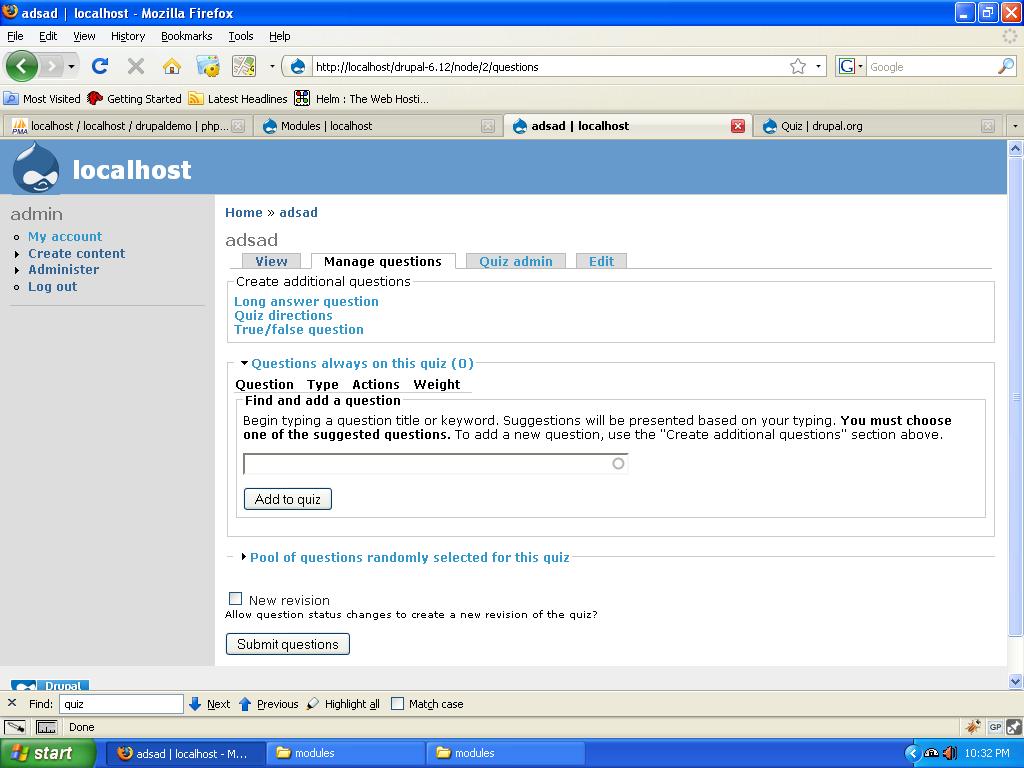
mbutcher commentedThe "Find a Question" field is for finding existing questions. Begin typing a question name or text. A list of matching questions should be displayed.
If you want to create a new question, click on one of the question type links in the section "Create Additional Questions" at the top. You will need to have one or more of the following modules enabled:
* Multichoice
* quiz_question (provides true/false)
* long_answer
* quiz_directions
Comment #2
sivaji_ganesh_jojodae commentedI have attached an icon before each question type to make it clear. Will be available in quiz alpha release.
Comment #3
sivaji_ganesh_jojodae commentedIt is a trivial issue changing the status to fixed.
Comment #4
sivaji_ganesh_jojodae commentedComment #5
sivaji_ganesh_jojodae commentedComment #6
sivaji_ganesh_jojodae commentedOops.. changing tags
Comment #7
sivaji_ganesh_jojodae commentedlast try.
Comment #8
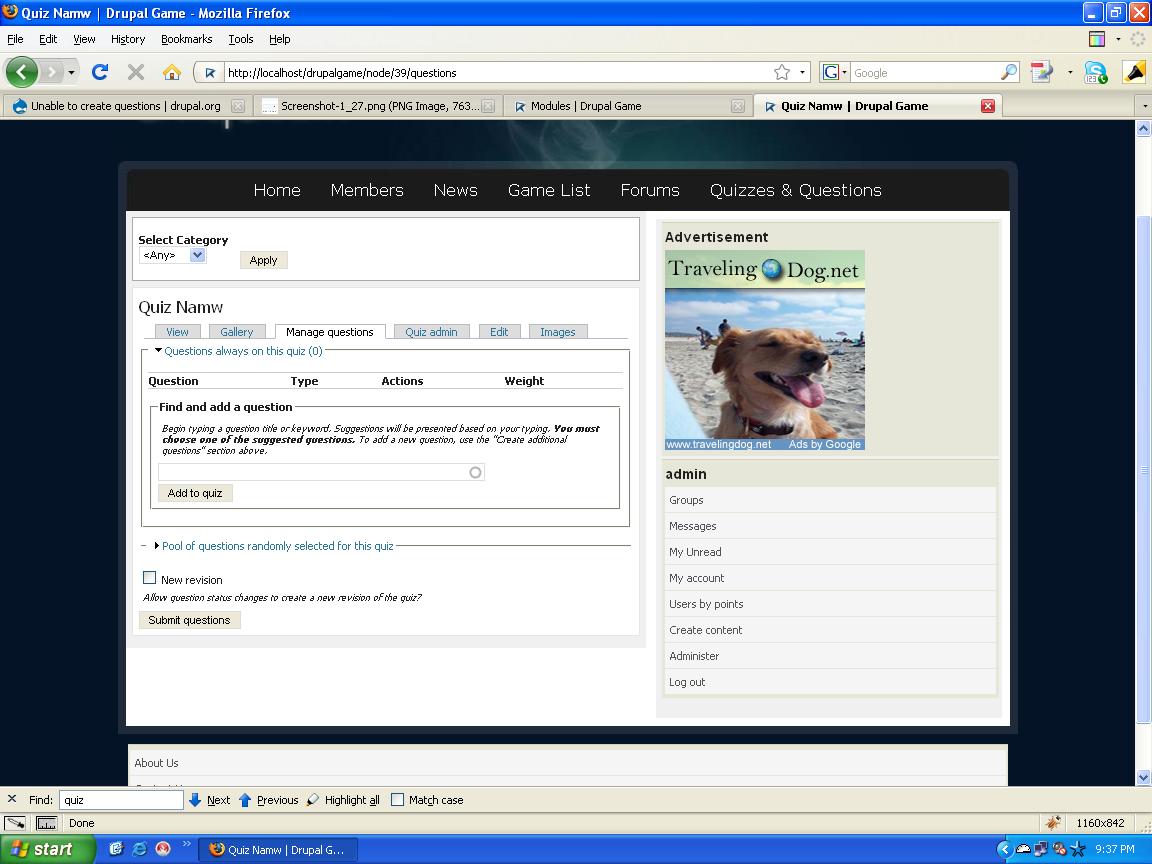
technohike commentedi already enabled Multichoice module but it appears only under "Create content" not appear on "Manage questions" tab.
Only two fieldset are appear under "Manage Questions" :
1) Questions always on this quiz (0)
2) Pool of questions randomly selected for this quiz
Comment #9
technohike commentedComment #10
mbutcher commentedHmm... it should look like the attached image.
Is it possible for you to change the theme and see if the correct section shows up? It might be a theme-related issue.
Comment #11
technohike commentedStill fail. I tried with garland and some other theme also.
Comment #12
mbutcher commentedCan you upload a copy of the generated HTML from comment 8?
Also, a listing of the files in quiz/ might help... just in case there are duplicate files there (from the pre-alpha1 reorganization).
Comment #13
technohike commentedComment #14
mbutcher commentedAlright... well... we can rule out CSS now. I guess that's progress....
Have you overridden any of the themes for Quiz?
Also, what quiz modules do you have enabled? (multichoice? quiz_question?)
Comment #15
technohike commentedNo, none function, i override.
I enabled only multichoice module.
Comment #16
mbutcher commentedIf you add other question type modules do you see them?
Can you create multichoice questions by going to Create content > Multichoice?
Comment #17
technohike commentedI enabled Long answer module in that i m able to see option but not using in multi-choice module. But only appears under "Create Content" .
And when click on "Long answer" link got error
Fatal error: Class 'TrueFalseQuestion' not found in C:\wamp\www\drupalgame\sites\all\modules\quiz\question_types\quiz_question\quiz_question.module on line 440
Comment #18
mbutcher commentedThat last error usually occurs if the autoload module is not installed and enabled.
Still looking into the rest.
Comment #19
mbutcher commentedIs anyone else experiencing this? We can neither reproduce this error nor find anyplace in the code that could be causing such strange symptoms.
Comment #20
technohike commentedStill have a problem.
Plz give me a solution, its very urgent. Just only problem with multi-choice question.
I installed fresh drupal-6.12 with quiz.6.x-beta-1
Attached screenshot.
Comment #21
technohike commentedThanks for hard-work.
fixed in 6.x.3.0-beta1.