

 Come together with the global Drupal community in Rotterdam, 28 Sept – 1 Oct 2026. Sessions, contribution, connection, and Early Bird savings until 8 June.
I don't know much about theming so I was wondering if anyone could tell me how I can get the accordian items elements to display inline instead of as a list.
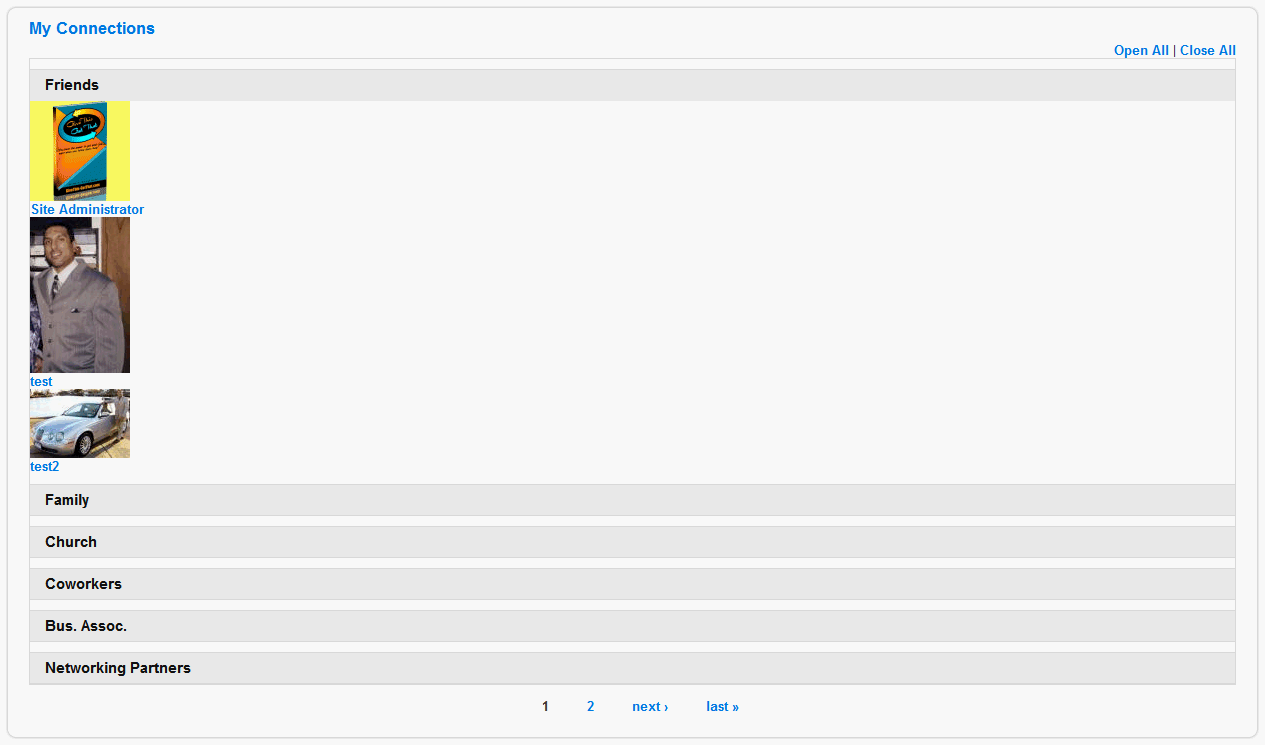
I am using the group by heading option with the user relationship name selected as the heading and I have the user avatar and user name as the element items but I would like them to be viewed horizontally instead of vertically when I open the accordian headers? I tried looking at the css file and the tpl file and I couldn't figure it out.
So if anyone can provide me with detailed step by step instructions I would greatly appreciate it.
| Comment | File | Size | Author |
|---|---|---|---|
| #4 | float-on-items.png | 71.54 KB | manuel garcia |
| #4 | overflow-on-parent-element.png | 72.14 KB | manuel garcia |
| #3 | urview.gif | 27.34 KB | prdsp |
| #3 | urview2.gif | 32.3 KB | prdsp |


Comments
Comment #1
manuel garcia commentedWell, there is no option in the module for this, since it wouldn't be an accordion, but I'm pretty sure you could work your way towards this with some CSS in your theme.
Something like this on each accordion section should do the trick....
float:left;
width:100px;
Basically you float it to the left, and set a fixed width, according to your design. The js should still behave as expected I hope.
Remember to clear the float on the parent element of all of them, like this:
overflow: hidden;
height: 100%;
Good luck and let us know how it went =)
Comment #2
manuel garcia commentedI'm asuming it worked out for you, since there is no response.
Comment #3
prdsp commentedSorry, I just haven't had alot of time to look at this much this week. Forgive me...I don't know a whole lot of css but this is what I tried to do but it didn't work. When I check the box to use the default accordian css file it caused my theme to get whacky in IE7(works well in firefox) so I added all the info in the views-accordian.css file to my themes style.css file which didn't mess up how it looks in IE7...then I made the changes you suggested above to these sections...but I'm not sure if this is what you meant...
/* all accordion sections */
.views-accordion-item {
overflow: hidden;
height: 100%;
}
/* the content hidden/shown within each section (only when js is enabled) */
.views-accordion-item .accordion-content {
float:left;
width:100px;
background-color: #fff;
color: #333;
border-bottom: 1px solid #ddd;
I'm not sure what you meant by the parent element...is that the elements that I selected as the group headers...and I wasn't sure what the id was for each section that needs to be styled should be...I can't style each row item individually because I don't know how many friends a user may have.
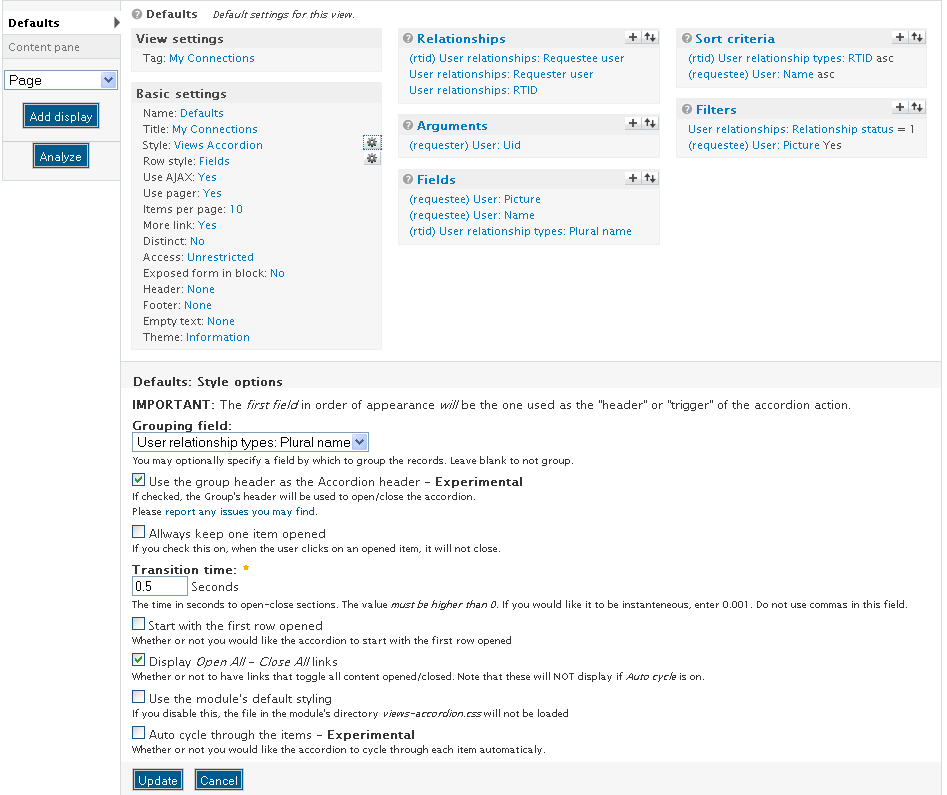
I've attached a screenshot of my view and a screenshot of how it comes out on the website. I want the user avatars to be viewed going horizontally with the realnames underneath the avatars in like a grid with like maybe 5 going accross 3 rows deep then using pagers to view the rest of the friends or family etc that go over the first 15 in each section.
I know this sounds like alot but any help is appreciated...thank you
By the way I'm using the theme from salamander skins #13 white located here http://drupal.org/project/salamanderskins
Comment #4
manuel garcia commentedI strongly suggest you install firebug on firefox, it's a priceless extension that will make your life much easier with css.
I'm helping you out here, because I guess some other css newbies might have the same question...
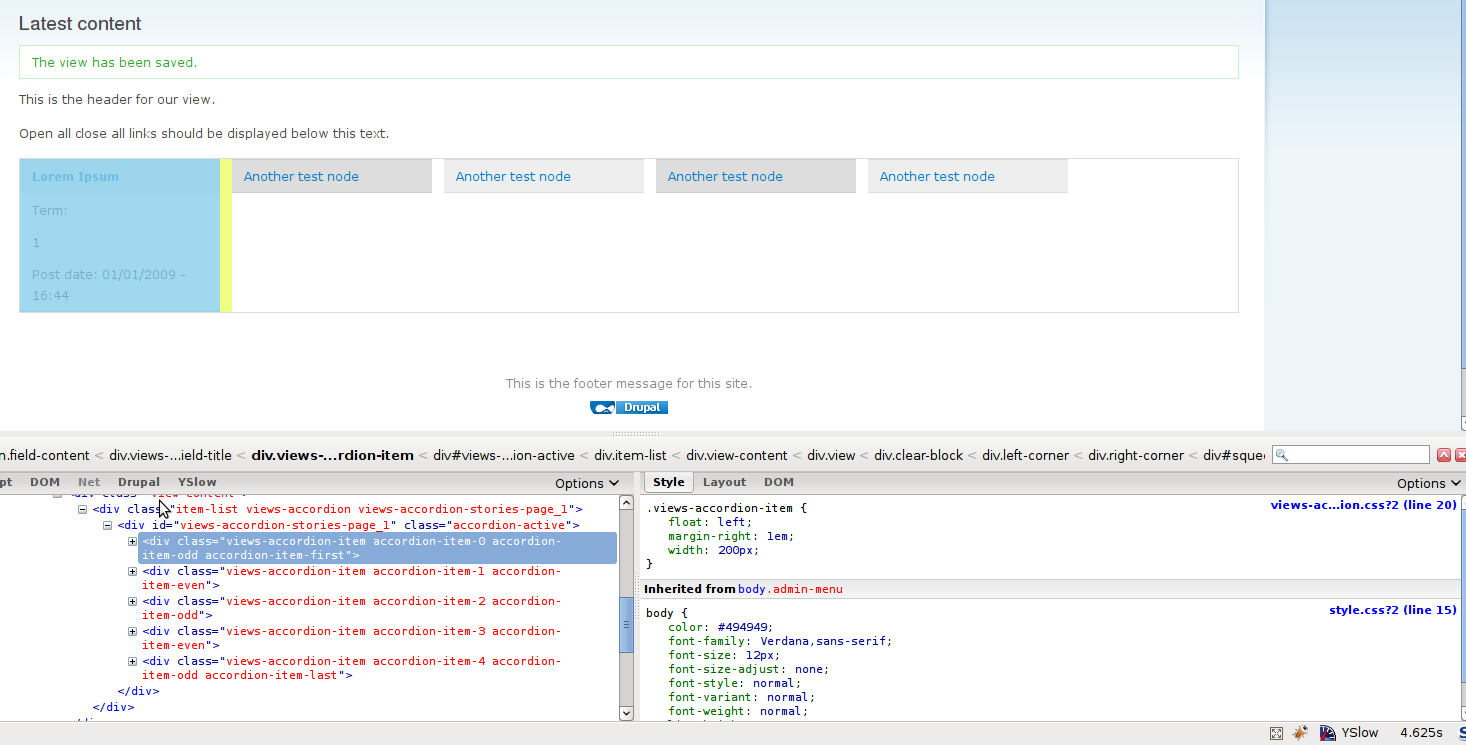
What i mean by parent element is the container of all these accordion items. In the screen-shot i use accordion-active, but that will only work if js is enabled. So you should probably do it targeting the ID of the div that the module provides:
Whatever styles you apply to .views-accordion-item get applied to each accordion item. So thats the class you should float to the left.
Please see attached screen-shots to see what I mean. You will have to probably do some more changes to get the styling properly, since the default is not meant to be horizontal, so some lines will have to be removed probably or things like that. That is your job as a themer though ;) - firebug will help you out, you can edit css right there, disable and add styles, etc.
About ie7, I've tested it and it works fine, you probably are running into the maximum number of CSS files that that crappy browser can handle. That can be worked around by enabling css aggregation, once you have finalized your design.
I won't be replying any more here, so please, if you have trouble with how CSS works, read some tutorials online, http://css-tricks.com/ has some nice screen-casts, for example, and there are plenty out there that explain the basics of selecting elements etc.
Comment #6
iaminawe commentedSorry for re-opening this but I wanted to check if this would result in the accordian being horizontal rather than vertical?
If not I will open a new issue for this as I would like to find out how to output the accordian in a horizontal format similar to these references
http://designreviver.com/tutorials/jquery-examples-horizontal-accordion/
http://www.applesaucejuice.net/static/public/design8/
Thanks for any advice on this
Gregg
Comment #7
manuel garcia commentedThere is no need to re-open this issue just to clarify your doubts iaminawe. The css technique described above, like it clearly shows on the screenshots I attached, will not provide with the effect of opening the accordions horizontally. It will only put each item in-line next to each other.
This is not a feature that the module currently provides, and I think it would complicate things quite a bit. You are welcome to provide a patch in this direction of course ;)