

 Come together with the global Drupal community in Rotterdam, 28 Sept – 1 Oct 2026. Sessions, contribution, connection, and Early Bird savings until 8 June.
i hv brilliant gallery instald
input format comfigured
files/albums/gallerytest with 19 images (optimum sizes)
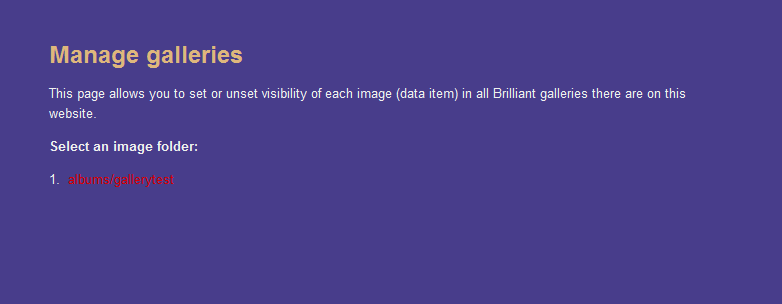
on manage galleries i see- kindly view the attachement
when i clik the link i get to the homw page with url-
http://127.0.0.1/drupal/?fld=albums/gallerytest
help....
urgent
| Comment | File | Size | Author |
|---|---|---|---|
| #1 | bgerr.png | 33.12 KB | arpita123 |
| gallerr.png | 11.28 KB | arpita123 |


Comments
Comment #1
arpita123 commentedhi,
now i see that if i have the images stored directly in files directory,
i have something like the below attachment............
the text saving.... in the above aatachment remains for an infinite time and the browser shows the action as "Done"
now if i go, createcontent/page
write in body [bg|/]
it shows me only a plain black block on preview....
not the images???
why is it??
please help
Comment #2
Steel Rat commentedI'm also seeing a plain black block on the provided block.
I selected images to display in the settings, and a message "Saving..." appeared next to each, but there was no save option or anything. I think some better instructions for use in the Readme would be better than having to go to a web page...
Comment #3
arpita123 commentedhi steel rat,
Still not thru the problwm,
do let me know if you solve it :)
And anybody out there...please help??
Comment #4
arpita123 commentedComment #5
Steel Rat commentedHaven't solved it. I'm not trying to. BG doesn't do what I had hoped, so I've left it.
Comment #6
arpita123 commentedi switched to photoalbums module
working excelllent
but please try and fix this bug
a lot many ppl in worry
thanks
Comment #7
vacilando commentedUnfortunately, in posts like this there is not enough information to be able to see what's wrong. Normally we need to know what path you have set at /admin/settings/brilliant_gallery, where is your gallery folder, whether it does not work at /brilliant_gallery or when using the tag [bg|...]. Other things would help as well - such as your PHP version, your server operating system Linux / Windows system, etc. A link to a live page example is helpful as well.
However, the BG has improved a lot of things in the meantime - you are invited to try the newest version (6.x-3.4). Chances are it will work for you.