

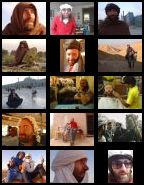
A highly customizable Drupal module producing multiple table galleries of quality-scaled images from a pre-defined local folder (project page and download).
NEW as of 7.x-1.5: Support for a text field formatter! A new option for showing galleries -- just add a text field to any content type, select formatter "Brilliant Gallery"! In this field then enter any of your local gallery paths. Multiple text fields / galleries are supported as well. Getting galleries to show on your Drupal site has never been so easy! As of 7.x-1.6 there is one more formatter -- for showing one random image from a gallery -- excellent for a listing of example images from all galleries.
See see a cool demo video contributed by MisterBox.
• There is a new setting for cache expiration (in days). After the specified time, if you use Drupal database cache, the cached images (thumbnails and other resized images from your galleries) will expire from the cache. Expired Picasa images, cached in the file system, will be deleted during a cron run.
• On the initiative and thanks to code from pluess there is now a setting for neat square thumbnails (both portrait and landscape images are cropped around their geometric centers).
• Since 6.x-3.0 there is the ability to display images from any public or unlisted Picasa gallery! Upload your images, in high quality, using the amazing Picasa desktop application (you can also touch them up, rotate, etc., but no need for resizing), then click synchronize your gallery with your Picasa Web Albums. Then, in your your web version of the album, right click & copy its "RSS" link, and simply use that link instead of the local path in the [bg|path] tag ... e.g. [bg|https://picasaweb.google.com/data/feed/base/user/tjfulopp/albumid/5290148828710951169?alt=rss&kind=photo&hl=en_US]. Alternatively, you can use the URL of your Google+ Photos page, e.g. [bg|https://plus.google.com/photos/104031880678382567653/albums/5645838083809358609?authkey=CISWtaOo--Cteg]. The pictures will be fetched automatically, resized as needed, and cached for later viewing. This method has tremendous advantages:
- no need to upload your images via FTP
- any of your users, with permissions to use the input type that displays [
bg|...] tags, can publish his or her gallery (no need for FTP details) - images can be hidden (or made visible again) elegantly directly in the Picasa desktop application
- movies you have uploaded in between your photographs will be automatically turned into snapshots
- as images (and videos) usually represent the largest volume of data on your website, this means faster/smaller backup sizes
• An image management page at /admin/settings/brilliant_gallery/manage showing all installed galleries on the website and to make any image visible or invisible by simply by clicking a slick AJAX-powered checkbox (code based on the Ajax Checklist module). This allows you to upload your whole collection and only later decide what will be publicly viewable. Make sure you run /update.php after installation to establish the necessary database table!
• Configurable image size, number of columns (0 means there will be as many columns as the space on the page permits), background colour (uses Colorpicker), and more.
• High quality image re-sampling.
• Automatic re-sizing of both landscape and portrait images.
• Automatically recognizes and displays .png, .jpg and .jpeg, and .gif. Other media in the specified folder (e.g. .mpg) are displayed as links.
• Display and browsing through the images using slick Colorbox or Lightbox V2.
• Has both a default page ( /brilliant_gallery ) and a block, for straightforward use, but any gallery can be entered into any page or custom block using a special tag.
• Thumbnails as well as any other images with decreased size are cached to reduce network load and loading speed.
• brilliant in the title aims to imply clarity of both display and design - rather than something glorious or too intelligent :-)
• Option to show captions in the overlay browser (based on the image file name (based on the image file name; dots and underscores are automatically replaced by spaces).
• Images in galleries can be either sorted or randomized.
• Possibility to limit the number of images shown in any gallery, and to set the first image that should start displaying. In combination with randomizer this can be a very attractive addition to your site.
• Works also on i18n-enabled sites.
• Full tag syntax (for placing galleries in enabled content types): [bg|path/to/your/gallery/folder/without/wrapping/slashes |columncountoverride|widthoverride|sortorrandomoverride|maximumnumbertoshow|colouroverride|beginfromoverride|caption-yes-no-text]
• It's also possible to add a (plain) text field to any content type, select formatter "Brilliant Gallery"! In this field then use any of your local gallery paths, a Picasa RSS link or a Google+ album URL. Multiple text fields / galleries are supported as well. To customize the gallery adapt the configuration (formatter has no separate settings).
• If you wish to show just one random image from a gallery, use formatter "A random image from Brilliant Gallery". Again, add a (plain) text field to any content type and select the formatter. An excellent method for showing an illustration image with an article or a lively list of examples from all your galleries in one view (for an example, see https://vacilando.org/galleries).
No dependencies. Use Colorbox or Lightbox V2 to show gallery images in an overlay (recommended).
Planned features:
• Option to show galleries as slideshows. (Please recommend the best slideshow module that could be used in combination with Brilliant Gallery for this purpose).
• Display videos (.mov, .avi, .swf, etc.) in the size of any other gallery thumbnail.
• Possibility to show galleries stored at Flickr, etc.
• Hooks to allow other modules use the gallery?
• More ideas? Submit a feature request.
Common / known / possible problems, troubleshooting:
• Check your recent log entries of type "Brilliant Gal" at /admin/reports/dblog - they may provide some answers.
• It is normal that images from directories inside your given gallery directory do not appear. BG only displays images in the given directory. If you want to display the other galleries (sets of images in nested directories), you have to use a [bg|...] tag for each of them (or join the images, separated by using prefixes, for example).
• Any issues should be reported in the queue, not by sending e-mail to the author. In the queue other people will often help you out as well.
• Individual image display problems are difficult to debug unless you post as much information as possible. We need to know what path you have set at /admin/settings/brilliant_gallery, where is your gallery folder, whether it does not work at /brilliant_gallery or when using the tag [bg|...]. In addition to that, a link to a live page example is often helpful. Other things would help as well - such as your PHP version (do you have GD library?), your server operating system Linux / Windows system, etc.
• If your thumbnails do not show yet there is an image after you click them, it is likely that PHP on your server is not capable of converting images on the fly. See this post for more.
• Thickbox malfunctions when displaying generated images. The consequence is that if you upload large images (e.g. directly from your digital camera) (currently, 'large' means width greater than the maximum width set on the settings page), or if you simply want to be on the safe side for the time being, use the Lightbox V2 overlay browser for Brilliant Gallery. ( For more on the Thickbox bug, refer to the following thread: https://drupal.org/node/140371 ) This is also the reason why Brilliant Gallery is set to depend on Lightbox V2.
• If you upload extremely large images (say from a 12 Mpx camera), it is possible that they will not show in the gallery due to PHP memory restrictions you may have on your particular web server.
• If you change/delete/add your gallery images but the gallery does not immediately refresh, you will need to clear Drupal's cache. I'd recommend clicking the 'empty cache' link provided by the Devel module. Depending on your browser (caching) you may need to clear the browser cache as well (or otherwise make sure you load a fresh page from the server).
The last Drupal 5 version (5.x-4.4) corresponds approximately to version 6.x-2.2 in Drupal 6 (basically, everything except for Picasa support). The Drupal 5 version of Brilliant Gallery will not be actively developed further (of course, with the exception of well-written patches that can quickly be committed).
Installation and configuration instructions, demonstration and other information about this module are at vacilando.org/bg. If you use this module and find it useful, send me a link to your gallery and I'll consider listing it as an example.
All comments and patches providing or leading to improvements are welcome in the issue queue (don' post them in comments, they will probably be neglected there).
Development of this module is sponsored by Vacilando.org. The maintainer may also be contacted for paid customizations of any Vacilando module, development of new modules, or urgent troubleshooting / patch reviewing.
Project information
 384 sites report using this module
- Created by vacilando on , updated
 Stable releases for this project are covered by the security advisory policy.
There are currently no supported stable releases.

