

 The 2026 Drupal Business Survey is open. Your response will help shape the future of the Drupal business ecosystem.
See http://drupal.org/node/313341#comment-1648240
-> I've used that to simplify / fix the current content profile registration integration. Furthermore I moved the CP-related setting to cp-settings page. So there is the usual registration integration setting there, but also a checkbox for each AAR-path.
Then I noticed that looking up the role id of a AAR path fails if a user registration tab is used or the /register sub-tab - as then the path differs a bit. I fixed that by introducing autoassignrole_get_active_path_rid(). This was an also an issue for assigning the associated role - fixed it there too.
Patch attached.
Note: This patch relys on the changes in CPR from #313341: setting up various content types for different roles, so it needs the latest version. Else the AAR-CPR settings are not respected correctly.
| Comment | File | Size | Author |
|---|---|---|---|
| #27 | autoassignrole-477910-1.patch | 5.13 KB | cyberswat |
| #26 | redirect_patch_module.patch | 701 bytes | 13rac1 |
| #26 | redirect_patch_admininc.patch | 2.74 KB | 13rac1 |
| #26 | redirect_patch_install.patch | 997 bytes | 13rac1 |
| #26 | AAR-register-redirect.png | 5.55 KB | 13rac1 |


Comments
Comment #1
fagoThis also fixes #337423: Auto profile creation during registration
Comment #2
cyberswat commentedI'll start taking a look ... thanks
Comment #3
Equ commentedI've tested patch with latest dev releases of content_profile and autoassignrole. Seems to be working fine.
Comment #4
iant commentedI've tested these and they work. Only Comment would be (and I've already made fago aware of this on #313341: setting up various content types for different roles) it would be nice if the functionality produced in riverfr0zen's (subsequently updated) patch to ARR (http://drupal.org/node/313341#comment-1588470) which provides new users with a page where they choose of which role they want to register for. This seems to be a feature on the current dev version of ARR - certainly I see it in the setting page in the "allow user to choose", but it doesn't appear on my site. I do have logintoboggin installed as well (not sure if this make a difference now we are in 6.0.x world).
Suggestions welcome.
Thanks.
Comment #5
cyberswat commented@iant that should be default behavior from AAR ... I have some additional changes to AAR I'm bringing into the fold with these changes so when all of this gets committed you should have that functionality.
Comment #6
gmclelland commentedI tested the patch with latest dev releases of content_profile and autoassignrole. I specifically tested to check and see if the user profile nodes where getting created automatically for all available profile node types. I'm happy to say that just the Profile node type was created. Everything works great, except the features that @iant mentioned. You know the part where "allow user to choose" is missing on the registration page.
I don't have logintoboggin installed, so that isn't the problem.
Can't wait to see the changes made by @cyberswat.
Comment #7
cyberswat commentedI went ahead and committed the changes by fago to the dev branch so that my changes are not holding anything up ... thanks for the help.
http://drupal.org/cvs?commit=220810
Comment #8
iant commentedcyberswat
I'm confused (though this could be my inexperience with drupal) - you say the "allow user to choose" behaviour is in AAR by default, But I can't seem to get it to work for me on my development site; I can see the bit on the options page "User Role Assignment" and I have no problem configuring this, but I don't see the "chose a role" screen if I logout and then try to create a new account. I thought I might not have the latest version, but I checked and the dev version I was using (patched with fagos patch above) was dated 11th May so clearly pre-dates this committed change. So I tried grabbing the HEAD version from CVS (this is a new trick for me but tortoise CVS obliged with relative ease) for ARR but after installing this I get
and the section on assign via path is missing so I assume that this can't be the right one.
Are there further changes outstanding to provide the functionality I'm after ? Do Riverfr0zens/vanquirius previous patches provide this? I am happy to try and investigate which parts of these patches might add that functionality and attempt create a new patch from these and the current version, but I need to know which version of ARR to be working from before I start this.
are you able to give me some pointers ? or is this something that is coming in your pending changes if I just wait for it ?
Thanks
Comment #9
cyberswat commented@iant I'm moving your latest comment over to #482450: Repair user selectable roles as it is a separate issue
Comment #10
gmclelland commented@iant - Looks like the ability to choose roles is now working properly with the June 5 Dev version of Auto Assign Role and Content Profile.
Comment #12
altrugon commentedI know this node is closed but I haven't been able to make it work and I following all the steps :(
This is what you can find in my fresh installation of D6:
- Drupal 6.12
- CCK: 6.x-2.x-dev 2009-Jun-29 403.05 KB
- Content Profile: 6.x-1.x-dev 2009-Jun-15 26.4 KB
- Auto Assign role: 6.x-1.x-dev 2009-Jun-13 8.49 KB
Then I have created two content profiles:
- Company profile
- Customer profile
And used the option path for AAR:
- Company profile path: user/register/company
- Customer profile path: user/register/customer
I haven't added any patch because the latest revision have them included, but if I'm wrong about this please let me know about it.
Can anybody tell me how can I make this work?
This is the process that I would like my registration process follow:
1) User goes to a "registration" page where s/he select a role
2) The user is redirected to the right path according to the previous role chosen
3) Display one registration page with all the fields that are related with that content profile (and hide the title and body)
Thank you so much guys.
Comment #13
gmclelland commented1) must enable your profile content types to be a content profile
2) After choosing the appropriate role, the user is redirected to the "My account" page which lists all the profile types based on the content profile settings for each profile content type. If the user hasn't created any company or customer profile, then it should display a link on the "my account" page to create them.
3) You can enable specific fields to show on the registration page.
Hope that helps
Comment #14
altrugon commentedComment #15
altrugon commentedThank your for your reply gmclelland,
Unfortunately these instructions hasn't help me with my problem.
1) "Use this content type as a content profile for users" is activated in both profiles
2) The user is never redirected to the "My account" page but to the home page.
3) Although "Use on Registration" is activated for "Company profile" and "Customer profile" I never seen any of their associated fields during the registration process.
What am I doing wrong?
Comment #16
altrugon commentedSorry, I just notice that in point #3 you said "You can enable specific fields to show on the registration page." how do I do this, is it like I mentioned in my point #3 because that's for the entire profile?
Comment #17
theusualsuspect commentedHi Folks,
I managed to set up to user profiles and the respective user registration paths with the routine described above and the latest dev.
The setting is as follows:
Path: /user/register/user -> shows the registration form for the "user" role and the specific fields.
Path: /user/register/corporate -> shows the registration form for the "corporate" role and the specific fields.
However, if I go to /user/register (the system path for the user registration) I find a registration form with all the fields from both the corporate content profile and the user profile.
How can I solve this? (I assume this is because I choose the option "Use on Registration" on both Content Profiles. But I have to do this, since I want the user to be able to post informtion on those CCK fields while registering).
Any help is appreciated. This whole two profile/user routine is a huge hassle for me on Drupal. Unfortunately.
Comment #18
altrugon commentedI have found my way around this issue but I only have tested it in D6. This is not my area of expertise so it would be great that somebody with more experience will take a look at it and maybe try to integrate it in the AAR module.
Here is my solution.
Comment #19
iant commented@altrugon
downloaded your custom module and enabled it
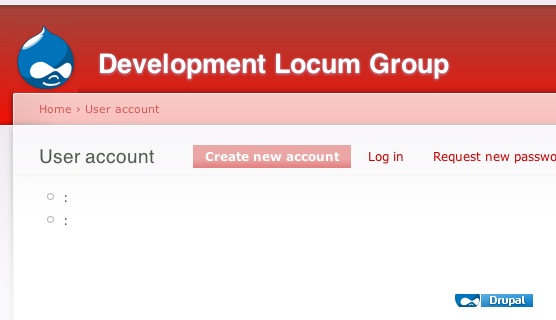
it doesn't seem to work with latest versions of ARR and CCK I just get a screen with two items on it neither of which I can select. see screen snap attached.
Iant
Comment #20
iant commentedsorry attachment failed to last post
Comment #21
altrugon commented@iant
In admin/user/autoassignrole you should fill the fields path, title, and description, for each role found under the "Assign from Path" section. Let me know if this works for you and if not I will download the latest version of the module and try it again, so far is still working with me.
Comment #22
cyberswat commented@altrugon any chance you can roll a patch vs a zip file so it can be evaluated and possibly committed?
Comment #23
iant commented@altrugon
yes it works if I do that I had not put titles in as I'd not needed them with ARR - I think. I've changed so many things to get this to work I've lost track. However I appear to have it working with your module now.
iant
Comment #24
niklp commentedThe idea is that you *don't* use /user/register any more - you don't need it, since you have registration options other that that for each of your relevant roles.
To that end, Cyberswat and I were discussing my idea to disable the /user/register page altogether, based on certain criteria - or something of a similar nature.
One thing that comes to mind when reading the posts above is: is there a use case where the user/register page is needed to register non-profiled users, and in that case, is there a way we can switch off profiles on registration *unless* they're using the specified alternate custom paths?
Comment #26
13rac1 commentedInstead of creating a one-size-fits-all role selection page, I'd rather be able to create any kind of role selection page. Maybe a combination of this and altrugon's?
These patches are for the current 2009-Aug-13 dev version. They add a checkbox labeled "Redirect User Register" and a textfield labeled "Redirect User Register Path" to the "Assign From Patch" fieldset. Check the box, enter a path, and when a user accesses user/register they will be redirected to whatever path is specified. This is the same type of functionally used by DrupalSN.com.
I first wrote a module to hard code the redirect, then realized it wouldn't be too difficult to patch the AAR module. BTW: I've written custom modules for clients, but this is one of my first patches. I may have done something incorrectly.
Comment #27
cyberswat commented@eosrei Your patches applied cleanly and didn't break the existing simpletests. The first suggestion I would have for you is to roll all the patches into a single one then follow the [module name]-[issue number]-[patch version].patch format. I went ahead and combined your patches for attachment to this comment. The only other thing I would really like to see, if your up to it, is providing the simpletest cases to proove the work you did. I'll take whatever help I can get so the Simpletest isn't mandatory ... just something I end up having to write before I can make a solid release.
While I appreciate the effort performed by altrugon, that code will not make into the module because of the way it is packaged.
I wonder if it makes more sense from a usability perspective to provide a single field as you have done, or if there should be a checkbox or something on each of the roles fieldsets that allow the user to designate that role as the default registration path. That way, they would just check the box as they are entering the path settings and would not need to enter a path twice. Thoughts?
Comment #28
13rac1 commentedI will look into Simpletest tomorrow. It is something I need to know either way.
It makes sense to add a check box to make a particular role the default, but I would still use the option to make the registration a static page. My designer likes it also, because he doesn't need to bother me to change any PHP. Our current setup is like the drupalsn.com registration, but we have discussed adding large icons to represent every role on the sign up page. All links point to the "correct" registration page, so the redirect is only for if user/register is accessed accidentally.
Depending on the complexity of a site, I could see it being useful to associate nodes with roles and make a view of the roles to use as the registration page. Maybe that is a little overboard though.
Comment #29
cyberswat commentedI committed changes that add an option to replace the default user/register page with a specific path. I'm going for the simplest approach for now which is to just allow a single role to be designated as the user/register page. I tested this both normally and with the content_profile integration and I'm pretty happy with the results.
@NikLP This introduces a perfect opportunity to clarify what the "Pages with no navigation" option can be used for. Let's say you want a path your declaring in the AAR admin to replace the user/register page but you don't want the new path to display in any menu. Using core Drupal, your given a login block that contains the link "Create new account". Because the block is providing the link it doesn't need to show in a menu.
@fago I'm almost ready to release this module and have simpletest coverage in place for everything except what I did with this commit and the content profile integration. I'm trying to figure out if those tests belong in AAR or CP ... do you have a preference?
http://drupal.org/cvs?commit=252708
Comment #30
niklp commented@cyberswat - err I knew that :)
Further to the new settings for default registration pages... if the reg form page replaces /user/register, would it not follow that there's no practical point in having another menu entry for it? Maybe I'm missing the point or a use case.
Edit: you should add a note (or maybe check & warn) that you can't have more than one default page, I think?
Comment #31
cyberswat commented@NikLP: I follow your logic that it doesn't really make sense to allow the menu item to be displayed in another menu if it is replacing user/register ... This module has already been used in a variety of ways I never envisioned so I figured I'd leave that as an option for the person configuring it vs enforcing a hard coded rule.
It is set up so that only one path is allowed to replace user/register ... should be validation in place ... let me know if it's failing.
Thanks!
Comment #32
altrugon commented@cyberswat: I can see the advantage of adding an option to replace the default user/register page with a specific path, but what is going to be displayed in that static page?
It make sense that this option let the admin add into that page any information that s/he wish, but if we are talking about multiple roles and AAR I guess that in one way or another we need to lead the user to the right path, what about adding a second option that presents to the user a menu of the available roles?
Maybe I'm wrong, but since this information has already been inserted through the module, there is not point in creating extra static pages to pull it out.
Anyway, this is just a suggestion and also what I was trying to do.
Comment #34
13rac1 commented@altrugon On the site which this functionality was used on, I used a static page containing a list of all seven available role paths the user could register for. A simple role list would have been frustrating as I would have had to replace it completely to get the design looking how the client and designer envisioned it. When the client or designer don't care, I can see an automatically generated list being useful.
Comment #35
drupalycious commentedHello,
sorry if I am bothering by re-opening this issue, I would like to know if this option is available in the Drupal 7 version.
If I understood well when a user chooses a role in the registration page it should be possible that only the profile fields of this role appears in the registration form?
I have installed the D7 branch but I don't find where to assign a profile type to a role.
Thank you
Comment #36
damienmckenna@sp-drupy: This issue has nothing to do with D7, please create a new Support Request issue if you can't find an existing issue that covers your need. Thank you.
Comment #37
nithinkolekar commentedadded related d7 issue raised by drupalycious.