I did some testing with the most popular browsers. Here are the results:
• Firefox 3.0.10 > Works great
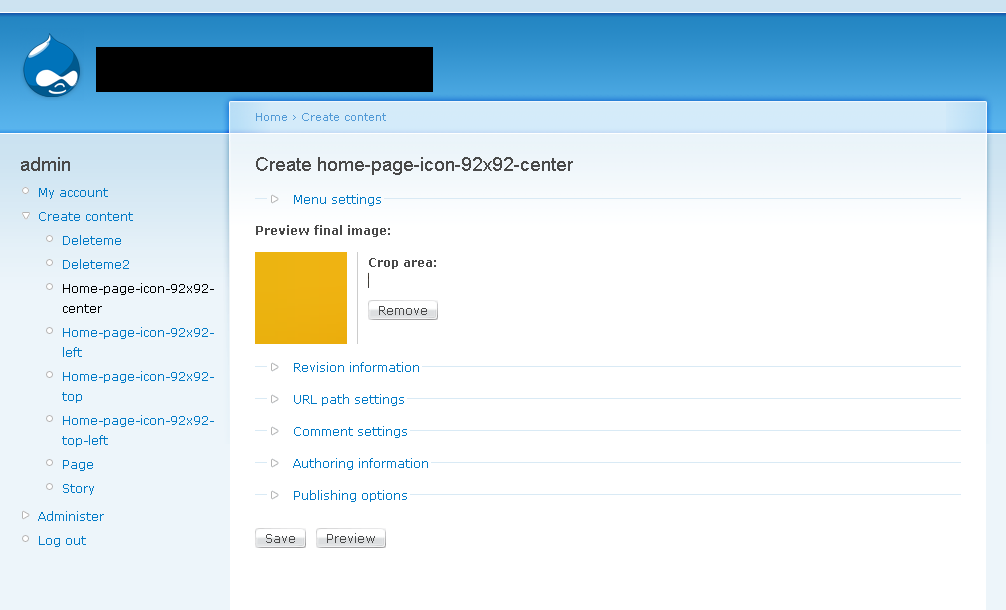
• Internet Explorer 7.0.5730.11 > Doesn’t work. “Crop area:” is too small and changing size doesn’t work. Find attached screenshot to clarify.
• Safari 3.2.2 > Doesn’t work. “Crop area:” isn’t visible at all. Find attached screenshot to clarify.
• Opera 9.62 > Doesn’t work. “Crop area:” isn’t visible at all. Find attached screenshot to clarify.
All tests were done using:
Imagefield Crop 6.x-1.0-beta3
Windows XP
ImageAPI 6.x-1.6
FileField 6.x-3.0
Garland default theme
Steps to reproduce:
1. Use Internet Explorer, Safari or Opera browser
2. Create a new content type
3. Upload an image using the module FileField 6.x-3.0
Let me know if you have any questions or need anything else.





Comments
Comment #1
francewhoaAttaching screenshots.
Comment #2
francewhoaAttaching settings.
Comment #3
yhager commentedThank you very much for the testing.
Can you verify you experience the same results on the demo page (http://yhager.com/demos/crop/node/1)? Your results simply put mean the module mostly doesn't work as expected.
The amount of happy users make me think this might be something specific in your environment, but I do not know enough to be sure of that at this time.
Comment #4
yhager commentedI've done some more testing using http://browsershots.org, http://ipinfo.info/netrenderer/index.php, and http://www.browsrcamp.com/ on the demo page, all seems pretty good.
I'll need more info in order to recreate this.
Comment #5
francewhoaThanks for asking. I’ll be happy to contribute more testing.
The demo page works fine with all browsers: http://yhager.com/demos/crop/node/1
Which version of the module is use for the demo page? Imagefield Crop 6.x-1.0-beta3 or HEAD?
Could you confirm which version of the following are use for the demo page?
Drupal 6.12
ImageAPI 6.x-1.6
FileField 6.x-3.0
Comment #6
yhager commentedThe demo is using the following:
Drupal 6.9
ImageAPI 6.x-1.2
FileField-6.x-3.0-alpha6
Imagefield-6.x-3.0-alpha4
Imagefield_crop-6.x-1.0-beta2
yeah, I know.. I should update that site.. oh.. well.. will add that to my ever expanding list of tasks.. :)
Comment #7
francewhoaMaybe it was working with previous versions in comment #6 and it's no longer working with latest versions in comment #5? Maybe one of the other modules changed something in its code or css?
Comment #8
yhager commentedCould be. I'll update the demo and check. Thanks again for your report.
Comment #9
jared12 commentedActually it doesn't seem to work quite right in Firefox either. It works great as long as the "The resolution to crop the image onto" is kept fairly narrow. However once the width resolution gets up to about 390 the Crop Area begins to overlap the preview. If the Crop Area is larger than the preview, it can potentially completely cover it. At least that has been my experience.
Firefox 3.0.10.0
Drupal 6.12
ImageAPI 6.x-1.6
FileField 6.x-3.0
ImageField 6.x-3.0
Image crop 6.x-1.x-dev AND Image crop 6.x-1.0-beta3
EDIT:
Created New Issue
Comment #10
yhager commented@jared12: Please open another issue.
@Onopoc: I have upgraded the demo, and tested
* Safari 3.12 (using http://www.browsrcamp.com/)
* IE6 (on Linux)
* Opera 9.64 on Linux
* Firefox 3.0.8 on Linux
* Konqueror 3.5.9.
* Google Chrome (on Linux, using crossover)
Also, using http://browsershots.org/http://crop.yhager.com/node/1/edit, I can see it looks good on IE6, IE7 and others too.
Can you retest the demo page and let me know your results?
Comment #11
francewhoaSure I'll be happy to retest. I'll try to do that next week. I'll post results here.
Comment #12
francewhoaI have retested the demo page. It works. Same result as comment #5: http://drupal.org/node/479980#comment-1664356
I have retested my Drupal site. Doesn’t work. Same results as June 2, 2009 issue: http://drupal.org/node/479980#comment-1656502
The good news is I found why it's not working. The issue is on the ADD content page not the EDIT content page. Below are the steps to reproduce the issue. I found it using my Drupal site. I don’t have access to your demo page to ADD (create) a new node so I can’t test it. Could you test the below steps with your demo website?
1. Delete your Internet Explorer 7 cache. To do so go to TOOLS menu > INTERNET OPTIONS > Select the GENERAL tab > Click on DELETE button > Click on DELETE FILES. This will delete the previous cached javascript files. Making sure you’re testing the latest module version.
2. Using Internet Explorer 7 browser. Go to DRUPAL > CREATE CONTENT
3. On the CREATE CONTENT page click on your CCK content type link.
4. The browser URL should now be something like: http://yourdomainnamehere.com/node/add/yourcckcontenttypenamehere
5. Click on BROWSE button. Then UPLOAD the picture.
6. The issue is right there on this next page after uploading the picture. Find attached screenshot to clarify (issue-IE7-part-1.png).
7. Ignore the funny looking crop area. It isn’t working on the ADD content page. Click on SAVE button anyway. It gets interesting later.
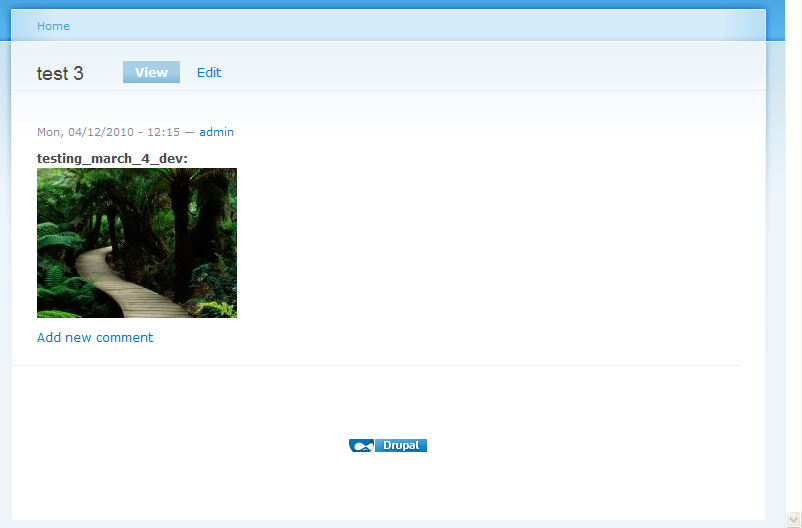
8. The next screen displays the picture VIEW. Find attached screenshot to clarify (issue-IE7-part-2.png).
9. Click on EDIT button.
10. The browser URL should now be something like: http://yourdomainnamehere.com/node/nodenumberhere/edit
Now the crop area is working. Find attached screenshot to clarify (issue-IE7-part-3.png). Note: If the crop area doesn’t work on the first time try clicking again on VIEW button then clicking back on EDIT button. I should work.
Here is a video to clarify all steps: http://www.youtube.com/watch?v=4bEPE3xD36k
So it seems that the crop area is not working on the ADD content page: http://yourdomainnamehere.com/node/add/yourcckcontenttypenamehere
But the crop area is working on the EDIT content page:
http://yourdomainnamehere.com/node/nodenumberhere/edit
This would explain why it was working on the demo page and not on my Drupal site. Because on the demo site I don’t have access to ADD content page. But I have access to test the EDIT content page. And the issue is on the ADD content page.
Let me know if you have any questions or need anything else.
Comment #13
tombigel commented@yhager, for your request:
Tested "Edit" in http://crop.yhager.com/node/1
Works perfect on all browsers i tested EXCEPT for IE8.
Passed test on:
Safari 4.0 Mac
Firefox 3.0.10 Mac, Linux
IE6 XP
IE7 XP
In IE8 the crop area cannot be moved or resized.
Can't test "Add" on your demo site of course.
Comment #14
francewhoaMe too it works perfect when I test the EDIT page. But the issue is on the ADD content page not the
EDITcontent page.Comment #15
yhager commented@tombigel: You can now login on the demo page on '/user' with username 'add' and password 'demo'. Then you can go to 'node/add/page' and add a page. I'll appreciate any help on where is the problem or any hints how should I go about fixing it. Thanks.
@onopoc: Thanks a lot for the detailed bug report. You are setting a very high standard in bug reporting and detecting, and you leave the bug no choice but to be fixed. Thanks!
Comment #16
yhager commented@Onopoc: Would you be so kind to retest the demo page? Note you can also add images now (the username and password is in comment #15).
I've upgraded Jcrop to latest (0.9.8), which should fix a few issues. I managed to test this using IE7 on crossover (thanks to the new beta they released today!), and it looks like working. If this works for you too, I'll upgrade the Jcrop version for the module and commit.
Comment #17
yhager commented@Onopoc: Important: make sure you clear your browser cache before you start, otherwise it might not pick up the updated code.
Comment #18
francewhoaI did over 50 tests with the most popular browsers.
The good news is that comment #16 works rock solid with the browsers Firefox 3.0.10, Safari 3.2.2, Opera 9.62. All on Windows XP. And clearing the cache
The bad news or I should say the half bad news is that it works random with Internet Explorer 7.0.5730.11. In other words sometime it works sometime it doesn’t. See video to clarify: http://www.youtube.com/watch?v=3jV6517_cyQ
Steps to reproduce the issue:
1. Using Internet Explorer 7 on Windows XP go to http://crop.yhager.com/user login using above credentials
2. Go to http://crop.yhager.com/node/add/page upload a picture.
3. Click on REMOVE button.
4. Upload a new picture. Important note: For a valid testing change the image name every time you do a new test/upload. See video to clarify: http://www.youtube.com/watch?v=3jV6517_cyQ
5. Click on REMOVE button.
6. Upload a new picture. And so on. Redo the last 2 steps at least 6 times. You’ll get random results. Sometime it works sometime it doesn’t.
Hope this help in your investigation. I’ll be happy to test new demo page version. I have attached the JPG image I use for my testing.
Comment #19
darthf1 commentedIE8 Compatibility view, Firefox 3.0.11 and Opera 9.64 are doing great.
@Chrome doesnt show the crop image
@IE8 normal view does show the crop image and the crop border, but you're not able to crop it.
Comment #20
francewhoaI tried the following:
- Using jQuery Update 6.x-2.x-dev (2009-Apr-23)
- Download the latest jQuery UI 1.7 development package from:
http://code.google.com/p/jquery-ui/downloads/list?can=3&q=1.7
- Replace the old jQuery UI folder with the 1.7 package at:
/sites/all/modules/jquery_ui/jquery.ui/
- Upgrade to Drupal 6.13
But none worked. It's still unstable with IE 7. Same result as comment #18 http://drupal.org/node/479980#comment-1712790
Comment #21
RobertPope commentedI am actually experiencing the same thing with the current versions of all needed modules installed on D6-13
Comment #22
wuyang commentedI found a good way which is easiest to solve the problem, it works for me to the day.
just reset the timeout on line "setTimeout(attachJcrop, 700, context);" in file imagefield_crop.js. you can change it to 5000 as your test to make the crop work correctly, hope this will help you
Comment #23
francewhoaThanks wuyang.
If someone else want to test #22 I have attached the updated module below.
Comment #24
francewhoaI can confirm that comments #22 and #23 work with Internet Explorer 7. Find below attached patch.
Patch is against 6.x-1.x-dev (2009-Jun-19) at http://drupal.org/node/353191
This patch must be test by someone else before being ported. Any volunteer?
EDIT: Do not use this patch. Find below working patch at http://drupal.org/node/479980#comment-2024260
Comment #25
wuyang commentedI think we need to thanks Houwenju, a chinese guy, who found the way to resove it. a monument should be erected in his honor. :)
Comment #26
francewhoaGood one. +1 for the Houwenju monument ;) The monument should be 5000 feet tall not 700 feet as a reminder of his great finding.
I'm really happy that this is fixed. Both Internet Explorer and Firefox users are able to use the module now.
Comment #27
hitfactory commentedI got the following when applying the patch
patching file imagefield_crop.js
Hunk #1 FAILED at 2.
1 out of 1 hunk FAILED -- saving rejects to file imagefield_crop.js.rej
Comment #28
francewhoa@kidrobot: Thanks for testing. Find new patch attached below.
My bad. The patch in #24 bug because I used both Windows XP and Linux (Ubuntu) to create the patch. It seems that my Windows editor is changing the file format without asking. Bad Bad Windows editor :<. I learned something new. This time I used only Linux (Ubuntu) to create this new patch. I tested the patch and it works from my end.
@all: Changing issue version to '6.x-1.x-dev' because patch applies to the module latest dev version.
Comment #29
yhager commentedI prefer not to increase the timeout to 5 seconds. It means that you will have to wait 5 seconds before you can start cropping the image - it might be too much for some people.
Clearly the method of waiting on a timeout till the image is shown is flawed, however, I was unable to find a better way to handle this.
If you have this problem - go ahead and apply the patch, but I prefer to commit a better solution to this, that does not depend on the file size and user's bandwidth.
I am accepting patches happily :)
Comment #30
francewhoa@yhager: Good point. +1 for a better solution. Any volunteers?
I would be happy to contribute testing.
Comment #31
francewhoa@all: About issue in #29. I'm assuming it isn't possible to detect when an image is fully display. Right? So I have an suggestion so solve this issue. Here is a draft.
1. End user upload image to server.
2. Code detect image size.
3. Smaller image will display faster. So conditional code would do the following. If image is less than 500KB wait 700 milliseconds. If image is less than 1MB wait 1400. If image is less than 1.5MB wait 2100. And so on.
This solution isn't as good as detecting when the image is fully display. But it's better than a fix value of 5000 milliseconds. What do you think?
I'm not a coder though. So I don't know if this can be done. Any volunteers to test this solution?
Comment #32
mani.atico commentedsubscribe
Comment #33
tombigel commented@yhager:
I didn't follow this one for a long while, so if I'm just blubbering - tell me:
I understand that you have a problem with functions running before the image fully loads?
Why not use the $().ready() function of jQuery to fire a trigger to start the crop functions instead of using a timer? If I remember correctly every element has an onload (onready) function.
Comment #34
francewhoaThanks for the suggestion Tom. I'm not a coder but would be happy to contribute testing. Any volunteer for creating a patch base on Tom's #33?
Comment #35
ngreenup commentedI have two sites both on the same version of drupal and Imagefield_Crop. In IE 7 one works perfectly the other I experience the above problem... the tiny graphic on node create but it works on node edit. I can't seem to get the working site to break or the broken site work. I have compared and tried to replicate but I can't seem to figure it out. Any ideas on narrowing down the thing that makes the difference? I have not used any patches on either site.
Comment #36
dalehgeist commentedI've got the latest versions of all the relevant modules and core code as of this date, and my IE8 result is the same as comment #19 - crop edges display but you can't resize. I'm on XP. Let me know if you need more info, or if you have a patch.
Comment #37
gregrenner commentedI'm experiencing this as well in IE 7.
Comment #38
doq commentedTry this:
instead of
Comment #39
francewhoaThanks doq.
@all: Who want to test #38? Find below attached module.
This is #38 against latest dev version 6.x-1.x-dev (2009-Oct-06).
@doq: Is #38 against latest dev branch or 6.x-1.0-beta3 branch?
Comment #40
dalehgeist commentedI did a manual replacement of the code in imagefield_crop.js line 6. It did not fix the problem. I will describe what I'm seeing and attach a screenshot: the crop area boundary ("marching ants") is visible on the left, right, and bottom, but not on the top. The cursor does not change when any part of the image is moused over, which is contrary to expected behavior.
Module: 6.x-1.0-beta3
Browser: IE8
System: WinXP
Comment #41
murokoma commentedHi there,
tested #38/39 with Ie 8.06 and latest Firefox.
Firefox works perfect - IE crashes to the point where I need the task manager to close it.
What a pity, such a great module otherwise.
Best regards,
Robert
Comment #42
Bilmar commentedsubscribing
Comment #43
YK85 commentedHello - has there been any further development in fixing this issue?
Very awesome module and I hope this will be fixed soon.
Comment #44
Hiroaki commentedSo how is this going? is it fixed?
Comment #45
Hiroaki commentedI tested this module on my site.
It only works normal IF the field is on the first form of a edit page, if its in another field group, its not working.
Also this module is causing my Wysiwig Editor to disappear (the buttons are there but its invisible) on IE 8.
its rather unusable...
Edit:
about the Wysiwig editor, ti was about the CSS limit in IE
"I searched through, and found that IE has CSS limit of 31 files.
It was hitting that limit, go to Site configuration > Perfomance and enable CSS Optimization
it combines into 1 CSS file (i think), and thus TinyMCE works as well as this image.
When you modify the page theme, turn it off and use firefox for the editing."
The problem with this module still persists tho.
I'm using Chrome, dev version of this module with Drupal 6.
On Chrome or on IE, either way you MUST put the imagefield on the first vertical tab of the editing window, so that its always open at the start of the page view, or it will fail.
As long as its on top, it works.
Comment #46
YK85 commentedis this still an issue? is the patch at #38/#39 need for this module to work on IE7?
Comment #47
yhager commentedI am also interested in testing the patch at #38 - I don't have IE to test with - so I will be happy for community testing here.
@Hiroaki - Please open a different issue for the issue you described in #45
@dalehgeist - Can you check if you get javascript errors?
Comment #48
robby.smith commentedi am not experiencing any issues on IE7 and IE7 with latest dev of this module
thanks yhager!
Comment #49
yhager commented@robby.smith, if you have no issues, let's leave this at "needs more info" for the others, who do.
Comment #50
robby.smith commentedo sorry about that! i hope people with issues will be able to provide info, then i will help replicate with settings and troubleshoot
thanks!
Comment #51
francewhoaConfirming that latest dev version (6.x-1.x-dev 2010-Mar-04) works with Internet Explorer version 7. Thanks all for your contributions.
Tested with
Drupal 6.13
imagefield_crop 6.x-1.x-dev 2010-Mar-04
ImageAPI 6.x-1.6
FileField 6.x-3.1
Internet Explorer 7
Windows XP
Attaching copy imagefield_crop dev. Latest dev version at http://drupal.org/project/imagefield_crop
Comment #52
gregglesI was having trouble with the tool in Firefox 3.6 on Ubuntu 9.10. The patch from #28 helped me, but as folks say it is not a perfect solution.
Is there any way to see if the fadein is done? If so we could set the timeout back to 1000 and loop around it until the fadein is finished.
Comment #53
YK85 commentedas per #49