

Closed (outdated)
Project:
Web Widgets
Version:
7.x-1.0-alpha2
Component:
Documentation
Priority:
Normal
Category:
Support request
Assigned:
Unassigned
Reporter:
Created:
24 Jun 2009 at 14:34 UTC
Updated:
21 Jan 2018 at 11:20 UTC
Jump to comment: Most recent, Most recent file


Comments
Comment #1
aron novakFirst, with views you can display a single node as well, so this is not a problem.
Secod, if we're talking about the API-side,
$content can be filled up from a node, of course.
Comment #2
gausarts commentedI am using the latest, but I currently don't see the node option in the Row style. Or should I just go ahead creating the regular node-view-VIEWNAME.tpl?
Thanks
Comment #3
ManyNancy commentedYes but this only works if you create a view per node. I have thousands of nodes, is the expectation here that I create a view for every node?
Comment #4
ManyNancy commentedI'm probably wrong on the assumption from the previous post, but can I still get a clarification please?
Comment #5
Will White commentedIf you want to have a widget for each node, perhaps you could accomplish this using view arguments. Simply set up a view that takes a nid as an argument. This is will filter the result to show only that nid.
Comment #6
ManyNancy commentedThank you, and for attaching to the node, do I create a block and attach that to a node, and attach the widget to the block? Do I also hide the block content? Or is there a better way? Thanks.
Comment #7
clemens.tolboomI don't think this support request is served yet. Can we rely on views arguments?
We now have a documentation page http://drupal.org/node/1835276 where we can document this request if possible.
Comment #8
clemens.tolboomAttached is a node view widget having an argument. It seems to work with the 7.x-1.0-alpha2 version.
Just import the view and enable the provided block.
Next please write some documentation about this on http://drupal.org/node/1835276
Comment #9
andrés chandía commentedHi there, would you be so kind to make a little step by step on how to achieve the embeding code, I have explained my case in this post: http://drupal.org/node/870112#comment-6068572
Thanks in advance.
Comment #10
clemens.tolboom@Andrés Chandía please review #8 which is a node view which should work out of the box on D7.
Next you could document this through the documentation pages on http://drupal.org/node/1835276
Finally you can try to mimic this for your use case.
Thanks for changing the issue to Documentation. But I keep this to 7.x as #8 works with D7 (maybe for D6 views too?!?)
Comment #11
andrés chandía commentedHi, I have changed the version because I'm working on a 6.x drupal, using this project: File Framework which does not have yet a 7.x version.
I could import successfully the view uploaded at #8, but it does something that I could achieve before and is not what I need.
This is what I got at my site: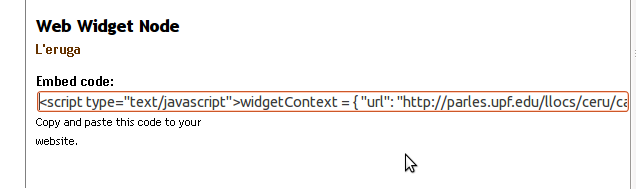
This is what I got at the destination site pasting the code above: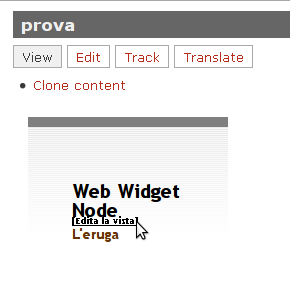
Please visit this issue to grasp the idea that I'm trying to accomplish.
Thanks for your interest.
Comment #12
clemens.tolboomThanks for testing the view. We can now conclude embedding a node is working. Unfortunately I cannot help you with File Framework problems due to time constraints.
Comment #13
rodrigo21 commentedI manage to attach the web widget 'embed code' to a node by using EVA module.
I created and EVA display for my view, so a view is attached on certain nodes.
Then I created a Web Widget display, and choose to hang the widget from the EVA display.
Comment #14
socialnicheguru commentedCouldn't you use this method: https://drupal.org/node/1443598?
Instead of views_embed_view, use
Comment #15
andrés chandía commented