

Closed (fixed)
Project:
CAPTCHA
Version:
6.x-2.x-dev
Component:
Miscellaneous
Priority:
Normal
Category:
Feature request
Assigned:
Unassigned
Reporter:
Created:
31 Jul 2009 at 05:13 UTC
Updated:
12 Nov 2010 at 06:40 UTC
Jump to comment: Most recent file


Comments
Comment #1
matt v. commentedI was about to open a similar feature request, but I did a search first and ran across this issue. It would be nice to have an option similar to what Mollom does, where the capture only appears when triggered by certain bad behaviors. Wufoo recently rolled out similar functionality across their forms.
Comment #2
mnp commentedhi
i have same issue
how you solved
recaptcha also not working from second attempt on wards
please share with me
Comment #3
redijedi commentedI haven't solved this. I haven't had time to attempt a feature addition for this mod. I'm hoping the maintainers like the idea and add it in.
Comment #4
soxofaan commentedI think this is a rather specialized use case and I think this would fit better in a small separate module than in the core CAPTCHA module.
I don't have the time nor resource to do this myself, but if someone else wants to do this, I'm willing to provide a helping/guiding hand. What should happen in short:
Comment #5
lorcon commentedI have the same problem. Subscribing...
Comment #6
matt v. commentedI used the details soxofaan posted above to write a simple single function proof-of-concept module:
I'd like to expand the module to include an interface for adding forms, along with configurable settings for each form. Possible bad behavior triggers could include:
Any other trigger or feature ideas?
Comment #7
intyms commentedsubscribing....
Comment #8
pivica commentedI have the same need for the project that we are currently working on - we need to show captcha on login form after x login errors.
Based on #4 and #6 I have created captcha_after basic module with a couple of changes in proposed logic:
Current module is tested on our dev site and it is working ok for our use case. Note that this is very basic version and it has next limitations:
Before doing some more coding and trying to implement some other triggers or some other feature I would like that others check proposed solution.
Comment #9
mnp commentedThanks for sharing module with us.
I have installed this module but after that there is no captcha in login block and every where.
Comment #10
crea commentedSubscribing for now. Will post feedback when get time to test this. This is very important feature for mitigating brute force attacks and automated bot activity.
Comment #11
pivica commented@mnp thx for testing. I don't know exactly what is a problem you have, if you can share some more info about potential bug that would be nice so I can reproduce it and fix it. Bugs are very possible because I didnt have time to test module properly.
For now captcha_after is only changing user_register, user_login and user_login_block form and is not working with others captcha enabled forms. On that 3 forms catcha will be shown when user reach captcha_after_threshold limit (default is 3) - that means if you have captcha enabled login form and if user enters bad login data 3 times in the next reload captcha will be added to login form.
@crea yes I agree very important feature, and I was supprised first when find out that it was missing. And this is also important usability feature - because we can remove captcha field for real users.
Actually I already decided to continue to develop this module. First thing that I will add is better integration with captcha - so user can decide for which captcha enabled forms he wants to add captcha_after and define threshold per form. After that I am open to feature requests.
Comment #12
crea commentedI recommend splitting it to 2 parts:
1) "Detector". this is where different "suspicious activity" criteria are implemented as plugins and thresholds are configured. "X failed login attempts" would be just one plugin.
2) "Action" part, where different actions are possible as plug-ins. Captcha would be one of such plugins.
Having such separated architecture will allow much more flexible configurations. Admin may want to have both different criteria for detecting bot activity (mass messaging, too fast fetching of pages etc) and different actions for reacting on such activity (logging, blacklisting user, whitelisting user after successful captcha etc).
So having such flexible solution will help in different areas: prevention of bruteforce attacks, detecting of mass mailing, mass private messaging, mass form submission, detecting DDOS botnet members (both with whitelist and blacklist).
I think that would make sense to implement on top of Rules module, cause what I describe is actually Event-Condition-Action system that Rules implements.
Comment #13
lorcon commentedThe captcha_after module works OK for me.
Thanks a lot pivica!!!!!
Comment #14
pivica commented@lorcon i am glad it works for you :)
Tomorrow I will be visiting Vienna drupalcamp, after that (next week) I am planning to do little more coding and upload new version.
@crea using Rules modules, sure if it will do the job. Many nice ideas you have but all this will require lots of planing and time to implement. Maybe better idea is to first finish some basic version of this module and put it on drupal.org, after that we can create new branch with rules support.
Comment #15
matt v. commentedOne other trigger that could be useful is a "honeypot" field. The idea would be to add a field on the form, but hide it using CSS. If the field comes back with a value, it's likely that the submission is spam and should trigger the CAPTCHA display.
Comment #16
soxofaan commented@Matt in #15:
If a honeypot field comes back with a value it is certain* that it comes from a spam bot, so why giving it a second chance? Just block the submission, no mercy (being a CAPTCHA).
* The assumption is here that all humans use a CSS capable browser (or at least one that supports hiding with CSS). An important exception are screen readers for blind people, as far as I know. A quick google query indicated however that it is still possible to hide stuff for screen readers.
Comment #17
soxofaan commentedFYI and reference: #743056: Document how to add a CAPTCHA programmatically
Comment #18
mrded commentedafter validate user_register form:
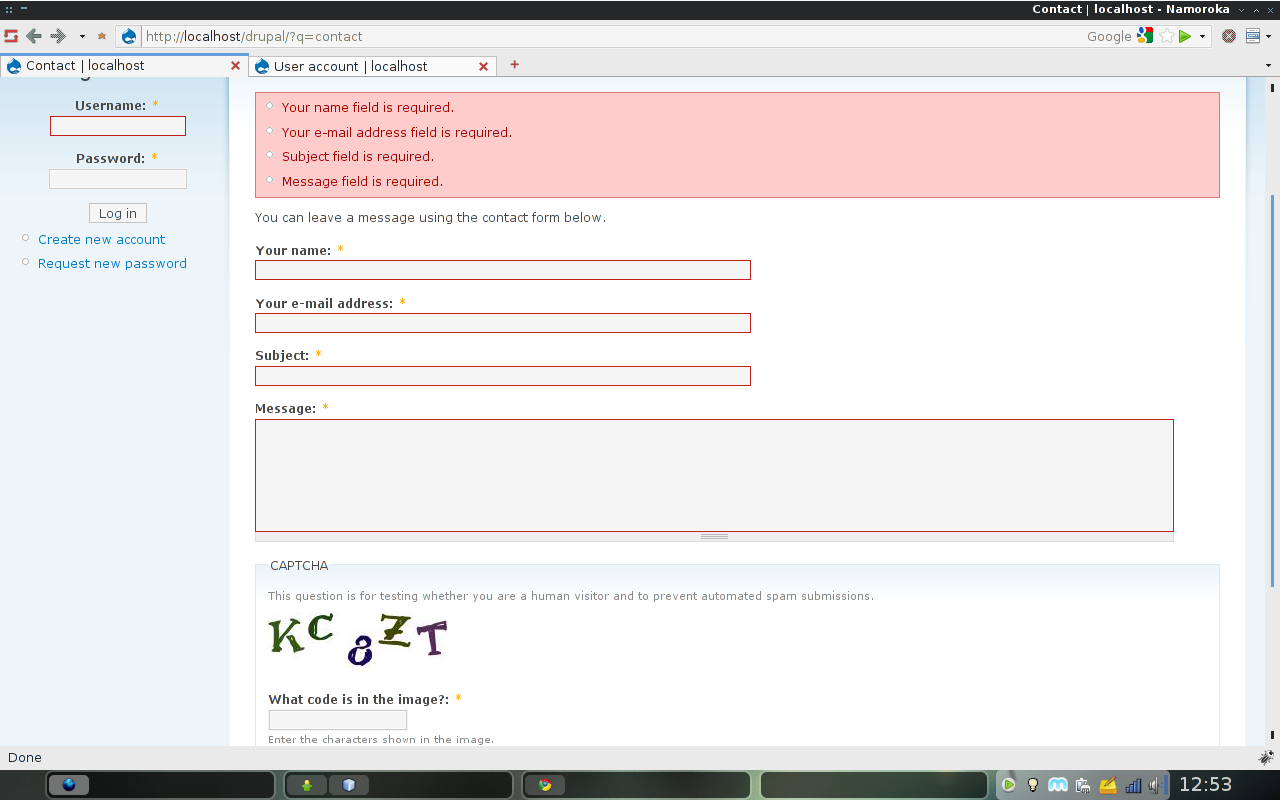
if captcha field valid and any other field not valid then captcha will be not rendering.
after validate contact_mail_page form:
if captcha field valid and any other field not valid then captcha will be rendering.
wtf?
Comment #19
soxofaan commentedat mrded in #18: this is off-topic for this thread and should be discussed in a separate one. Anyway: I can not reproduce this: on contact_mail_page I get the same behavior as with user_register. Please open new issue if you want to discuss this further.
Comment #20
mrded commentedok. I create this Issue
Comment #21
matt v. commentedI imported what pivica posted in comment #8 above into git, made some updates, and posted them to a public git repository on Assembla:
http://www.assembla.com/code/captcha-after/git/nodes?rev=master
The updates I've made, so far are:
I'm also attaching a zipped version of the latest updates I've made. I'll probably continue to post updates to Assembla. Please feel free to test and report back any issues that come up.
One issue I've noticed is that form fields containing validation errors are not being highlighted once CAPTCHA begins getting displayed. I think this is due to the $form_state['rebuild'] = TRUE; line, but I haven't yet figured out the best way to fix that.
@pivica Any interest in posting the module as a project on d.o? If so, I'd be interested in being a co-maintainer, if that would be of any help.
Comment #22
pivica commentedI have finaly find some time to create a drupal project - http://drupal.org/project/captcha_after.
Except changes in #21 next things are done:
- form rebuilding is not used any more - it was ugly solution and there were also a problem that Matt noticed with "form fields containing validation errors are not being highlighted once CAPTCHA begins getting displayed".
- you can now select for which captcha forms you want captcha_after to work.
- lots of code and text cleanup.
Before releasing stable release I would like that more people review code and test dev version of module.
@Matt V. if you are still interested in being a co-maintainer just drop me a message and I will be glad to add you as co-maintainer.
Comment #23
matt v. commentedIt seems safe to mark this issue fixed, now that CAPTCHA After has an official release.