

Closed (fixed)
Project:
XMPP Framework
Version:
6.x-2.x-dev
Component:
Documentation
Priority:
Normal
Category:
Support request
Assigned:
Unassigned
Reporter:
Created:
17 Sep 2009 at 01:05 UTC
Updated:
7 May 2012 at 12:08 UTC
Jump to comment: Most recent file


Comments
Comment #1
darren.ferguson commentedWill try and put together some screenshots for the actual client. Regarding a demo site we might have one but right now it is only for internal usage. Once we have more hardware we will look at setting up a demo site in order to play with the xwchat functionality.
Comment #2
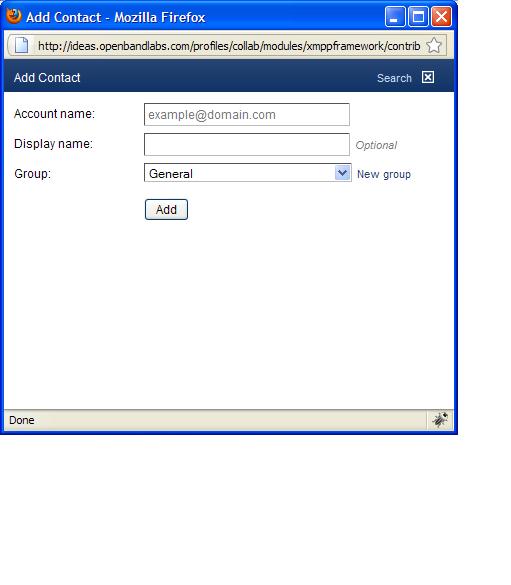
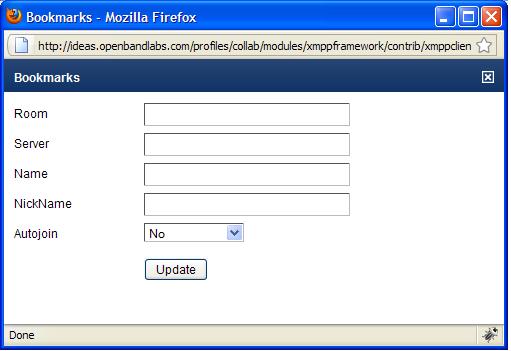
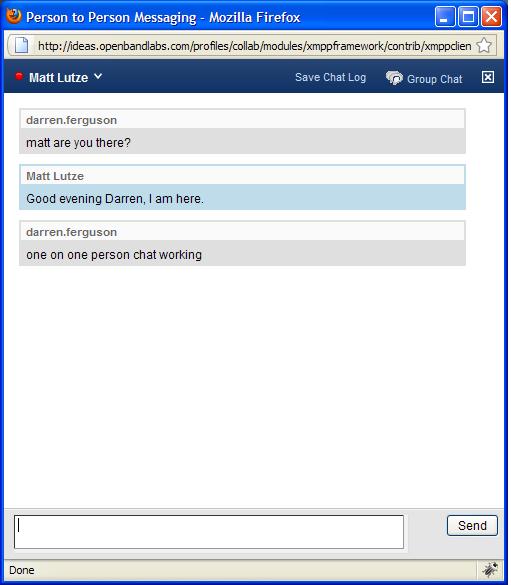
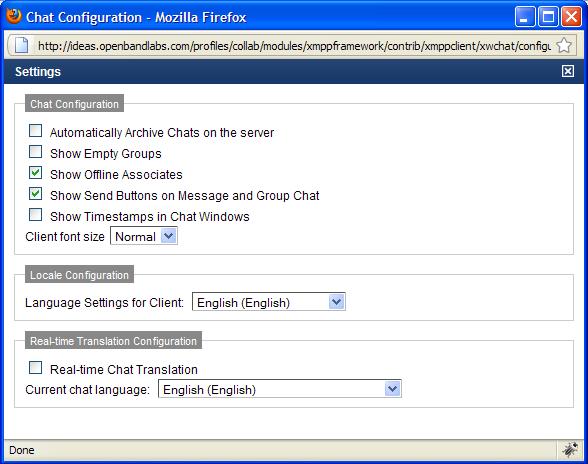
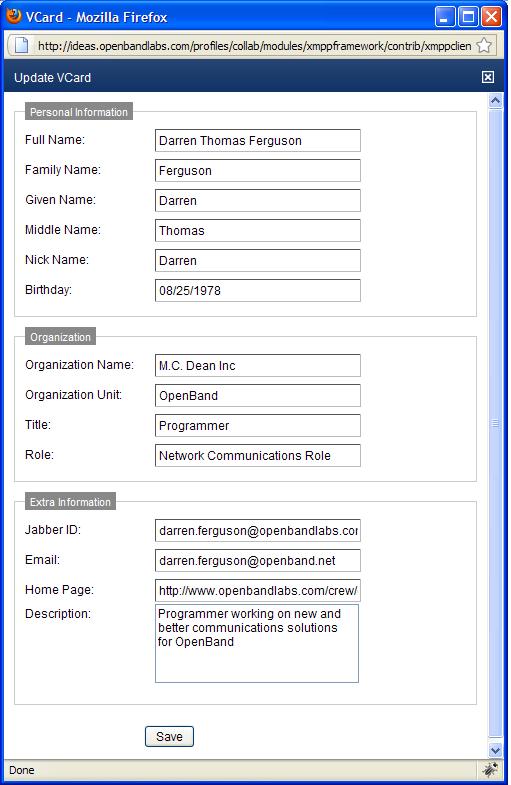
darren.ferguson commentedScreen Shots of the XWChat Client
Comment #3
Flying Drupalist commentedThanks for the screens. I assume once you're logged into drupal you're auto logged into xmpp server as well right?
Comment #4
darren.ferguson commentedYou can be, once logged into Drupal it will either try automatically logging you into the xwchat client unless the drupal module admin setting is set too not do that.
We are looking to try and get a demo of the xwchat working and once it is up will post the pertinent information on it.
Comment #5
diegofd commentedBut... now is there any way to launch the client inside Drupal? I've been trying and I didn't find the way.
Comment #6
matt.lutze commentedThere's a block available called "XMPP_CLIENT: Chat Launch". The block has a button to launching the client. It's helpful when auto-launch isn't enabled.
It's part of the XMPP_Client module in the framework.
Comment #7
diegofd commentedI've enabled that block, but it just says "Configure Chat Client".
I think I've filled all the needed configuration textfields.
What is the minimum configuration needed?
Thanks and sorry :)
Comment #8
darren.ferguson commentedThis means that in the edit user form you do not have a jid, password and probably resource set up.
If you go to the xmpp user module check if the provision xmpp accounts is actually checked if not check it and provide the xmpp domain and the framework will automatically provision the accounts in Drupal.
If you have this also and the password enabled portion it will store the password you utilize to log into Drupal with as your xmpp password if you are utilizing an ldap scenario where Drupal and you Jabber server are connected to the same ldap.
Once that is done, the configure client should disappear and a button stating login should be visible in the block.
Comment #9
diegofd commentedThanks. I've configured everything as you said and now I can launch the client (I think the key was to enable the password field un the "edit user").
Now I have another problem: the client opens but it doesn't connect.
My ejabberd server is in foo.domain.com (on port 5222 with http-bind enabled in foo.domain.com/http-bind/) but the user's JIDs are user@bar.domain.com. Could this be a problem?
I've have this in the config fields:
XMPP Server: foo.domain.com (with foo.domain.com/http-bind/ also fails).
XMPP Port: 5222
Admin JID: admin
Admin JID Password: *******
Admin JID Server: bar.domain.com
In the "drupaladmin" "user edit" page I have:
JID: drupaladmin@bar.domain.com
Password: *********
Resource: Web
Is there anything missconfigured? Thanks!
Comment #10
darren.ferguson commentedIf your ejabberd server does not support the domain then you will not be able to log in via that domain.
You would have to run an ejabberd vhost supporting foo.domain.com and bar.domain.com in order to allow this to work.
Also is your apache redirect set so that /http-bind/ is connecting too the :5280/http-bind/ on your ejabberd server?
Comment #11
brandon.dixon commentedWhat error message are you getting back when attempting to connect?
Comment #12
diegofd commentedI'm able to connect with a XMPP client (Pidgin) to the ejabberd server (foo.domain.com) using user@bar.domain.com.
I've http-bind module enabled in the port 5222.
Why I need a redirect? Can't the client connect directly to http://foo.domain.com:5222/http-bind/ ?
Comment #13
diegofd commentedI'm getting no message at all.
Comment #14
darren.ferguson commentedRedirect is needed because of cross site scripting check
Check the README in contrib/xmpp_client/xwchat/src it shall tell you exactly what is required.
Also http-bind will generally not be running on 5222 it will run on 7070 on OpenFire and 5280 on Ejabberd
Comment #15
ManyNancy commentedIs this using comet?
Comment #16
aaron commentedusing ejabberd, i have http://xmpp.example.com:5280/http-bind/ as a 404 to begin with. anyone know how to configure the proper module in ejabberd to get that working?
Comment #17
aaron commentedFor the record, you need to follow the instructions at http://www.ejabberd.im/jwchat-localserver if you're trying to configure ejabberd for http-bind.
Comment #18
darren.ferguson commentedComment #19
prhavile commentedHi Darren
I have configured the xmpp with drupal but when i click on launchChat button the xwchat window opens but the user appears as offline always and it never changes.
can you help me with this issue? i'm trying it from last 2 weeks but haven't found any solution for it.
Thanks in advance.