hi
i'd like to have next/previous buttons when viewing image, just like image-4.5.0
here is a little start, this code is a quick hack not ready for merging, but it works for me
ORDER BY n.title ASC should match your sort order in image_gallery.module
1. change function theme_image_body:
function theme_image_body($node, $size) {
return ph_image_navigation($node) . image_display($node, $size) . $node->body;
}
2. add this to image.module
# ph hack
function ph_image_navigation(&$node)
{
        global $base_url;
        $previous=0;
        $next=0;
        $tmp_prev=-1;
        $output="<br>";
        $terms = taxonomy_node_get_terms_by_vocabulary($node->nid, _image_gallery_get_vid());
        $term = array_pop($terms);
        $res = db_query("SELECT n.nid FROM {term_node} t, {node} n WHERE t.tid=$term->tid AND n.nid=t.nid ORDER BY n.title ASC");
        for($i=0;$i<db_num_rows($res);$i++)
        {
          $nidvalue=db_result($res,$i);
          if($previous!=0 && $next==0)
          {
            $next=$nidvalue;
          }
          if($nidvalue == intval($node->nid))
          {
            $previous=$tmp_prev;
          }
          $tmp_prev=$nidvalue;
        }
        $output .= '<div class="links">';
        if($previous>0) { $output .= "<a href=\"$base_url/node/$previous#pict\"><< previous photo <<</a>  "; }
          else $output .= "<< previous photo <<  ";
        $output .= " || ";
        if($next>0) { $output .= "<a href=\"$base_url/node/$next#pict\">>> next photo >></a>"; }
          else $output .= ">> next photo >>";
        $output .= '</div><a name=pict></a><br>';
return $output;
}


Comments
Comment #1
decafdennis commentedSorry, but:
http://drupal.org/node/318
and
Why? What's happended to Drupal's theme functionality?
Comment #2
praseodym commentedComment #3
jo1ene commented+1 This works OK. I would use « and %raquo instead of the double > or < and only use one pipe in between, but other than that, it is a basic and necessary function.
-1 Code needs work.
Comment #4
jyoseph commentedIs this a feature that can be implemented? I'd really like to see this functionality in this module. I see a few different work arounds but all of them are confusing and do not work properly.
Comment #5
jferjan commentedthx for the hack... but there is a mysql error if u dont select any term.
user warning: You have an error in your SQL syntax; check the manual that corresponds to your MySQL server version for the right syntax to use near 'AND n.nid=t.nid ORDER BY n.title ASC' at line 1 query: SELECT n.nid FROM term_node t, node n WHERE t.tid= AND n.nid=t.nid ORDER BY n.title ASC in ...\includes\database.mysql.inc on line 120.
Comment #6
bryan kennedy commentedYes. This SQL error is easily fixed by adding an
if ($terms)around the terms SQL search:Comment #7
bryan kennedy commentedOkay this probably isn't the best place to post this but I mocked up a way to add this bit of HTML into a block as well as the body.
Comment #8
ijulie commentedany chance of getting a next/previous hack for the 4.6 module as well? there's a phptemplate solution here, but I'm using xtemplate.
Comment #9
jo1ene commentedI am posting this against the HEAD.
This really is a BASIC image gallery feature and should be implemented.
Comment #10
drewish commentedif someone wants to roll a patch for this i'll review it. i agree that it would be a useful feature.
Comment #11
Hetta commentedmarked http://drupal.org/node/134919 as duplicate ...
Comment #12
xcorex commentedis it working in 6.x?
Comment #13
Wolfflow commentedsubscribe
I do not like to hack the image.module, first because I'm not confident with php, but will be happy if
there is a way to have this done with a template.php code. Any hint?
Comment #14
yesct commentedI used thickbox to get next, prev... is that the type of functionality being suggested? But the next/prev would just appear on the image node itself? What if the image is in more than one gallery?
Comment #15
yesct commentedthought this is related: http://drupal.org/node/193056
Comment #16
ajaypr commentedAbove didnt work in my drupal 6. So I made couple of changes and following scripts works perfectly on my site http://www.ajaypr.com
Below is the updated code you can use to show prev and next in Drupal 6.
1. change function theme_image_body (same as descriibed above by phacka)
function theme_image_body($node, $size) {
return ph_image_navigation($node) . image_display($node, $size) . $node->body;
}
2. Add following php code in image.module
Comment #17
yesct commenteddid anyone else try this?
Comment #18
kniekel commentedI just tried it out on http://www.gochsheim-evangelisch.de/image and it seems to work. The sort order of the images must be set according to the order in the gallery. Mine ist set to "order by file name", so I changed the syntax to ORDER BY n.title ASC - no problems till now.
Comment #19
Hetta commentedmarked http://drupal.org/node/316773 as duplicate
marked http://drupal.org/node/288543 as duplicate
Comment #20
halftone commentedI've just posted a pager module (choice of 4 pagers via settings) for Image nodes for 5.x-1.x-dev and a patch for Image_gallery at http://drupal.org/node/317902 if anyone has any interest. I'm not on Drupal 6 yet so I have no idea how difficult it would be to adapt. The patch adds Nodeorder support (if used) and the breadcrumb no longer loses the plot if images have multiple taxonomy terms. Works fine here, but it's my first attempt at a module.
Comment #21
Wolfflow commentedThat's great, I will give it a try. Thanks very much for your contribution.
Comment #22
Magnity commentedI've tried to put this into a patch. It is simply the code from @ajaypr in #16.
Please review so that we can get this moving!
Thanks.
Comment #23
deshilachado commentedsubscribing - I also would really like to see this very basic gallery feature in image_gallery - if possible in a way that the "previous" and "next" links can be translated without changing the code of the module.
Comment #24
strauch commentedyes this is a must have feature, i modified the module, but it would be nice if it is integrated in the module.
Comment #25
francula commentedi would like to have this too.
Comment #26
Typo-1 commentedPatched with Cygwin @Vista
Tested in Drupal 6.9 with Image alpha 4
Patch seems to work ok, enabling simple previous - next navigation.
Only issue is that it for some reason duplicates images description shown under image. With vanilla alpha 4 there is only on line but with patched there is 2 :P
Comment #27
sunWhoa. Did you ever read http://drupal.org/coding-standards ? Please live them.
Comment #28
Typo-1 commentedFound reason why it duplicated image descriptions, theres some extra in line 663:
Original:
Patch:
Working without duplicate descriptions, just remove extra from there:
Im still desperately looking a way to add icons next to prev and next links, every modification I do seem to crash image module. Tried to make it look like under image links in "ul" "inline" but didnt get it to work...
Comment #29
summit commentedHi, the photos module (www.drupal.org/project/photos) has this functionality already, may be integrating these two?
Greetings,
Martijn
Comment #30
Magnity commentedAttached is a patch from the latest version of image.module in CVS
- Indenting a little more like the coding standards define (#27)
- Fix of the double description bug (#28)
I have tested it to the point that it still works, however my image nodes generally don't have descriptions, so @Typo, it would be great if you could test this bit as you found the issue to begin with.
Comment #31
Magnity commentedRe the photos project, for myself personally, I am interested in getting this patch through for the image module as that is what I am using on several existing sites.
Comment #32
sunSorry - now that I can read the code, I see that the entire approach is rather a dirty hack. This needs to be completely rethought and implemented using Drupal APIs.
Comment #33
Flying Drupalist commentedHmm why not use custom pager and views?
Comment #34
Typo-1 commented@ Magnity (#30)
Your patch seems to work ok, no problems here.
@ sun
Better "dirty" but working hack than no gallery browsing at all...
Comment #35
Magnity commented@Typo, what sun is referring to is that it would be bad practice to commit to the module a hack - not whether it is useful for people to add in themselves if they want to. Imagine the state of the code if all patches were hacks!
@sun, I'm going to have a look at doing it the proper way as I'd really benefit from having this as part of the module. Possibly have a quick chat on IRC if you hang out there?
Comment #36
sunYes, I would be open to discuss this in IRC. However, I can tell upfront that I do not have an idea of how this could be done properly. Most probably, image_gallery has to alter the node view of image nodes to add a pager. However, regular pagers in Drupal core assume that the URL of next/previous links keeps the same and only the query string is altered (foo/bar?page=0,1) - contrary to this pager, which would have to link to different node URLs (node/123 ... node/126). I.e., whoever wants to work on this needs a very thorough understanding of Drupal core APIs.
Comment #37
Anonymous (not verified) commentedok, here's a first cut. no css for the pager list yet. setting to code needs review to get feedback.
Comment #38
Anonymous (not verified) commentedupdated patch as per review by sun in #drupal.
can't use theme('pager') here because this is not the same base url with different query strings, its some arbitrary
node/$nidlink for next and back.still need to do the css, but that's not my forte.
Comment #39
Magnity commentedTried patch - but although it applies I currently cannot see any pager. Perhaps I did not do something required? Is there any other action necessary rather than applying patch (and perhaps clearing cache)?
Comment #40
Magnity commentedI still have issues applying this patch:
- Confirmed that image_gallery_image_get_pager_links function is present in image_gallery.module after patch is applied.
- Confirmed that caches are clear, by clicking "clear caches" in Site Config -> Performance, and by reselecting the site theme.
- Confirmed that code is not being output into the html by looking at html source.
I am using D6.9 with all modules up to date. If it is relevant, all of my images are in nested galleries.
Comment #41
Magnity commentedWould it be possible please for some of the users who have commented earlier on in the issue to test the patch?
At the moment, it seems to work for justinrandell and sun (i'm assuming that from #38), however i've had issues with it. It would be really good if a few other people could try it.
Thanks,
Comment #42
deshilachado commentedI applied the patch from #38 to the 6.x-1.0-alpha4 version of image_gallery.module and
Same questions as Magnity: Is there anything else to do?
Comment #43
Magnity commentedSetting this as CNW as @deshilachado and I seem to have both had the same result.
I've also just quickly tried the patch in #37 and it doesn't seem to work either. (although haven't spent time on this one).
Comment #44
joachim commentedRe: #33: Hmm why not use custom pager and views?
Yes!
Ideally, we'd implement galleries as views, the way they were in 5.x-2.x.
You could then use the custom pager module.
Comment #45
sun@joachim: EclipseGc is already working on a total Image* module revamp, which will probably lead to a new 6.x-2.x branch. It would be great if you join forces with him! :)
Comment #46
Anonymous (not verified) commentedWoo that sounds good, I can throw some cycles in to that
Comment #47
joachim commentedStarted an issue for this: http://drupal.org/node/405456
Any help gratefully received!
Comment #48
Jean-Philippe Fleury commentedsubscribing
Comment #49
suffering drupal commentedHi I tried it and wrote about it yesterday night, but I don't see my post....
Now just checking if this goes through...
By the way it works well! (just did the code, not the patches)
Comment #50
superflyman commentedsubscribing...
Comment #51
Vendetta501 commentedsubscribing... any more progress on this?
Comment #52
kcloud commentedRe: #44: as far as I can tell the Image Gallery using Views in 5.x-2.x is still broken.
Comment #53
joachim commentedReally?
Try the dev version.
Comment #54
joris.verschueren commentedI risk unending ridicule, but isn't this solved here: http://drupal.org/node/45050 ? It at least worked out fine on a drupal 6.8 site.
Joris
Comment #55
Vendetta501 commentedyeah or check out the custom pager module
Comment #56
halftone commentedOr nearly a year ago I posted http://drupal.org/node/317902 - for 5. It works fine, provides several types of next|prev links including thumbnails, supports Nodeorder if used, and the breadcrumb isn't upset by images in multiple taxonomies, but was deemed too specific to get into Image module.
Comment #57
himagarwal commentedI'm using drupal 6.13 and image module 6.x-1.0-alpha5. Please let me know which code/patch should be applied. There has been so lot of patches and codes in this thread it's confusing.
Comment #58
joachim commentedGalleries now work with Views as of alpha-5.
Something with custom pager module will now be possible.
Comment #59
sugresmax commentedsubscribing...
Comment #60
scubasmurf commentedTo get next/previous buttons you can duplicate your image_gallery Gallery page view in Views, give it a unique path and then show one image (as a preview) per page and use views built in pager. It breaks your breadcrumbs but that can be corrected by using str_replace in your theme page.tpl.php file. You also have to play around with the links from your thumbnails to the new page.
Its a bit of work, but I had some good results.
Comment #61
himagarwal commented@scubasmurf,
I am hoping that "custom pager" module would now work with image_gallery view. Did you tried that?
Comment #62
scubasmurf commented@himagarwal,
I didn't try the Custom Pager module. After reading the documentation I was not sure that it would work the way that I wanted and even if it did then it would be just as complex to implement as doing #60.
I have been on a mission to remove custom modules from my site since I finally worked out how to actually use Views.
Comment #63
joachim commentedThis is now basically a documentation task: instructions on how to set custom pagers module up to work on image galleries need to be added too our documentation here: http://drupal.org/node/207216
Comment #64
achernen commentedso, are there any good news about this feature?
Comment #65
joachim commentedNot as far as I know, though you can check http://drupal.org/node/207216 for yourself.
Comment #66
joachim commentedTo set up a pager on gallery images:
1. install custom pagers and token
2. Create a pager with these settings:
- visibility:
a. If *all* your image nodes are in galleries, just pick 'image' from the node type selection.
b. If some images are not in galleries, enter this PHP code:
- pager node list, 'Use a view':
pick 'image_gallery'.
- pager node list, view arguments:
Enter this code (two lines):
3. You may need to adjust your vocabulary weights to make sure that the [term-id] token corrrectly produces the gallery term -- the token description says it returns the 'top term' so I presume this considers vocabulary weight. If your images have terms in more than one vocab, move the gallery vocab to be the first.
4. Done. Although your pager will almost certainly need theming: see the custom pagers documentation pages for some snippets (some of which IIRC are mine).
Now forgive me for being a bit grumpy about this, but it's taken me little over half an hour while on a train journey to figure this out and write the above notes. Can it really be the case that *nobody* on who has commented on this issue could spare that much time?
Could someone at least take the above instructions, test-drive them, and then format them nicely and add them to the image module documentation?
Custom pagers module as a whole could do with a bit of love, particularly when it comes to optimisation and theming. Perhaps some of you could pay it forward?
One thing that would be really cool would be code-defined pagers (the same way that modules can define views). If someone were to implement this, we could put the above pager definition into a hook in image_gallery module and save the setup step.
Comment #67
sioneld commentedSo in order to have next/previous on the image gallery we need to install ANOTHER module?! Isn't there a way to make this work within the Image module, or Views?
Comment #68
joachim commentedYes -- we reuse other modular components rather than reinventing the wheel.
Comment #69
DoctorWho commentedI'm having a very strange problem setting up the custom pager for images. The pager just does not appear in all images, only in some of them. It even varies within one gallery, so some pictures show the pager (with a lower number of pictures like "1 of 10" even though there are more images in the gallery), and on others the pager does not appear.
I've tried different variants of the pager, with the php snippet or only nody type for visibility, with different settings for pager appearance. The image gallery vocabulary has the lowest weight (it is the first) of all vocabularies, and it also is the only vocabulary that can be applied to images.
The image_gallery view also shows all the images. Tough I'm not using the views-based galleries because I had to hack in support for translating gallery names.
I'm at a loss here, it just seems so totally random.
Update:
I found the problem. It seems to be a really nasty bug in the recommended release (the beta1), that only 10 items are ever displayed. I updated to the dev version and now it seems to work.
Using the dev release is absolutely necessary, the beta1 is broken
Comment #70
joachim commentedWe're on beta 4 now; and beta 1 was superseded several months ago.
But glad to hear you've got the pager working eventually :)
Comment #71
DoctorWho commentedThe problem is the custom pager module version, not the image module version (of which I use beta3). And the latest release of custom pager is beta1, which seems pretty broken to me. It is also about 1.5 years old, which I only noticed later when looking more closely. It would be less confusing if there would be no recommended release at all.
Thanks for the post explaining how to create the pager.
Comment #72
Cynthia Ewer commentedJoachim, thank you for your hard work; the advice in comment #66 works perfectly for me.
Now, off to work on theming.
Cynthia
Comment #73
achernen commentedJoachim, great job!
thanks a lot!
Comment #74
joachim commentedImage documentation is here: http://drupal.org/handbook/modules/image
...if anyone has a moment to format my above instructions into a new handbook page, so we can finally close this issue.
Comment #75
Hetta commented...done. http://drupal.org/node/709462
Comment #76
joachim commentedThanks Hetta!
Comment #77
asb commentedJust for the record: As of version 6.x-1.10-beta1, 'Custom Pagers' have stopped working for me; they vanished completely from all nodes and all sites, be it based on 'image' module or custom bult 'imagefield' nodes. Issue: #688688: Database update from 6.x-1.x-dev to 6.x-1.10-beta1 fails
Greetings, -asb
Comment #79
timoy commentedI followed the guides on installing the custom pager and have it worked on me. But the pager is not limited on the image nodes under the same gallery.
example:
gallery A : 30images
gallery B : 20 images
if i view an image under gallery A, the pager would look something like 1 of 50 images (I am expecting something like 2 of 30)
Comment #80
doitDave commentedHi all,
after having gotten a bit into mighty views.module, I finally succeeded in doing exactly what is requested here. You don't need anything except for views (and, of course, image galleries). It still lacks perfection since the field output rewrite function would benefit from a PHP code option (to properly add base_path(), $language etc), but for me it works after all.
Here's how I did (I use D6.17 and current views 2.x release):
<a href="/whatever/path_alias/you/like/!2?page=1,[counter]">slide show view</a>(the 1,[counter] syntax is corresponding with the pager element id in the next view, as is the path alias itself)Having done all this will result in:
a) An additional "slide show" link in the gallery view as shown in image 1 (text in german)
b) A slide show view with a pager that always starts with the image corresponding to the clicked link as shown in image 2.
Hope this helps, comments are appreciated!
Comment #81
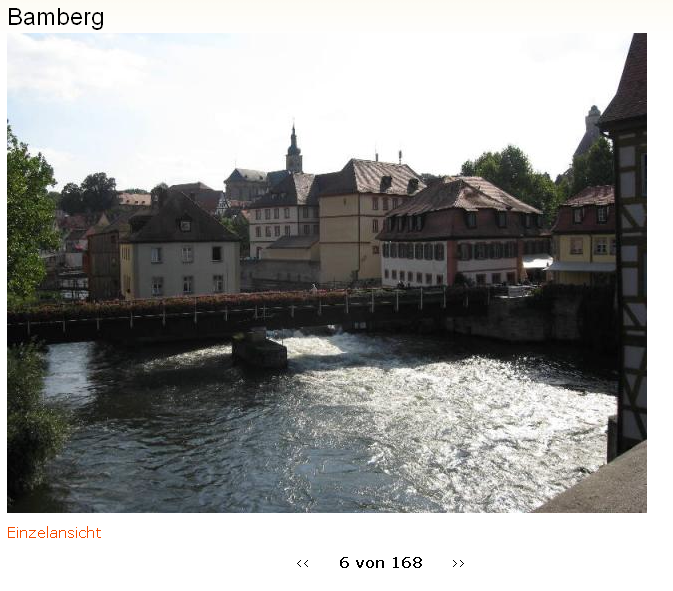
doitDave commentedPS. don't wonder about 2nd image appearing to link to image 6 out of 168, I just cut someting off the screen shot.
Comment #82
Flying Drupalist commented@doitDave if you go directly to an image node, you wouldn't see the pager any more right?
Comment #83
doitDave commentedYes, that is right if you mean going there via node/1234. As long as you go there from the gallery, you could probably rewrite all links to lead to the "slideshow item" instead. I did not find it disturbing that both options exist, let's wait what my members will say ;)
Edit: Thinking of it, with rules you could implement a redirect, eg "on viewing a node" -> "if node.type is image then redirect to slideshow item". Whatcha say?
Re-edit: Fail-idea, sorry - further thinking took me back to the root that the node itself just can't know its position in the slideshow ;) But after all, a workaround could be to add a link to the node leading to its gallery and telling the user that a slide show is available there.
Comment #84
joachim commentedThe custom pagers method described above gets you a pager on nodes.
Granted, with that you don't get slideshow capabilities.