
On this page
- Step 1: Pre-requisites
- Step 2: Drush Make file
- Step 3: Converting to a Drupal.org-specific Drush Make file.
- Verify make file
- drupal-org-core.make
- Step 4: Build it yourself
- Step 5: Commit
- Step 6: Release
- Step 7: Maintaining your distribution
- Example of fully packaged distribution DAF
- Another example with Profile Builder
How to package a distribution on Drupal.org
Packaging of drupal-org.make files present in a distribution on Drupal.org will end in November 2022. Drupal distributions can provide packaged downloads from alternative sources (ie. GitHub) or point users to documentation about running drush make locally or as part of a build process. Developers who want to manage an Install Profile with Composer are encouraged to get involved in the Distribution Modernization Initiative.
Step 1: Pre-requisites
- Drush 5.x+.
- Drupal.org Drush, a Drush extension which is required for running tests on makefiles.
- Installation instructions.
- A full project node on Drupal.org, of project type "Distribution".
Step 2: Drush Make file
A Drush Make file is essentially a "recipe" that explains how to gather up all of the dependencies for a Drupal installation.
See Full example drupal-org.make file for a working example of all valid properties supported by Drupal.org's packaging system. You can either create/edit these by hand, or you can auto-generate one in seconds by changing into any working Drupal site's root directory and running the command:
drush generate-makefile drupal-org.make
Drush make will inspect your current install and write a drupal-org.make file with the latest stable releases for all of the modules/themes it finds.
TODO: Except for #1432380: Drush generate-makefile does wonky things with "-dev" versions.
Edit this file and remove the projects[drupal][version] = "X" line.
If present, also remove the lines referencing your profile itself:
; Profiles
projects[your_profile_name][type] = "profile"
Step 3: Converting to a Drupal.org-specific Drush Make file.
Once you have a valid Drush Make file, the next step is to convert it to one suitable for Drupal.org packaging. The Drupal.org version is essentially the same as a normal Drush Make file, but with a few important differences explained at Drupal.org distribution packaging requirements.
Verify make file
Update: You need drupalorg_drush, install instructions at #1432296-5: Create a release node for Drupal.org Drush or provide documentation on usage
To check whether your make file is Drupal.org-compatible, run the following command:
drush verify-makefile
If you run drush verify-makefile with no arguments, it will search for a drupal-org.make file (and optionally a drupal-org-core.make file) in the current directory and validate those for you. If you want to verify another .make file to see if it would work as a drupal-org.make file, you can provide the filename like so:
drush verify-makefile foo.make
Note that you must resolve all errors before proceeding. See Common Drush Make errors and their solutions for some common errors and how to fix them.
If all goes well, you should see the following output from Drush:
Makefile drupal-org.make passed. [ok]
drupal-org-core.make
If your distribution requires patches to Drupal core, a -dev release, a checkout of a specific Git revision, or anything more complicated than an official release of core, you need to define how core should be built in a separate file called drupal-org-core.make. For example, it might look something like this:
api = 2
core = 7.x
projects[drupal][version] = 7.12
projects[drupal][patch][] = http://drupal.org/files/issues/992540-3-reset_flood_limit_on_password_reset-drush.patch
projects[drupal][patch][] = http://drupal.org/files/issues/object_conversion_menu_router_build-972536-1.patch
Step 4: Build it yourself
Although most potential errors will be caught by drush verify-makefile, certain errors will only appear when you actually try to build the .make file itself. The most obvious example of this is when the make file refers to patches that no longer apply. Even if they live on drupal.org (the requirement for including them in drupal-org.make at all) you don't know if they apply until you have the code they're trying to patch. That requires actually building the make file, not just verifying the contents (which is all verify-makefile can do).
So, you're going to want to run Drush Make like the Drupal.org packaging system does to make sure there aren't any final errors:
drush make --drupal-org drupal-org.make temp-directory
If you've got a drupal-org-core.make file, you should try building that, too:
drush make --drupal-org=core drupal-org-core.make temp-core-directory
Step 5: Commit
Follow the instructions on your project page's "Version Control" tab to clone your Git repository. You'll need to add the drupal-org.make file (and optionally the drupal-org-core.make file if you need it) to the root directory:
git clone --branch 7.x-1.x [yourname]@git.drupal.org:project/[project].git
cd [project]
mv /path/to/drupal-org.make .
git add drupal-org.make
git commit -m "Drupal.org make file"
No copies of existing contributed projects should be checked into the Git repository. As a profile maintainer, all you have to check into Git is the drupal-org.make file, and the packaging script will automatically assemble core and all of the contrib modules and themes, external libraries, and patches it references when creating the downloadable file archives for a given release.
However, custom modules, features, and themes that are specific to the installation profile and not useful as stand-alone projects are managed differently. You can commit all profile-specific custom code to modules/ and themes/ directly inside the profile project's Git repository, and this will all show up at /profiles/profile_name/modules/ and /profiles/profile_name/themes/ when packaged with Drush make.
You can organize contrib and custom in subdirectories of modules/ and themes/ with any name you choose, such as contrib, custom, features, etc. For example, you can use drupal-org.make attributes like projects[views][subdir] = contrib which tell the packaging script to place contrib modules in modules/contrib/. You can then directly commit custom modules to modules/custom/ and custom features to modules/features/.
Step 6: Release
Once the drupal-org.make file (and optionally any custom code and/or a drupal-org-core.make file) is committed to the Git repository and pushed to git.drupal.org, create a release for your project in the typical way. The packaging system looks in a profile's main directory (the same directory your .profile file is located) for the drupal-org.make file -- if it finds the file, then it will package the contents of the file with the profile.
Step 7: Maintaining your distribution
Fixme: Add information about: Documentation. Support. Security/maintenance fixes.
Example of fully packaged distribution DAF
1. Sharing screenshot of DAF distribution directory that contains all important files needed at time of packaging.
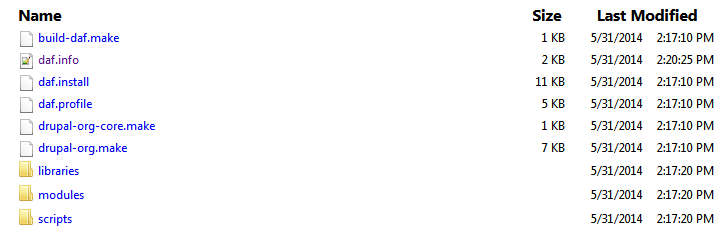
2. build-daf.make (optional file): This file is used when you have more complex distribution code.

3. drupal-org-core.make file: Defined core version of Drupal.

4. drupal-org.make file: Contains Contributed modules information.
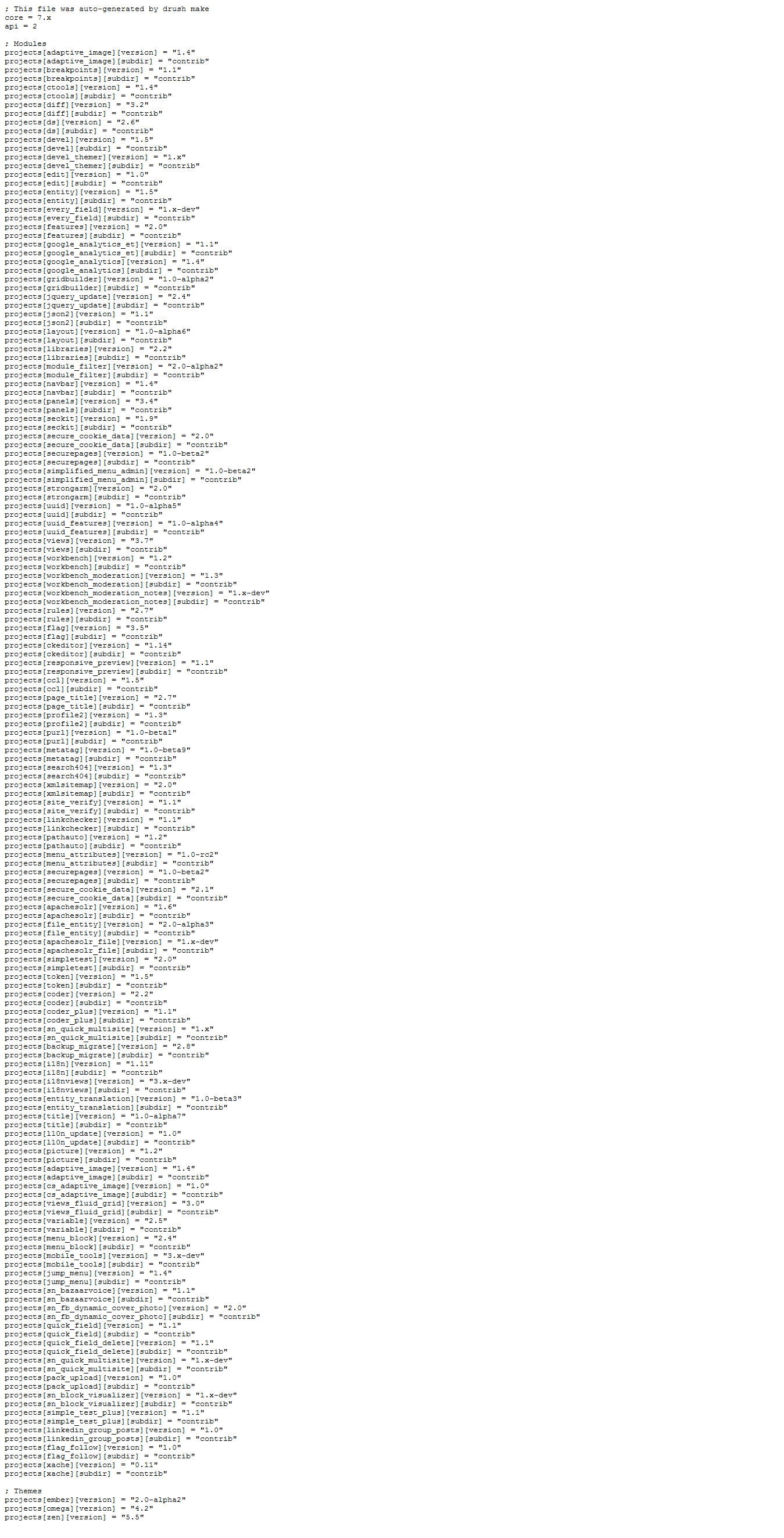
5. Add custom modules into /modules directory if exists.
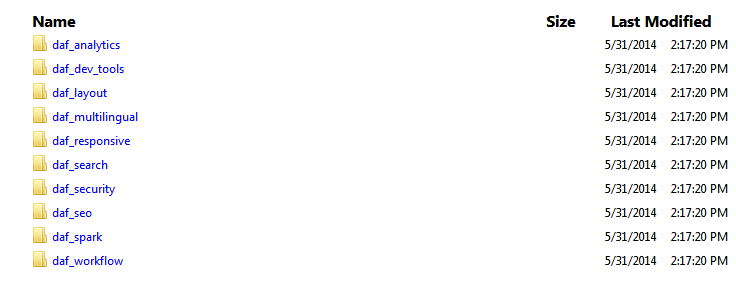
6. Similarly, add custom themes into /themes directory if exists.
7. Build the distribution using the same process used on Drupal.org, for that created build.sh file under scripts folder.

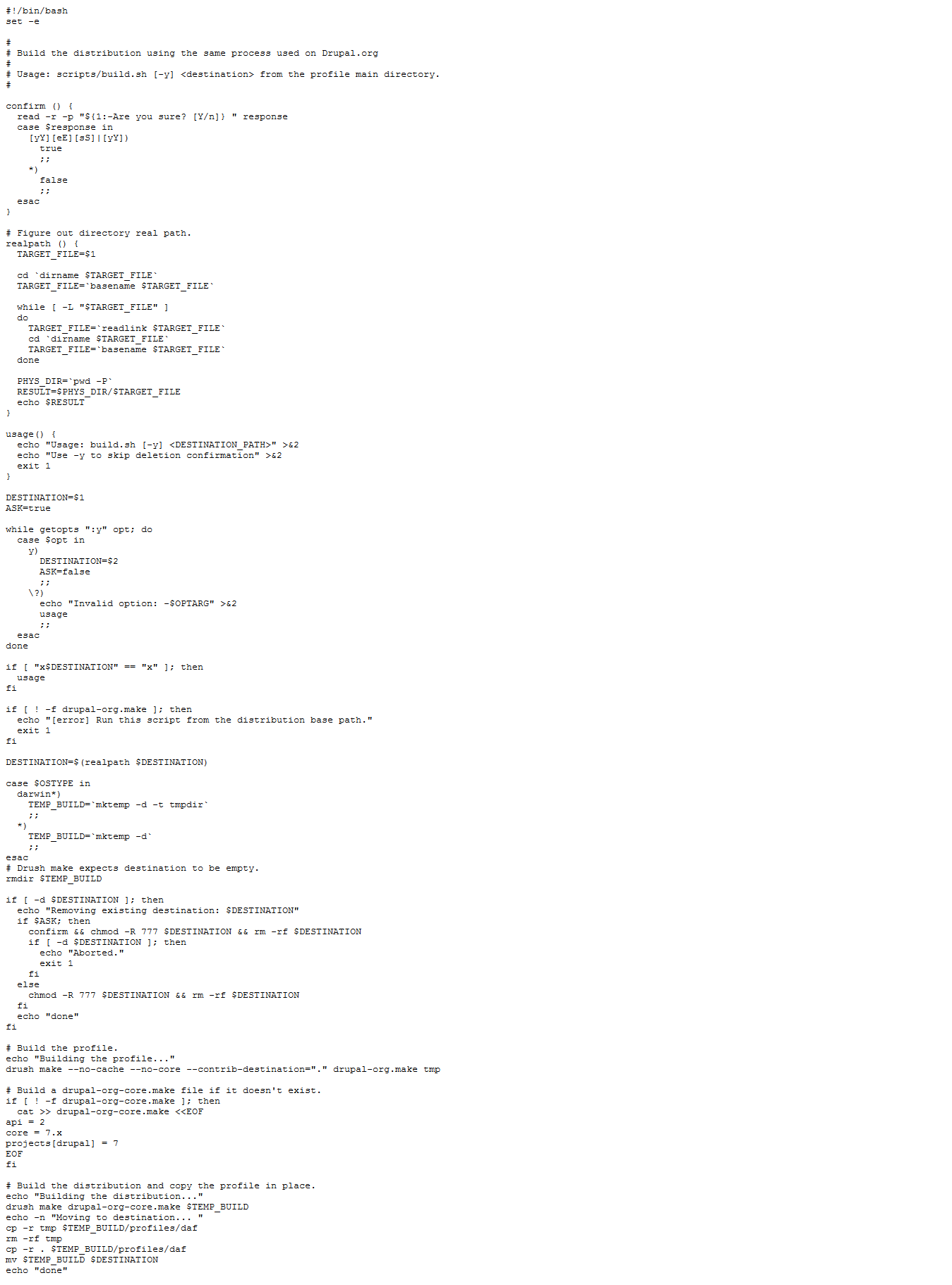
8. If required, we can test it before move on for final packaging:
Validated these files by DRUSH drush verify-makefile command, It shows me the following result.
Makefile drupal-org.make passed.                                            [ok]
Starting Drupal.org core makefile validation, please wait                   [ok]
Makefile drupal-org-core.make passed.                                       [ok]
drush make --drupal-org=core drupal-org-core.make test_core_dirdrush make --drupal-org=core drupal-org-core.make daf_core
Success: This command created "daf_core" directory contains whole core code. It means this command is also working fine for us.
drush make --drupal-org drupal-org.make daf_contributed
Success: This command created "daf_contributed" folder that contains whole contributed modules define in drupal-org.make file.
Now we are ready to go and can go with above Step 5: Commit that pushes the code on git. Finally, add release and packaging would be built without any issue. If there is any issue with your code directory or you don't validate your .make can face the following issue during packaging.

Unsuccessful packaging.
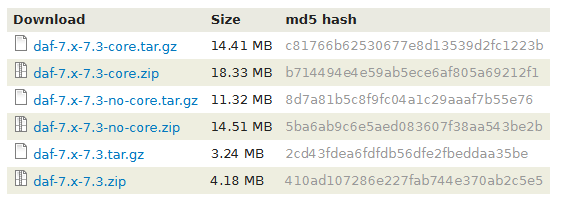
Successful packaging.
That's it.
Another example with Profile Builder
Profiler Builder is a module for automating the creation of installation profiles and distributions.
Distribution Name: foo
Profiler Builder module generates the following files for you:
drupal-org.make
foo.make.example
foo.info
foo.install
foo.profile
Now, do some manual changes here:
Step 1: Look into foo.make.example file and look for ; +++++ TODO modules without versions +++++.
Step 2: Locate these "without versions" modules from the master distribution site, that are either not published on drupal.org or custom modules, and place them in the same directory inside a custom folder(modules/foo). This is the same we followed in the first example above as for custom modules and themes.
Step 3: If needed, Create build.sh file and do the required changes in this. We can copy this file from any existing distribution available on drupal.org.
Step 4: Now you are done with this and you can contribute your distribution on drupal.org including your custom modules.
Help improve this page
You can:
- Log in, click Edit, and edit this page
- Log in, click Discuss, update the Page status value, and suggest an improvement
- Log in and create a Documentation issue with your suggestion
