

Closed (fixed)
Project:
Footnotes
Version:
4.7.x-1.x-dev
Component:
Footnotes.module
Priority:
Normal
Category:
Feature request
Assigned:
Unassigned
Reporter:
Created:
12 Jun 2006 at 06:51 UTC
Updated:
18 Jul 2006 at 17:59 UTC
Jump to comment: Most recent file

Comments
Comment #1
beginner commentedThis issue is a little more complicated than I first thought: all HTML tags should be stripped before adding the text within the tooltip.
Is there an existing filter within Drupal that strips *all* tags.
Also, how do you force a new line within a tooltip? Last time I tried, \n didn't work.
Comment #2
hingo commentedYes, this is the reason I didn't use title for anything, since I definitively want to allow html formatting withing the footnote.
I had something similar in mind though. The idea is to put the footnote in a
<div style="display: hidden;">and then use css and javascript to bring it up from the links onmouseover attribute. Or with some similar css trick, though the javascript option is probably safer with older browsers in mind.But since that is nontrivial, I just left it for later (or for someone else to do :-)
Comment #3
beginner commentedI prefer a tooltip solution to a javascript solution: it is less intrusive, works even when javascript is off, and also easier to use (no need to click on/off (show/hide) the footnote.
It should be easy to find a regex that gets rid of all HTML tags.
If you wish, I'll do it, but only much later as I have other things more urgent right now.
Comment #4
beginner commentedThe solution is actually much easier than I thought in #1 :)
We only need to use the drupal function filter_xss(), passing an empty array of allowed tags.
The code is simple and it works exactly as intended :)
Comment #5
beginner commentedreplace double quotes with single quotes in order not to interfer with the title="" html.
Comment #6
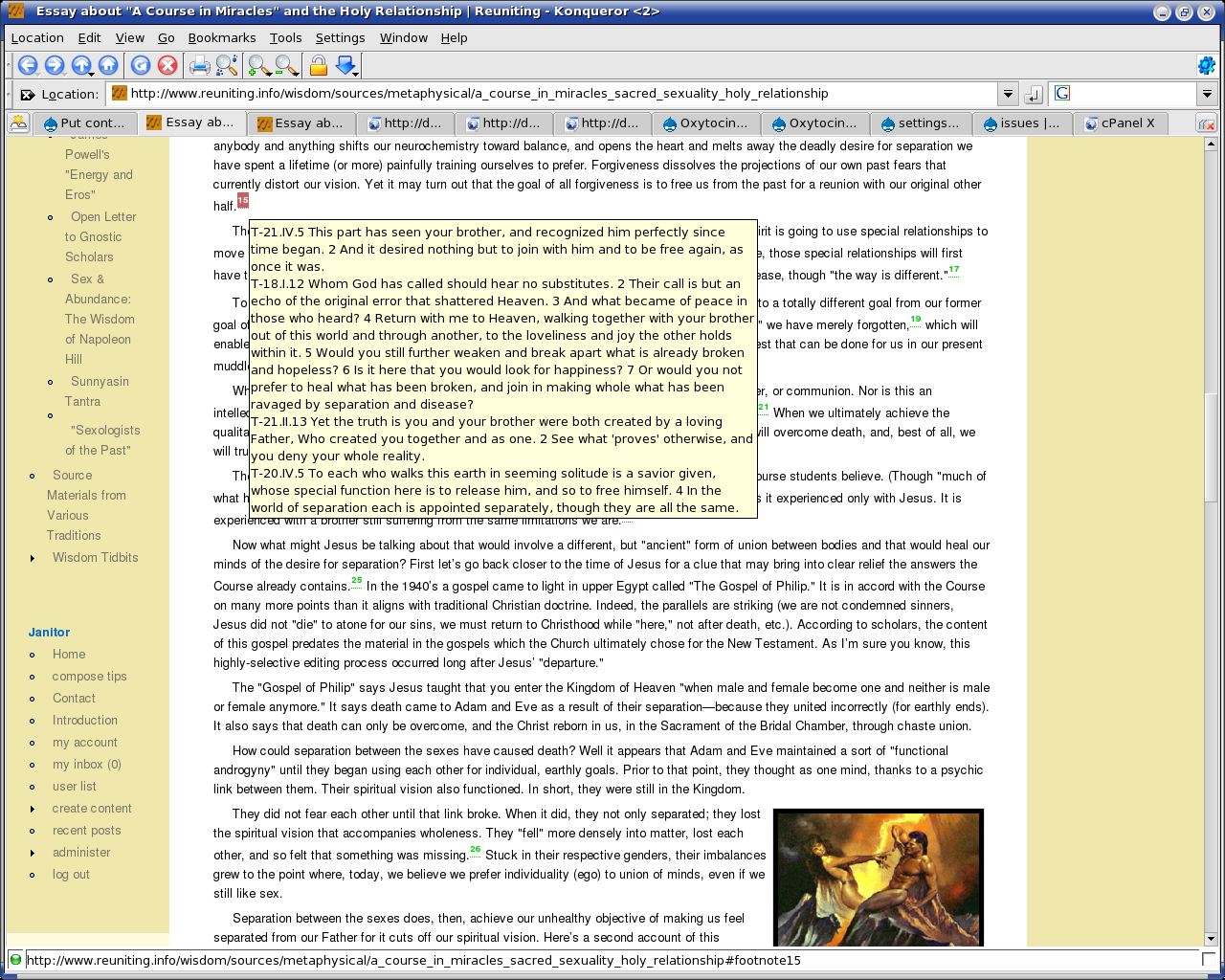
beginner commentedsee result in this article with many footnotes:
http://www.reuniting.info/wisdom/sources/metaphysical/a_course_in_miracl...
but I noticed one thing: while konqueror shows the content of the whole footnote in the tooltip, firefox truncate the footnote so that the tooltip doesn't exceed a certain size. I don't know about commercial browsers.
This is a browser issue about which I cannot do anything.
Comment #7
beginner commentedkonqueror shows the content of the whole footnote in the tooltip
Comment #8
hingo commentedI checked the other browsers too. To sum up
1) Konqueror, works perfectly
2) IE, works perfectly, as far as I can tell.
3) Firefox, truncates title. (Works only for very short footnotes.)
4) Opera (8.something), doesn't work. Shows address where link is leading.
I will have to think about what to do with this, and perhaps try to find out the reason why Firefox does what it does. I'll probably merge this later.
PS. Double quotes
"should be transferred to"their equivalent entities!Comment #9
hingo commentedThe Firefox behavior is a known bug in mozilla code. And guess what, it has been active since 2000! There is a plugin that can be installed to fix the bug, while mozilla core developers are debating over the correct fix.
Conclusion: I'll probably merge this patch then...
Comment #10
hingo commentedI have now applied and committed this patch to cvs, thanks for implementing this!
I also added removal of newlines, as the line break filter also wanted to tamper with line breaks within the title attribute.
Comment #11
beginner commentedHello,
I hope you had a nice holiday, :)
Thanks for committing this patch (the use of " is indeed better!).
Also, thanks a lot for the links to the firefox bug and plugin: I was hoping that there was one for that!
It's very useful.
Blessings,
Comment #12
beginner commented(I meant the use of the html entity
"is indeed better).Comment #13
hingo commented