Since I had problems getting aliases for image galleries to work on a production site, I set up a new site with just category, image and pathauto modules as the additional modules.
After first installing the book and taxonomy wrappers, I enabled the image_gallery module, went to administer>>image galleries. This automatically created Image Galleries as a container. I then enabled pathauto and category pathauto, put the usual placeholdes and edited and saved the Image Galleries container to generate the alias.
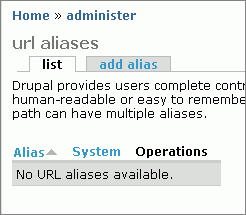
Pathauto reported the alias as having been created, but there is nothing in the alias table and the image galleries link still points to the node id. Typing in the alias gives a page not found.



Comments
Comment #1
venkat-rk commentedsecond screenshot
Comment #2
venkat-rk commentedthird screenshot
Comment #3
peterx commentedI have a similar sounding problem. I converted a site from taxonomy_menu and pathauto to category and pathauto. When I update anything, there is a pathauto style message saying an alias was created or updated but nothing appears in the menu. When I look in url_alias, all entries for the node have disappeared.
Comment #4
venkat-rk commentedI think there is some problem with the taxonomy wrapper module and the way it interacts with taxonomy based modules. I am not able to put my finger on it, but I set up a few test sites taking extreme care about the order in which taxonomy wrapper and other taxonomy based modules were installed (as also the bit about saving configuration on the admin page immediately after enabling the wrapper modules). On one such site, I couldn't get the alias to be created for the top-level of the category, but it worked fine for its child category. Weird!
I have found peace for the time being by using pathauto's update setting to 'create a new alias replacing the old one'. Seems to work without a hitch so far, but I can't help feeling there is an underlying problem that needs to be fixed.
Comment #5
peterx commentedrelated: http://drupal.org/node/41476#comment-132234
Category_menu may do the same as taxonomy_menu. Pathuto creates node/nnn. Taxonomy_menu creates taxonomy_menu/nnn. path_set_alias() deletes one aliase when it creates the other. I might try my path_set_alias() modification against category_menu.
Either way, url_alias could benefit from a field to record the origin of an aliast so that modules, by default, delete only their own creations.
Comment #6
peterx commentedCategory seems to be a total writeoff. I tried to change the parent of aa/bb/cc from aa/bb to aa. The update produced a message saying the alias was changed but nothing changed. The page is still in the old location in the menu. It is as if category lets pathauto produce pathauto messages but then category prevents all changes to the database except deletions.
Comment #7
peterx commentedAdditional information for that last item. The update does eventually happen. It appears to happen when the cache expires or some other unrelated action resets the menu. Perhaps category is not clearing out the menu cache when menu items are changed. This is different behaviour to the other menu modules.
Comment #8
venkat-rk commentedI had the same problem until I changed pathauto's update setting from 'Do nothing, leave alias intact' to 'Create a new alias replacing the old one'. Or, does it fail to update even with this setting?
Comment #9
peterx commentedPathauto already set to Create a new alias, replacing the old one.
Node path settings set to [catpath].
Category path settings set to [categorypath].
Comment #10
peterx commentedA step forward. I changed Node path settings to [categorypath] and suddenly there are aliases.
Url_alias is now flooded with entries of the form:
taxonomy/term/99 - [categorypath]_126
I suspect this indirect redirection is one of the contributors to very slow updates.
Comment #11
venkat-rk commentedYeah, the interesting thing about category_pathauto is that you don't need to put anything in pathauto module's 'category path' settings. I just leave it blank (retaining its default placeholder of [vocab]/[catpath] creates double aliases for every category node, especially if you use taxonomy wrapper and choose to maintain taxonomy data) and put [categorypath] in the Node path settings. Habits die hard- sometimes one forgets that containers and categories are nodes.
Regarding the redirect, that is also a setting in category_legacy. You can choose not to use it, as I am sure you would have noticed, but if you are converting all your taxonomy vocabs and terms over to container and category nodes, it seems to make sense to use it.
Comment #12
venkat-rk commentedThis is not a problem connected with either the taxonomy wrapper modules or the taxonomy based modules. I experience the same issue when dealing with other categories/containers that have been moved around the menu tree or have distant parents and are then brought back to their original location.
Here are some screenshots of a container called 'News' that simply fails to update its alias after it was marked as a distant parent of another container and then changed.
Comment #13
venkat-rk commentedPathauto confirms that the alias has been created, but the browser url points to the node id
Comment #14
Jaza commentedI have committed a patch to the core category module. This patch makes the creation of aliases for nodes with assigned categories much more reliable. However, I have been unable to reproduce any problems similar to what have been described here. Please upgrade to latest HEAD/4.7 version of category, and confirm. Also, a few notes:
- Aliases generated by category_pathauto will not be used in image galleries. The image module (and the new image_gallery module that comes with it - formerly part of image itself) generates its own pages, which are based on your category structure, but which are not actually the pages of your categories. The same goes for forum pages - they're generated by the forum module, and are not the actual category pages.
- Ensure that you do not use the taxonomy pathauto placeholders, e.g. [vocab], [catpath], etc for the 'category path settings' box - there should not be anything in the 'category path settings' box on the 'pathauto settings' page. If there is anything there, then the taxonomy wrapper will generate duplicate aliases based on taxonomy paths. Remember, all categories and containers are nodes, so all your settings should be in the 'node path settings' box for pathauto.
Comment #15
venkat-rk commentedJaza,
I don't envy you at all for all those issues you had to read up and try to fix:-) Many thanks for your help.
Yes, I realised this and am trying to figure out a way on my taxonomy based site that I can then apply when using with category.
Indeed, this is the very first thing (removing the default pathauto placeholders for category path settings) that I do on installing category_pathauto. It does take a while to remember that cats and containers are nodes...
Comment #16
venkat-rk commentedThe latest fixes do not seem to work. category_pathauto is now printing out the placeholder name in the alias. Screenshot attached.
Comment #17
venkat-rk commentedThe container in the previous post was a hidden container.
I added a category to it and it makes things worse.
Comment #18
venkat-rk commentedThis confirms the problems pointed out by etterra in http://drupal.org/node/73346
Comment #19
wulff commentedAFAICT the behavior described in #73346 can be fixed by changing the call to category_get_category() in category_location() in
category.incfrom:category_get_category($node->parent)to:
category_get_category($node->parent, true)thus resetting the category cache.
Without the added
true, the call to category_get_category() returns the following object:Since this object doesn't have a
titleelement, most of the code in category_location() isn't run which means that no location is returned.Adding the
trueto the call results in the following objects being returned:This matched the setup of my current test site:
I haven't got a patch at the moment, since I suspect that just adding the
truebreaks lots of other things.Comment #20
wulff commentedAlso, the above description only concerns
[categorypath]pathauto problems. To fix the generated aliases for[categorypathfirst], i.e. nodes attached to a category, I had to addtrueto the category_get_category() call in category_pathauto_get_placeholders() in category_pathauto.module.Comment #21
wulff commentedSome more digging shows that (in my case) one of the elements in the
$categoriesarray is clobbered at some point:Before:
After:
I'll try and track down the code causing this.
Comment #22
wulff commentedI must have been asleep or something. The reason the elements in
$categorieswere clobbered is that I'm using PHP5. This means that references are returned fromcategory_get_category(); which in turn means that when the$categoryis modified incategory_load()the element in$categoriesis modified as well. See http://www.acko.net/blog/php-clone for info.The attached patch fixes the behavior on my test site. The
$cid == 0is to avoid a php warning (if$cid == 0, a non-object is passed todrupal_clone()).There might be other places in the code where
drupal_clone()has to be used to avoid problems.Comment #23
wulff commentedI've updated the patch to be a bit more general.
Comment #24
joe@cblog.joewang.net commentedTried the patch.. but didn't seem to make a difference.
Comment #25
cooperaj commentedDitto. Still getting a lot of annoying [categorypathfirst]-0/mynode paths
Comment #26
Jaza commentedI'd rather not commit the 'drupal_clone()' patch, as that would indicate that it is a PHP5-specific issue, whereas this is a problem that people are experiencing on PHP4 as well. My usual philosophy with fixing category-module bugs is that "there's always a cache that needs to be cleared somewhere". ;-) So I'd rather we look at clearing the category_get_category() cache, as that seems to have been effective in helping PHP4 users with this problem as well.
Comment #27
wulff commentedAn alternative is the solution mentioned in comment #19. I have attached a patch.
AFAICT, the problem for PHP5 users is in
category_load():$category = category_get_category($node->nid);category_load()category_get_category()will result in a broken category object, as the cached category object has been modified (since it was passed by reference in step 1)Maybe I should add this to issue #73346, since this patch only solves the "flat generated urls" problem and not the problem with the placeholders showing up in the paths.
Comment #28
joe@cblog.joewang.net commentedThanks wulff.. that solved my problem with the flat paths!
Comment #29
gerd riesselmann commentedI noticed that bulk-update more or less generally doesn't work for categories and containers. I traced this down to the following lines in pathauto.module's pathauto_node.inc (lines 201 pp):
The node loaded here only contains default properties while the container or category properties are not loaded. For example the node's container cid is missing, leading to "[container]" placeholder beeing always ignored.
To hotfix this without messing around with the pathauto module itself, change the function category_pathauto_get_placeholders in categerory_pathauto.module, around line 60 to load the node passed:
Note that the patch supplied by wullf in comment #27 still is required to solve the flat path problem.
Comment #30
etterra commented@Ramdak
Have you been able to bring pathauto to work by now?
I'm trying to build a site with many different submenues and to be able to display them only in the right spot I use the block display conditions. when I would have a clean category structure like:
Home
- Reviews
- Tests
-- Cars
-- Bikes
- Contact
Insight
- Best of
- Classifieds
-- Cars
-- Bikes
- How tos.
then in combination with pathauto I could use the definition only show display block "insight" when url path:
insight
insight/*
and for home:
home
home/*
This way the submenues would only display when the path is right.
But my problem is, since autopath is not working properly I can not work with this.
Do you guys see a different solution for this... or a way I could make pathauto work in the categories module.
tx, etterra
Comment #31
venkat-rk commentedettera,
Category_pathauto is working again since I applied the patches provided in comments #6 and #12 in the following issue: http://drupal.org/node/76921
Please see http://drupal.org/node/76921#comment-127298 for further clarifications. Also see my latest post on that issue thread which is specifically about pathauto.
Of course, these patches have not made it into category module and there may be further changes down the line, so make sure you have a database and filesystem backup of your site. Better still, create a new test site by copying over your main site's db and files and do all the testing there, just to be sure.
Comment #32
etterra commentedRamdak, thanx for the infos.
I've applied all the changes and I've now been able to set up the containers and categories and display them correctly.
What I've done is the following:
Default path pattern: [containerfirst]/[categorypathfirst]
Container and Category pattern: [menu]/[menupath]
With this the contentelements (nodes) and the menu have a perfect hierarchical structure. I figuered this out by trial and error... so I don't know if it is the theoretical perfect solution. So if there is a more clean solution please let me know..
I have put up a basic structure:
Menutitle: Support
Invisible Container: Support Invisible (I will have multiple menus, that's why I use the invisible container)
Category structure in this container:
- Services
-- Personal Support
-- General FAQ
- Contact
-- People
-- Phone Numbers
- Tickets
-- Open Tickets
-- Closed Tickets
Now when I add an article with the title "Test1" to the Category "Contact/People" there is a wonderful teaser displayed on the People page. The Menu link with the above configuration looks like:
support/contact/people
The link of the article looks like:
support/contact/people/test1
So far this is as good as it gets. Perfect hierarchical structure, great overview for users and great urls for Search engines.
But now three problems arise:
1. When I click on the article the Menu colabses only to the first three categories.. even the article is stored in a categorie that is on the sublevel. I don't know why this happens... the menu which I selected and the article is placed should be open.
2. Breadcrumbs get all messed up... they don't give me the clear hierarchical structure of the menu or the urls from the nodes. I saw that back in january there were some issues about that... but it didn't help to solve this problem. Is there a trick to make clean breadcrumbs similar to the menu in nodes.
3. An error message appears on the none page... but I don't know why this comes up.:
I hope this is ok to post this here since I'm not sure if this is related to the issues with pathauto or different.
tx, etterra
Comment #33
venkat-rk commentedSome very quick comments.
There is no need to use the menu and menupath placeholders. Just use [containerfirst] in the category and container fields of pathauto's node path settings and [categorypathfirst] in the pathauto field of the node type you are using. This covers most forms of usage of category module, including hidden containers.
Try and see if this helps. Remember that category_pathauto (or pathauto, not sure which module) still has a problem with bulk updates, so just pick out a few containers and categories and manually change the aliases after putting in these new placeholders. If that still doesn't solve your breadcrumb problem, it might be because the taxonomy_breadcrumb module is conflicting with the breadcrumbs generated by category module. Your error messages seems to suggest you are using this module. Try turning it off.
If your posts appear as menu links, it means you have turned on 'menu items for assigned nodes' in the category_menu settings of your containers. Turn them off and then go to ..admin/menu and manually delete or disable those menu links; they currently don't disappear due to issues with the core menu system.
Comment #34
etterra commentedthx for the quick reply!
When I apply this.. then my menu gets this kinds of links:
.../%5Bcontainerfirst%5D_1
When I use my version.. then it seems to give clear and nice links.. is there something wrong?
My problem is, when I select an article in the submenu.. the menu doesn't stay expandet... it collapses even when the article is placed in a subcategory... in other words: when I select the article then the category in the menu in which the article is in collapses... but it should stay expanded...
have removed the taxonomy_breadcrumb module and the error message disapeared... but breadcrumbs still don't work.
thank you for your time!
etterra
Comment #35
venkat-rk commentedLet's try and sort this out one step at a time.
The error message suggests that category_pathauto may not be fully functional yet. But, I made an error here. Put [categorypath] for both containers and category fields in pathauto settings instead of [containerfirst]. The other placeholder can remain [categorypathfirst]. This is the combination that works for me.
Also remember to delete the default placeholders in 'Category path settings' of pathauto. That is needed only for the taxonomy module. Since categories and containers are nodes, you only need to put placeholders in the node path settings.
Comment #36
etterra commentedI've been able to resolve the errors and the breadcrumbs. Works now all fine.
There is one major problem that still exists now:
When I select an Article in the Category "people" (see above #32) the navigation should stay expanded.. but it colapses.. and it doesn't mark the category as active (people) in which the article is in. This is basically a major usabilty problem. Do you have any idea how to resolve this or where I could search for a solution?
thank you, etterra
Comment #37
venkat-rk commentedClick on ..admin/menu and locate the menu link for the container that has the category 'people' or the category itself (if you have categories beneath it). Click on the edit link next to it and check the box for keeping the menu expanded and save the settings. This should keep the menu expanded.
If you edit that container again (it seems you don't even have to add anything and change- just clicking the edit link of the container has this effect), the menu will switch back to collapsed and you should visit ../admin/menu again to enable it :(
As for the active menu's link not being highlighted, I remember kiteatlas raising an issue for this against drupal's core menu module. I have found out after much frustration that the majority of category_menu issues are related to bugs in the core menu system, especially after the integration of menu_on_the_fly (menu_otf) module into core.
Comment #38
TheWhippinpost commented@GERD RE: MSG 29 -Code
Upon submitting a new Container I get an error message stating:
Sorry, haven't looked further into it - time-deprived.
I've had to take the code out for now.
HTH
Comment #39
gerd riesselmann commented@wippinpost: Probably just a typo? Can you post your code?
Comment #40
TheWhippinpost commentedHi Gerd
It's gone because I upgraded to the latest CVS but I've just put the code back in and tried a "Bulk update node paths", with no problem... but that's not the action I performed above so I'll keep it in for now and see how we go.
Thanks for coming back to it.
Comment #41
The.Clue commentedi've a similar problem. the difference is that for me alias are correctly generated, but not used
i mean: this alias www.systemeden.com/user/theclue is generated, but the link on profile page around that user is www.systemeden.com/user/1 ...
any idea?
Comment #42
nicholasthompsonWhat exactly is the problem because it seems like a fairly simple process. Surely if you can do it for one you can do it for more than 1?!
This, for me, is quite an arse because its stopping me using Categories with one of my sites - although I'm very quickly becoming of the opinion that Category is far to buggy to consider using it on a live site. Everytime I've tried to use it over the past 3-4 months I've always figured that it'd be twice as easy to do it using Taxonomy + Views/A custom module.
Comment #43
nicholasthompsonI can confirm a fix for the bulk edit issue.
Add this line:
to line 59 of category_pathauto.module (in category_pathauto_get_placeholders()). It should go between the $placeholders and the if() line.
The problem was that the node was only partially loaded. This forces a full load - but in itself this could be a problem, load the entire node just to check it!
Comment #44
TheWhippinpost commentedOh great, now I'm getting this too... even with the fixes mentioned above!
And this, since I upgraded to 4.7.3
(Since this thread has veered a touch, I should expand perhaps: I mean to refer to the topic title, ie... Clearing existing URL Aliases, then bulk-updating pathauto, sometimes, doesn't update the URL_Alias table in the database. It's happened a few times today but doing [insert mysterious action here which I haven't nailed yet due to head being all over the place with different workflows being tested], they magically get set)
(Call an ambulance for the guy outside whose head just broke the fall of my PC, please)
Comment #45
TheWhippinpost commentedK, in case it helps... I got it updating paths (again):
On this occassion only - in other words, this may, or may not apply to other scenarios but this is just what I was doing (and took note of). I was trying-out one of Ramdak's suggestions above; I whacked the following placeholder into Pathauto, which was a CCK content-type, thus:
[categorypathfirst]/[categorypath]/[title].htm
I bulk-updated and all aliases created still had '[categorypathfirst]' written into the aliased path.
After I cleared the URL_Alias table, I bulk-updated Pathauto and the problem described in my last post occured. Messed around further and, nothing.
Just went back in and reverted the placeholder back to:
[categorypath]/[title].htm
... and updated again. Now, the next observation is a behaviour I've noticed a few times, though what relevance it has I don't know: Once the update has completed, mousing-over any nav-links on Pathauto's result page, still shows (in the status bar) links as non-aliased. However, when one is clicked, the next page shows all paths as aliased.
To conclude (for me) anyway; Even after upgrading to 4.7.3, and giving it a good battering today, still only the [categorypath] placeholder works.
Jaza: Can you reveal what version of PHP and MySQL you are using please?
Comment #46
venkat-rk commentedWhippinpost, I don't know if I confused you a bit. Actually, if you look at #33, I didn't mean [categorypath]/[categorypathfirst]/[title].htm as the placeholder.
What I acutally meant was:
Regarding bulk update, I have been tearing my hair out too about this. Last week, I used bulk update (using cat and cat_path modules of 25th sep and latest pathauto with bulk update fixes), but that messed up all my previous aliases despite having the correct placeholders.
Although I haven't seen (or probably didn't notice) the behaviour you describe - mouseover links pointing to aliases after you click on an unaliased link- I have noticed that when either bulk update or alias creation at the first attempt fails for any reason, the *only* reliable way to force an alias for a container, category or node tagged with a category is to manually enter the alias and save the node. And, even this has failed so many, many times for me that I have lost count.
The bulk update issues might well be a pathauto rather than cat_pathauto problem as there are many related issues in the pathauto issue queue.
I think the issue with the regular alias creation that occasionally fails has been solved in cat_pathauto (or because of some recent pathauto update), but one way to test if it still remains would be to deliberately enter a wrong placeholder or not put a placeholder at all, let category module save the regular node path, edit pathauto to put the correct placeholder or add the placeholder, edit the saved node, save the changes and see if the category module creates or updates the alias.
I still think Jaza could be right and all of this could be due to a pathauto setting that has not been understood or a bug.
Comment #47
nicholasthompsonWhippinPost - did you try my node_load() fix? Its made it work fine for me so far.
Comment #48
TheWhippinpost commentedNICHOLAS:
I already had that fix in-place; the difference was, you had the snippet placed beneath the $placeholder line (mine was above). It was actually after moving it I had the bulk-update experience. I don't believe however, it was the cause because I've not un-done the code since.
RAMDAK:
I did have you confused WRT placement of the placeholders but it matters not - I've tried all manner of configurations (your included), anything other than 'categorypath', gets literally written into the aliased path ([catpath] doesn't; nor does menupath - I've not tried any of the other native pathauto placeholders).
I think it's odd how some people can seemingly use some (or all) placeholders, whilst others can't - I can understand why it must be difficult to debug. I can only surmise there must be some external variable, or setting influencing this quirky behaviour.
One thing cat_pathauto does correctly - which pathauto doesn't - is relflect a manually-edited alias if changed within the node editing page.
I've been getting sucked-in at the code level but I simply don't have time to learn the module's intricasies ATM.
Comment #49
marcoBauli commented+1 for these patches to be committed or reviewed:
applied 2 patches at #24 and at #27 above to the latest 4.7 version of Category package which contains the category_get_parents fixes and category_pathauto bulk-edit works just fine now!
(thank you to all the people who worked on this!)
Comment #50
venkat-rk commentedMarcob, this is strange because I downloaded the latest category module yesterday and the bulk update function throws a bug. Someone mentioned this bug somewhere else. Please see attached screenshot.
Also, I think you meant category bulk update and not bulk edit.
Comment #51
venkat-rk commentedWhoops!
Just realised that the bug is with pathauto and not cat_pathauto, although the latter fails as a result. Please ignore.
Comment #52
bdragon commentedHey guys, I stumbled across this coming from the other direction. (I was writing a replacement for category_location, and wondered why the results were different)
Over on http://category-dev.rtk0.net/, I was testing category_location, and it looks to me like it has a bug in it!
The top of my category tree looks like this (Multiple parents...):
So asdfafd >> Zimbu is the primary path.
I was suprised, then, when category_location() returned
foo >> asdfafd >> Zimbu
So, I'm predicting that the aliases are being created, but with a non-primary path!
Comment #53
bdragon commentedOh damn. I figured out what's going on with my test data, and it's not good....
category_location() is searching up the tree using category_get_parents. It takes the lightest weight path up the tree, but it falls apart with multiple parents under circumstances.
Assume you have a container like this, with all weights set to 0:
The obvious default path to Zimbu is Hierarchy Test >> asdfafd.
category_location works backwards by getting the parent list at each level and taking the lightest weight one up.
On the first pass, it collects the parents of Zimbu, ordered by weight and then alphabetically.
Everything's fine so far. On the second pass, it collects the parents of asdfafd, ordered by weight and then alphabetically.
Crap. It ended up with the wrong parent, because foo comes before Hierarchy Test.
On the third pass, it collects the parents of foo, ordered by weight and then alphabetically.
So, it ends up giving Hierarchy Test >> foo >> asdfafd as the default path. :-(
Fixing this would require keeping depths in mind. The LRD stuff that I'm testing out (http://drupal.org/node/87918) doesn't have this issue (as it stores entire paths), but I can't see an easy way to fix this in Category proper without doing depth calculations...
--Brandon
Comment #54
bdragon commented*sigh*
I really screwed up the formatting on that last post.
Here's the missing stuff:
The container and its categories:
Pass 1:
Pass 2:
Pass 3:
Pass 2 was the pass with the fault.
--Brandon
Comment #55
Jaza commentedI just made a commit that fixes the
category_get_cached_item()function to work properly in PHP5. This function returns an object, which is passed by reference in PHP5 (not in PHP4), and which seems to be getting muddled up when it's passed back to certain calling functions. Anyway, the function now returnsdrupal_clone($obj), so there should be no more PHP5 by-reference problems.I made this commit because I was having problems with category_pathauto in PHP5. Category_pathauto depends on category_location(), which in turn depends on category_get_category(), which uses the category_get_cached_item() caching mechanism. This commit fixes those problems. Please test out category_pathauto again, and if it's now working, feel free to mark this issue as 'fixed'.
Comment #56
JirkaRybka commentedThis is over 2 years old, also 4.7.x is no more supported, and on 6.x things are quite different (also pathauto rewritten to use Tokens), so I assume I can safely close this one.