Drupal adds red asterisks to required form fields. It is usually customary that these asterisks would be explained somewhere on the page. They are not.
The default theming output for Drupal forms should check through the form array to see if there are required fields. If a required field exists, Drupal should output:
print '<p><span class="form-required">*</span>'. t(' indicates required fields') .'</p>';
...or similar.
CHX whipped up a quick recursive function that would test to see if there are required fields:
function drupal_form_has_required($form) {
  if (isset($form['#required']) && $form['#required']) {
    return TRUE;
  }
  foreach (element_children($form) as $key) {
    drupal_form_has_required($form[$key]);
  }
}
--untested
Don't have the time right now to work out the proper details for this, but I thought I'd put it up while I was thinking of it. This one has bothered me for a long time.




Comments
Comment #1
magico commentedI totally agree, but this is not a bug.
Comment #2
LAsan commentedMoving feature request to cvs.
Comment #3
black silence commentedjust in case someone needs this...
hint: should be used within a hook_form_alter function
Comment #4
karschsp commentedTagging for the novice queue
Comment #5
xanoIn response to #3: why not put this into drupal_get_form(), which is used to render forms for display?
Comment #6
xmacinfoAgreed, novices are often looking for the explanation of the (*) and they usually don't understand that they can get an explanation in a tool tip when hovering the cursor over the (*).
The “explanation” of required (*) fields should be displayed only once, either at the top of the form or at the bottom. Would a theme function let the themer position this explanation?
Comment #7
xanoWe could also add a tooltip and a help cursor to the asterisks to explain what it means.
Comment #8
sun.core commentedComment #9
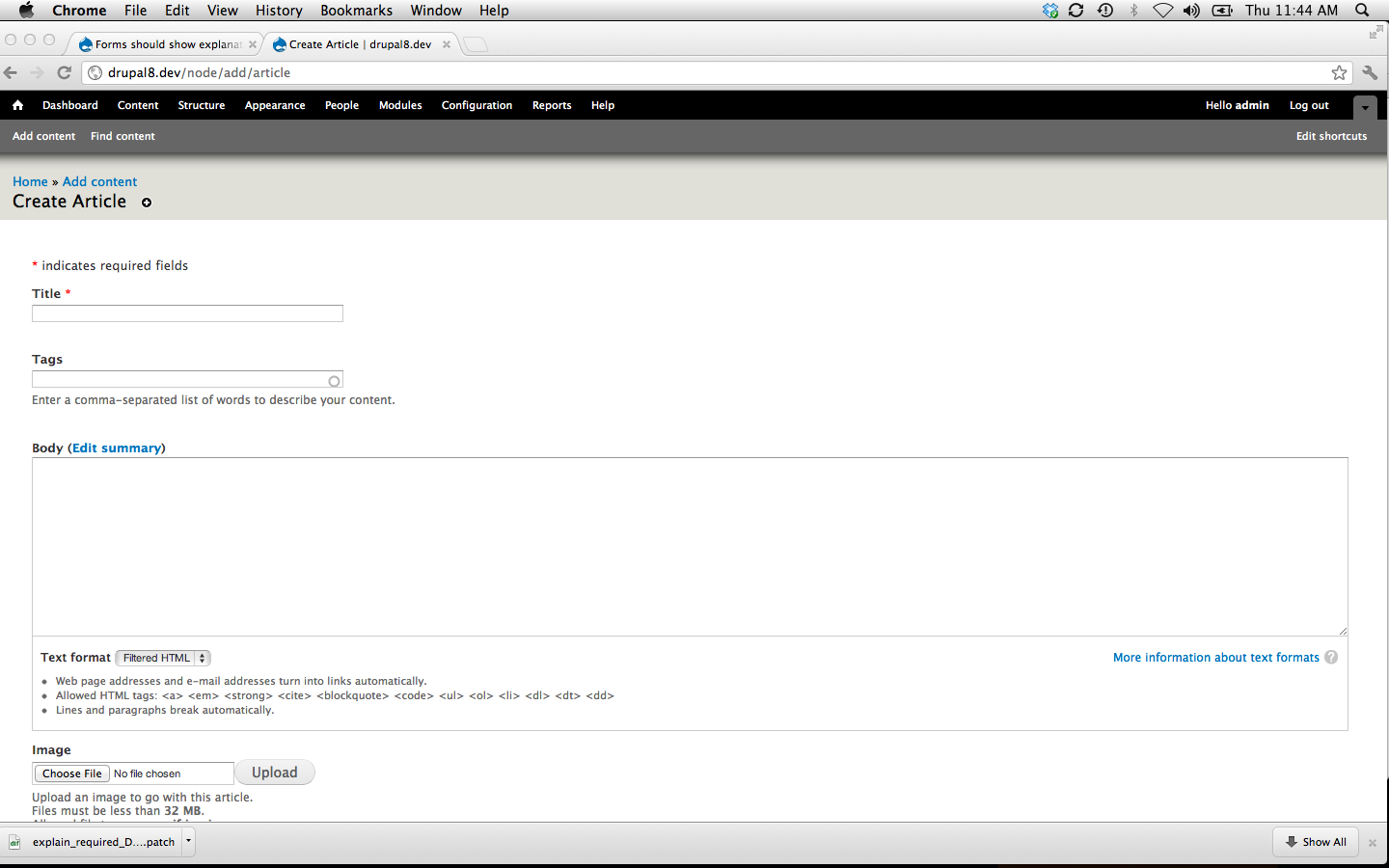
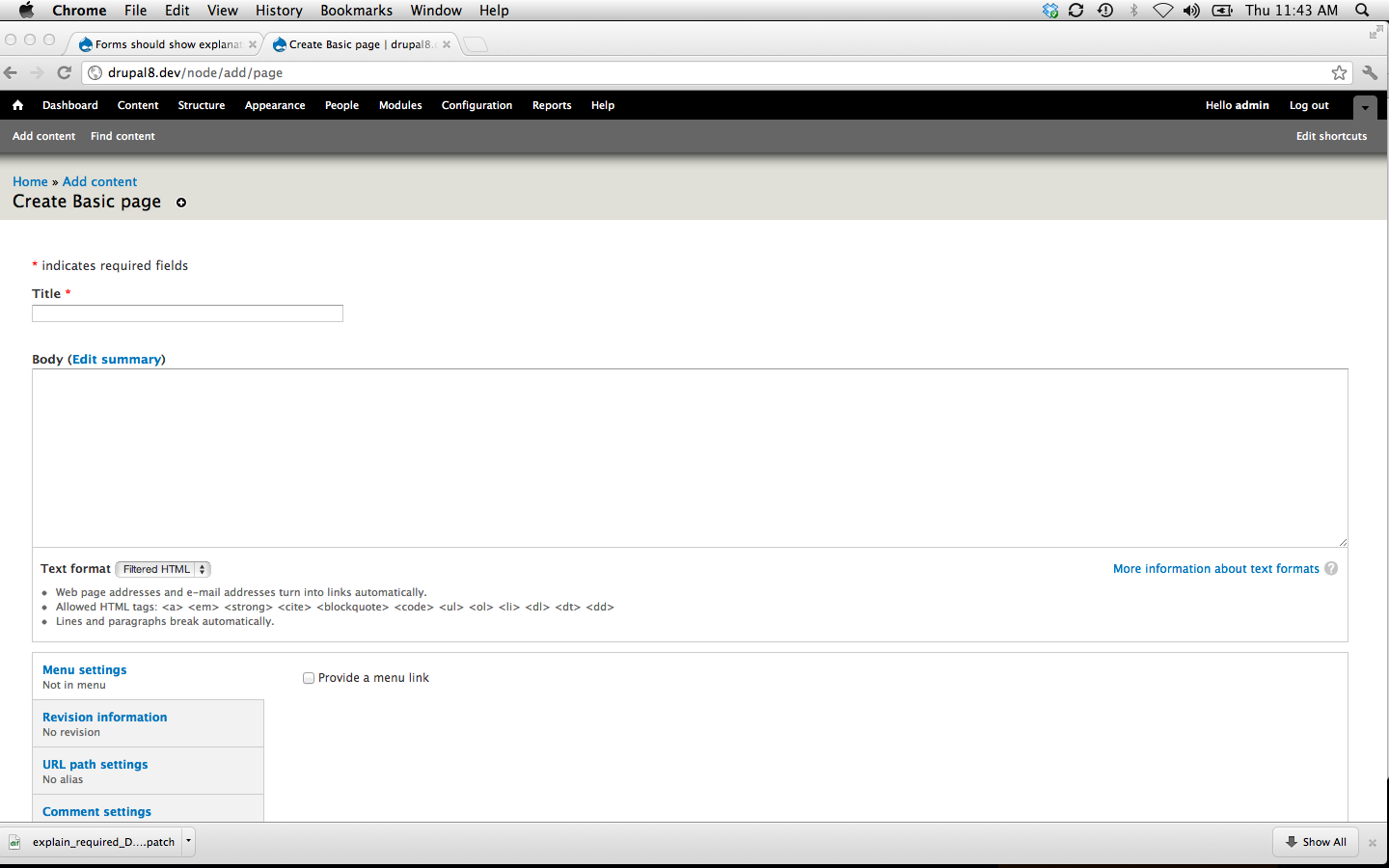
manuel garcia commentedOK, well, here is a patch against HEAD, which might or might not get some love. I attach a screenshot of what it does.
Note that I'm not sure if the changes to form.test are correct, so please check it out if you know bout tests.
Comment #10
xmacinfoHead is still D7 stuff, unless I miss something.
Also, looking at your screenshot, it's not what we are looking for.
We need to keep (*) for each required fields. However, at the top or the bottom, like a footnote, we need to define the meaning of the (*), which is “indicates required fields.”
Comment #11
manuel garcia commentedOK, I've taken the approach discussed earlier, introducing a new function, and using it on theme_form.
Attached the patch and screenshot. Note that I'm not touching any css from seven. We should first figure out the best way to do it. I'm just hoping this will help get the ball rolling.
We could perhaps only show the message through JS if the user starts using the form, or stuf like that... although not sure this is something core should do. In any case, please review =)
Comment #12
xmacinfoIndeed, this is more in line with what we are looking for.
I've looked only quickly to the patch, though.
Comment #13
nevets commentedThis should be able to disabled, while the message makes sense, not everyone wants it.
Comment #14
karschsp commentedIsn't it disable-able by unsetting $form['prefix']?
Comment #15
nevets commentedWhile it could be disabled unsetting $form['prefix'] it should be a setting.
Comment #16
karschsp commentedSo, what/where would that setting be? admin/settings/forms "Display required fields message"?
I feel like it's best practice to indicate what the asterisks mean and it's rare that you wouldn't want to display it.
Comment #17
xmacinfo@karschsp: If we need to create a setting for this, it should go in themes settings.
However, it's best practice to display the meaning of asterisks and agree that most users would not want to remove it.
For those users, they would still be able to hide it using CSS or $form['prefix'].
Comment #18
nevets commentedBoth CSS and $form['prefix'] are "technical" approaches, not something the end user can control. There are plenty of sites that do not explain the asterisks (or their equivalent) and a lot of sites seem to be more minimalistic these days assuming users are familiar with input forms. Every time Drupal forces output on users, they make it harder for people have other approaches. I am just saying they should be able to choose if this shows or not through a setting.
Comment #19
manuel garcia commentedTo me a setting just for this is a bit overkill for what it is. I dont think we should add a variable_get call for every form on your site just for this minor text. We are already adding a somewhat complex function call to every form just to check if we should display the text.
I'm still more fund of printing 'required' instead of '*' (#9), and forget about adding the new function etc, it'd be more lightweight, and is even clearer to the user. Even more, the fact that you pass 'required' through t(), means you could override that variable and have Drupal print there what you want, even just '*' if you so desired.
Comment #20
xanoWe'd need a context then, something like "form_input_required".
Comment #21
pillarsdotnet commented+1
Comment #23
jnettikSo I tested out the patch in #11 and was getting an error for $form_prefix not being defined if there were no required fields. I've attached a patch that uses some of the code from the patch in #11 and checks to see if there are required fields before rendering the form as well.
As for a setting to hide the text, I don't see a problem with the solutions in #17.
Comment #24
jnettikComment #25
acrollet commentedI see a couple of small coding standards issues.
The return param should be documented.
There should be a space after the if.
Comment #26
jnettikHere's an updated patch.
Comment #28
jnettikHere's the correct patch.
Comment #29
jnettikComment #30
xanoFrom a translation point of view I'd put the asterisk inside the translatable string using a placeholder for context purposes. The translatable string in your patch is totally weird on its own.
The last few lines of the patch can be shortened by setting
$form_prefix = '';by default, before checking if there are any required elements at all. This removes the need for the extra if-statement.I haven't tested the patch, but apart from the aforementioned issues it looks good.
Comment #31
jnettikHere's the latest patch with the changes mentioned above. My only question would be, apart from including everything inside the t(), what benefit would using a wildcard for the asterisk have?
Comment #32
xanoUsing a wildcard for the asterisk provides more context for the translatable string. Compare
Which one looks easiest to translate and gives you the best idea of what the string actually means? It is a *bad* idea to translate partial English sentences, as other languages often use completely different structures and their translators need to know *exactly* what to translate. Also, putting unnecessary HTML in translatable strings only increases the risk of error (because the HTML from theme_wildcard() and the translatable string need to be identical) and makes strings look more complicated than they are to translators with no or little HTML experience.
Comment #33
jnettikThank you for your explanation. So is it ok to put the HTML in the value for the wildcard or is there another best practice for passing markup through the theme function?
Comment #34
xanoIn this case I'd use a placeholder to ensure the required marker (asterisk) looks exactly as how it would appear in real forms.
Comment #35
jnettikOk so I pulled the asterisk out into a placeholder as well as any markup that was used the style it. But I left the markup that's supposed to exist for the whole field. I think pulling that out into the placeholder would be confusing because I'd need to create another placeholder for the closing div. The other approach could be be to pull the .form-required-info div out of t() altogether.
Comment #36
jnettikDid some looking around some of the core files and noticed that HTML was typically pulled out of t(). Here's another patch with the markup pulled out completely.
Comment #37
xanoThe </div> should be outside the $t call.
I don't really know theme_form(), but what if we add the explanation to $form['#prefix'] and let drupal_render() to the rest?
Comment #38
Gaelan commentedUpdated patch. However, I think we should make the message more subtle.
Comment #39
jwilson3Shouldn't be a space between function name and arguments.
I really hate this comment (I know its used elsewhere), to me "
// Ensure translations don't break at install time." is clearer.Does anyone know the intended *use* of the classless
<div>inside all Drupal forms? It seems like if anything this prefix message should be inside this div, not a sibling to it. Also, couldn't this be added as a #markup element to the form, to expose it to form alter hooks before rendering?Comment #40
nielsonm commentedHere's a reroll of the patch, hopefully with no more coding standards issues. I've also back-ported this patch to D7.
Comment #41
xmacinfoPlease upload a D8 only patch for the bot. :-)
Comment #43
nielsonm commentedA different approach could involve adding 'Required' to required fields and hiding the output. This would allow screen readers (specifically JAWS) to read the form label and notify the user that the field is required. I also included a d7 patch.
Comment #44
xmacinfoCalling the bot.
Comment #46
nielsonm commentedChanged test to match new text.
Comment #47
nielsonm commentedComment #48
dastagg commented** Novice attempt at fixing this **
I am resubmitting this patch which combines #40 and #46.
#40 actually creates the text on the page.
#46 updates the tests so they don't fail.
I applied the combined patch against an existing installation and checked. Then I created a new installation and checked as I was installing.
Comment #49
dastagg commentedUpon further review the "* indicates required fields" is showing up on the admin/structure/block which does not have any "required fields".
The block "Main page content" is considered "required" but this is not marked with an "*"
Comment #50
dastagg commentedRemoving the Novice Tag. I think this one will require a little more experience.
Comment #51
manuel garcia commentednice catch @dastagg on #49. If we have cases like that around.... what should we do, run a grep on all core checking for '#required', find those that should be called something else semanticaly, and propose a change in that direction? Not a novice task, and not sure it's worth the effort if it's just for this change.
Also, I feel things will get messy if we start adding exceptions to the
drupal_form_has_requiredfunction...Does anyone see a clean way to go with this?
Comment #52
tstoecklerSorry, I saw that this was discussed above, but please don't put the HTML in a placeholder. Placeholders are for dynamic content. I realize that HTML in translatable strings is not ideal, but it's what we do elsewhere as well.
In how far is this change related to this issue? (Sorry, I didn't read the entire issue.)
Regarding the blocks admin page, we should probably remove the #required for now, and add a custom validation callback. Hmm...
Comment #53
mgiffordI thought we'd already dealt with this. Dug into old issues:
http://drupal.org/project/issues/drupal?text=abbr+*&status=All&prioritie...
At least needs reference back to:
#1162802: Asterisk * used for required or changed marker should be in abbr not span
Also tagging.
EDIT: Adding useful link on required fields best practices - http://simplyaccessible.com/article/required-fields-right/
Comment #54
bowersox commentedLet's step back and clarify what is needed here. There seems to be confusion and @mgifford is correct that we already dealt with a lot of this.
When it comes to visual instructions appearing on a page, the solution would be to add instructions at the top of the form. On any form that has at least one required field, we could add the words "Required fields are marked with *" at the top. Doing that might help some users who don't know the convention that the asterisk means "required". This would help us to strictly meet the WCAG item 3.3.2. You could also argue that most people already know what the asterisk means in this context.
Other than that, issues with required fields have already been solved. For sighted mouse users, there is already a tooltip if you mouse over the asterisk (screenshot attached). For screenreader users, there is already ARIA and HTML5 markup identifying the field as required:
required="required" aria-required="true"JAWS 13, for example, reads these fields out loud as required.
Please correct me if you disagree. Let's get clear on what we're trying to achieve here.
Comment #55
mgiffordFollowing up from @bowersox, I'm going to say that "most people already know what the asterisk means in this context."
I don't think adding additional text on the page to explain what the red * is will provide much of an accessibility improvement, but it will slightly degrade usability by simply adding more text on the screen.
The convention of using a * is very prevalent.
This issue can certainly be re-opened, but that should come with some external references to indicate how this benefits users.
Comment #56
liam morlandComment #57
rooby commentedCould this be revisited, even if only to have a more recent record of it being deemed unnecessary?
I've recently had a third party accessibility review done that has pushed the point on this one, although personally I agree with the previous decision in this issue.
It relates to WCAG success criterion 3.2.2.
More specifically, the techniques G131: Providing descriptive labels and H90: Indicating required form controls using label or legend.
Since it states that it is sufficient to use G131 and any one of its sub-items, G83: Providing text descriptions to identify required fields that were not completed is also relevant since we do that.
Comment #58
Malkiyahu commentedThis issue is addressed by WCAG Success Criterion 1.3.1: Info and Relationships. It is the first example they give there.
Comment #65
pameeela commentedI'm marking this closed again since it was mgifford who originally closed it and rejected the idea of adding text to the form. The request for more information is 3 years old now and there has been no additional activity.
I note we are already including
aria-required="true", in addition to the asterisk.I think that if anyone has suggestions to improve the accessibility of forms in core, we would do better creating a new issue with an updated context.